

Hello- I’m using a javascript library to make a graphic update as text scrolls over it. Rather than using an iframe, I’m trying to put it directly in a WordPress page with the Newspaper X theme, because the scrolling doesn’t work well in an iframe. (here’s the page I’m integrating with WordPress, but outside of it).
My problem is this – the images that should be a *background* appear *in front* of my text at z-index:0 or higher, so I wanted to use the factory z-index setting of -1 to put the images right behind the text.
But I can see that any z-index lower than zero falls behind the entire page. I don’t know if this is a WordPress issue or how your theme is designed, but I’d love your advice on what, if anything, I can force to a lower z-index.
Thanks!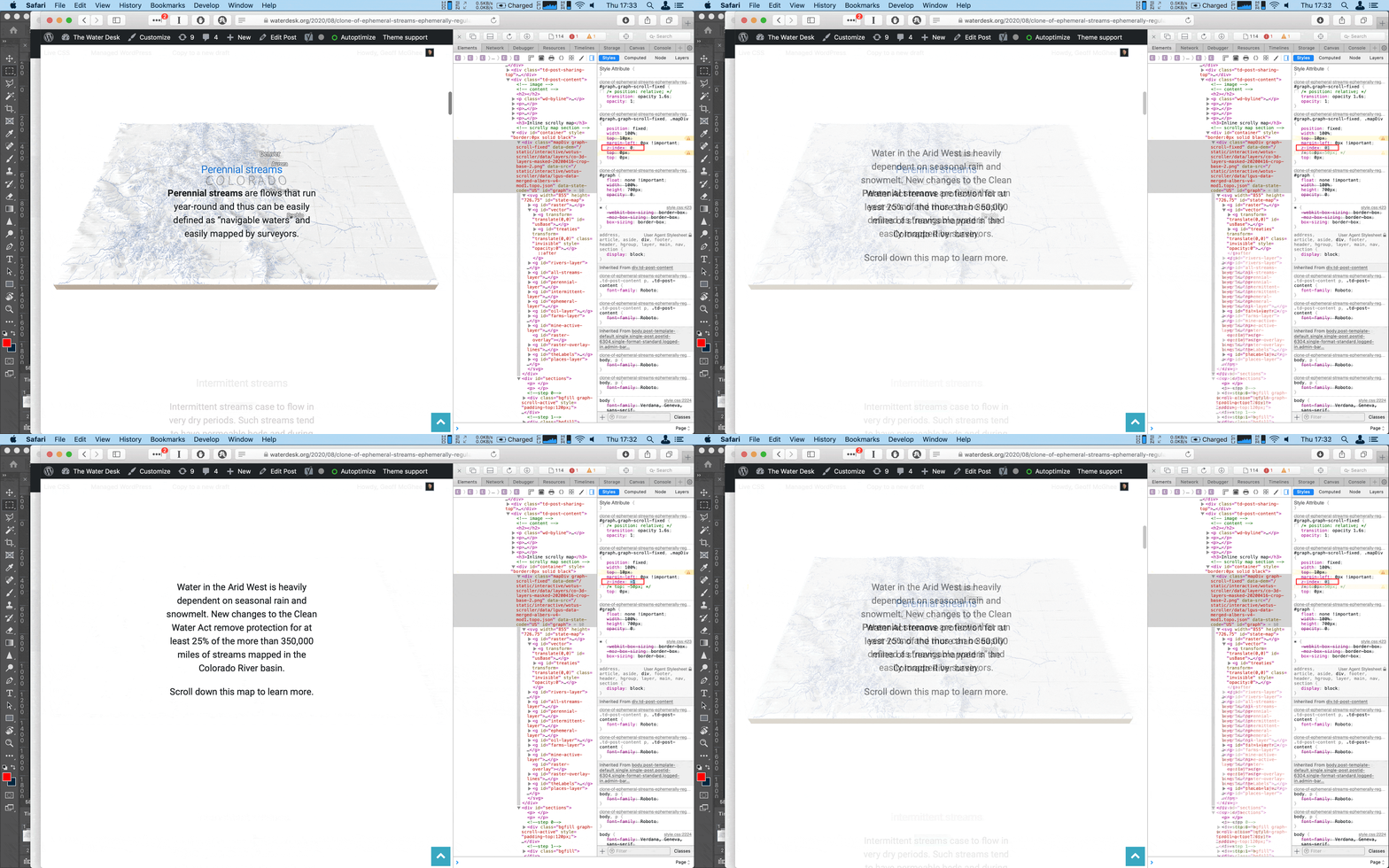

Hi,
So you want to set a link to this external page or you want to make a page like above article, if you want to make a page, maybe we can help with a custom css.
On the page provide the z-index indeed is page under page when is set under 0 and over the text when is equal or greater then 0, somehow the z-index is not apply correctly on all elements from the page.
I’ll test more later and see if I can find something that can be helpful.
Thank you!
Yes, ideally I’d like to integrate the scrolling graphic into the WordPress page itself, so that the feature story can exist in our CMS and have all the promotion one would expect within the site – plus I don’t want to recreate the whole site design in a static page! I know that many news organizations create static versions of their designs and host them at urls like “projects.domain.com” but it’s not worth the hassle for us.
I was hoping I could find out from you what elements are at z-index 0 and if it were possible to use CSS to push them back somewhat, like -999, or even -10.
Thanks so much.
Hi, I think that you can use the guide from here -> https://www.sitepoint.com/atoz-css-z-index/ I think that if you set the position on elements from body then the z-index should be apply correctly and yes, in this case when you use a negative z-index this will be set under page, I thin that the negative z-index is use more for elements like :before or :after.
Here is an example -> https://i.imgur.com/DmPiq9J.png
body p, #sections  {

position: relative;

}

#sections  {

z-index: 9!important;

}

#graph.graph-scroll-fixed, .mapDiv {

z-index:1!important;

}
Hope this will help you!
Calin-
You are a magician! Yes, it worked perfectly. I can’t believe it was so easy to implement. Thank you so much!

