Hi,
Send us an email at contact@tagdiv.com with your log-in information (wp-admin) so we can further investigate it closer your setup page.
Thanks for the message!


The problem of not uploading a photo does not occur when each page loads.
Let’s say, 10 of the loads are loaded 7 times and 3 times no. (such is a problem with me).
I have two web sites with Newsmag templates and both of us are doing the same thing.
This has happened since I updated the last version.
Hi, Catalin
I have done as you said and yet it didn’t work. please can you help me out?
there is the url: https://www.thenewsclue.com
Thanks
Hope Anyagu
Hello ndubest20,
I have checked your website and all of your images seems to works as expected, as you can see here -> https://www.screencast.com/t/6XyxzwEA Please check your browser’s settings (add-ons or any custom settings), try to load your website from another device and check the results. Notice that the website working as expected without any problem, sorry! Most likely, this case happens only on your side because we cannot recreate it, sorry!
Thanks for your understanding!

I am having problems with images breaking on first load of my site after not visiting it for a while. It will also frequently not load the images on the “related articles” post carousel or the “even more news” in the footer. I didn’t notice this until the upgrade to the latest theme. It does this on my PC with Internet connection and on mobile phone on the mobile connection. It also seems the theme loads the images unusually slow on the phone when they don’t break. I have tried disabling all the ads and a lot of plugins. It is worse at not loading images on mobile. They break quickly like they don’t exist. I turned off cloudflare caching and it does it with or without it. I disabled super cache and it does nothing to help. https://defiantamerica.com/
I see the same thing on Anyagu site https://www.thenewsclue.com that I see on mine

After I reload his site, the images appear.

-
This reply was modified 7 years by
macksix.


Hi, TagDiv
Please Please I need newsmag version 4.5 into my email: nduhope@gmail.com
and how to use it without having issues with it because I have the current version code.
Best Reagard.
Hope Anyagu

Hello,
@ndubest20, please send us an email at contact@tagdiv.com and request there the 4.5 version of Newspmag if you want this.
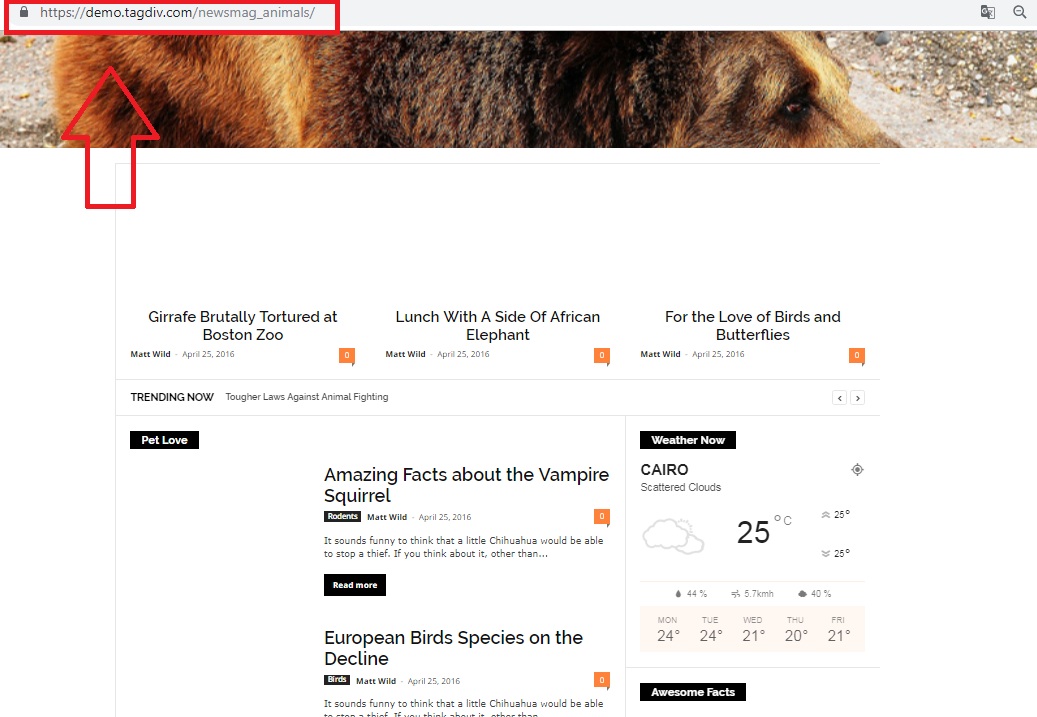
@Maten, I have checked the demo and it seems to work as expected as you can see here -> https://www.screencast.com/t/RORcj2Wc7f and I did not saw any problem regarding this issue with our demo, sorry!
Thanks.
Hello,
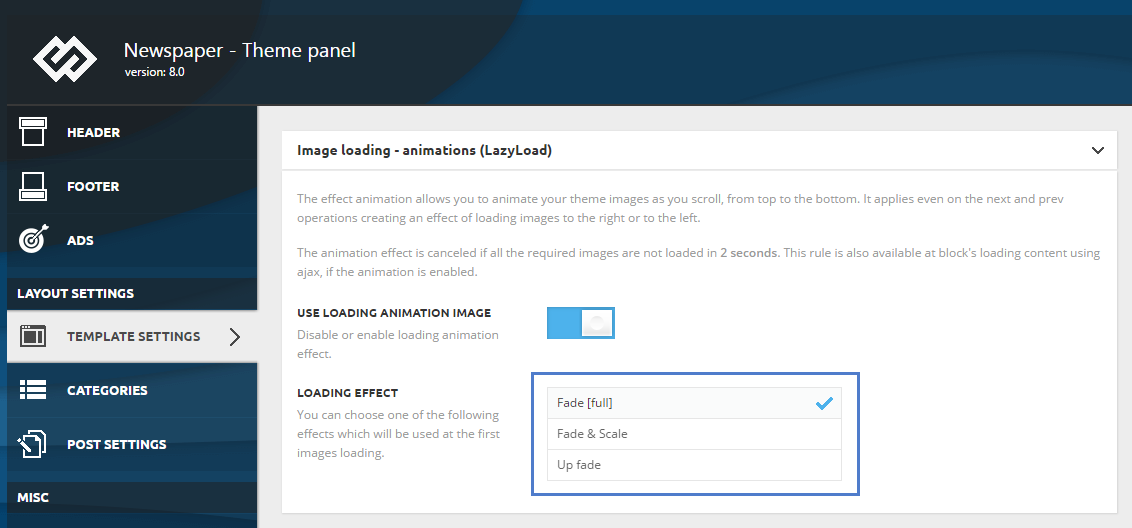
Anyone who has problems loading the page (not displaying images) can solve the problem by turning off Image loading – animations (Lazyload).
Disable: USE LOADING ANIMATION IMAGE
– Newsmag – Theme panel -> TEMPLATE SETTINGS -> Image loading – animations (Lazyload) /TURN OFF – USE LOADING ANIMATION IMAGE/
https://forum.tagdiv.com/wp-content/uploads/2017/05/loading_effects.png