


look at my website from a mobile device.Newscaribe
Tell me what you mean.
-
This reply was modified 6 years by
ludyma.
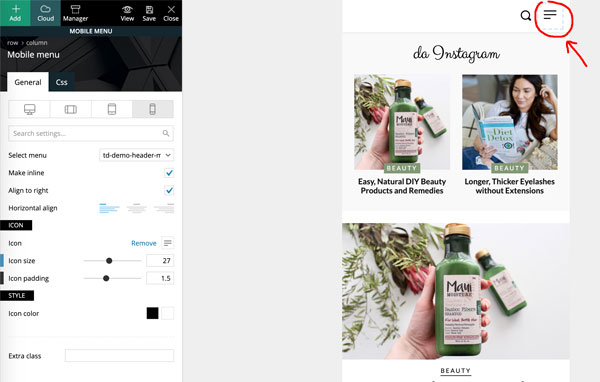
Thank you for your time. In tagDIV Composer (or in another location), how can I personalize the menu that opens by clicking on this icon? The same by clicking on the “search” icon. I want to partially customize the style.
-
This reply was modified 6 years by
SquallSFU.
Haaaaa, so you are using the web directly and it adapts to mobile devices, in that case you should use the option of the browsers to inspect and relate the changes as you like in the code, then make that modification in the custoncode option, But I don’t know if those changes are different in the desktop template or if there is one for mobile, in that case you should look for it.
If it is a plugin that works with the mobile theme + pliugin amp template that is free
pluing
Hi guys, is it normal that some settings in Theme Panel are not applied? For example:
– In Social Networks, I set mine, but in the site menu I see others;
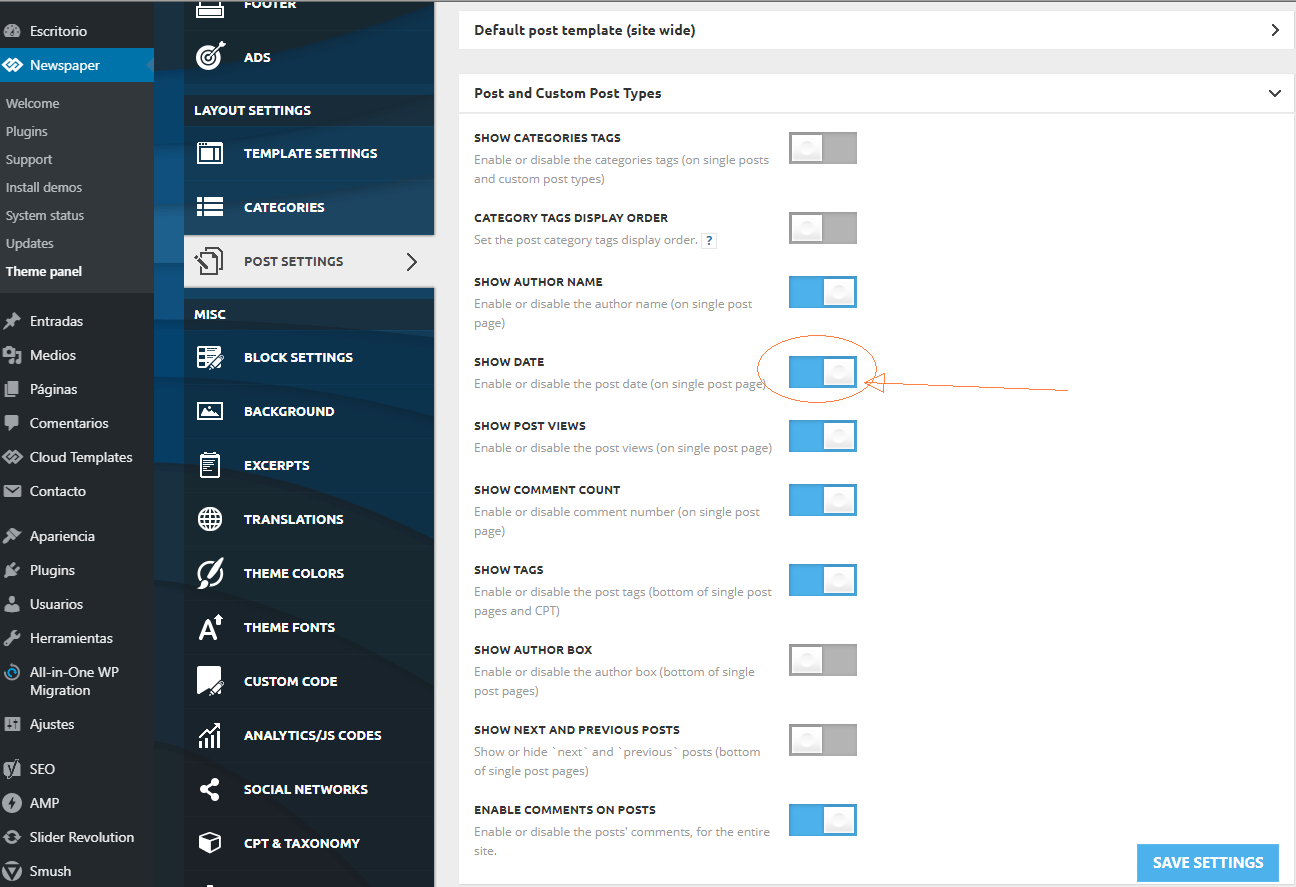
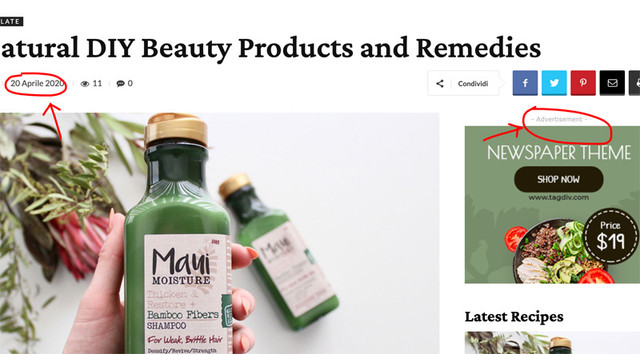
– In Post Settings, I have disabled “Show date”, “Show author box” etc. but they continue to appear in the post pages;
– In Ads, I customized “Ad title” in all ads, but “- Advertisement -” continues to appear on the site.
Why? Am I leaving something out?
1. It depends on where, in the article or in the block, if it is a TagDiv composer block, each block has its access key.
2. As I mentioned before, the first option in the previous post with attached photo, that is to disable in the articles and the one answered in the second is for the one of the blocks.
3. It is the same as in Cotestacion 1, it depends on which block and where each one is individually modified, either from the tagdiv composer, widged, it sends a capture.
Of course if you have done it with, yes, check the module and take a good look at the options on the left side and its tabs
the date changes with the previous one you mention
Ok, that is for within the post, the one you are looking for is in the Block Secttings section -> meta info on module -> SHOW DATE
Enable or disable the post date (on blocks and modules) on / off
the one of the publicity from the module of the editor Tagdiv in field called Custom title: in the general tab

Hi,
Sorry for the late answer, we have some days off for holidays -> https://i.imgur.com/i7CdfFq.png if there are still some problems or you have some questions let us know!
Thank you!


