

Currently, when using the tagdiv editor, changes made to the mobile menu, such as selecting which menu it should use,
do not save when the page is updated.
The mobile menu always pulls up the menu from the main header, even if the menu itself is set to a different menu.
This page is using a different overall header:
https://www.rcrwireless.com/qualcomm-analyst-day-2022
The mobile menu will not retain the settings so we’ve had to leave the horizontal menu layout in place.
I have also been unable to change the CSS on the page. Any changes made are erased when the page is updated.
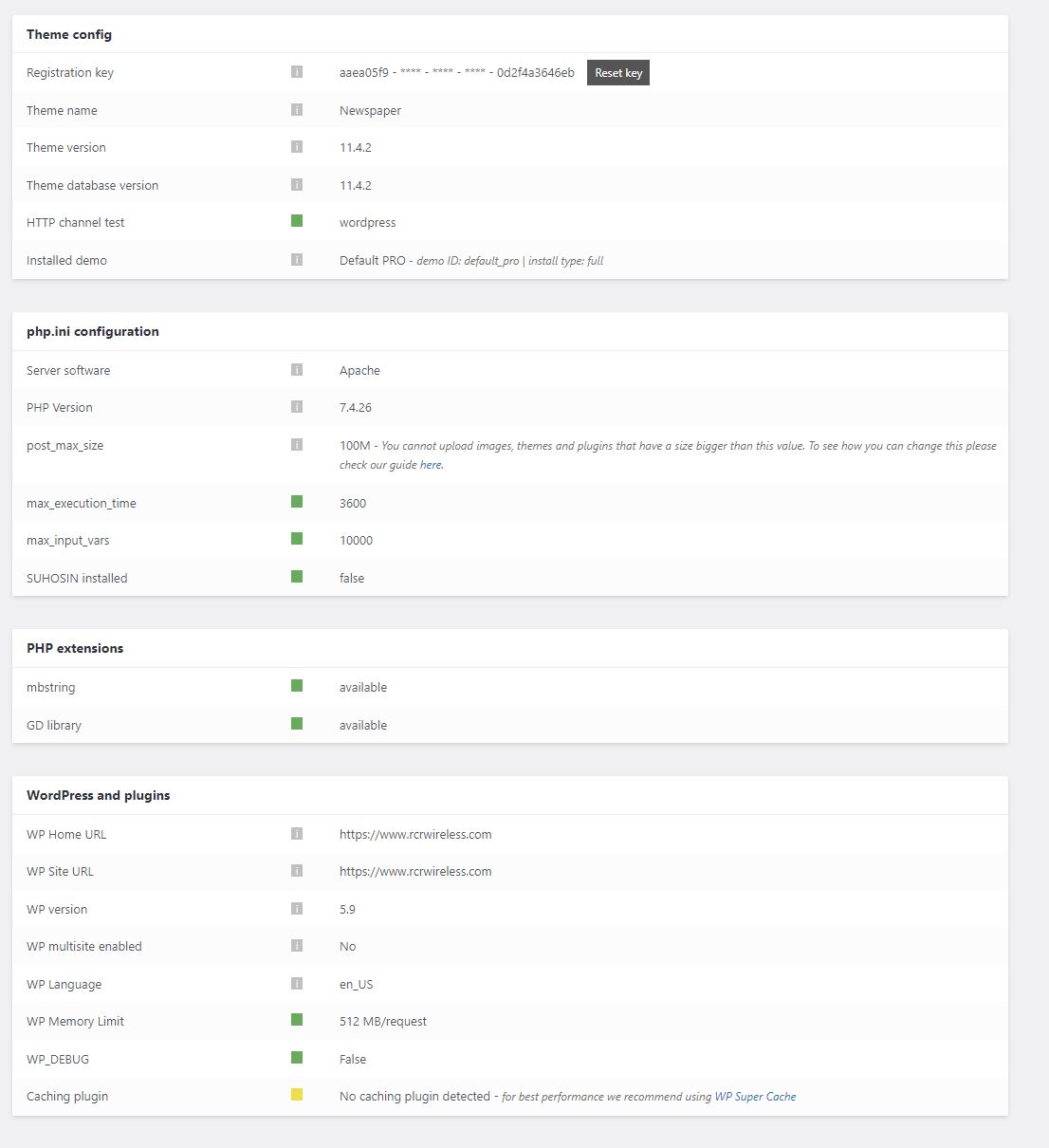
Theme status page:

Hi,
If the changes are saved but after page refresh old settings are back, then it is possible that the changes to be delivered from an object cache.
Also, some times can be a plugin conflict, so you can also make a test using only tagdiv plugins.
On this post https://www.rcrwireless.com/qualcomm-analyst-day-2022 you have set a different header per single post template and this is also set on the mobile using the same element from desktop and not the mobile menu (you can edit it using tagDiv Composer) -> https://i.imgur.com/qExqf5r.jpg -> https://i.imgur.com/w00kC00.png
Thank you!

Hello @Eighthats!
We can take a look for this and investigate why is not working for you. Please contact us via email at contact@tagdiv.com and provide the following:
– admin url and credentials
– cpanel url and credentials
– a link to this topic in order to identify you
Thank you!

Hi there,
1. What is the difference between Mobile Menu and Header shortcode Header categories list?
2. How to edit or change the categories list that appears under the shortcode Head categories list?
https://www.screencast.com/t/9dMnsGJ96Qig
-
This reply was modified 4 years by
roc-100.

Hello,
1. For the mobile menu you need to set a menu that you have created -> https://i.imgur.com/8V5VplB.png
For header categories list will display all categories that you have on the website. -> https://i.imgur.com/83iBJa0.png
2. The list is displayed from Posts -> Categories, so you can’t change the list -> https://i.imgur.com/Lpf496f.png > https://i.imgur.com/fkcg524.png
Thank you!

Hi @Bettina
I appear to have a similar issue to @Eighthats. when I select the desired menu for the mobile menu on my site in the tagdiv editor, it won’t save. Other CSS settings for other elements elements in the mobile view, and even other settings under the “General” tab of the mobile menu element save just fine, the issue appears to be isolated to the “select menu” drop down of the mobile menu element. I’ve tried fully disabling my cache plugin and the problem persists.
Any ideas?
Cheers,
Oli
Hi Oliagri7, do you have set a header on that page/template? We discovered that there is a problem, when there is no header on the page/template, then the mobile menu remains one -> https://i.imgur.com/Ls6uzGi.png
If is so, then please set a blank header from cloud and set the menu on it (the header can set as global or individual per page/template).
In case that there are still some problems, you can contact us via email!
Thank you!
hey @Calin, sorry I don’t understand exactly what you’re saying here. I currently have a header set up in cloud templates which is then assigned as global header through Theme panel > Header. the above issues are occurring in the tagdiv editor for the header when accessed through the cloud templates admin page, and the phone viewport is selected to edit the mobile view.
ok so I’ve realised that it does actually save the desired menu (even through it doesn’t show that in TD composer when editing the menu template) however it’s loading very slowly or only after a second tap on mobile – is there some setting I’ve got wrong? https://www.asian-agribiz.com/
This issue has popped back up for me.
Under appearance > Menu
I have updated the Mobile Menu to include a few more pages. It is named Mobile Menu on the back end of the website.
This is the menu that was already being used as the global header.
I have saved the menu and when the page reloads it is still updated.
When i update the template, it does not save / show which menu is selected.
The front end does not update at all.
Even after updating the template to select the menu again, the front end mobile menu is no showing content that matches any of the menus found under appearance > Menus.
Two pages were added to the mobile menu:
Rohde & Schwarz 6G Technology & Testing
5G Manufacturing Forum 2022
and they are not showing on the front end.
All caching has been turned off completly. as well as many other plugins have been turned off so we can troubleshoot.



