

Hello,
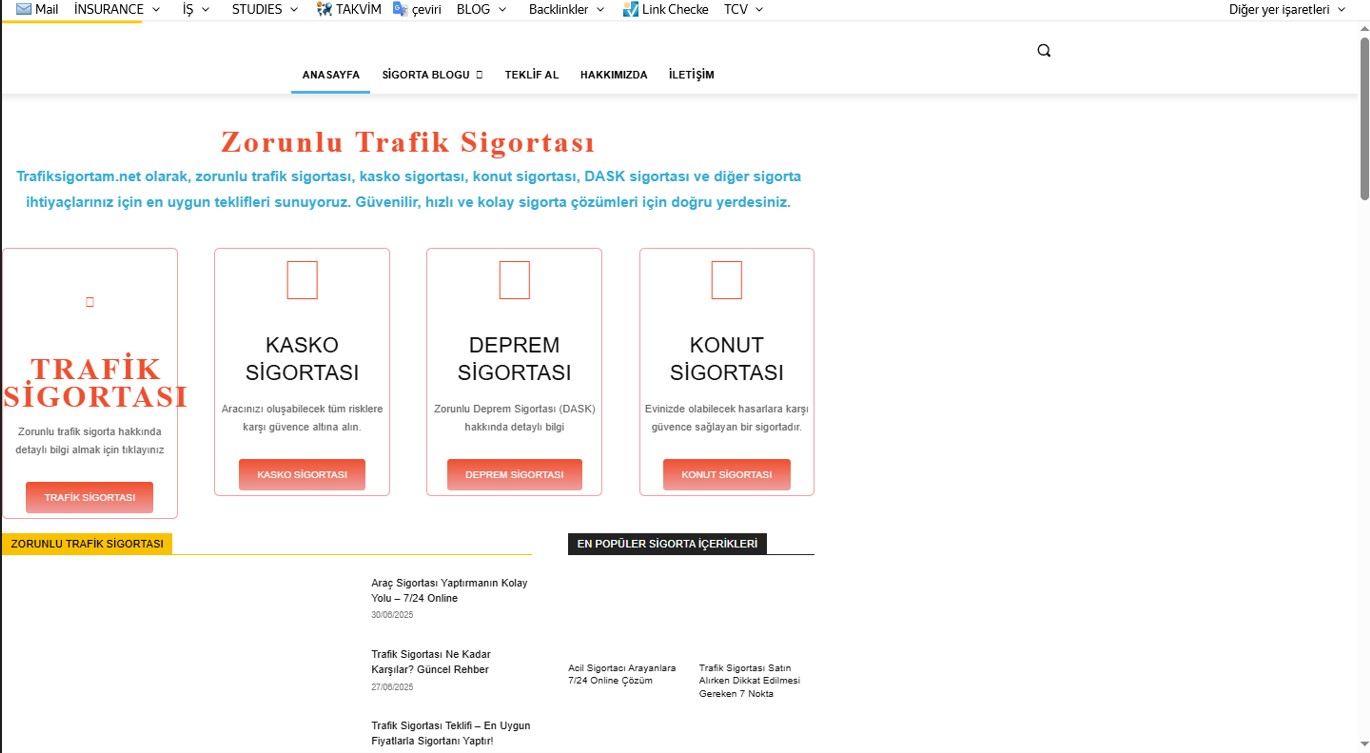
On my WordPress site (Newspaper theme), when I activate the LiteSpeed Cache plugin, the page layout shifts to the left. When I disable the plugin, the problem disappears completely, but then the site speed decreases.
I tried changing some CSS/JS optimization settings (CSS combine, async load, etc.) but couldn’t find the exact solution.
I’m sure the issue is related to LiteSpeed optimization settings, but I don’t know which setting I should adjust.
I’m sharing the screenshot in the attachment.
Has anyone faced this problem before? Which LiteSpeed settings should I modify to fix this issue?
Thanks in advance.

Hi,
To fix the layout shift caused by LiteSpeed Cache:
Go to LiteSpeed Cache > Page Optimization, then try the following:
– Disable “Load CSS Asynchronously”
– Disable “Combine CSS” and “Combine JS”
– Clear all caches (LiteSpeed + browser)
Test after each change. If the issue disappears, you’ve found the conflicting setting.
Thank you!
Hello,
I disabled the following options in LiteSpeed Cache → Page Optimization as suggested:
Load CSS Asynchronously → Disabled
Combine CSS → Disabled
Combine JS → Disabled
Then I cleared all caches (LiteSpeed + browser), but the issue still persists. The page layout shifts to the left when loading (see attached screenshot).
Is there any other setting or solution I should try to fix this?
Thank you!
HI,
Most of the time, those were the settings interfering with the theme, but if the problem persists, then I think you’ll need to manually check the settings until you find those that are causing this situation.
The layout shift is usually caused by Remove Unused CSS or JS Delay/Defer in LiteSpeed. Try this :LiteSpeed → Page Optimization → CSS
– Set Remove Unused CSS = OFF
– Use Optimize CSS Delivery = ON (Critical CSS per URL)
– Purge CCSS/UCSS.
LiteSpeed → Page Optimization → JS
– Turn Delay JS = OFF (or exclude Newspaper/tagDiv scripts like /wp-content/themes/Newspaper/, td-*).
– Turn Load JS Deferred = OFF if issue persists.
LiteSpeed → Page Optimization → Media
– Localize Google Fonts = ON, Font Display = Swap, and preload main fonts.
LiteSpeed → Cache → Mobile
– Enable Cache Mobile + Separate Mobile View.
Then clear all caches and retest. Most Newspaper sites fix the shift by disabling UCSS and excluding tagDiv JS from Delay/Defer.
Thank you!
