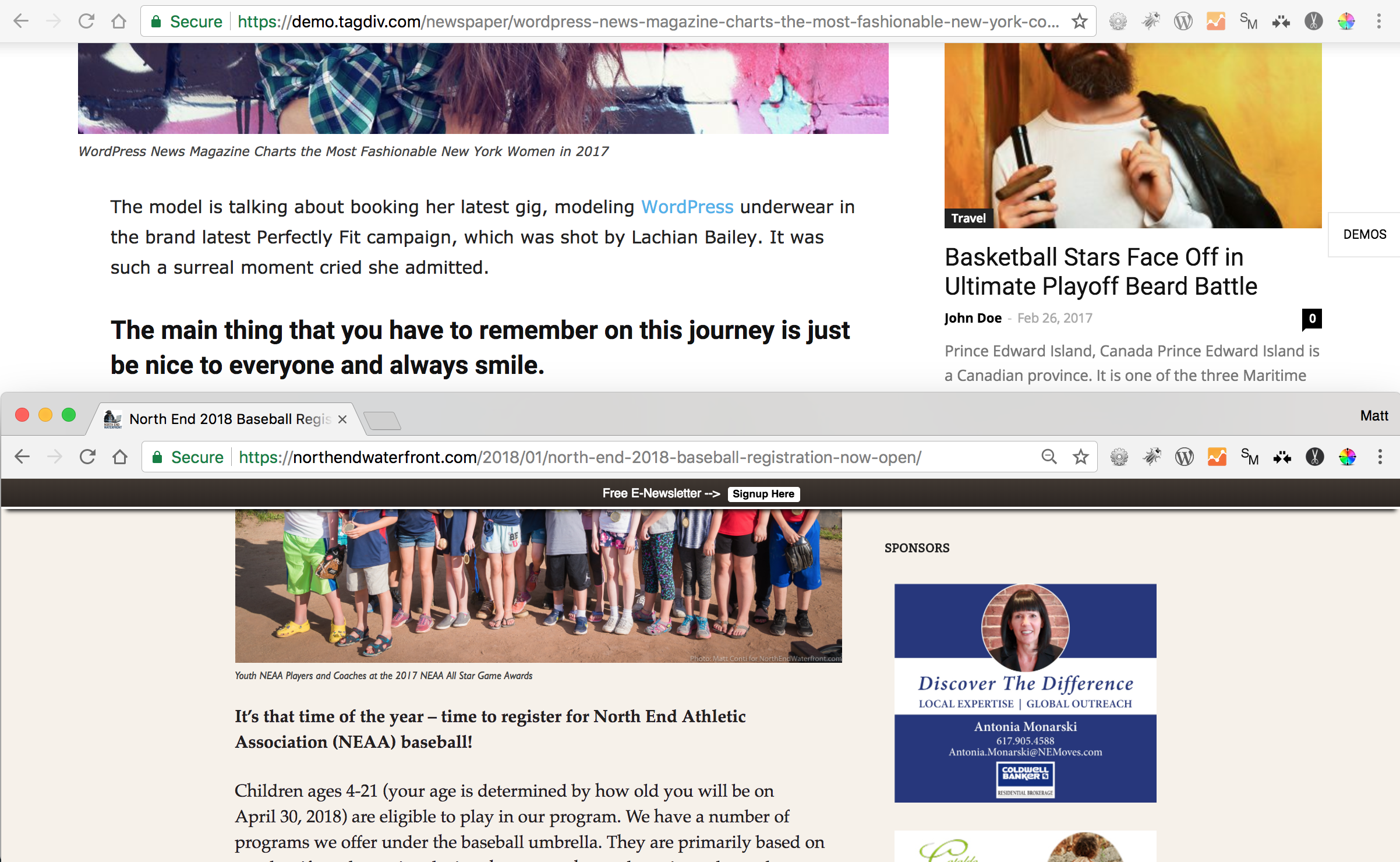
I am trying to get my site to look more like the scale of the demos where the page / posts / images are wider and larger. How can I accomplish this? My site is https://northendwaterfront.com

I am trying to achieve the same look as on the demo. In the screenshot, this is using exactly the same browser scale settings showing the Newspaper theme demo (upper) and my site (lower).
https://northendwaterfront.com/wp-content/uploads/2018/01/Screen-Shot-2018-01-22-at-10.47.23-AM.png
Why is the demo so wider with larger images, etc. in the same sized window?

Such a difference is not possible, I have compared the same posts exactly using Chrome browser and Firefox
– https://www.screencast.com/t/ZaMruY00jjO2
I have also inspected the posts on your website, I see nothing out of the ordinary with them regarding the width. Test in the same browser both websites, try without extensions in the browser, or test in other browsers as well.
Thanks

I am interested in this too. I have had the Newspaper template running for several years as http://munichnow.com and would like to now have the wider look that the new version of the theme offers.
Is it possible to convert older sites made with v.7 to this new wider look?
@munichnow The wider layout is achieved by stretching the rows. There are also many Full grids available that can be used
– https://demo.tagdiv.com/newspaper/full-big-grid-1/
If you built your website with Visual composer you can keep using that, or consider switching to the tagDiv composer
– https://forum.tagdiv.com/tagdiv-composer-tutorial/
The tagDiv composer will receive many more features and options. Also the multi-purpose plugin can be used with it
– https://www.youtube.com/watch?v=C0ARTSimnUY&index=4&list=PL6CsDkMaejhr2ExZCO73U11SSVKB9r_NE
These new elements cannot be used with Visual composer. In case you should consider using the tagDiv composer, you will have to recreate all the pages with it.
Thanks