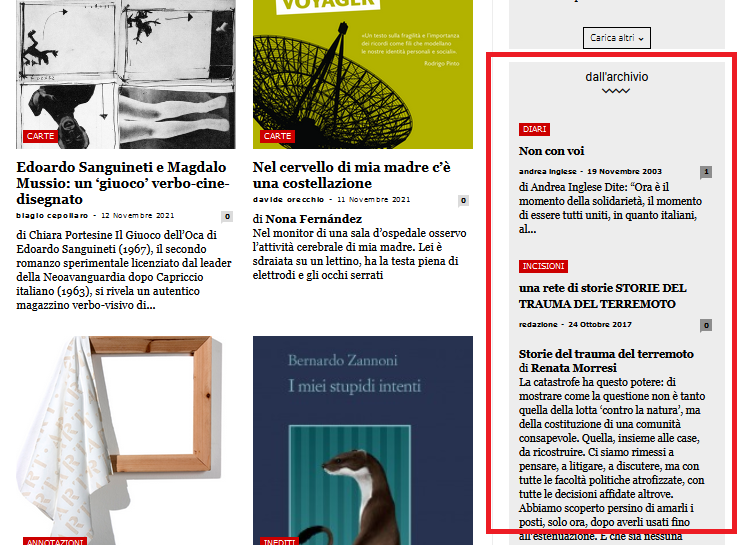
Hy, this is our homepage
https://www.nazioneindiana.com/
Sometimes when some old posts, not all, are displayed random in archive column on the right in “dall’archivio”
https://www.nazioneindiana.com/wp-content/2021/11/archive-posts.png
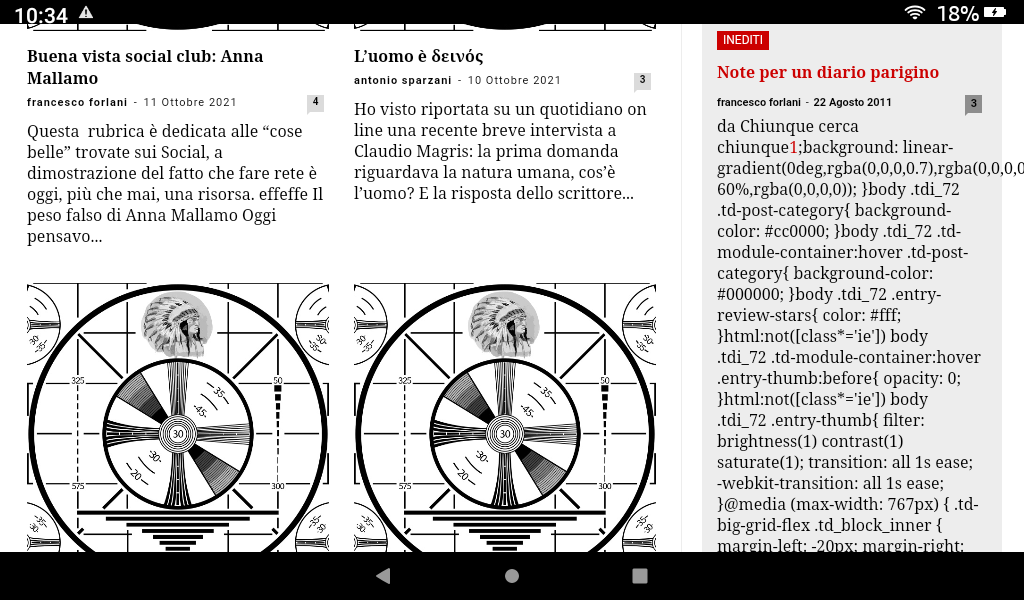
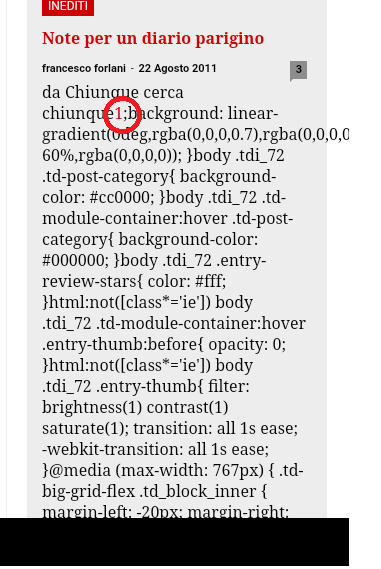
a strange phenomenon happens: parts of code appear in the post, I think of the css, instead the code of the post in “text mode” is normal
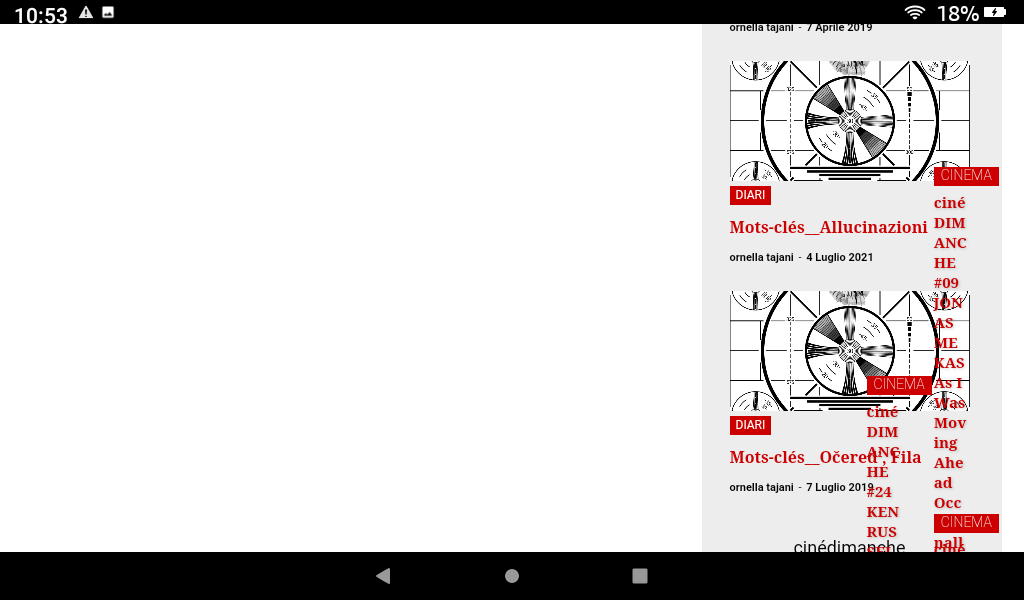
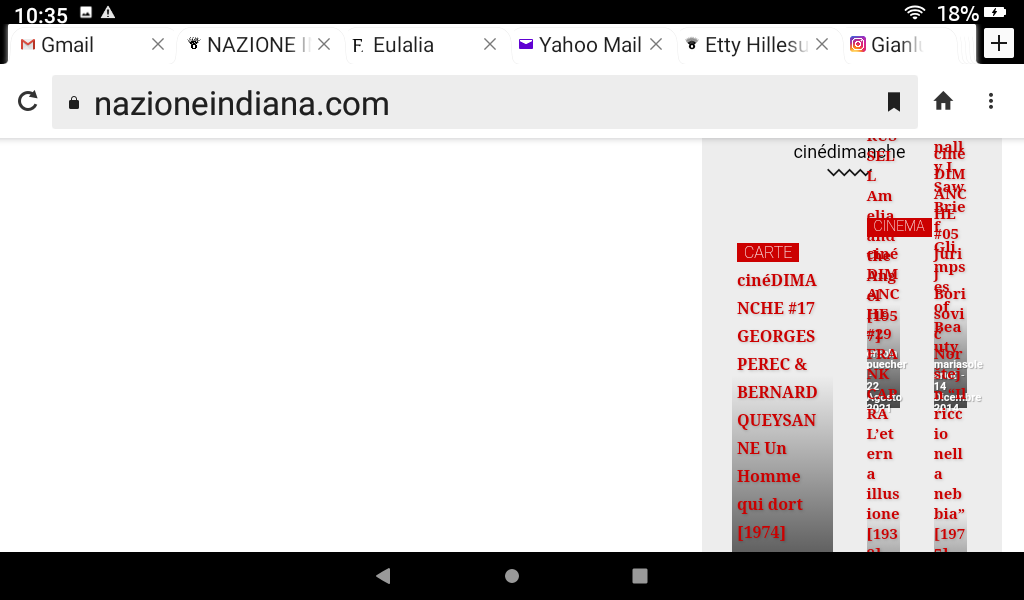
and from this post down the rest of the homepage turns white and appears on the right side and completely messy, without images.
Also it is impossible to access tagDiv Composer.
Everything goes back to normal by updating the page.
Why does this happen?
Thanks
Orsola
-
This topic was modified 4 years by
mauta.

Hi,
This is quite a strange situation. What I suggest is to check the problem step by step.
The archive is set to display the latest posts in archive or random posts? If is on latest and are display old posts, then most possible to be a plugin conflict.
That code, like you said it is a css, that it is apply for that block so if the problem is solved after you update the page, it can be from some object cache or a plugin conflict.
The last problem seems that the response version is not apply correctly, now this also in most cases it is related to cache plugins.
What I can suggest is that first to make a test using only the theme plugins and see if the problem is still persist.
Please let us know the results!
The archive is set to display the random posts.
Another strange thing is that the css code appears only for an author, in posts from about 10 years ago, for the others all is normal. We have an emormous archive of 11.881 posts from 2003.
I initially thought it depended on copy and pasting from word documents, which generates weird html tags. But I checked and in text mode everything is normal.
I will try to do tests on plugins and clear the cache.
Thanks!
Thanks for your patience and suggestions. I think I have discovered the reason for the problem: this author uses very often to put footnotes in the first lines of posts, which then appear in homepage in the excerpt, with the WP-Footnotes plugin that puts the text of the footnote between two brackets ((text)) in the body of the post. I don’t know why but it’s these two brackets that mess everything up.
https://www.nazioneindiana.com/wp-content/2021/11/footnote.png
I found 80 of his posts with footnotes in the first lines and I think the only solution is to modify them or prevent the use of (()) in the excerpt.
Best regards
Orsola