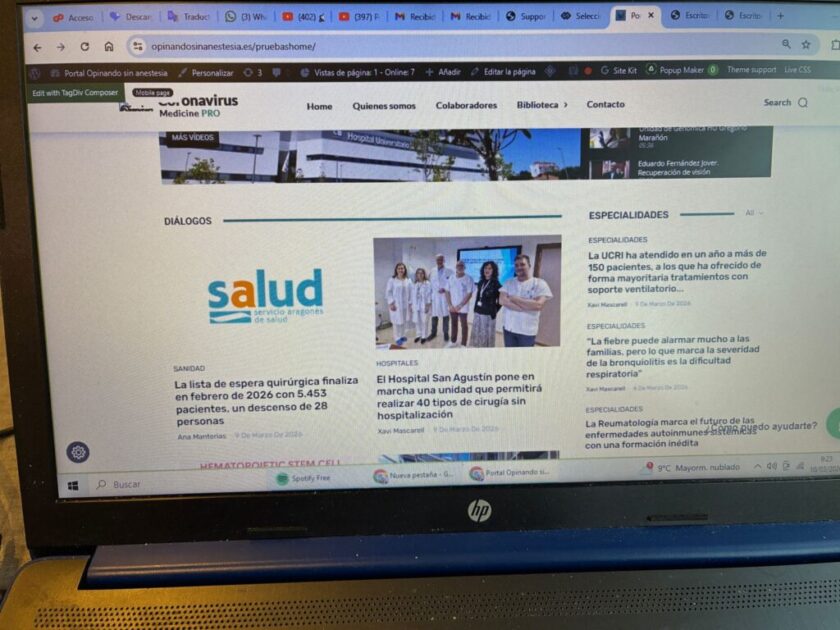
In the block marked in blue (https://opinandosinanestesia.es/wp-content/uploads/2026/03/8b9736e0-6c82-4477-99af-cf6cb065ba1a-scaled.jpg), there is no option to select categories. How do I solve this problem?

Hi,
The post loop elements are special blocks that are used on pages for layouts and on cloud templates. Those are special because on cloud templates those are displaying the articles related to teh template where we are set. For example, if it is set on a cloud category template, even if the post loop element does not have a filter, it will automatically filter the correct output for each category in the part using that cloud category template.
If you like the liberty to set teh filter, use the flex blocks and grids, not the post loop element.
Thank you!
I’m still unable to modify the category filter, and this step is crucial for us to resolve quickly because it’s the only thing left to make this page visible on the homepage. How can I fix this without messing anything else up? Thanks!
Hi,
Could you please confirm whether the filter is applied on the homepage?
Also, please let me know which blocks you would like the filter to affect and what the expected results should be for each block. This will help me better understand the intended behavior.
If possible, could you also re-provide temporary access to the website so I can review the setup? I will check the configuration and get back to you with an update on the situation.
Thank you.
Thank you!
This is the page: https://opinandosinanestesia.es/pruebashome/ and the block I want to modify is this one: ” rel=”noopener” target=”_blank”>https://opinandosinanestesia.es/wp-content/uploads/2026/03/57f627cf-0e25-4596-8c74-3b7423d5ea70-scaled.jpg
. It’s under the “dialogues” category. I want to modify it so that I can change the categories and only see entries with a specific tag. I’ll send you the access link via email.
Hi,
That element is a posts loop (https://prnt.sc/JkGvT-YJ4lwx), and it’s a special element different from the rest of the blocks. This one has an automatic filter—there are no manual filters like on the other elements. So, if you want a filter that you can set yourself, you’ll need to use a Flex Block 1, which can be configured for the exact layout you want.
I’ve just set up the Flex Block 1 for you. You can check it and set the filters as you need.