Hello, I activated the layout of l’historie in the theme of my newspaper, but this does not have the subscription module bar as the demonstration shows in the header space, next to the logo and I cannot find it in the modules list. What kind of module is this? and I think it should be customizable, is that so?
Thanks!

Hi,
I’m not sure, but I think that you are referring to top bar -> https://i.imgur.com/dJYSiqe.png if yes, then for the l’historie demo you need to add it because this demo do not have the top bar, for this you’ll need to edit the cloud header from tagDiv Cloud Library using tagDiv Composer -> https://i.imgur.com/CYHrIbk.png -> add anew row where you want to have the top bar -> https://i.imgur.com/BBXsGtV.png and set the elements you want in it https://i.imgur.com/j6d4daG.png -> https://i.imgur.com/93NTY1N.png ->
Thank you!
Hi, really the module is this 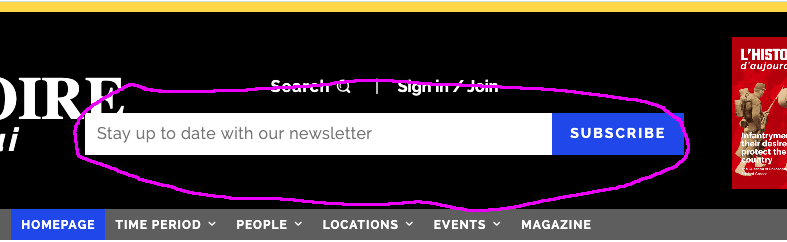
although I am very happy that you helped me with the other “bar” because I also had that doubt.
Anyway, I would like to know what is the module to “subscribe”.
Hi,
That element is from Newsletter plugin -> https://i.imgur.com/2O4mRPv.png -> https://i.imgur.com/70vpaJP.png -> https://i.imgur.com/fN5IWZ3.jpg -> https://i.imgur.com/T9zmK77.jpg -> https://i.imgur.com/wCSete2.jpg
Hope this will help you!
Thank you!
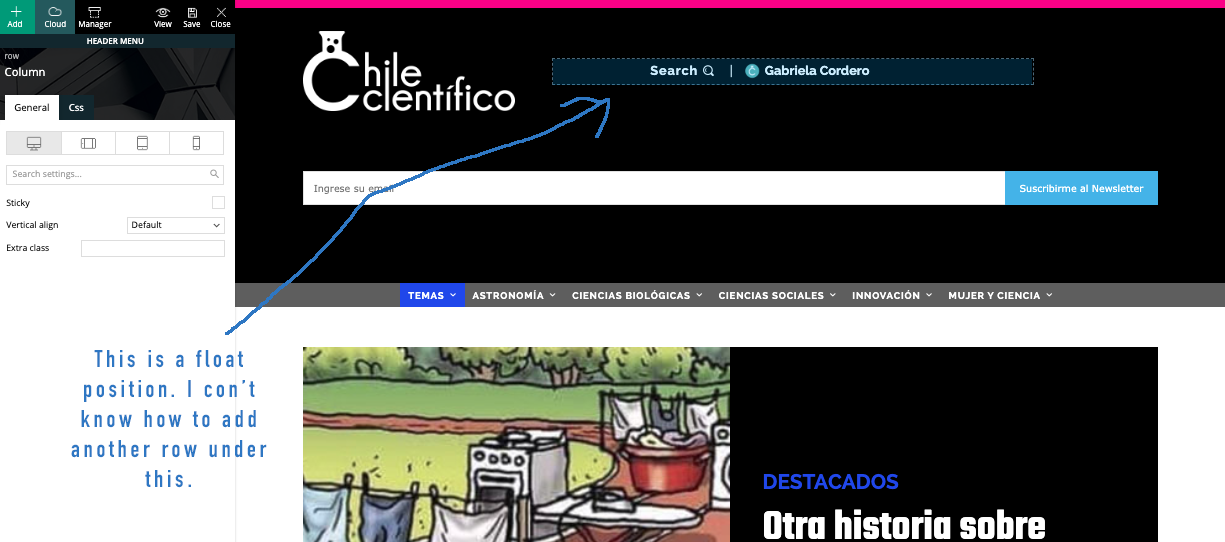
Thank you very much. I only have a doubt. In demo >https://demo.tagdiv.com/newspaper_history/ the subscribe module is in a position I can’t set under search/login module. I know the subscribe module are not good because are too big, but maybe I can control it by css. Is only the position, because search/login module is in a float row. How can I positioning a new one? Thank you very much for your help.
-
This reply was modified 6 years by
Sebastian Escobar. Reason: orthography
Hi,
The header can be edited using tagDiv Composer and you can make the logo or the subscriber smaller, or you can change the place where to be display -> https://i.imgur.com/6vKlmAd.png
Hope this will help you!
Thank you!
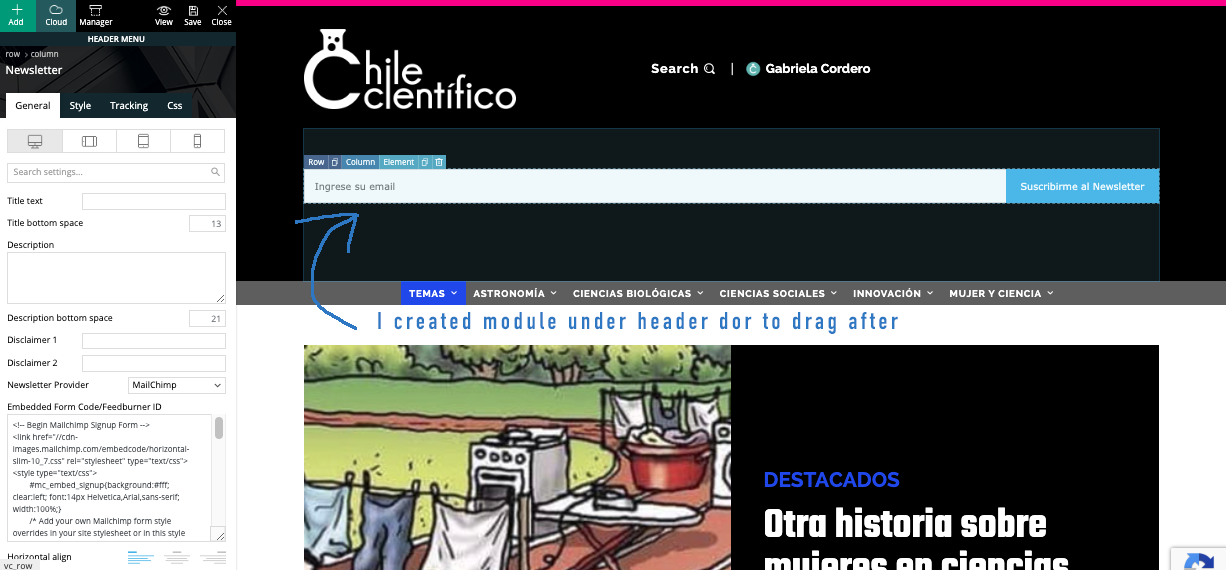
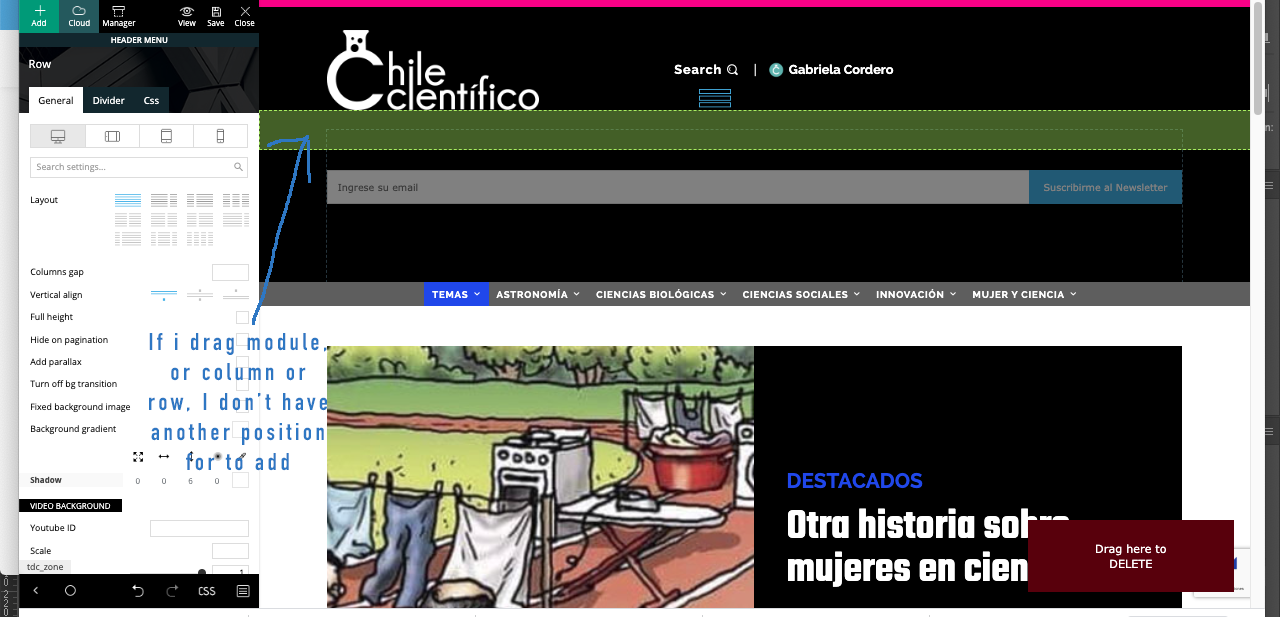
My problem is with positioning of module. I created module in a row in header for to drag it after, because really I don’t know if I need a new row with subscrube module or is only a new module in the same row of search/login. I send you screenshots: https://www.compone.cl/wp-content/uploads/2020/03/newsletter-module1.png > https://www.compone.cl/wp-content/uploads/2020/03/newsletter-module2.png > https://www.compone.cl/wp-content/uploads/2020/03/newsletter-module3.png
Hi,
So if this is still the l’histoire header, then the row should look like this -> https://i.imgur.com/F9E28jq.png each column have set a a number in % for width -> https://i.imgur.com/KG2Z5uY.png -> https://i.imgur.com/yv5Nf1q.png in first column is set the logo after that in the second one are set the search, login and these are set inline -> https://i.imgur.com/RBsQnzA.png and the Newsletter, so in order to set it there, click on the element and drag it like this -> https://i.imgur.com/kUCtKur.png you need to set the element after the login element -> https://i.imgur.com/sDSiIkc.png the results should be -> https://i.imgur.com/OLzjQfo.png after that all you need to do is to adjust the elements to look nice.
Thank you!
Thank you very very much! That was a detail that I would never realize, drag the element to be located below. I always thought in another row with module.
Thank you very much again for the detailed explanation:)