

Trying to fix this page:
http://4ainews.com/adult-industry-news-staff/
In the TagDiv Editor, images in the columns are visible
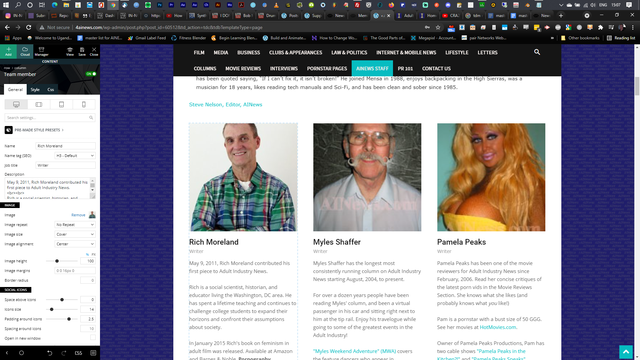
Yet in the visible page in the site(check the link above), images are invisible, despite there being the empty spaces for the images. When I right click and inspect source, the image is there, and linked. Its not coming across as a broken image, its saying the image is there, but its only visible in the wordpress backend tagdiv editor, and not the page.
Can you help me fix this?

Just to add some extra information, here is what I see on my page:
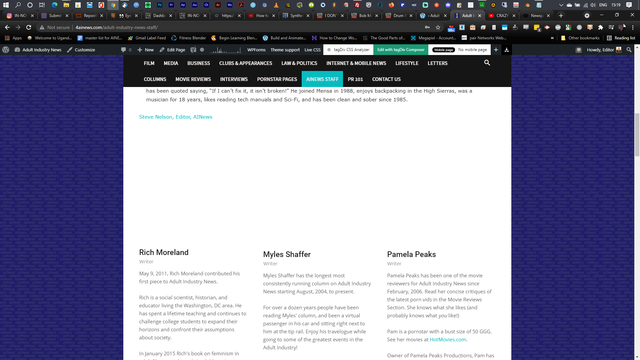
I have tried disabling all plugins, doesn’t seem to be a plugin conflict….could be the theme update, not sure how long the page hasn’t worked.
I have tried just copying a part of the code and placing it on another test page, to see if the images display again, but they still show as blank.
Here is what the source code says when inspecting it
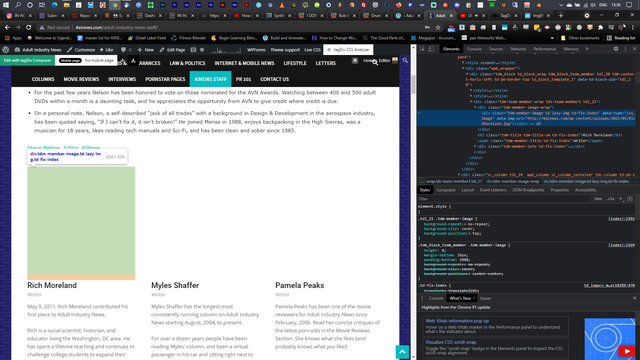
Hope that helps

Hello,
This issue has been discussed here: https://forum.tagdiv.com/topic/newspaper-11-team-member-block-image/#post-405681 please check it.
As soon as the problem is solved I will let you know.
Thank you for your understanding!
Hello,
Please deactivate, delete and reinstall tagDiv Composer from Newspaper plugins => https://www.screencast.com/t/OrzLvR2j and clear all cache.
Thank you!
