Hello;
I was using my feature images’ dimensions perfectly with Big Grid 3, but after 9.2 update thumbs are not showing properly.
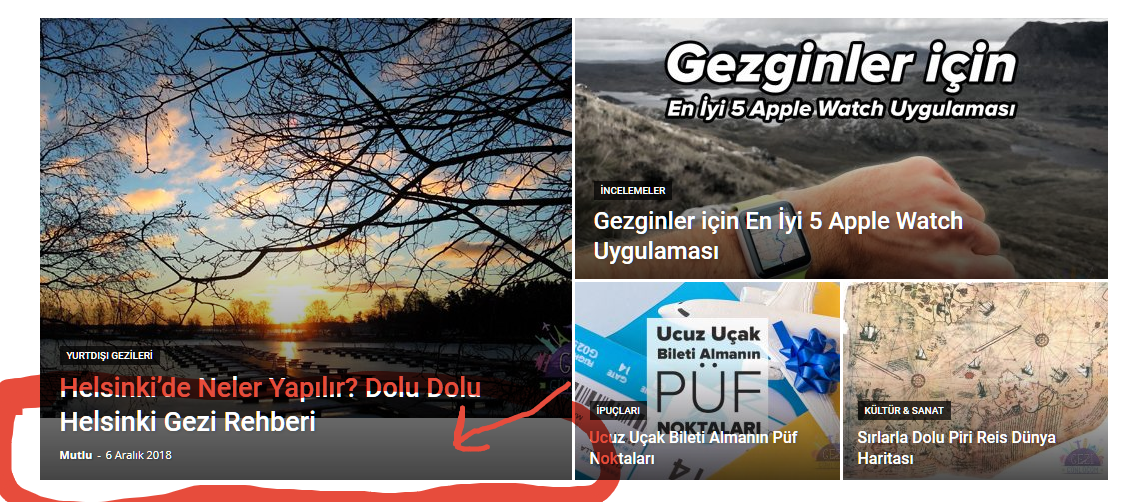
I see grey line under thumb: https://i.hizliresim.com/bVl8YY.png (but not other three thumb)
If you need web adress: http://www.gezigunlugum.com
Thanks for help
Add:
My big grid was look like this one (big thumbnail is using 16:9 featured image): https://demo.tagdiv.com/newspaper/category/tagdiv-lifestyle/tagdiv-travel/
If i’m not wrong, we don’t have to use 4:3 images in featured images for Big Grid 3.


Hi,
Please regenerate the thumbs -> https://forum.tagdiv.com/thumbnails-fix-strange-looking-images-on-blocks/
Also you can try with some flex block instead big grid 1 and see if the problem persist.
Thank you for your understanding.
Thanks for reply.
I regenerated all thumbnails but problem didn’t solved and i tried flex but i don’t like results.
Is there any solution for my problem beside regenerating thumbs or changing grid style?
Because i was use it without any problem since 9.2 update and as you see example in my second message, 16:9 images can be use with Big Grid 3 if i’m correct
Hi,
Please provide some screenshots with the problem, the first screenshot I can not access it
https://www.screencast.com/t/KNCDUlNL
Than you for your understanding.
Hello again, for now i solved my problem with using slightly bigger picture resolutions.
Thanks for help.

Hello,
I’m experiencing the same problem. After the update to 9.2, all of the thumbs disappeared. Changed to another gride style but it did not help. The regeneration of the thumbnails did not help either. It is not an option for me to change the resolution of the images because I have too many of them. Please help

Hi Calin, please stop giving people generic answer to regenerate thumbnails as thats not solo solution.
@Everyone, You have to go to Setttings > Media and increase your image sizes. You might also go to Newwspaper > Block settings > Thumbs on modules/blocks to increase sizes, but I dont think it will be necessary in most cases.
After that you go and regenerate thumbnails (use plugin)
Thats solution
Hi Joro37,
Please make sure that you clear all cache, and try again.
If the problem persist please deactivate lazyload https://www.screencast.com/t/bF11qPbEo
Thank you.