
Underline links on pages

Posted in: Newsmag
Post count: 93

Hello,

Links on my posts are underlined but not on my pages? How can i add a underline to my links on my pages also please?

Thank you

Lea.

Post count: 1

hello
i have a problem on the logo and the menu
can you help me
https://vuelavie.com/

Post count: 35449

Hi leagcooks, do you also want to apply to underline for the blocks? or only for some pages where you have links?
This code will apply only to page content, if you need it on blocks too, please let me know!
.td-main-content a {
text-decoration: underline! important;
}

Hi bensbtar, I see that you are using the Newspaper theme and the theme plugins are not enabled, please go to Newspaper > plugins and install and enable from there the tagDiv Composer, tagDiv Cloud Library and it is possible to need to install tagDiv Opt-in builder.

Thank you!
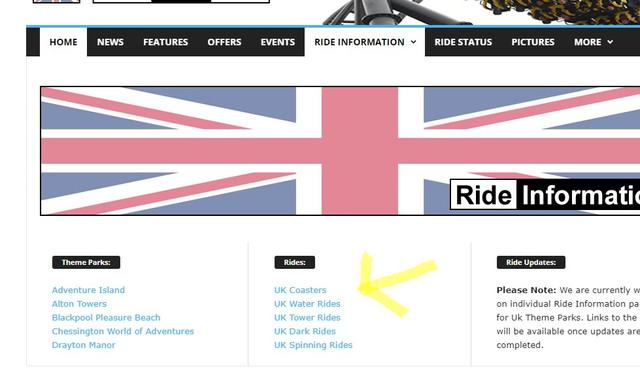
Post count: 93

Hi Calin,

That is perfect! Thank you for your help like always.

Lea.

Post count: 93

Hi Calin,

i have recently added a page to use for the mega menu, But the text blocks are not underlining the hyperlinks? is it possible to just have the txt blocks underlined?

Screenshot-2

Hope you can help.

Lea.

Post count: 35449

Hi leagcooks,
So you need to have underlining for the links in the mega menu, for this, you can try this custom css:
.td-mega-menu ul .td-menu-item>a {
text-decoration: underline!important;
}

I hope this will help you!

Post count: 93

Hi Colin,

i have added the css but it is not underlining the links?

I added the links by using the text with title block?

thanks

Lea.

Post count: 35449

I see, please try this custom css:
.td-mega-menu ul .td_block_text_with_title a {
text-decoration: underline!important;
}

I hope it will help you!
Thank you!

Post count: 93

Thank You Calin.

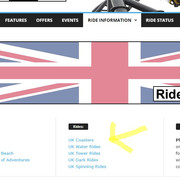
One more question sorry. I have added the list dots to the links using the tagdiv composer, they are showing on the back end but do not appear on the front end?
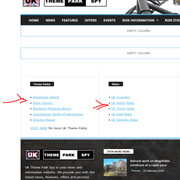
Screenshot-9

Screenshot-2

Hope you can help, Thank You as aslways…

Lea.

  • This reply was modified 3 years by leagcooks.
Post count: 35449

Hi,
I’m not 100% sure, but I think there you have a mega menu page, right? If so, then this can be the problem. In this case please use this custom css: – https://i.imgur.com/YCXsSoV.png
.td-mega-menu-page li {
list-style: initial;
}

Set the code in the theme panel > custom code> custom css.
Let me know the results!

Post count: 93

Thank You Calin.

As always with your help, now working perfect. only issue it it is putting a dot outside the website theme?

Screenshot-13

Lea.

  • This reply was modified 3 years by leagcooks.
Post count: 35449

I see. Please replace the above css with this one
.td-mega-menu-page .td-mega-grid li {
list-style: initial;
}

This should resolve the problem.
Let me know!

Post count: 93

Problem resolved.

Thanks Calin!

Post count: 35449

I’m glad to hear that!
If you have any questions, don’t hesitate to tell him!

Viewing 14 posts - 1 through 14 (of 14 total)
You must be logged in to reply to this topic.
