

Hello,
I’d like to greet your wonderful team of developers behind the Newspaper theme. Unfortunately, I have encountered a small issue that I hope you can help me resolve.
I installed the Newspaper theme along with the pre-built website “ECHOVERSE”. In some places, I’m using ready-made blocks from Cloud Templates. Visually, everything looks fine, but when I inspect the HTML, I notice that the headings are rendered with extra CSS coming from the templates.
I’m attaching a screenshot from the browser’s SEO inspection tool, where you can see that the headings are “cluttered” with unnecessary code. I suspect this might be due to unclosed tags in the templates.
Could you please take a look? If you need anything from me, just let me know — I’ll be happy to provide it.
Thank you!
https://kando.md/wp-content/uploads/2026/01/2026-01-12_16-24-17.png” alt=”” />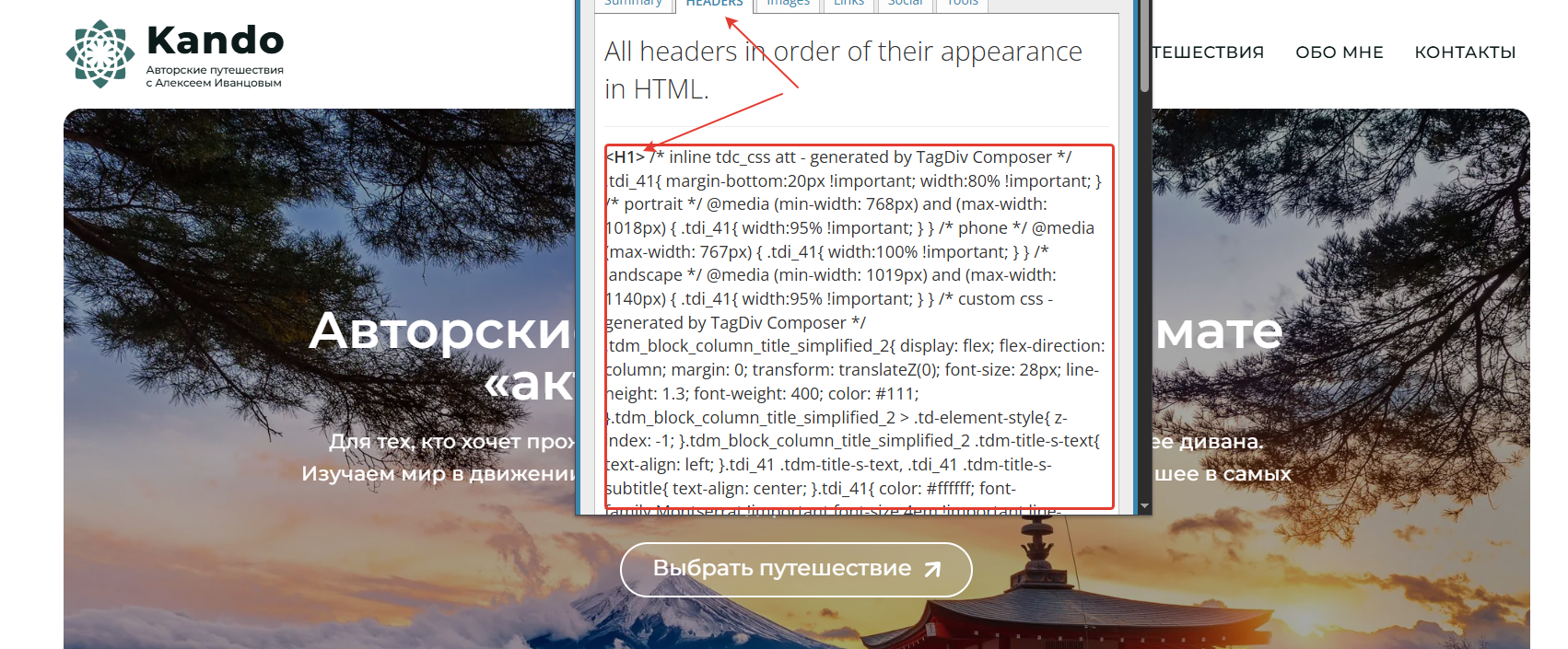

Hi,
The tool you are using is reading all the code from the source page, and the theme has some comments and the needed CSS for each element in the part that is used; this is what you see. What you can do to reduce this code is to use a good cache plugin. I see that you have WP Rocket; please check the settings from file optimization.
Settings that we recommend – https://forum.tagdiv.com/wp-rocket-and-newspaper-theme-optimization-guide/

Unfortunately, this issue occurs even with the WP Rocket plugin disabled. Moreover, I don’t experience the same problem on other websites using your theme — even with WP Rocket enabled.
That’s why I still believe the issue might be related to something within the modules themselves. When I build a simple page from scratch, the HTML tags appear clean and properly structured.
It’s possible that this issue is specific to the ECHOVERSE demo site.
Hi,
WP Rocket is one of the best cache plugins that can do this https://wp-rocket.me/google-core-web-vitals-wordpress/remove-unused-css/#section-1. Unfortunately, there is no free version. Here are othere cache plugins that can do this – https://wordpress.org/plugins/search/Unused+CSS/
Still, I believe the issue lies elsewhere. I use WP Rocket across all my projects — including several websites built with the Newspaper theme — and I’ve never encountered this problem before. So I don’t think WP Rocket is the cause.
What I’ve noticed is that these extra CSS elements don’t appear everywhere — only in modules taken from the Cloud Library. On a test site, I replaced the footer with one from a different demo layout, and the issue was gone.
This leads me to conclude that the problem is specifically related to the ECHOVERSE demo.
So, are you not even considering the possibility that the issue might be within your template, and instead suggesting that I should look for a solution on my own — even though this problem theoretically shouldn’t exist at all on a freshly installed, brand-new website? I personally recommended your theme to my client, telling them it’s a high-quality product backed by a solid team and reliable support.
The simplest solution for me would be to just switch to a different pre-built demo site — but then I wouldn’t get the design I was aiming for.
If that’s the only option you’re willing to offer, and you’re not concerned about a potential bug in the ECHOVERSE demo, then I suppose I’ll have to go that route.
My client purchased the theme just a few days ago, and they are entitled to support.
So perhaps you could still take a closer look and help resolve the issue? Even if the problem is caused by a misconfiguration in another plugin, I kindly ask that you point it out specifically — rather than shifting the responsibility back to the user to troubleshoot everything alone.
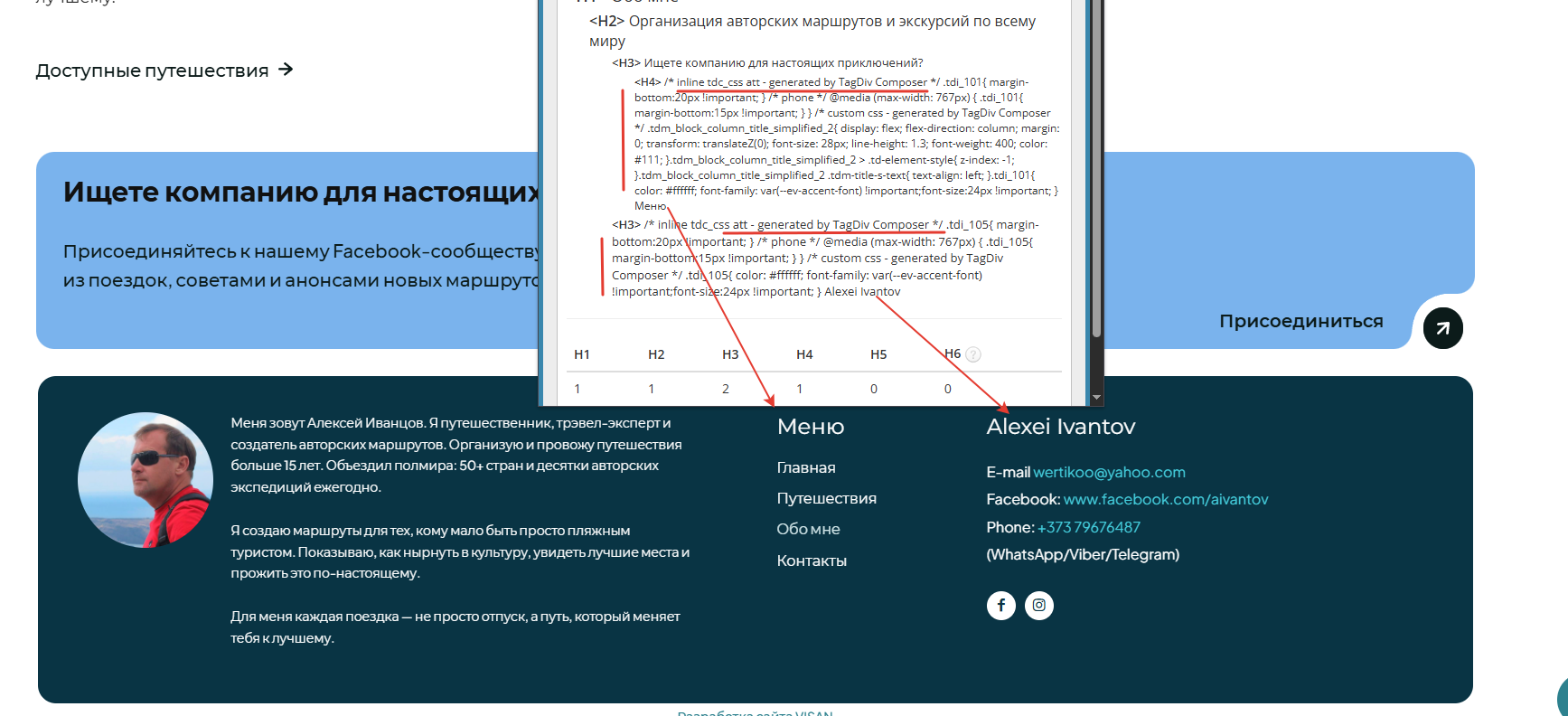
Hi VOP,
There may be a misunderstanding, so I’d like to clarify my point.
I never assumed that issues could not originate from theme settings or specific elements, especially with a theme as extensive as Newsapper, where its wide range of dimensions and options can naturally lead to configuration-related problems.
What I intended to emphasize in my previous email was not a request to modify the demo or prebuilt website. Rather, I was referring to the confirmation you provided when the footer was replaced with a different one and the issue appeared to be resolved. This indicates that the root cause is likely one or more elements used within the footer section.
Most likely, the extra CSS being displayed is generated by the settings applied to those elements (such as color, size, and similar styling options).
As a next step, this can be addressed by using the option available in the theme panel under Block Settings > Inline CSS:

