

 blithe
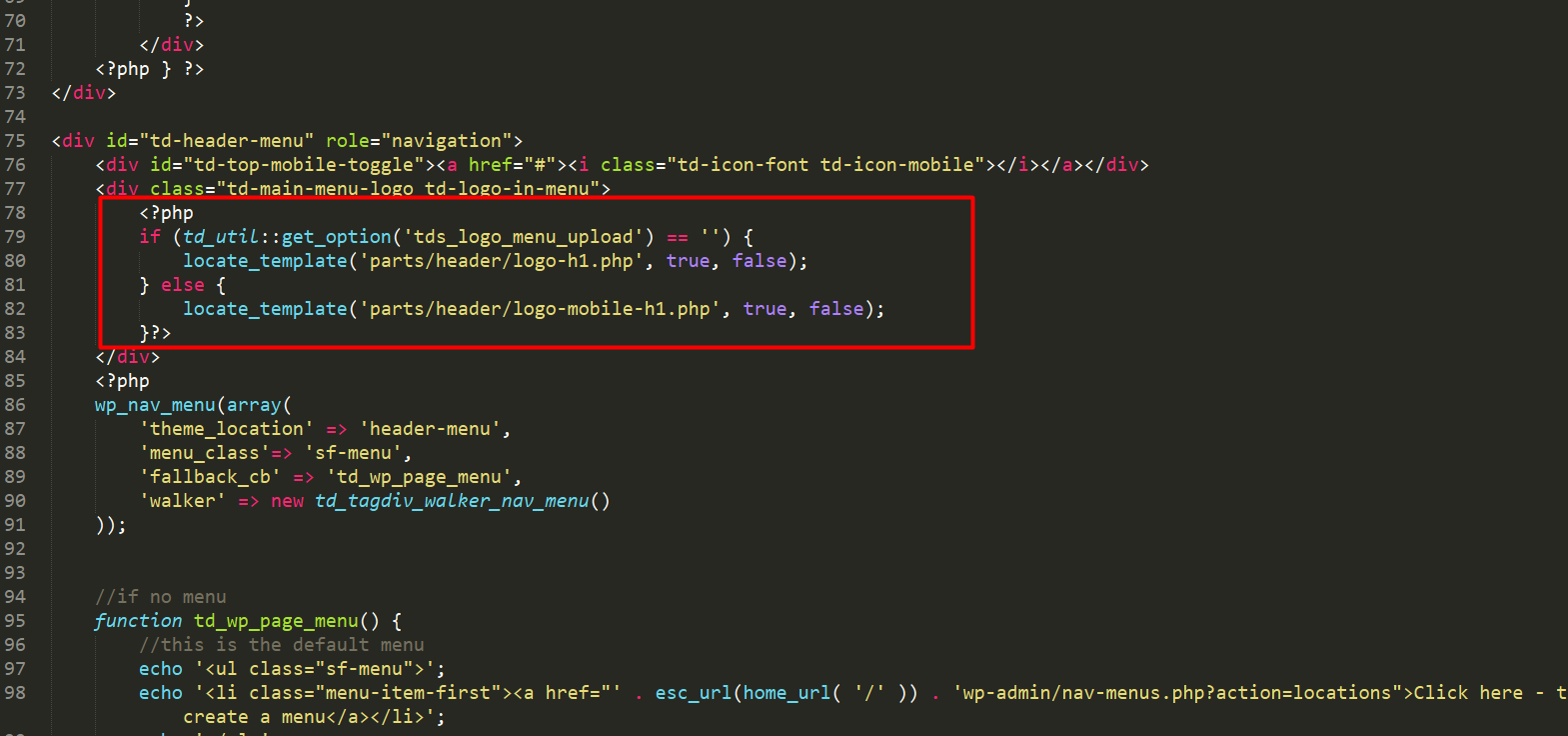
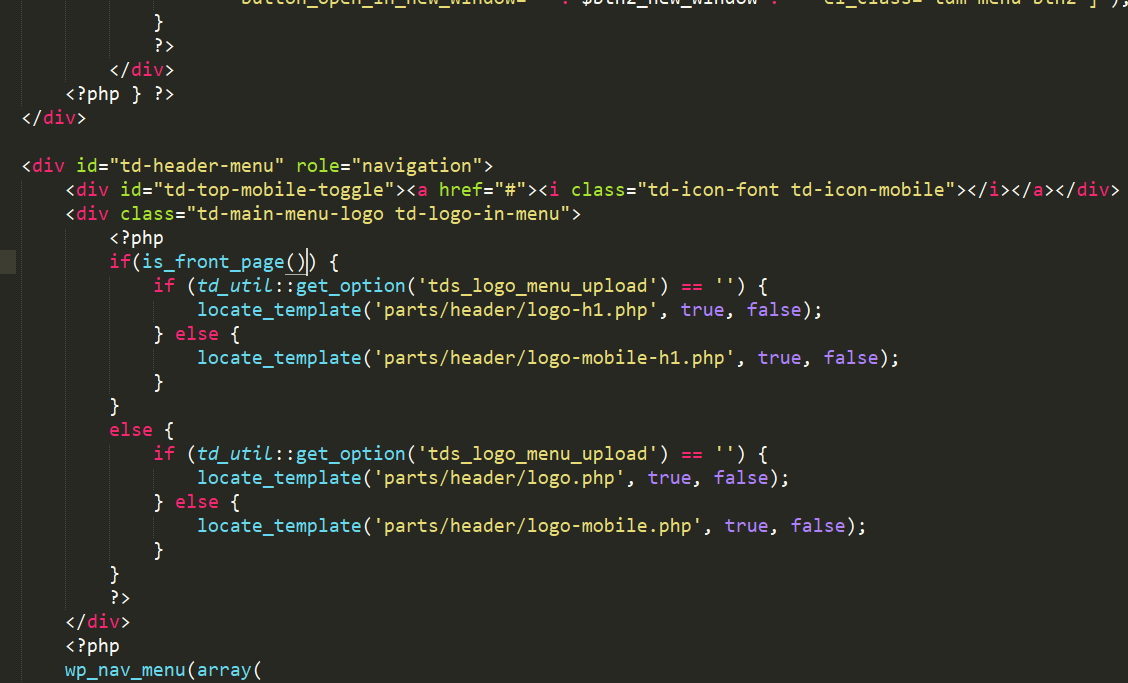
 In that thread, files are outdated. Also I am using multipurpose. I figured out. After this change; h1 on logo only show in homepage.
Change this file : wp-content/plugins/td-multi-purpose/header/tdm-header-menu-h1.php
TO:
blithe Hello. I figured out. Its because of cloudflare’s auto minift function. If you have same problem, disable minify css or create page rules for admin pages to disable all.

blithe 
blithe I am using cloudflare and cloudflare ssl. I don’t think it causes that. Tried disable all plugins, it doesnt work either.
I am using technology demo. Also tried go with non https, chrome incognito mode, they don’t work either. I can see icons that implemented in demo content but If I try to change icon from composer, it shows nothing.
-
This reply was modified 8 years by
blithe.
blithe Hello. First thank you for your answer.
I have fully managed vps. I have no problem with system status. I set all thing high. I think something is blocking icons or it is css problem.

blithe I want just disable “website” input from leave a comment form. Not disable all comments.
blithe Hello. After I replaced module 5 with that code(http://pastebin.com/z8kLLY5j) I am getting parse error :
Parse error: syntax error, unexpected $end, expecting T_FUNCTION in /usr/share/nginx/html/wp-content/themes/Newspaper/includes/modules/td_module_5.php on line 90
blithe Hello. I am using 8 and 2 no. blocks. I have that function already at td_module_blog.php = http://i.imgur.com/qXzzEc4.png
Can you just paste block 2 and 8 codes for me ?
td_module_2.php http://pastebin.com/vUWPbnJA
td_module_8.php http://pastebin.com/P1PSKJeU
-
This reply was modified 11 years by
blithe blithe Hello again, thanks for replys. I am using SEO Friendly Images plugin that auto add alt tags to all images. I realized, this plugin does not work with this theme so all of my images’ alt tag missing. Because of that I have to add all alt tags manually. Is there a way add bulk alt tags to all my images (It can be same with post title ?

