

 EDMSU
EDMSU Thanks, the instructions helped. Is there any way to make the form appear in one column on a phone and two columns on a PC? Two columns don’t look very good on a phone.
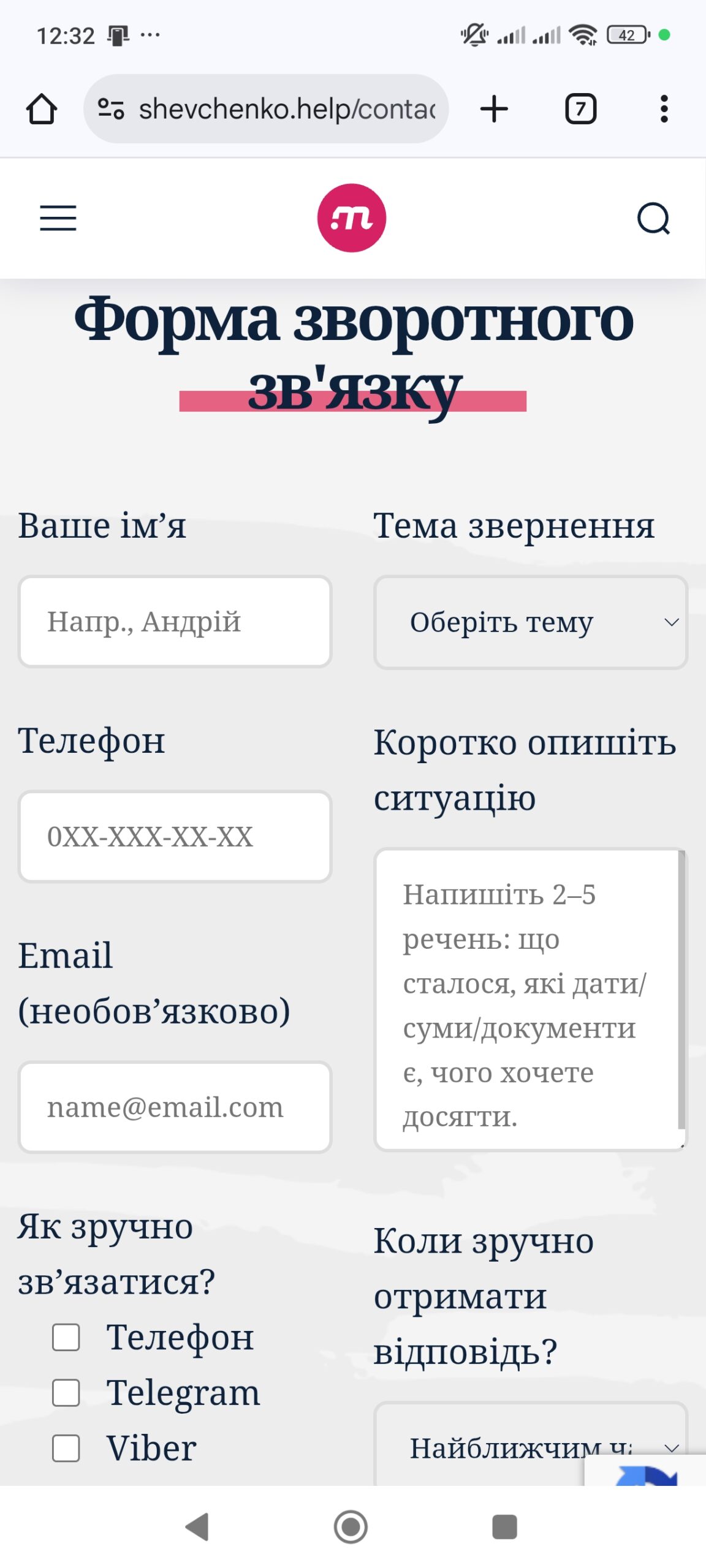
EDMSU The separate layers never appeared. I did as you instructed.
https://prnt.sc/zxM3KrKdxEO1
EDMSU Please tell me how I can split the feedback form into two columns, as in your example. Currently, the fields are very wide when viewed on a PC. The page is https://shevchenko.help/contact/.
EDMSU Hello! Please tell me how I can remove only the crown from the main photo of the hero? I am satisfied with the rest of the images, but I would like to remove the crown. Thank you. My website is https://shevchenko.help/
EDMSU I have this block:

But instead of “Popular Categories” I need to be displayed subcategories my category “DJ”
EDMSU Tnx u! Its working! 😉
EDMSU Now on website used is method with a clear picture (which you have written first).
When I put the code:
.td-header-menu-wrap-full {

margin-bottom:250px;

}
The area is located in the center ceases to be a link.
The second way suits me much more, but also how to make the center of reference? But not only the side of the site.
EDMSU Link works only on the sides. In the center under the menu link is not working.
EDMSU Yes, that’s exactly what I want. But the area that there is not have a link.
EDMSU An example of what I want.

The picture in the background for the whole site. By clicking on the image in any place you go to the site with advertising.
Functionality can make your advertising on the sides of the site, but I still need the center (under the menu and before the content of the site).
Sorry for my english, using google translate.
EDMSU @Catalin I have a little something he would do. Therefore, I put a clear picture to be seen background. http://clubnews.su/
EDMSU I have all failed. Try updating template.
/wp-content/themes/Newspaper/parts/header
EDMSU Hi! its not working
EDMSU Have already found )))
EDMSU Works! And finally – how to make the font menu in white?
EDMSU 
