

 Etoimos
 Calin,
I switched back to my old theme when I was going on vacation because your theme was not working correctly. I would still like to use it if it works.
Etoimos I removed all of the Big Grid elements from my home page and that removed them from the other pages as well. I then went back and added a single Flex Block 3 to my home page ensuring that it was set to be Content and that block then showed up on all of my other pages.
So right now I have to have a duplicate of my home page on every page of my site if I use this theme. That makes this theme useless to me as that is not how I want my site to function.
Etoimos Even if I build a new Page using the default WP composer, this theme is still adding the Big Grids to the new page that cannot be edited or removed.
Etoimos Everything I created with TDC on my home page shows as Content. I created the static category article pages before installing the Newspaper theme, so those were created with the default WP post composer. The Newspaper theme added the Big Grids to those pages automatically and they can not be edited with TDC and do not show up in the WP Post editor.
This page, https://adventuresofetoimos.com/explorations-2-to-5-day-trips/ shows the issue. Everything from the photo with the horse up is WP editor and below that is what Newspaper added automatically.
Etoimos Thanks. I was able to get it to work when viewing it full screen on a desktop computer, but on a phone the layout was all messed up.
Etoimos Hi Vlad,
That screenshot shows that it is not displaying my logo, only the logo text. This is what you see in IE:

Etoimos 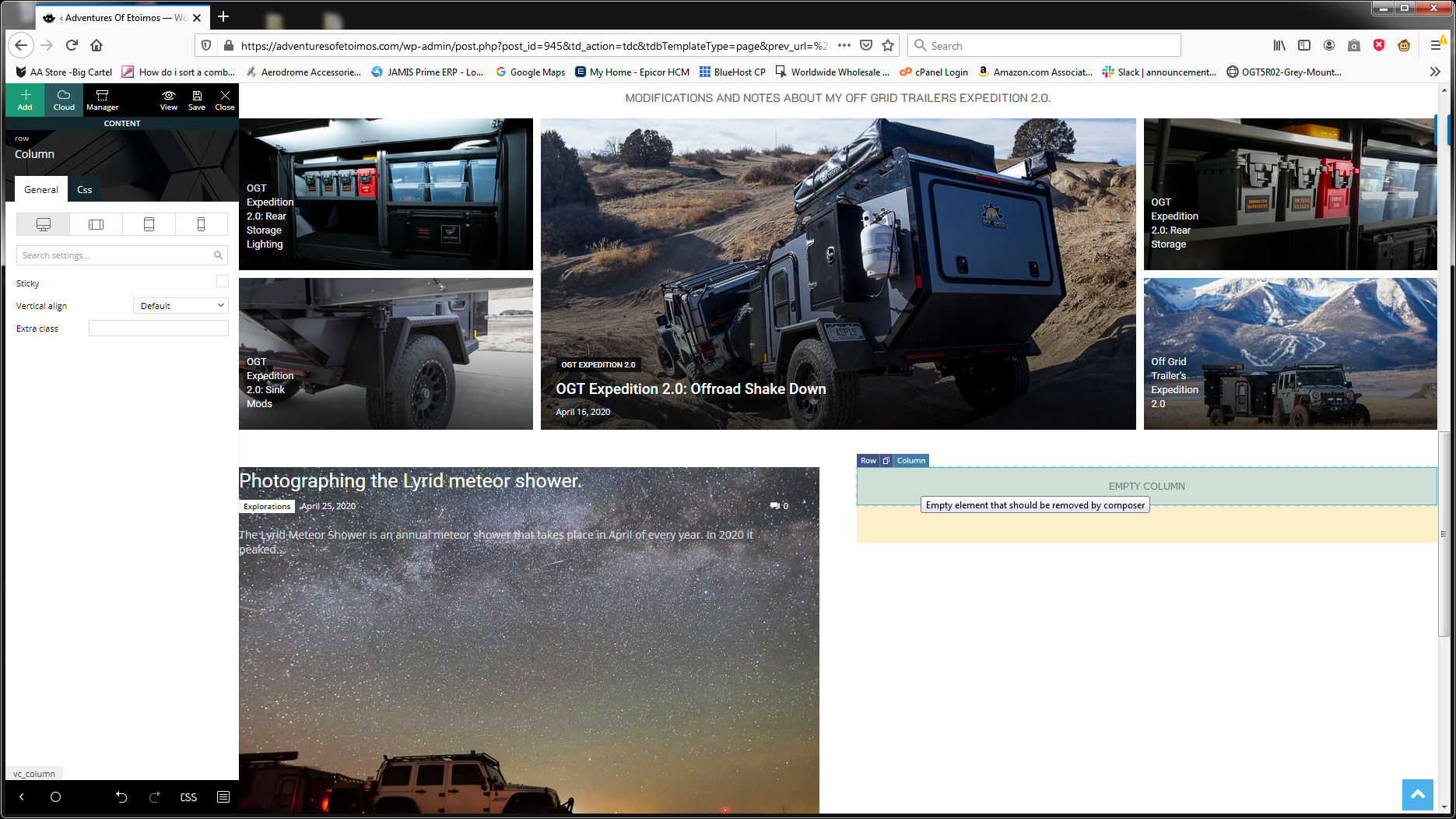 Etoimos
 I was just trying to build what you showed on my site, and I can not get an inner row to display. If I click on the little blue “Row” in the empty right hand column, it gives me the edit functions for the entire row. If I click on the little blue “Columns”, there is no option for “Layout” in the General tab.
Etoimos That does get close, but the inner row flex boxes will still be filtered together correct?
So I would end up with on large image/article from Category A, two smaller images/articles from Category B (one above the other), and finally two smaller images/articles from Category C (again, one above the other)?
-
This reply was modified 6 years by
Etoimos.
Etoimos Hi Calin, is there another way to accomplish this with your theme? I can’t seem to find a way to have a single block and size/lay them out to look like that.
