

 ludyma
 Good. It takes a day for the answer and only you will answer me the same as always in a matter of disconnecting the mobile theme, I already made a video before and showed you that even removing all the pluging the page is adapted to mobile devices, it is not shortened. It is enlarged and everything is cut, I put the video back. Please tell me why the theme is not adapted to devices.
As I was saying, I wait for the answer for a whole day and leave questions unanswered, could you answer them please, I will attach them again.
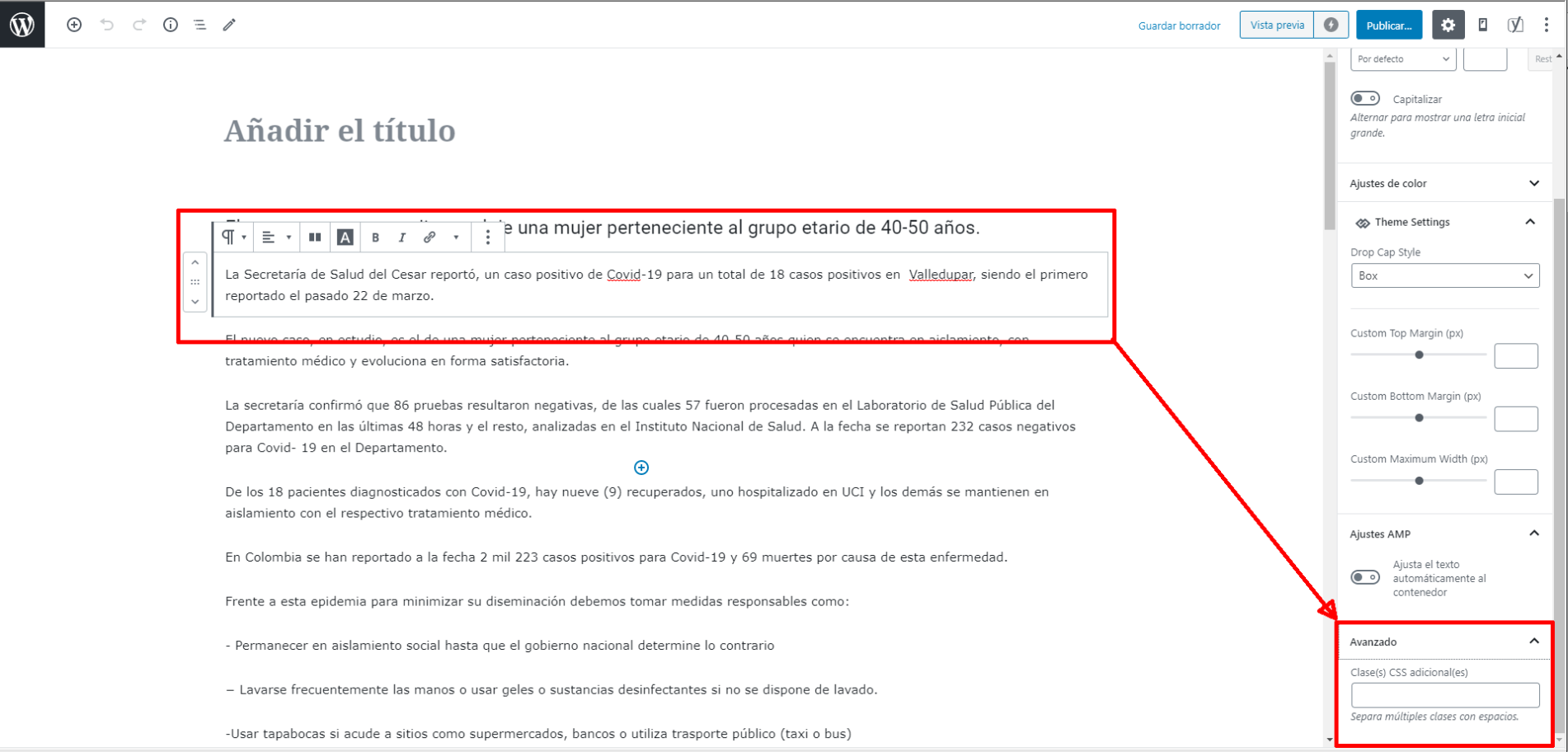
Hello, could you tell me what is the use of the field indicated in the screenshot? naun I’m not very in html, could you tell me xintasis or how to use the newspaper x
The other question if you go down at the bottom of the futer is the contact and privacy options, bottom right, you will see that the location of page upload covers that menu, how can I solve it, how do I change the page upload site or a little higher so that it bea well the menu.
ludyma Hello.
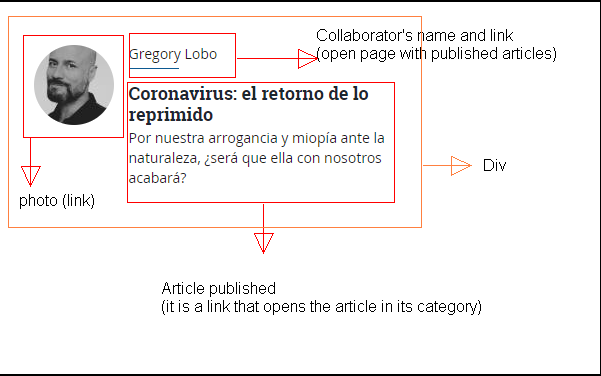
I want to create a page where the columnists who write only for them come out as in web 1 I sent you previously, they would only come out with their photo, name and summary of the entry on this page, if you click on the name of the colmnista you go to another page and not category, on the new page will be the columnist and his articles published by him. I am not a programmer, designer nor do I have knowledge in html nor in php, but I have managed to do it, the problem is that due to the mobile theme, the new changes do not appear, only load the old category, I leave you the link of what that I have made and you will see that it is not on the mobile theme.
columnist page
I also do not know why the theme does not adapt to mobile devices when I deactivate mobile theme and AMP, if you can help me improve that aspect. I previously commented on it.
The other problem is how I make the authors of the columns in their author box go to the page of their columns and not all their published articles, one option is that the author box will not be shown at the end of their columns. Take the test, go to a columnist and mark an entry at the end the author box will appear and if you hover the mouse over the photo you will see that it directs you to another site and not to your columns.
ludyma Hello I need your help, how can I do with your newspaper X, I have a category of “opinion” within this are the columns written by the columnist, but I see that they are not categories if you do not page, I will give you an example of what What do I say and if I could orient myself to do one of that style with newspaper x.
This is the opinion page of another website:opinión
This is the page that opens when you click the columnist, all his articles come out:
columns
This is the page when you click the columnist’s name link:
columnist
-
This reply was modified 6 years by
ludyma.
ludyma The option LIVE CSS the changes that are made are there where it affects? is it forever and where is it saved or queried?
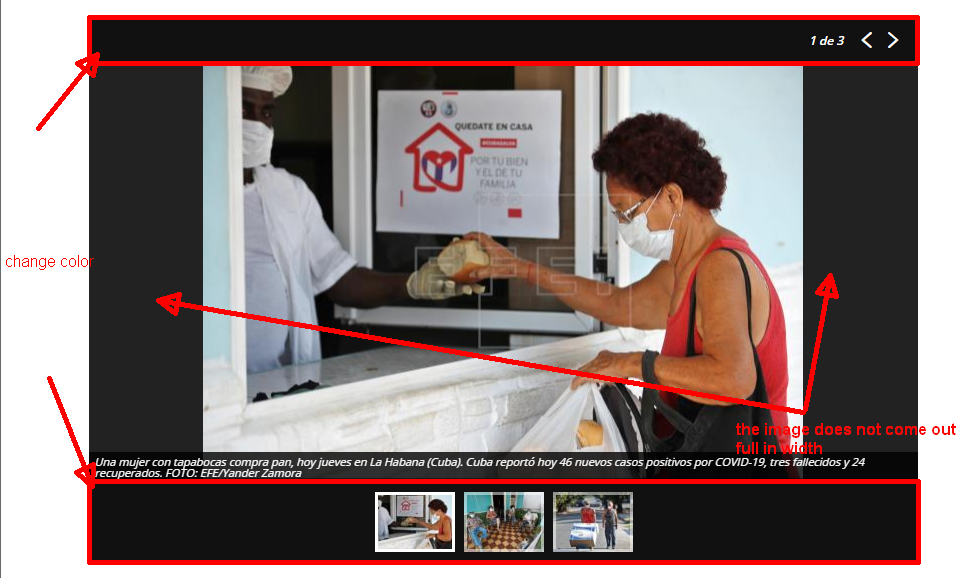
ludyma I have followed your steps from the gallery but the full image does not come out the width, how can I fix that? I would also like to change the color of the frames, can you?
ludyma Hello, could you tell me what is the use of the field indicated in the screenshot? naun I’m not very in html, could you tell me xintasis or how to use the newspaper x
ludyma Dear thank you for the gallery, I did not realize it was in the tutorials, sorry for wasting your time.
I attach the video so that you see that the web does not adapt when you deactivate the mobile theme and the AMP, everything is clipped and wrong, try deactivating everything and loading 0 the newspaper X and nothing.
mobile theme glitch
-
This reply was modified 6 years by
ludyma Of course if you have done it with, yes, check the module and take a good look at the options on the left side and its tabs
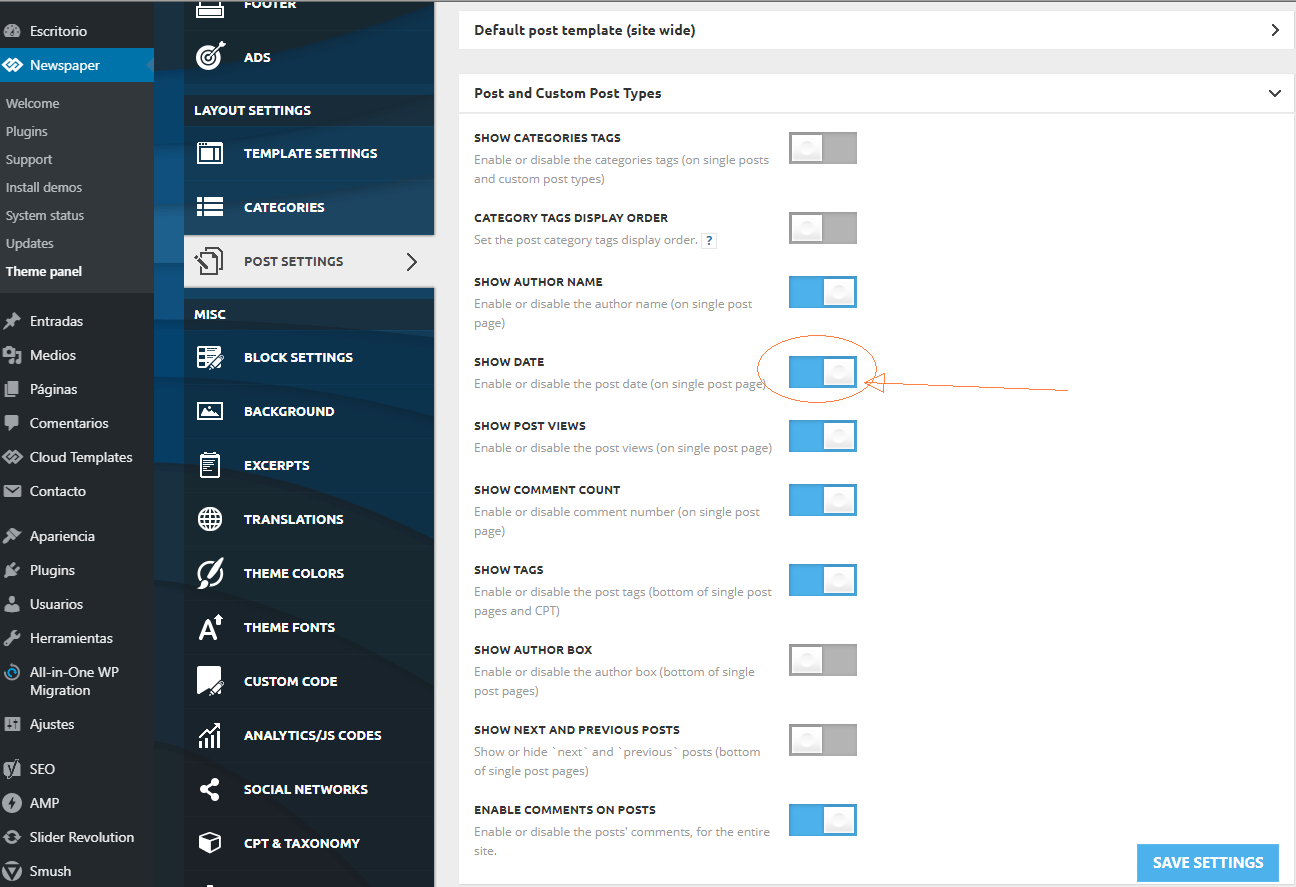
the date changes with the previous one you mention
Ok, that is for within the post, the one you are looking for is in the Block Secttings section -> meta info on module -> SHOW DATE
Enable or disable the post date (on blocks and modules) on / off
the one of the publicity from the module of the editor Tagdiv in field called Custom title: in the general tab
ludyma 1. It depends on where, in the article or in the block, if it is a TagDiv composer block, each block has its access key.
2. As I mentioned before, the first option in the previous post with attached photo, that is to disable in the articles and the one answered in the second is for the one of the blocks.
3. It is the same as in Cotestacion 1, it depends on which block and where each one is individually modified, either from the tagdiv composer, widged, it sends a capture.
ludyma Thank you.
Point 2 is already almost controlled. Point 1. If I was disappointed not to be able to create or modify blocks. Point 3. you only see the photo but in the box that comes out, it neither increases nor gives back or forward options, nor does it zoom.
I have done the test of disabling the plugins except those of tagdiv, to see if loading the page without AMP module and TagDiv mobile theme the web was adapted, but this does not adapt to mobile devices at least in version X, in I think 9 does.
I also don’t know why you can’t see the advertising blocks, wheater, youtube, etc. In the mobile theme, only the articles appear and do not respect the blocks of the TagDiv composer, why?
It is also not possible to include groups of photos from the X newspaper topic, is there some form of origin or do I have to load a gallery module?
Greetings.
ludyma Haaaaa, so you are using the web directly and it adapts to mobile devices, in that case you should use the option of the browsers to inspect and relate the changes as you like in the code, then make that modification in the custoncode option, But I don’t know if those changes are different in the desktop template or if there is one for mobile, in that case you should look for it.
If it is a plugin that works with the mobile theme + pliugin amp template that is free
pluing
ludyma ludyma look at my website from a mobile device.Newscaribe
Tell me what you mean.
-
This reply was modified 6 years by
ludyma Ok, that is for within the post, the one you are looking for is in the Block Secttings section -> meta info on module -> SHOW DATE
Enable or disable the post date (on blocks and modules) on / off
ludyma Hello, as they take a long time to answer and this I know, all that changes from here look at the image
-
This reply was modified 6 years by
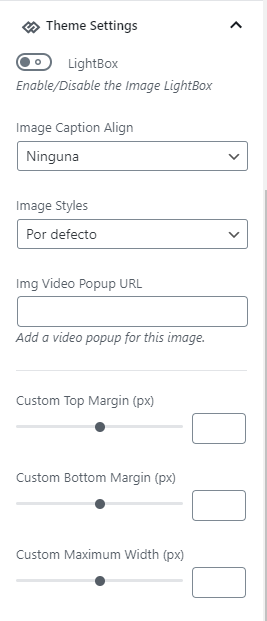
ludyma Hello, this option is new, it appears when in the editor of articles and marks an image appears in the options on the left side, where they affect or for what it is worth.
ludyma Unfortunately, I don’t understand what the problem is in this: https://www.screencast.com/t/dSxSqTyvjj
I attach video of the failure that creates when an article is made and after a while I do not know why it stops looking correct and comes out as in the video and you just have to give it an update from quick edition and then it comes out ok.
-
This reply was modified 6 years by
ludyma Hello, how can I create a new block in the TD Composer?
The block that exists is this Authors box.
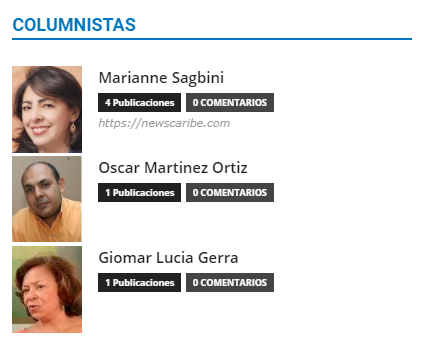
I want to create one like this.
ludyma Hello, because on mobile the YouTube video blocks are not seen, or respect the structure of the main page or how I can make it appear.
ludyma Hello, the address or link I put it in the previous post, but there is no problem to put it back.
Last night I reviewed 50% of the articles and repaired the ones that were read well, enter one of the first by mobile and then enter this and you will see the difference
Este se carga mal
the solution is to remove it from the save category and put it back in it and it loads well.
I also ask you to review what I mentioned in the previous post, please, the bottom of the main page and the icon at the bottom that covers the menu.
I would appreciate your help.
ludyma Sorry, ask a lot, but because of the hours, you have to take advantage of the communication.
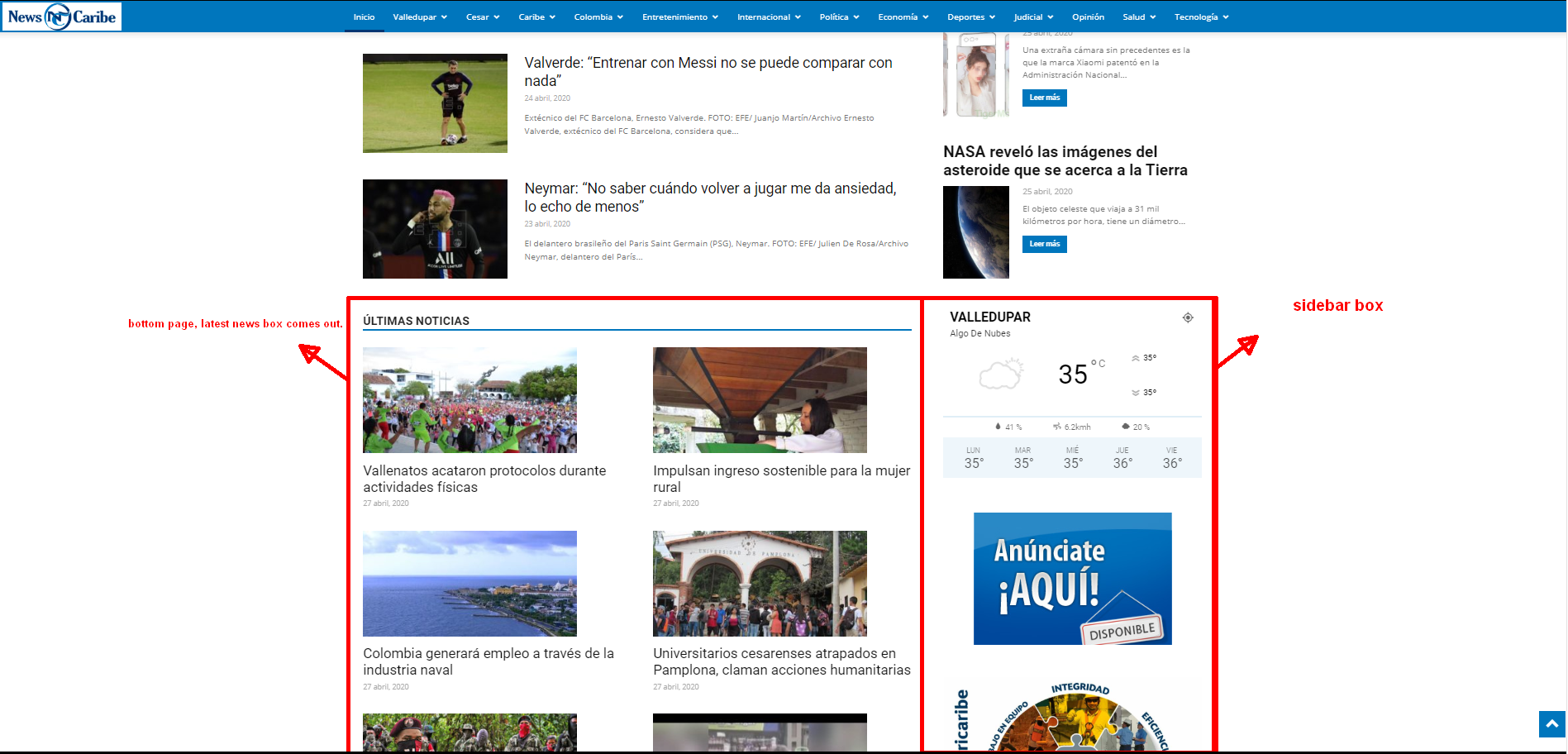
In this screenshot I can not find where to change at the bottom of the page before the futer comes the latest news block and sidebar with time and advertising where can I change that?
The other question if you go down at the bottom of the futer is the contact and privacy options, bottom right, you will see that the location of page upload covers that menu, how can I solve it, how do I change the page upload site or a little higher so that it bea well the menu.

thanks for the patience.
ludyma Hello, I installed the pluig, at the moment everything is fine, some bugs but being a novice I am solving it with headaches hehe, a question because in mobile theme it does not show the video module and the categories?
how to make it look.
I could take a look at it by PC and by cell phone and you tell me.
newscaribe.com
ludyma Well perform the removal of the periodic theme 9 and load 10, purge the cache and start everything ok, but I realized that the AMP plugin when it loads only without activating the mobile theme, the options come out, but if I activate the mobile theme it disappears the options in the left loaf of AMP, that did not happen before, I do not know if it is correct.
Now I only need the documentation on tagdiv composer to be able to make pages and know how to use the blocks since I want to do like this and I do not know how to do it for those who write an opinion https://www.eltiempo.com/opinion
I think use the same theme
-
This reply was modified 6 years by
ludyma Thanks for the reply, but it turns out that I uploaded the file by ftp and the floor I was on, but now it generates a failure in the AMP pluing, I have made a copy or backup with WP migration, because your therme does not make a backup, right? .
I will erase the old therme and I will upload it again I hope it works but see what happens to me with the AMP. It charges me at 50%, there are pages that load or adapt mobile deposits and others, I do not think its pluing or mobile platform fails, I attach some screenshots and if you can, between your phone and load those articles or several for you to see.
in this, the article does not load correctly the AMP and if its mobile pad but does not adapt the article to the device.
https://i.gyazo.com/f9ee47656720a9e40585cd2b40869ce9.png
In this see also from that article if I want to see the menu load the menu of the mobile display and not the amp.
https://i.gyazo.com/f27c50ff9a9bf8b5ce3de9aabc10cd5d.png
It does not always do it but I know that something is not right, as I show it now it is how it has to be loaded according to what has been modified in the therme movile, main page.
https://i.gyazo.com/892b1e5ab0de4a52e954c1c5379f2ba2.png
Look, now I load the page that I attached to the first one finished in c09, now look at the load.
https://i.gyazo.com/a67de82802fa6db0cd2708271510e10e.png
Look at the menu the TagDiv mobile theme is loaded and activated and the AMP is not allowed to activate, remove it and reinstall it and nothing, since the pluig by itself mobile theme does not make the articles adapt to the mobile devices.
https://i.gyazo.com/bc062b9f9e58174d9df38dabd0a205ba.png
As you can see in this screenshot, the AMP plugin options are not available in the menu on the left or in the plugin list.
https://i.gyazo.com/0bb1eedc38052b68123da6eff3e93f97.png
I hope now undo the periodic theme 10 and upload it again this all ok, I would also appreciate it and it will guide me since I cannot find documentation on this theme to know its capacity and also with the tagDiv composer
We are a group of Colombian journalists who are leading this portal. We need a more timely communication to be able to resolve doubts about the template. Could you send me a contact or a group of wasapp where we can write to you and answer us right there?
Keep in mind that I am not a system engineer or graphic designer, I am a self-taught person and who would like to learn more about this template to be able to get ahead with my project, I would appreciate all the information that you could provide me about tagdiv composer and others.
Thank you.
ludyma Thanks for the reply, I think there is a lot of delay in the reply hehe, but I will download the pluing when I solve the installation problem I have.



