

 Satsuki
 Thank you very much and happy new year 🙂
Satsuki Hello there,
thank you for your fast answers and help! I will keep that in mind.
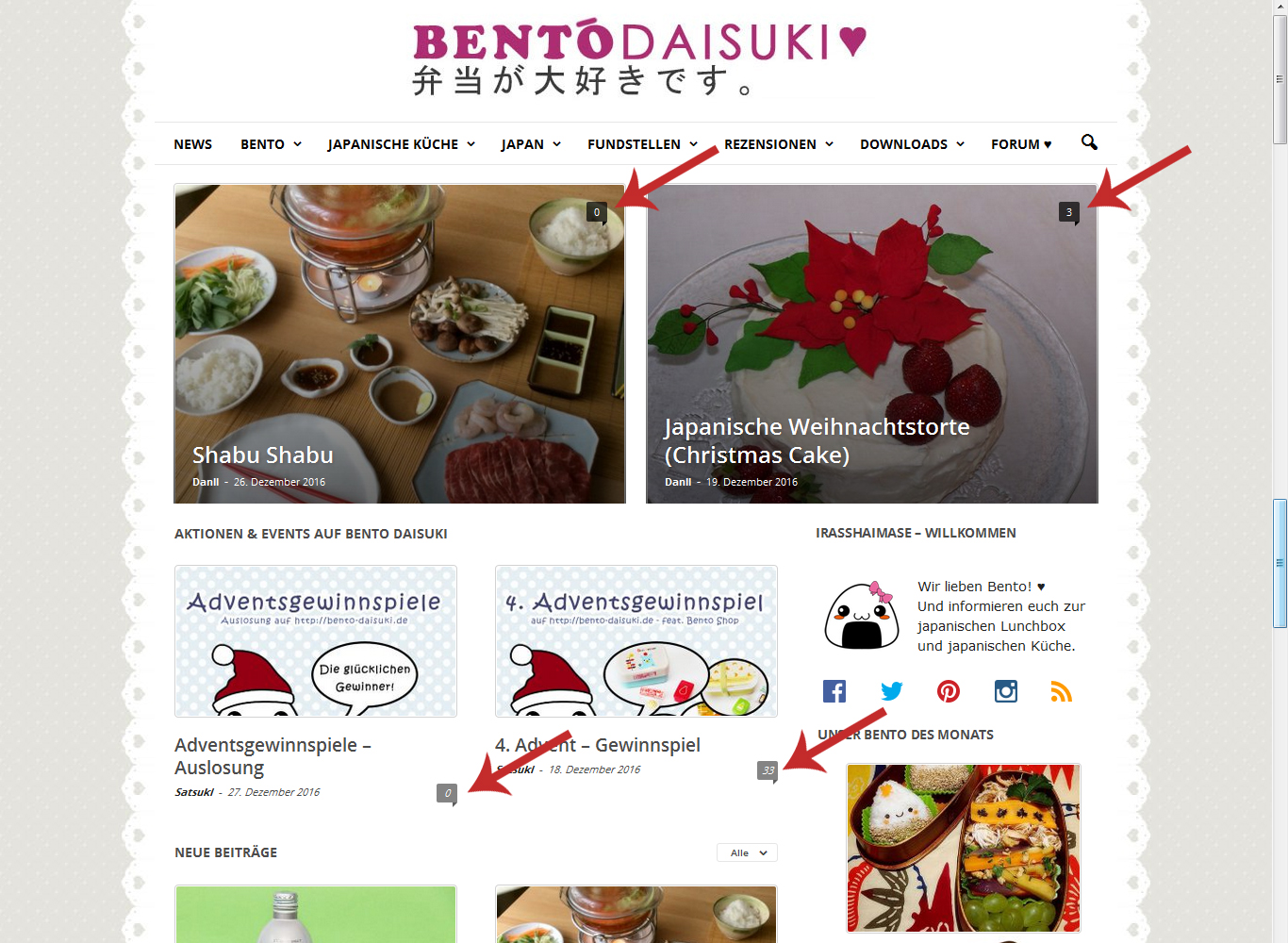
Now I solved every problem except the comment counter. In my theme panel I turned them off (in “Post and Custom Post Types”), but they are still there (since the update).
Have a nice day!
Satsuki Hello,
that’s weird because I updated already yesterday and it says it was the latest version… So I can’t rely on the update center in WordPress right? Is there another way to automatically inform me about theme updates?
No I mean just the line breaks which are caused with the <br> tagg. The white speace between different paragraphs.
I just find out, that the problem is caused by a plugin after all… So I can handle it somehow…
But with the update I have some NEW problems… Now the menue isn’t sticky anymore, the comment counter is back and most of my pictures are gone because you don’t gave us the latest version of Visual Composer…
Best regards
Satsuki Hello,
yes as I said I updated the last version of the theme and the latest wordpress version. That’s when my problems began…
Here is the website: http://bento-daisuki.de.
As you can see for example here http://bento-daisuki.de/bento/bento-arten-689/ there are no line breaks, no gaps at all in my text anymore! There should be one before each bold name…
Thanks for your help.
Satsuki Thank you!
Satsuki But you can do those changes in the visual composer. So why it shouldn’t be recommended?
Can you at least tell me where I can change the sizes?
-
This reply was modified 10 years by
Satsuki.
Satsuki That’s a pity because the counter is useless without Pinterest.
Thank you anyway!
Satsuki Hello,
thank you for your answer!
One last question: Is a Pinterest Button for the Social Counter planned?
Kind regards
Satsuki Hello,
thank you for your answer. If I customize the php files, are they save at the next update? Because someone told me, my changes will be deleted when the theme is updated.
Satsuki Hello,
thank you. I think it’s maybe because of a plugin I use…
Can I asked someting else? How can I display sub-sub categories under the header? It’s like
Categorie
– Sub-Categorie
— Sub-Sub-Categorie
When I click on Sub-Categorie all Sub-Categories are displayed under the main categories (header menue). But how can I display the sub-sub-categories there too?
Thank you and have a nice weekend
Satsuki Hello,
that’s my problem. I tried to set the sidebar from theme panel > template settings, but the sidebar doesn’t change at all.
Kind regards
Satsuki Hello Andrei,
thank you very much for your answer and really detailed informations!
For the sidebar I already tried this way and it basically works – except for the archive.php. And that’s the exact part where I want the other sidebar to be… I tried everything but it’s always the default sidebar there.
Oh that’s really a pity. So I can’t use VC Widgets and a latest article? I want two category related article on top, then the latest article + sidebar and at the end again some articles from a special category.
Kind regards
