sumitkumarsid@gmail.com sumitkumarsid@gmail.com
 Thanks for your prompt reply,
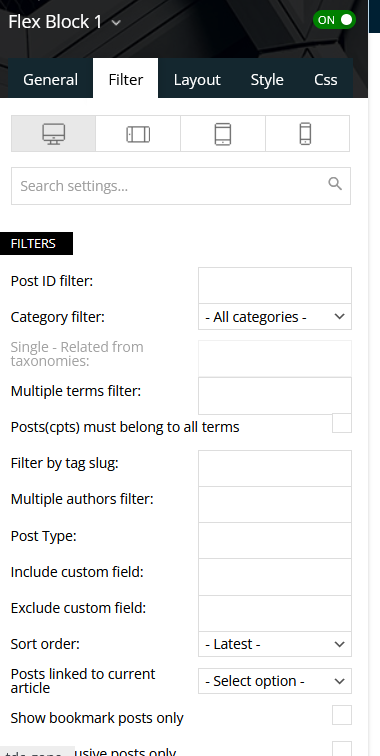
Can you please share the format for adding catagory id. I have tried multiple option but no luck.
Thanks in Advance
sumitkumarsid@gmail.com Hi Vlad,
Thanks for your prompt response.
Here is the link – https://dashofturmeric.in/
This is working on desktop browser as well as in device mode.
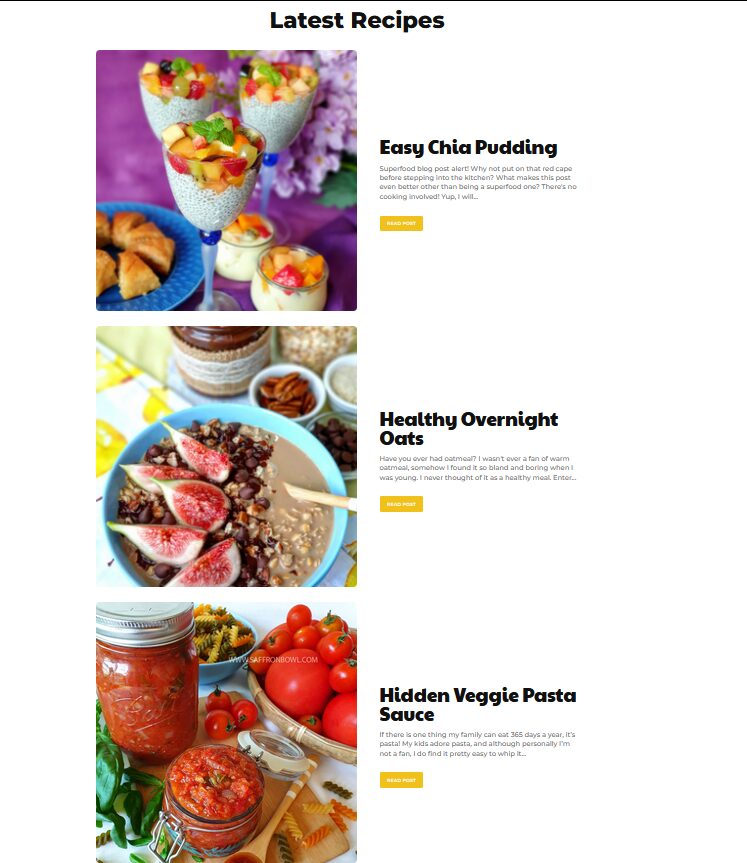
But home page design is not loading on actual mobile device.Other Post and pages are loading properly.
Regards,
sumitkumarsid@gmail.com Thanks for your support.
sumitkumarsid@gmail.com Thanks for your support.
sumitkumarsid@gmail.com Thanks for your support.
sumitkumarsid@gmail.com Hi Team,
Please help me, how i can design like the way it designed the below content-
Prepare time: 20 min
Cook: 2 hr 30 min
Ready in: 2 hr 50 min
on https://demo.tagdiv.com/newspaper_recipes/td-
post-girl-scout-cookie-samoa-shake/
I have tried by typing text in the editor in a single row.
But the content is disturbing on mobile. for ref- https://dashofturmeric.in/orange-chiffon-cake/
On your above given ref- https://demo.tagdiv.com/newspaper_gourmet_pro/mini-pineapple-upside-down-cakes/ –
The row below image is not there which is available on https://demo.tagdiv.com/newspaper_recipes/td-post-girl-scout-cookie-samoa-shake/
i.e. Prepare, Cook and Ready Time.
Please support me, how I can built like the row which is developed there below to the image.
Thanks in Advance
sumitkumarsid@gmail.com Please let me know, how I can make the background color more transparent.
sumitkumarsid@gmail.com Hi,
Open https://dashofturmeric.in/ on mobile
Click on hamburger menu icon – Now it will extend and show you the menu items.
Problem is, the menu background hiding the complete content.
It should be in vertically half or quarter in screen size so that the background content is visible in rest of the screen.
Thanks in advance.
sumitkumarsid@gmail.com Thanks for your solutions,
If you can share the link/code/shortcode which can share the post to the social plateform that i can embed that in the html/css code.
That will be a great help.
Regards
sumitkumarsid@gmail.com Hi,
Just for clarification, I am a developer and I am not asking you for any development or customization.
Being a support person can’t you suggest me how i can add that icon like any way/method code/shortcode that can help me to develop or customize.
Regards,
Sumit Kumar
sumitkumarsid@gmail.com I found a way to add icon in footer, I have added the icons with customized html and css. You can check in Footer.(https://dashofturmeric.in/)
If there are no way please suggest some way by which i can add like i used a method in footer.
Please suggest any way by which I can add the Instagram Icon.
or If you can share the code/shortcode which can work for sharing the post.
Thanks in Advance
sumitkumarsid@gmail.com How i can add Instagram Icon here?
Regards
sumitkumarsid@gmail.com https://dashofturmeric.in/orange-chiffon-cake/
I have added the Social icons for sharing the post. It is available on individual post just below of image. You can find one using above link.
I have successfully added icons of facebook,Twitter and Pinterest and i want to add Instagram icon here as well.
Thanks in advance
sumitkumarsid@gmail.com Please help me to add Instagram icon along with other social icons.
Thanks in advance
sumitkumarsid@gmail.com I usually check the name in “Theme Panel-> Template Setting”
Than finds that Template in “Cloud Library”
-
This reply was modified 5 years by
sumitkumarsid@gmail.com.
sumitkumarsid@gmail.com And how to add Instagram icon along with others, That is also not available in list!
sumitkumarsid@gmail.com Hi Anamaria,
I have checked the theme for update. And it is showing:
“You’re up to date!
Newspaper 10.3.9.1 is the newest version available.”
Now what to do?
Regards,
Sumit Kumar