thedonatshop
 Hello thank you for your reply. But I just need to clarify. we won’t be able to achieve any of it? When you say “block” you mean the SINGLE POST AUTHOR BLOCK element, or ALL elements?
the post loop element on the author page doesn’t connect either. although it has nothing to do with multiple authors as it’s the authors page. Is that a setting, that we need to turn off to make it work? or just a flaw/ conflict in the plugin code.
As TagDiv recommends this plugin . Is there a right way to setup and what is the expected outcome?
thank you
thedonatshop Hello Bettina,
Thank you for replying. It was this page that led me to believe this was the plugin you recommend and that it would work. On a basic level it does work. But I can’t get it to work within the cloud template elements. See my attachment. So my main questions was to find out if it’s supposed to be possible within the plugin/theme settings.
Or
if there was a trick I need to know of
OR simply it would need to be coded to make the data the author plugin generates to show up in TagDiv elements?
thedonatshop Anamaria has log in info.
thedonatshop thedonatshop sent thank you
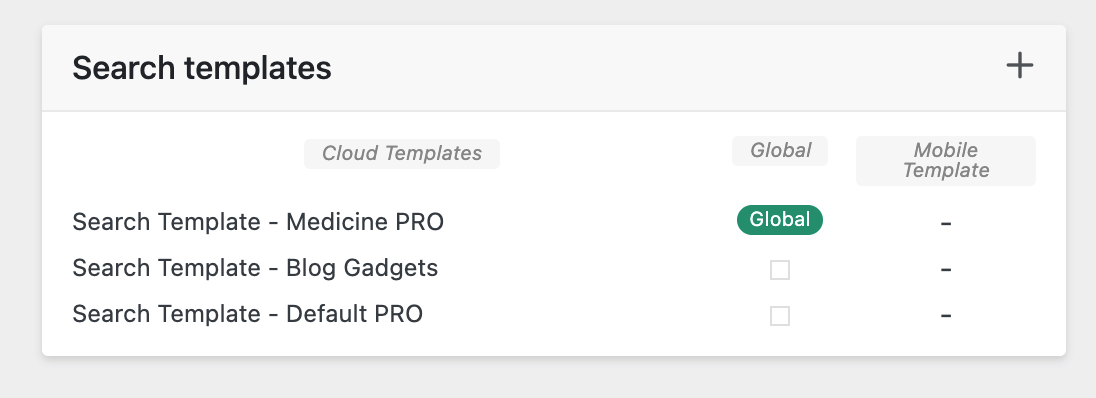
thedonatshop I have added yet another. The results are still sample posts.
https://i.gyazo.com/9f5f1ab7b22e40fc22de03263ff1cab0.png
when I click “view” directly from the search template it brings me to the medicine pro search page. it shows with “sample posts”
but then when I do a search on that page it reloads to the “blog gadgets” search template again. but maybe it’s cached. I don’t know.
thedonatshop I have. that’s the new one you are looking at. So that means I had the one that came with the newspaper cloud theme and then I imported a search page from another theme.
-
This reply was modified 4 years by
thedonatshop.
thedonatshop thedonatshop I had the same issue with page anchor links. but I was able to solve that with your code. Only I do both in the same div
.sticky-offset {
padding-top: 200px;
margin-top: -200px;
}
for some reason that doesn’t work to make the sticky column stick in the right place
thedonatshop Hello Bettina. it doesn’t work. No matter what, it either places the side column too high by 200px or if it is aligned it still has the issue of the column cropping off when it’s sticky. (the issue that we started with)
It seems like it should be solved in the header navigation. Otherwise I would have to make this adjustment on every single place in the site that has a sticky side column. shouldn’t a sticky navigation occupy a space to allow for sticky bars to be aligned?
thedonatshop hello, I tried to follow your seemingly simple instructions.
firstly
I was using one of your templates. in that construction there was now use of an inner row.
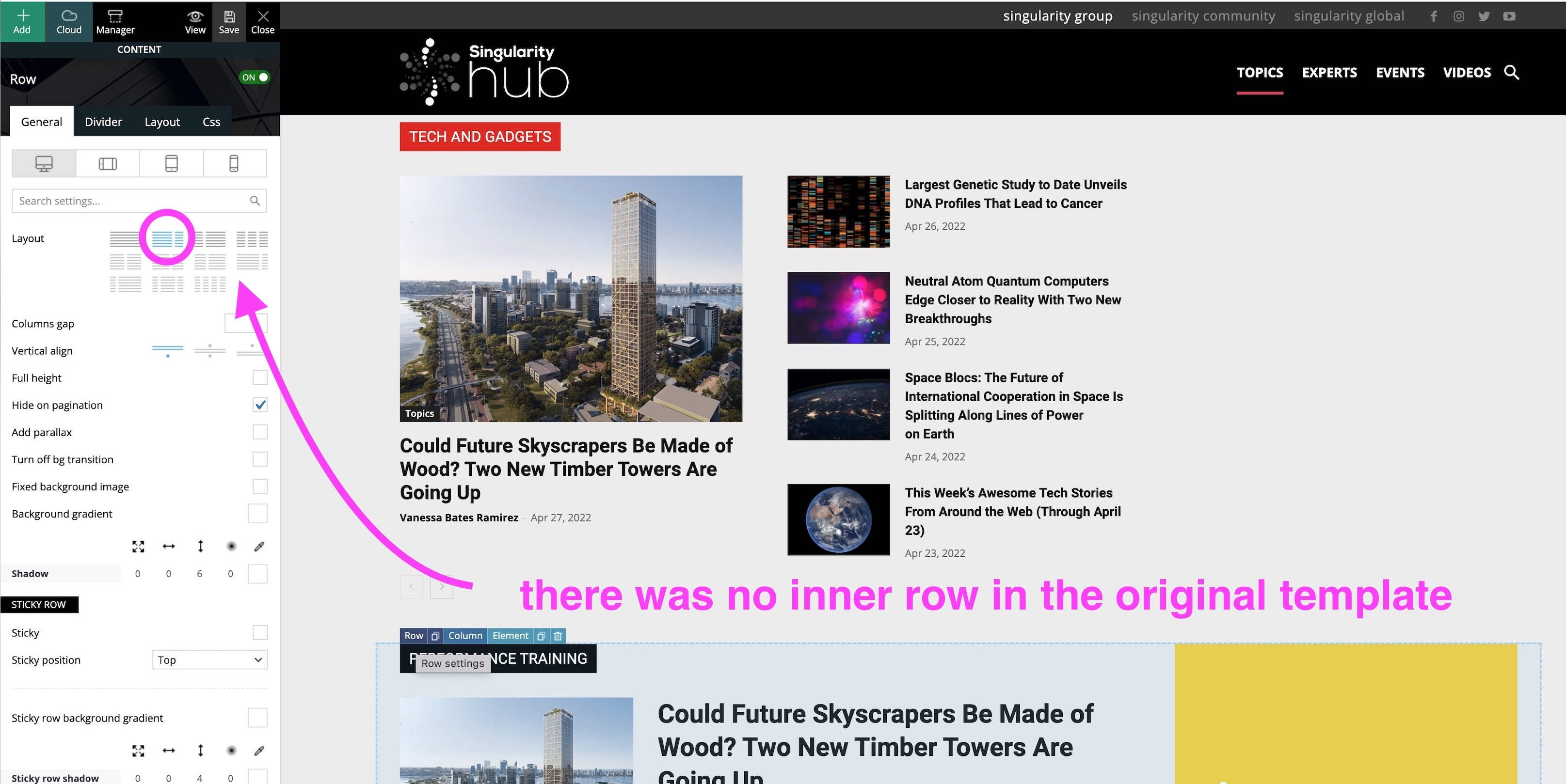
I then reconstructed it using an inner row.
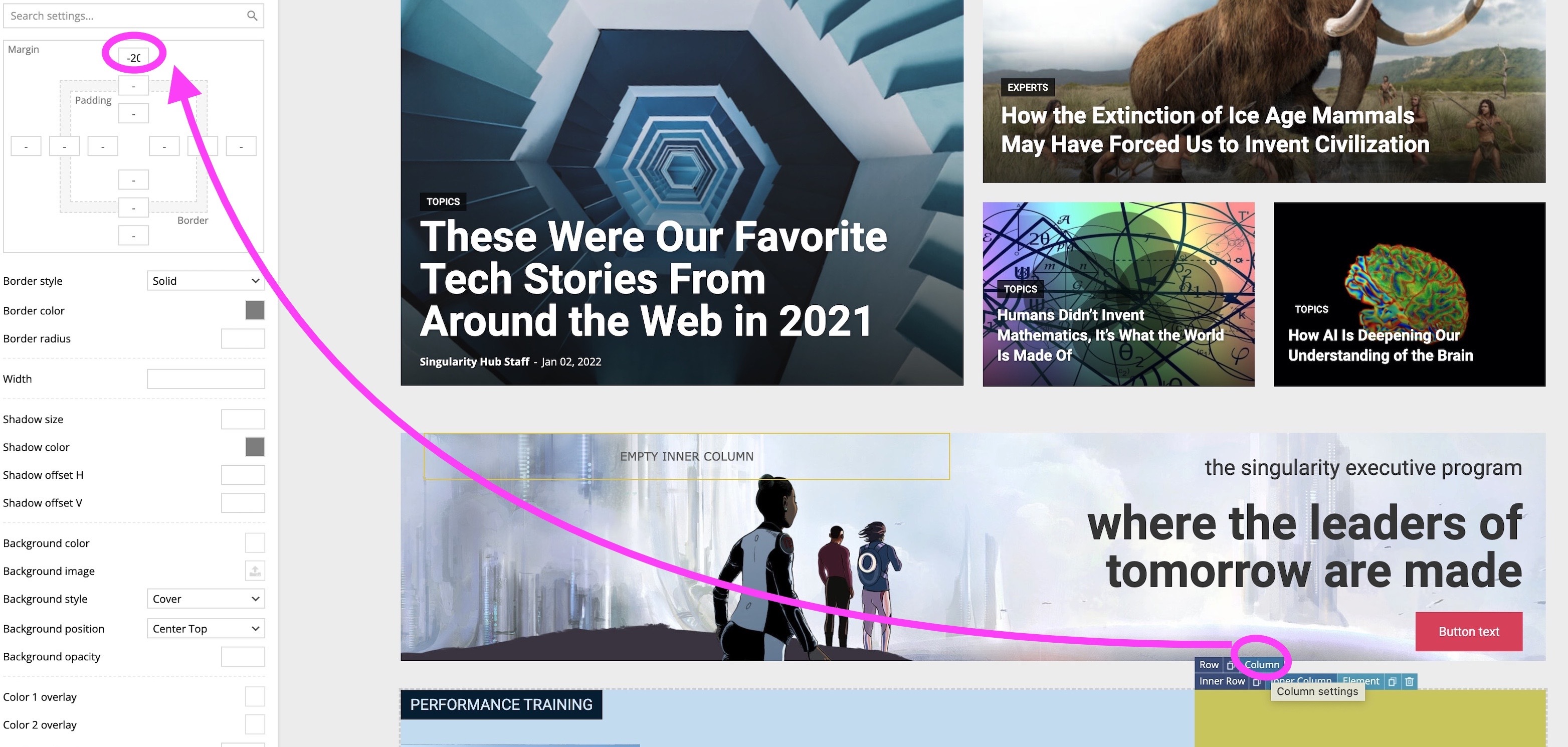
I set the inner row to 200 and the column to -200
nothing. same result
I tried 400 and -400 still nothing.
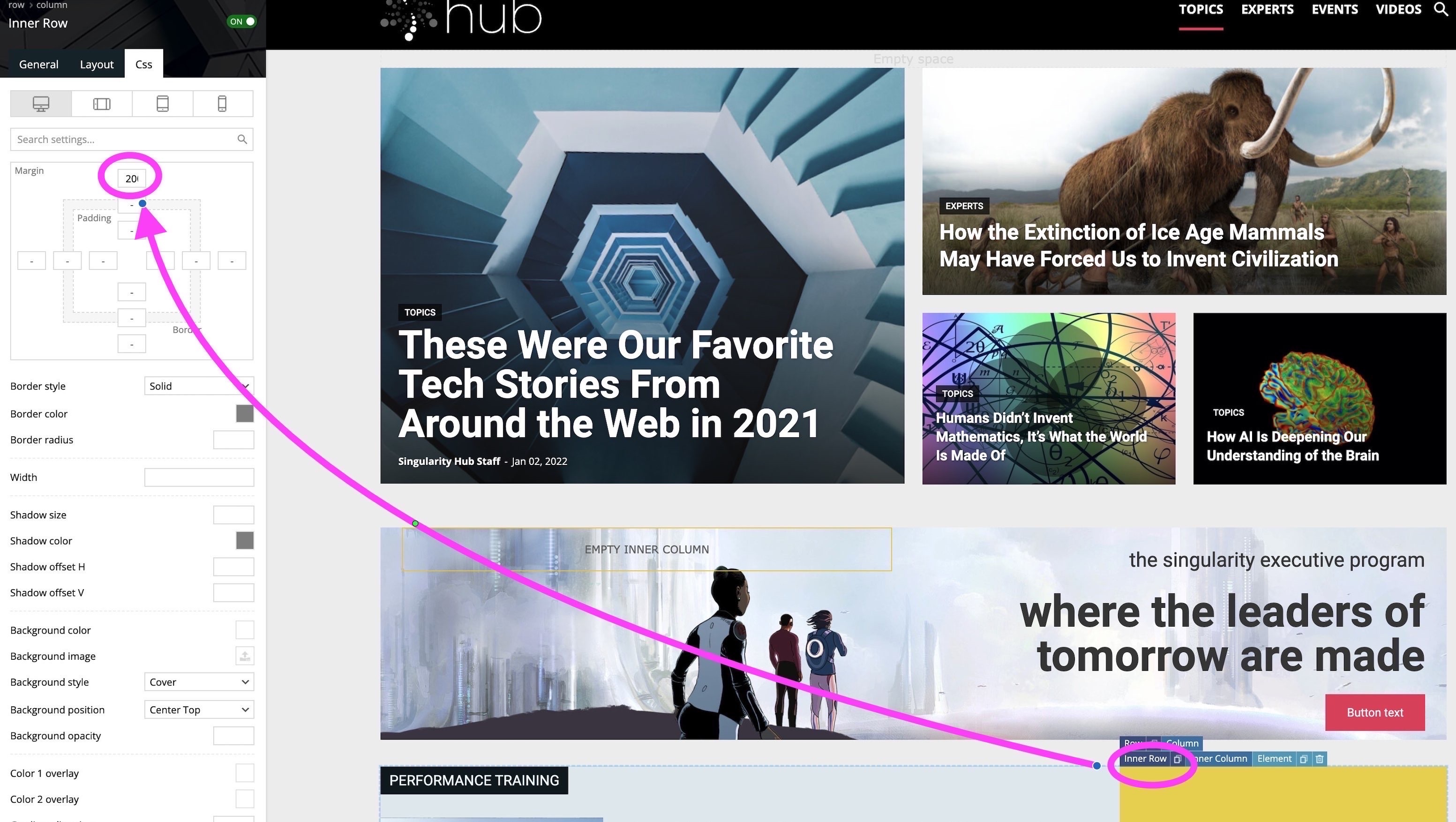
it seems these simply cancel each other out causing the sticky column to land in the same way as if there had been no adjustments.
I even tried it on the inner column too but there the sticky didn’t work. so that was not the solution. I’m stuck!
hopefully there is an answer.
thedonatshop hello the video still has not rendered. could there be an issue? it’s been an hour so far
thedonatshop thank you Bettina. I will check it out now. It’s still processing the media it says. I wish there were more / better instructional videos for the theme. it would make it a lot easier and we’d have to bother you less. the one 3hour instructional video you offer. it really hard to follow. no audio to explain. there a many tweaking moments. so when you want to get to the important moments you are waiting for the tweaking to be finished. if you want to jump forward. you don’t know what you’ve missed because the footage is sped up. then you watch it slowed down and you are back to 3-4 minutes of moments of trying different sizes etc. etc. I’m worried building this site as the theme is feeling like it will be abandoned. Hope you understand .
But I do really appreciate your help . so thank you!!
thedonatshop sorry for the double image. I tried to delete one but I saw no delete option.
part 2 of this is a slight variation. but principally the same issue or very similar.
I’d want to be able to link these “learn more ” buttons to link to a custom link added to the post with the aid of a custom field. they would actually go to the author template.
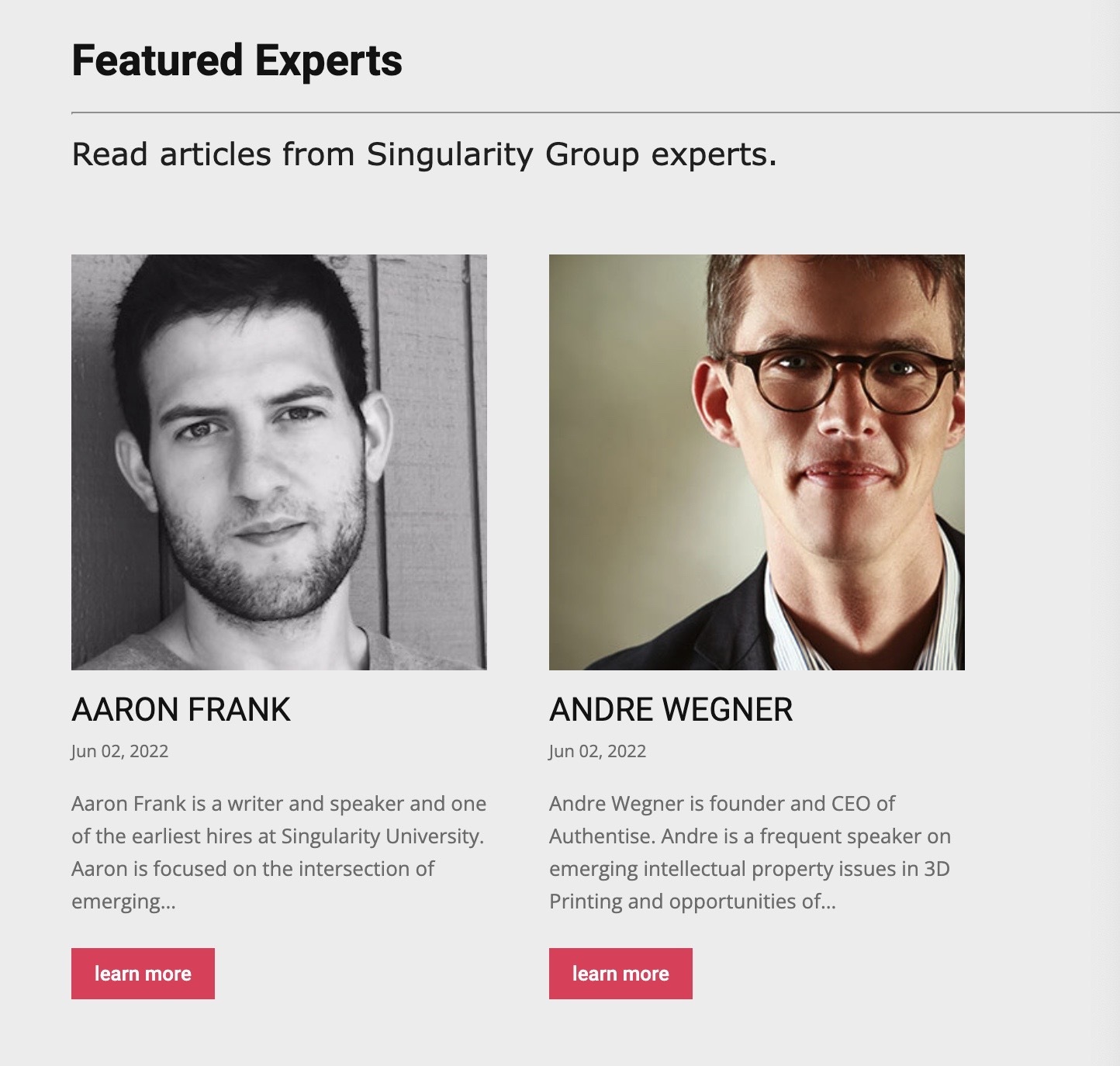
I arrived here as I saw no way to loop contributors
thus I saw even less on how to loop in “featured” contributors as I saw no way to indicate any contributor as a featured one.
so I resorted to making custom posts for each of the featured contributors . so I can loop them in a block but now I need them to link to their respective author page.
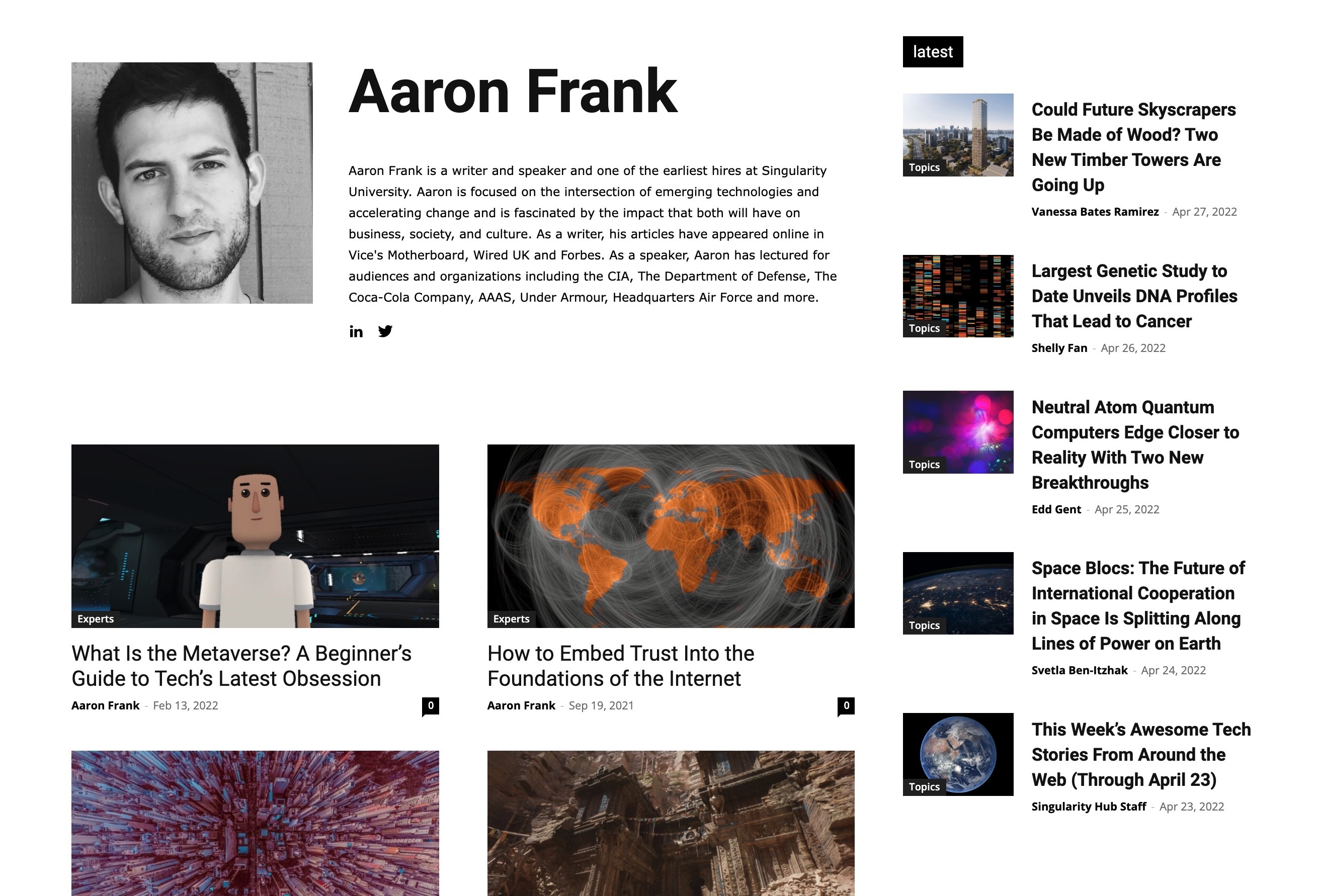
I’m not asking you to help me with these other plugins. only to find out once I have custom plugins will I be able to place them in your theme and get some of the custom fields to be populated.
Or if you see another way to achieve what I need within your theme.
thank you.
thedonatshop 
thedonatshop visual
-
This reply was modified 4 years by
thedonatshop here is a video.
https://www.loom.com/share/c8d2920a61d34e32aa642de248ebee00
I hope that helps
thedonatshop font I solved. just need the know about the global page width