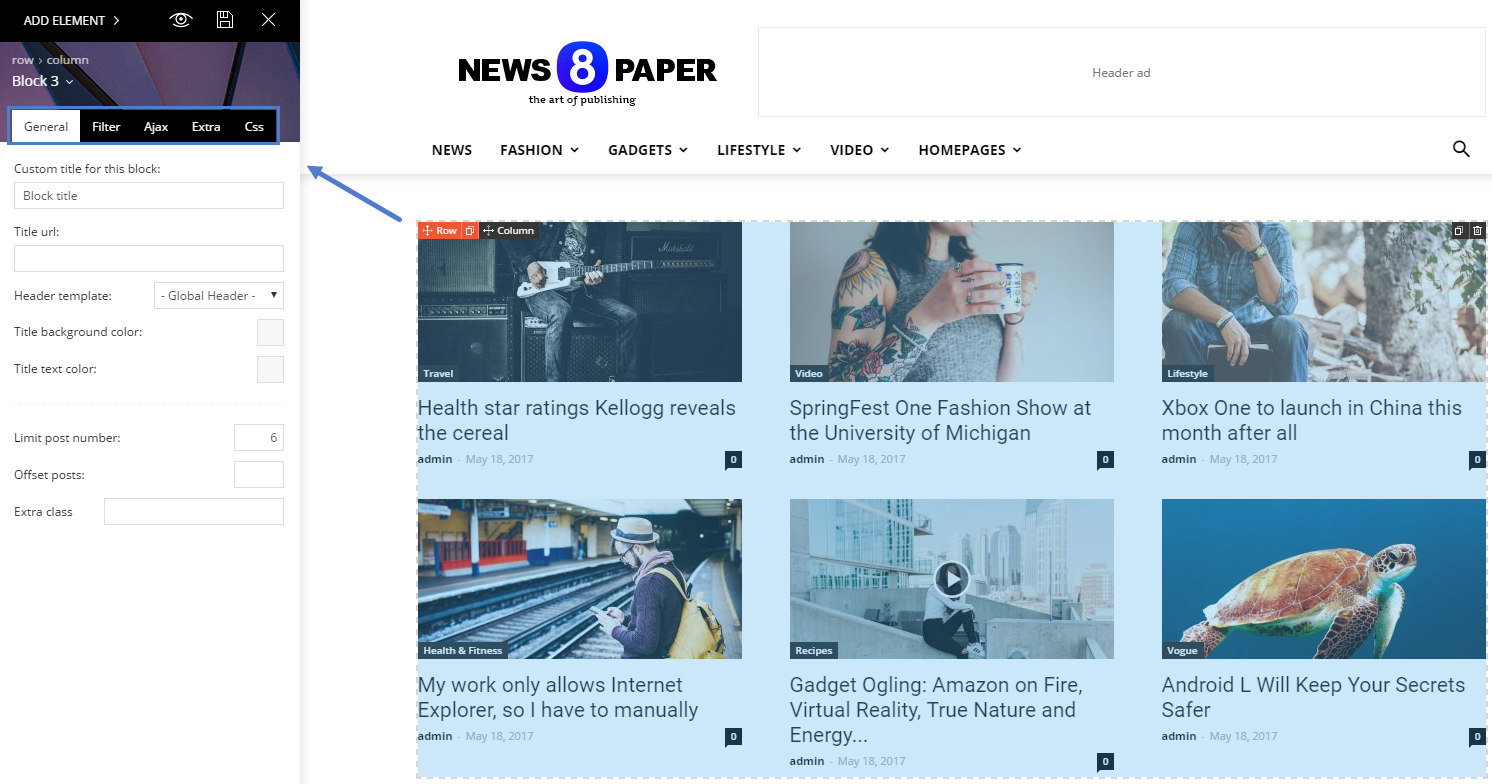
Searched everywhere but I can’t figure out how/where to control the posts I want to appear in the featured section. (from a specific tag instead of latest posts)
And in the section right below I like to see the latest posts, exept if also shown above in featured, is this possible?.



Hello,
Please use this guide: https://forum.tagdiv.com/featured-posts-2/
For block settings: https://forum.tagdiv.com/block-settings-tutorial/
Thank you!
Thanks.
Unfortunately the information on https://forum.tagdiv.com/featured-posts-2/ is incomplete. It gives the impression that the featured category is already built-in, which apparently is not. I can create a featured category myself and assign to the post, but nothing happens.
Still no idea how to control the posts in the feat section, remove the posts I don’t want there and show some older posts there.

Hi,
The featured category is created by default, maybe you have removed it by mistake. If you no longer have a featured category present
– https://www.screencast.com/t/bwOAdMjnA
You can recreate it using this default name and slug like this
– https://www.screencast.com/t/DDj2ylQVMfFr
Then the featured category should have the intended functionality.
Thanks
Thanks!
I did not remove the featured category (why would I) but is wasn’t there also. So I created one and assigned to a few posts, but nothing happens so something missing.
Trying to discover the block settings, explained in the ‘Block settings tutorial’, showing ‘How to access the block settings area’ but lacks explanation where to find it. A poor and incomplete tutorial by people who don’t understand how to explain things clearly for everyone.
‘Block settings’ not in ‘theme panel’ and not in the ‘live editor’ either. In ‘theme panel’ is a tab ‘block settings’ but it not has this: https://forum.tagdiv.com/wp-content/uploads/2017/05/block_settings_1.png