

Hello, I have read the mobile theme section (Mobile theme) and I do not see the mobile editor option anywhere, in the panel theme / mobile theme / custon html section, I have tried to put a code and it does not appear in the position mentioned in your section (Mobile theme) comes out below the futer, it can help me understand why and if there is a way to get it elsewhere.
according to your tutorial
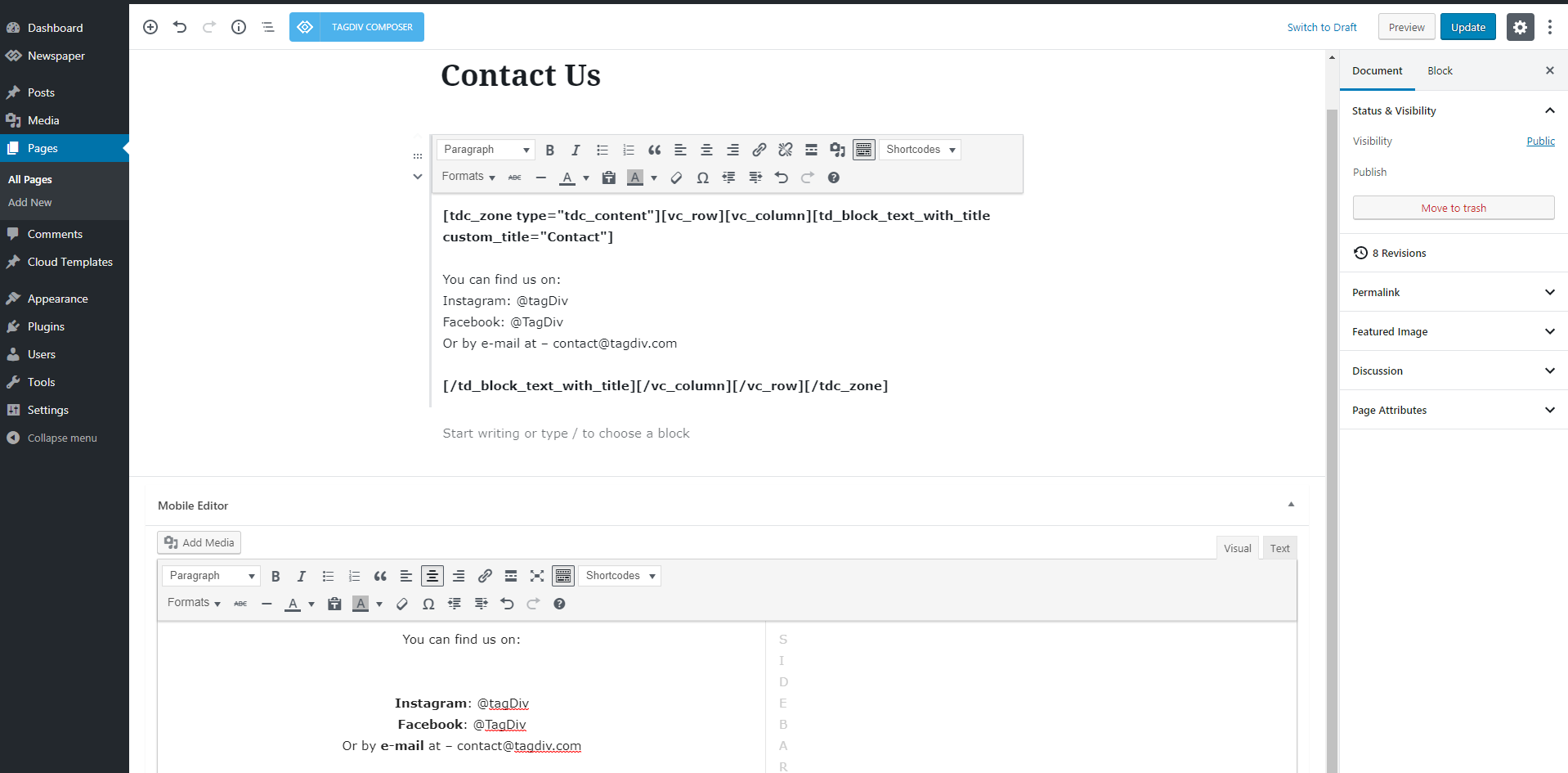
according to your tutorial

look where it comes out, embedding html code in mobile custon theme html

-
This topic was modified 6 years by
ludyma.

Hi,
The mobile editor appear only if you are using the mobile theme plugin, also this will be add only for pages, at the bottom of page -> https://i.imgur.com/xa76dqJ.png if the section do not appear, check in screen options -> https://i.imgur.com/P2C6q1b.png
Thank you!
Hi,
Yes, this option is only for pages and only if you have the mobile theme plugin enable.
I’ve made a video for how is working, maybe this will help you better -> http://www.filedropper.com/2020-05-121449 also to see the mobile version, you need to refresh the page in inspector after you set it on mobile.
Thank you!
Hi.
Thanks for the help. I have already fixed the custom CSS error.
Solution:
@media (min-width: 1068px) {
.td-container, .tdc-row, .tdc-row-composer {
    width: 1268px;
}
}
One question, in the folders that I download when I buy the item, there are two that I don’t understand.
1. It is in CODE and I don’t know what it is for and how to use it if the circumstances require it, could you inform me about it.
2. The slider demos that it brings, how do I load them to see them?
Code folders:
https://i.imgur.com/qvmtn2r.jpg
Slider folders:
https://i.imgur.com/oV697B1.jpg
Hi,
1. That folder contain the child theme ->https://forum.tagdiv.com/the-child-theme-support-tutorial/ and the plugin to crate custom posts type -> https://forum.tagdiv.com/custom-post-type-support/
2. That is a the revolution Slider that we provide is a Bundled Plugins in our theme. No need to activate it, simply ignore the activation messages. It is a bundled plugin, you can use it fully without the need of a activation key
– https://help.market.envato.com/hc/en-us/articles/213762463-Bundled-Plugins
How to install Revolution Slider v5 -> https://forum.tagdiv.com/how-to-install-revolution-slider-v5/
Import Revolution Sliders on demos -> https://forum.tagdiv.com/import-revolution-sliders-on-demos/
Thank you!
Hi,
In this folder -> https://i.imgur.com/qvmtn2r.jpg you can find the child theme package, that you can use if you need a child -> https://www.wpbeginner.com/beginners-guide/wordpress-child-theme-pros-cons/ you can check our documentation for how to use a child theme here -> https://forum.tagdiv.com/the-child-theme-support-tutorial/ usually we recommand to use cloud template and the child theme only if is necessary.
Also in that folder is a code for custom post type, this is for advance users that want to create there own post type -> https://wpshout.com/use-custom-post-types-wordpress/ you can check our documentation for cpt here -> https://forum.tagdiv.com/custom-post-type-support/
Hope this will help you to understand better!
Thank you!
I need your help, I have sponsored content packages and I need it to be shown in the posts that appear on the main page or in the header of the post itself, how could I do it?
The other is how do I create new classes in the posts or pages?
Try the advanced section of a post block and nothing is not
Hi,
So you need to set some sponsored content, if this is a simple text, I think that you can use the subtitle of posts -> https://i.imgur.com/InMPGKw.png just make sure that this element is added on your single post template -> https://i.imgur.com/1a9C5yJ.jpg or if the sponsored content is the same for more posts, you can use the ads section -> https://i.imgur.com/gyYdzYN.jpg
Here https://i.imgur.com/8gHmPvg.jpg you can set the class name that you want to apply on the selected element, this class mast be set in theme panel> custom code> custom css
-> https://i.imgur.com/VBBahlI.png -> https://i.imgur.com/PloKQZN.png the results will be -> https://i.imgur.com/iUnlGTD.png
Thank you!



