I have a new problem, although nothing has changed on my side, and all elements of the theme and WP are up to date. It is that if a post has internal links, sometimes (most of the time) after the first link, the rest of the post is erased. Sometimes only part of it. If you delete the “offending” link, the next link does the same thing. Fortunately, the problem does not seem to affect posts already published, but for new posts, and drafts, it does. It does not show up immediately during the drafting process, but appears to be triggered by something along the way. Other distortions also appear, such as the sidebars appearing below the main text.
It may have something to do with inserting a button from the MaxButtons plugin. But even if what is added by MaxButtons is deleted, and the plugin is deactivated, the formatting problem remains. Please advise.
If you delete all the internal links, the problem disappears. It reappears if you add them back. External links do not cause the problem.

Hello @chaywood0896!
Please reset the permalinks by pressing save changes in Dashboard -> Settings -> Permalinks.
It could be a plugin conflict. Make a test and deactivate ALL plugins except tagDiv ones, also if you are using a cache plugin, deactivate it, clear all cache and try again.
Thank you!
Thanks. This did not work.
1) The permalinks reset did not do anything.
2) Deactivating all plugins did not do anything.
3) The native WordPress buttons function causes the same problem. Therefore, it is not related to plugins, but appears to be somehow related to whatever the button underlying code is, as it is interacting with the theme. The mere placement of a button in a post, without any action associated with it, causes the problem. Deleting the button does not remove the problem, either. However, reversing the addition of the button with Undo (Ctrl-Z) does remove the problem.
Thanks.
No, how could I solve the issue? I identified that the solutions did not work and gave extensive additional detail about the problem, and am waiting for you to provide a solution. Thanks.
Hello @chaywood0896!
In order to avoid misunderstandings, please provide more information(screenshots/video) about what exactly is the issue there, what exactly you need to achieve and your website link.
A solution for sending a screenshot/video is this:
Download, capture, and send: https://www.techsmith.com/jing-tool.html
After making the screenshot, you will have a link; paste it here.
Thank you!
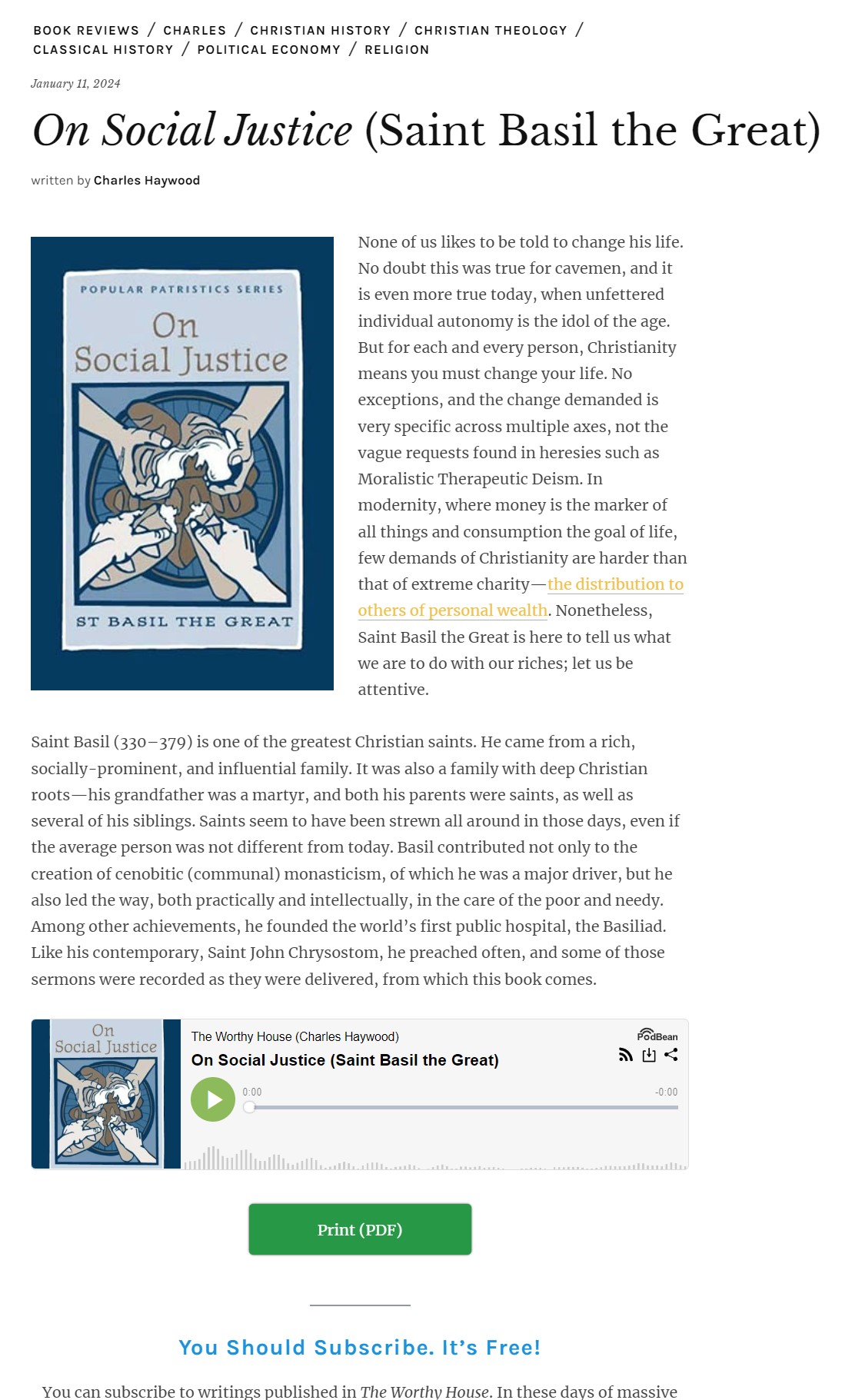
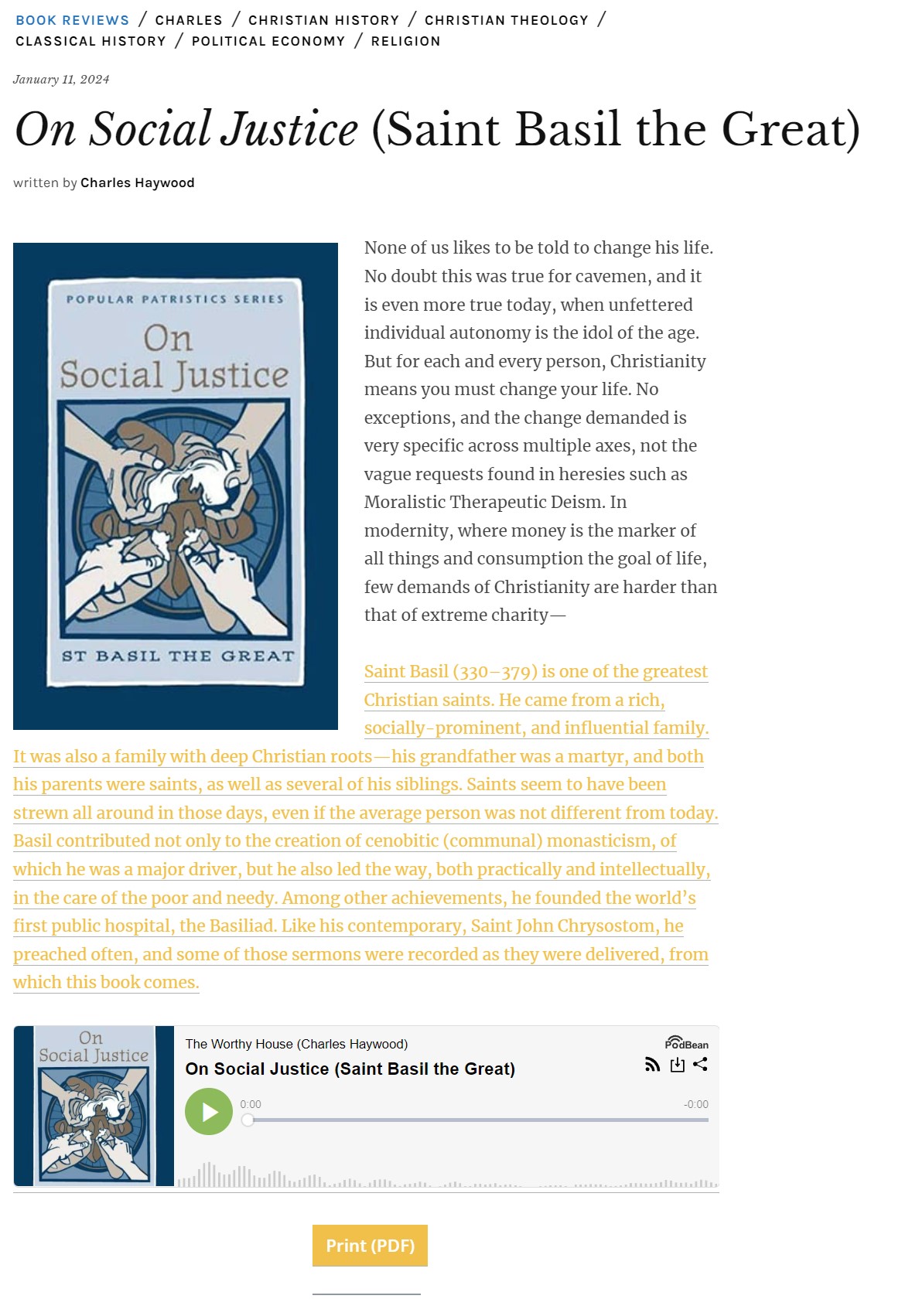
Here are links to before and after screenshots. The first is with a link in the body of the post, before a button is added (in this case, the native WordPress button, not MaxButtons). The second is when a button is added. As you can see, the addition of the button deletes some text and then makes other text the hyperlink. The HTML code is not affected and is precisely correct for the internal link. The HTML code does not reflect the “After” screenshot at all. Thanks.
https://theworthyhouse.com/wp-content/uploads/2024/01/Screenshot-Before.jpg
https://theworthyhouse.com/wp-content/uploads/2024/01/Screenshot-After.jpg
-
This reply was modified 2 years by
chaywood0896.
-
This reply was modified 2 years by
It is now doing the same thing even with no buttons being added. In Preview, there were no problems. Then, when published, the same problem showed up. In other words, any internal links destroy a published piece. Please advise.
Hello @chaywood0896!
Obviously, there is a bug with that plugin. Please contact their support, so they can easily guide you.
Thank you!
No, nothing of the sort is obvious. As I said, it has nothing to do with the plugin. The same thing happens when all the plugins are deactivated, and also when they are not deactivated, but that plugin is not used in the post. Please pay attention to what I am saying. And I just said “It is now doing the same thing with no buttons being added,” whether WP native buttons or from the plugin. It has nothing to do with the plugin. It is your theme.
Here is a link to a file that shows screenshots of “before” and “after,” and also the HTML code difference that your theme randomly seems to interpret differently. It seems like your theme cannot deal correctly, but only sometimes, with “em” in internal links. Please address. Thanks.
https://theworthyhouse.com/wp-content/uploads/2024/01/Files.zip
What appears to be happening is that your theme is making changes to em tags, or more precisely the open or ending carats for em tags, in internal links in the HTML code. Thus, if I have an internal link with an em tag, your theme sometimes changes one of the carats to an > (as shown in more detail in the linked Word document; I can’t post code here), and this sometimes breaks the presentation of links in the post, as shown in the earlier screenshots.
https://theworthyhouse.com/wp-content/uploads/2024/01/HTML-Examples.docx
-
This reply was modified 2 years by
It appears that if I manually remove the title attribute from the a tag, the problem does not occur.
Hello @chaywood0896!
For every update, we always recommend the following:
-> First of all, please make sure you have a backup.
-> Please deactivate all the non-tested plugins with our theme before updating.
-> Update WordPress, PHP, the theme, and plugins to the latest version: https://forum.tagdiv.com/how-to-update-the-theme-2/.
-> Check all these requirements for the theme: https://forum.tagdiv.com/requirements-for-newspaper/
If everything is up to date and the problem still occurs there, then we can take a look.
Please contact us via email at contact@tagdiv.com and provide the following:
– admin url and credentials
– a link to this topic in order to identify you
Thank you!
I have (and had) already done all these things; they are obvious. Please respond to the detailed screenshots and code I sent you as requested, not with vague generic recommendations. Thanks.
Hello @chaywood0896!
If you sent an email, then we will take a look and try to help you as soon as possible.
Please be patient!
Support Hours (GMT+3)
Monday – Friday:
8:00 AM – 17:00 PM
Thank you for understanding!
I did not send an email. As you can see in the earlier posts, as requested, I sent links to numerous screenshots and data files, showing in detail aspects of the problem. There will not be a separate email. Please respond to the data I submitted as requested. Thanks.
Hello @chaywood0896!
I’ve tried to replicate the issue on my end with the latest update of the theme and plugins, without any extra plugins that are not tested with our theme, and I couldn’t find this issue. That’s why I request your credentials to be checked on your end.
Thank you!
What “credentials”? As I say, I have tested this with all plugins deactivated, and it still occurs, in the specific HTML code modifications your theme makes to the code, which then present as a broken post.
Hello @chaywood0896!
Ok. We will investigate this situation. And if it is something that we need to change in the theme, then the fixes will appear in the changelog. https://tagdiv.com/newspaper/
Optional: Try to change the theme and see if this problem is still there or not.
Thank you!
I believe I have figured out the focus of the problem. WordPress at some point changed the link insertion popup to allow “ADD TITLE ATTRIBUTE TO LINK.” This field auto-fills, but it can be blanked out. Thus, title attributes are now usual for any link, taken from the link. My internal links usually have an “em” coding in their titles (they are book titles). This is what your theme chokes on; it appears related to the theme sometimes changing the “em” to an “>.” If the title attribute is removed, or does not contain “em” coding, the problem does not occur. I would focus on this for your future changes.