No search results were found in Documentation!
 Mark Gilbert
Here is a list of problems I have found with WordPress 5.5. Can you tell me if any of these are due to incompatibility with Newspaper (I am using 10.3.6.1) or WP problems? Does everyone else see these problems?
(1) “Settings” closes when Blocks Library is opened.
(2) Paragraph no longer automatically recognises HTML if you paste in HTML – you have to search for and load the block Custom HTML template.
(3) Default Block colours are changed. To get the grey I have used for months I have to execute about 12 keystrokes in typing in a custom colour
(4) Preview: Mobile and Tablet previews don’t work, only Desktop preview loads.
(5) Block library at + at right of new paragraph no longer just scrolls. Need to do a click to open.
(6) In Options:
(a) Enable the Most Used Blocks category in the block library doesn’t work.
(b) Advanced Panels don’t appear, except for Featured Video and Feature Audio. Custom Fields, Yoast SEO, Post Settings and (in my case) Leaky Paywall are missing after checking their boxes.
WP 5.5 has created far more work for me. I have to use many more keystrokes to get the same result as before I updated to 5.5.
Thanks
MG
 indieeye
Kind TagDiv Staff,
first of all, i’d like to say that your theme is wonderful. I maintain a Cinema and Music Magazine and thanks to your theme, it’s reborn.
My magazine is full of reviews (from 2005) and use Custom Fields to show additional info to our readers (Movie director, movie actors, year of production, movie poster and so on).
My problem is to add the PHP code that displays Custom Fields to your theme, in the loop-single.php file.
I’d like to modify it thorough FTP and i’ve read all the forum topics about “Advanced Custom Fields” plugin.
In my Cloud Template section on wordpress the cloud theme used by all posts is “Default Pro”.
So i’ve tried to insert the PHP code to display the custom fields into the following files, without any success:
1) wp-content/plugins/td-standard-pack/Newspaper/loop-single.php (i’ve insert the PHP code, no success)
2) wp-content/themes/Newspaper/loop-single.php (i’ve insert the PHP code, no success)
So to test the “advanced custom fields” plugin i’ve tried the following method:
a) modify through FTP one of the loop-single contained in wp-content/plugins/td-standard-pack/Newspaper/PARTS/SINGLE , in particular i’ve tried to modify loop-single-1.php
b) Edit a new post on WordPress using Style 1 template on “post setting” into the “general” tab
The Custom field appeared!!!
so the plugin works perfectly but it doesen’t work with Default Pro loop single.
And this is an huge problem, because the magazine has more than 10.000 reviews with several additional info and datas that at this moment are invisible for all our reader.
A great damage 🙁
please help
Take care
 ruunmedia
Hi we’re using a child theme with newspaper x cloud templates and have custom Advanced Custom Fields on certain posts with values we are trying to add to a cloud template post and have been able to use the base ‘the_content’ hook to do it. Just want to confirm we’ll be able to automatically upgrade the theme and it will still be compatible moving forward.
 itgrcapitallink
How can I edit the post in mobile view.
I use the “Advanced Custom Fields” plugins. In loop-singl-1.php I have the
<?php if( get_field('tel') ): ?>

<p>Tel: <?php the_field('tel'); ?></p>

<?php endif; ?>
So where do I have to add this code in mobile view?
 Calin
Calin Hi rapidmedia,
I think that you can achieve this using some plugins as Advanced Custom Fields, here is a similar topic -> https://forum.tagdiv.com/topic/add-custom-field-to-post/
Also if you want you can check our custom services from here -> https://tagdiv.com/web-development-services/
Thank you!
Calin Hi,
Unfortunately our theme do not have this option for table format, you can use tagDiv Composer to edit the pages and cloud templates.
What you can do is to use some plugins for this. Please take a look over the next useful guide from here -> https://forum.tagdiv.com/topic/add-additional-fields-to-posts-in-category-grid/ -> https://forum.tagdiv.com/topic/add-custom-field-to-post/ to know how you can configure your Advanced Custom Fields. Also is possible that to not work with cloud templates only with standard templates.
Thank you for your understanding!
itgrcapitallinkI am using https://wordpress.org/plugins/advanced-custom-fields/ and I want to display some of the fields on the posts of the category page https://imgur.com/undefined
Can I do this?
If so how can I do it?
Which php file is for the category page?
Calin Hi,
Please take a look over the next useful guide from here -> https://forum.tagdiv.com/topic/add-additional-fields-to-posts-in-category-grid/ -> https://forum.tagdiv.com/topic/add-custom-field-to-post/ to know how you can configure your Advanced Custom Fields.
Also in Newspaper X the single.php files were moved in -> wp-content/plugins/td-standard-pack/Newspaper/parts/single/single_template_1.php
Hope this helps!
Thank you!
Calin Hi,
Please take a look over the next useful guide from here -> https://forum.tagdiv.com/topic/add-additional-fields-to-posts-in-category-grid/ -> https://forum.tagdiv.com/topic/add-custom-field-to-post/ to know how you can configure your Advanced Custom Fields.
Hope this helps!
Thank you!
 sscom
sscomHi everyone,
I would like to add a secondary title to posts, which is not shown on the single-posts itself, but only on all the other elements on the homepage, the archive pages, the slider, blocks / modules / widgets and so on…
I use Advanced Custom Fields to create those alternative titles, but I am not sure how to embed them into the template. As I see, newspaper theme uses get_title-function in the modules – so is it possible, to code an if-condition into it for an alternative title? Which files have to be changed for it?
I know, that’s a “special” question, but maybe someone can still help me with that issue? Thanks a lot in advance 🙂
 LUIS ARTURO LOPEZ VERGARA
Hi, can you please tell me, how can I show in a post the advanced custom fields, that I create with ACF plugin. Or tell me the best plugin to do this with this great Theme.
Thanks.
Calin Hi,
We’ve not tested this plugin with our theme, therefore, we can not say for sure how will work with our theme, but from what I see in this documentation -> https://www.advancedcustomfields.com/resources/ -> https://www.advancedcustomfields.com/resources/the_field/ you can try first to see if the value is get from that custom filed.
Thank you for your understanding!
 top10games
Hi, I need to implement an HTML table that contains some attributes in php format about a post in a single post.
Example:
<table>

<tr>

<th> User </th>

</tr>

<tr>

<td> <? php the_field ('user'); ?> </td>

</tr>

</table>
For make this, I’ve support of ACF plugin (https://www.advancedcustomfields.com/resources/)
In another wordpress template that I had before, this code had it incorporated into the body of the post, but on this theme I don’t know where I can insert it, or if I can perhaps insert it through td composer, how could I do it? thanks.
 SmilingSun
 Hi,
I paste here the status of the Newspaper theme and bellow the WooCommerce. I hope this helps.
Theme config
Registration key i 42b1d020 – **** – **** – **** – 96c0561fdfe5 Reset key
Theme name i Newspaper
Theme version i 9.8
Theme database version i 9.8
HTTP channel test wordpress
Installed demo i Animals Magazine PRO – demo ID: animals_pro | install type: full
php.ini configuration
Server software i Apache
PHP Version i 7.0.25
post_max_size i 64M – You cannot upload images, themes and plugins that have a size bigger than this value. To see how you can change this please check our guide here.
max_execution_time 120
max_input_vars 1000 – the max_input_vars should be bigger than 2000, otherwise it can cause incomplete saves in the menu panel in WordPress. To see how you can change this please check our guide here.
SUHOSIN installed false
PHP extensions
mbstring available
GD library available
WordPress and plugins
WP Home URL i https://vanlifemagazine.co
WP Site URL i https://vanlifemagazine.co
WP version i 5.2.3
WP multisite enabled i No
WP Language i en_US
WP Memory Limit 40 MB/request – We recommend setting memory to at least 128MB. The theme is well tested with a 40MB/request limit, but if you are using multiple plugins that may not be enough. See: Increasing memory allocated to PHP. You can also check our guide here.
WP_DEBUG WP_DEBUG is enabled. It may display unwanted messages. To see how you can change this please check our guide here.
Caching plugin No caching plugin detected – for best performance we recommend using WP Super Cache
WOOCOMMERCE STATUS:
### WordPress Environment ###

WordPress address (URL): https://vanlifemagazine.co
Site address (URL): https://vanlifemagazine.co
WC Version: 3.7.0
REST API Version: ✔ 1.0.2
Log Directory Writable: ✔
WP Version: 5.2.3
WP Multisite: –
WP Memory Limit: 256 MB
WP Debug Mode: ✔
WP Cron: ✔
Language: en_US
External object cache: –

### Server Environment ###

Server Info: Apache
PHP Version: 7.0.25 - We recommend using PHP version 7.2 or above for greater performance and security. How to update your PHP version
PHP Post Max Size: 64 MB
PHP Time Limit: 120
PHP Max Input Vars: 1000
cURL Version: 7.19.7
NSS/3.27.1

SUHOSIN Installed: –
MySQL Version: 5.6.41-84.1
Max Upload Size: 64 MB
Default Timezone is UTC: ✔
fsockopen/cURL: ✔
SoapClient: ✔
DOMDocument: ✔
GZip: ✔
Multibyte String: ✔
Remote Post: ✔
Remote Get: ✔

### Database ###

WC Database Version: 3.7.0
WC Database Prefix: wp_
MaxMind GeoIP Database: ✔
Total Database Size: 206.58MB
Database Data Size: 203.39MB
Database Index Size: 3.19MB
wp_woocommerce_sessions: Data: 0.00MB + Index: 0.00MB + Engine MyISAM
wp_woocommerce_api_keys: Data: 0.00MB + Index: 0.00MB + Engine MyISAM
wp_woocommerce_attribute_taxonomies: Data: 0.00MB + Index: 0.00MB + Engine MyISAM
wp_woocommerce_downloadable_product_permissions: Data: 0.00MB + Index: 0.00MB + Engine MyISAM
wp_woocommerce_order_items: Data: 0.00MB + Index: 0.00MB + Engine MyISAM
wp_woocommerce_order_itemmeta: Data: 0.02MB + Index: 0.03MB + Engine MyISAM
wp_woocommerce_tax_rates: Data: 0.00MB + Index: 0.00MB + Engine MyISAM
wp_woocommerce_tax_rate_locations: Data: 0.00MB + Index: 0.00MB + Engine MyISAM
wp_woocommerce_shipping_zones: Data: 0.00MB + Index: 0.00MB + Engine MyISAM
wp_woocommerce_shipping_zone_locations: Data: 0.01MB + Index: 0.02MB + Engine MyISAM
wp_woocommerce_shipping_zone_methods: Data: 0.00MB + Index: 0.00MB + Engine MyISAM
wp_woocommerce_payment_tokens: Data: 0.00MB + Index: 0.00MB + Engine MyISAM
wp_woocommerce_payment_tokenmeta: Data: 0.00MB + Index: 0.00MB + Engine MyISAM
wp_woocommerce_log: Data: 0.00MB + Index: 0.00MB + Engine MyISAM
wp_affiliate_wp_affiliatemeta: Data: 0.00MB + Index: 0.00MB + Engine MyISAM
wp_affiliate_wp_affiliates: Data: 0.00MB + Index: 0.00MB + Engine MyISAM
wp_affiliate_wp_campaigns: Data: 0.00MB + Index: 0.00MB + Engine
wp_affiliate_wp_creatives: Data: 0.00MB + Index: 0.00MB + Engine MyISAM
wp_affiliate_wp_customermeta: Data: 0.00MB + Index: 0.01MB + Engine MyISAM
wp_affiliate_wp_customers: Data: 0.00MB + Index: 0.01MB + Engine MyISAM
wp_affiliate_wp_payouts: Data: 0.00MB + Index: 0.00MB + Engine MyISAM
wp_affiliate_wp_referrals: Data: 0.00MB + Index: 0.00MB + Engine MyISAM
wp_affiliate_wp_rest_consumers: Data: 0.00MB + Index: 0.00MB + Engine MyISAM
wp_affiliate_wp_visits: Data: 0.00MB + Index: 0.00MB + Engine MyISAM
wp_aff_affiliates: Data: 0.00MB + Index: 0.00MB + Engine MyISAM
wp_aff_affiliates_users: Data: 0.00MB + Index: 0.00MB + Engine MyISAM
wp_aff_hits: Data: 0.00MB + Index: 0.00MB + Engine MyISAM
wp_aff_referrals: Data: 0.00MB + Index: 0.00MB + Engine MyISAM
wp_aff_referral_items: Data: 0.00MB + Index: 0.00MB + Engine MyISAM
wp_aff_robots: Data: 0.00MB + Index: 0.00MB + Engine MyISAM
wp_aff_uris: Data: 0.00MB + Index: 0.00MB + Engine MyISAM
wp_aff_user_agents: Data: 0.00MB + Index: 0.00MB + Engine MyISAM
wp_bp_activity: Data: 0.00MB + Index: 0.01MB + Engine MyISAM
wp_bp_activity_meta: Data: 0.00MB + Index: 0.00MB + Engine MyISAM
wp_bp_notifications: Data: 0.00MB + Index: 0.00MB + Engine MyISAM
wp_bp_notifications_meta: Data: 0.00MB + Index: 0.00MB + Engine MyISAM
wp_bp_xprofile_data: Data: 0.00MB + Index: 0.00MB + Engine MyISAM
wp_bp_xprofile_fields: Data: 0.00MB + Index: 0.01MB + Engine MyISAM
wp_bp_xprofile_groups: Data: 0.00MB + Index: 0.00MB + Engine MyISAM
wp_bp_xprofile_meta: Data: 0.00MB + Index: 0.00MB + Engine MyISAM
wp_cf_form_entries: Data: 0.00MB + Index: 0.01MB + Engine MyISAM
wp_cf_form_entry_meta: Data: 0.00MB + Index: 0.00MB + Engine MyISAM
wp_cf_form_entry_values: Data: 0.00MB + Index: 0.01MB + Engine MyISAM
wp_cf_tracking: Data: 0.00MB + Index: 0.00MB + Engine MyISAM
wp_cf_tracking_meta: Data: 0.00MB + Index: 0.00MB + Engine MyISAM
wp_commentmeta: Data: 0.00MB + Index: 0.01MB + Engine MyISAM
wp_comments: Data: 0.03MB + Index: 0.02MB + Engine MyISAM
wp_cst_new_files: Data: 0.00MB + Index: 0.00MB + Engine MyISAM
wp_ddp_log: Data: 0.00MB + Index: 0.00MB + Engine MyISAM
wp_fv_player_playermeta: Data: 0.00MB + Index: 0.00MB + Engine MyISAM
wp_fv_player_players: Data: 0.00MB + Index: 0.00MB + Engine MyISAM
wp_fv_player_videometa: Data: 0.00MB + Index: 0.00MB + Engine MyISAM
wp_fv_player_videos: Data: 0.00MB + Index: 0.01MB + Engine MyISAM
wp_job_manager_stats: Data: 0.05MB + Index: 0.02MB + Engine MyISAM
wp_links: Data: 0.00MB + Index: 0.00MB + Engine MyISAM
wp_mo_openid_linked_user: Data: 0.00MB + Index: 0.00MB + Engine MyISAM
wp_nf3_actions: Data: 0.00MB + Index: 0.00MB + Engine MyISAM
wp_nf3_action_meta: Data: 0.02MB + Index: 0.00MB + Engine MyISAM
wp_nf3_chunks: Data: 0.00MB + Index: 0.00MB + Engine MyISAM
wp_nf3_fields: Data: 0.00MB + Index: 0.00MB + Engine MyISAM
wp_nf3_field_meta: Data: 0.01MB + Index: 0.00MB + Engine MyISAM
wp_nf3_forms: Data: 0.00MB + Index: 0.00MB + Engine MyISAM
wp_nf3_form_meta: Data: 0.02MB + Index: 0.00MB + Engine MyISAM
wp_nf3_objects: Data: 0.00MB + Index: 0.00MB + Engine MyISAM
wp_nf3_object_meta: Data: 0.00MB + Index: 0.00MB + Engine MyISAM
wp_nf3_relationships: Data: 0.00MB + Index: 0.00MB + Engine MyISAM
wp_nf3_upgrades: Data: 0.04MB + Index: 0.00MB + Engine MyISAM
wp_ngg_album: Data: 0.00MB + Index: 0.00MB + Engine MyISAM
wp_ngg_gallery: Data: 0.00MB + Index: 0.00MB + Engine MyISAM
wp_ngg_pictures: Data: 0.00MB + Index: 0.00MB + Engine MyISAM
wp_options: Data: 2.87MB + Index: 0.13MB + Engine MyISAM
wp_peepso_activities: Data: 0.02MB + Index: 0.08MB + Engine InnoDB
wp_peepso_activity_hide: Data: 0.02MB + Index: 0.00MB + Engine InnoDB
wp_peepso_activity_ranking: Data: 0.02MB + Index: 0.03MB + Engine InnoDB
wp_peepso_blocks: Data: 0.02MB + Index: 0.00MB + Engine InnoDB
wp_peepso_brute_force_attempts_logs: Data: 0.02MB + Index: 0.02MB + Engine InnoDB
wp_peepso_gdpr_request_data: Data: 0.02MB + Index: 0.03MB + Engine InnoDB
wp_peepso_hashtags: Data: 0.02MB + Index: 0.03MB + Engine InnoDB
wp_peepso_likes: Data: 0.02MB + Index: 0.05MB + Engine InnoDB
wp_peepso_mail_queue: Data: 0.02MB + Index: 0.05MB + Engine InnoDB
wp_peepso_notifications: Data: 0.02MB + Index: 0.09MB + Engine InnoDB
wp_peepso_reactions: Data: 0.02MB + Index: 0.05MB + Engine InnoDB
wp_peepso_report: Data: 0.02MB + Index: 0.08MB + Engine InnoDB
wp_peepso_users: Data: 0.02MB + Index: 0.05MB + Engine InnoDB
wp_pmxi_files: Data: 0.00MB + Index: 0.00MB + Engine MyISAM
wp_pmxi_history: Data: 0.00MB + Index: 0.00MB + Engine MyISAM
wp_pmxi_images: Data: 0.00MB + Index: 0.00MB + Engine MyISAM
wp_pmxi_imports: Data: 0.00MB + Index: 0.00MB + Engine MyISAM
wp_pmxi_posts: Data: 0.00MB + Index: 0.00MB + Engine MyISAM
wp_pmxi_templates: Data: 0.00MB + Index: 0.00MB + Engine MyISAM
wp_postmeta: Data: 186.43MB + Index: 1.26MB + Engine MyISAM
wp_posts: Data: 12.81MB + Index: 0.62MB + Engine MyISAM
wp_redirection_404: Data: 0.00MB + Index: 0.00MB + Engine MyISAM
wp_redirection_groups: Data: 0.00MB + Index: 0.00MB + Engine MyISAM
wp_redirection_items: Data: 0.00MB + Index: 0.02MB + Engine MyISAM
wp_redirection_logs: Data: 0.00MB + Index: 0.00MB + Engine MyISAM
wp_revslider_css: Data: 0.09MB + Index: 0.00MB + Engine MyISAM
wp_revslider_layer_animations: Data: 0.00MB + Index: 0.00MB + Engine MyISAM
wp_revslider_navigations: Data: 0.00MB + Index: 0.00MB + Engine MyISAM
wp_revslider_sliders: Data: 0.05MB + Index: 0.00MB + Engine MyISAM
wp_revslider_slides: Data: 0.15MB + Index: 0.00MB + Engine MyISAM
wp_revslider_static_slides: Data: 0.00MB + Index: 0.00MB + Engine MyISAM
wp_say_what_strings: Data: 0.00MB + Index: 0.00MB + Engine MyISAM
wp_signups: Data: 0.00MB + Index: 0.01MB + Engine MyISAM
wp_smush_dir_images: Data: 0.00MB + Index: 0.00MB + Engine MyISAM
wp_sm_sync: Data: 0.00MB + Index: 0.00MB + Engine MyISAM
wp_social_users: Data: 0.00MB + Index: 0.00MB + Engine MyISAM
wp_supsystic_tbl_columns: Data: 0.00MB + Index: 0.00MB + Engine MyISAM
wp_supsystic_tbl_diagrams: Data: 0.00MB + Index: 0.00MB + Engine MyISAM
wp_supsystic_tbl_rows: Data: 0.00MB + Index: 0.00MB + Engine MyISAM
wp_supsystic_tbl_tables: Data: 0.00MB + Index: 0.00MB + Engine MyISAM
wp_termmeta: Data: 0.01MB + Index: 0.02MB + Engine MyISAM
wp_terms: Data: 0.03MB + Index: 0.05MB + Engine MyISAM
wp_term_relationships: Data: 0.03MB + Index: 0.06MB + Engine MyISAM
wp_term_taxonomy: Data: 0.03MB + Index: 0.03MB + Engine MyISAM
wp_tm_taskmeta: Data: 0.00MB + Index: 0.00MB + Engine MyISAM
wp_tm_tasks: Data: 0.00MB + Index: 0.00MB + Engine MyISAM
wp_usermeta: Data: 0.23MB + Index: 0.13MB + Engine MyISAM
wp_users: Data: 0.01MB + Index: 0.02MB + Engine MyISAM
wp_usersultra_ajaxrating_vote: Data: 0.00MB + Index: 0.00MB + Engine MyISAM
wp_usersultra_ajaxrating_votesummary: Data: 0.00MB + Index: 0.00MB + Engine MyISAM
wp_usersultra_friends: Data: 0.00MB + Index: 0.00MB + Engine MyISAM
wp_usersultra_galleries: Data: 0.00MB + Index: 0.00MB + Engine MyISAM
wp_usersultra_likes: Data: 0.00MB + Index: 0.00MB + Engine MyISAM
wp_usersultra_orders: Data: 0.00MB + Index: 0.00MB + Engine MyISAM
wp_usersultra_packages: Data: 0.00MB + Index: 0.00MB + Engine MyISAM
wp_usersultra_photos: Data: 0.00MB + Index: 0.00MB + Engine MyISAM
wp_usersultra_photo_categories: Data: 0.00MB + Index: 0.00MB + Engine MyISAM
wp_usersultra_photo_cat_rel: Data: 0.00MB + Index: 0.00MB + Engine MyISAM
wp_usersultra_stats: Data: 0.00MB + Index: 0.00MB + Engine MyISAM
wp_usersultra_stats_raw: Data: 0.00MB + Index: 0.00MB + Engine MyISAM
wp_usersultra_videos: Data: 0.00MB + Index: 0.00MB + Engine MyISAM
wp_users_ultra_pm: Data: 0.00MB + Index: 0.00MB + Engine MyISAM
wp_uwp_form_extras: Data: 0.00MB + Index: 0.00MB + Engine MyISAM
wp_uwp_form_fields: Data: 0.00MB + Index: 0.00MB + Engine MyISAM
wp_vanlife_followers: Data: 0.00MB + Index: 0.00MB + Engine MyISAM
wp_vimeography_gallery: Data: 0.00MB + Index: 0.00MB + Engine MyISAM
wp_vimeography_gallery_meta: Data: 0.00MB + Index: 0.00MB + Engine MyISAM
wp_wcpl_user_packages: Data: 0.00MB + Index: 0.00MB + Engine MyISAM
wp_wc_admin_notes: Data: 0.00MB + Index: 0.00MB + Engine MyISAM
wp_wc_admin_note_actions: Data: 0.00MB + Index: 0.00MB + Engine MyISAM
wp_wc_customer_lookup: Data: 0.00MB + Index: 0.01MB + Engine MyISAM
wp_wc_download_log: Data: 0.00MB + Index: 0.00MB + Engine MyISAM
wp_wc_order_coupon_lookup: Data: 0.00MB + Index: 0.00MB + Engine MyISAM
wp_wc_order_product_lookup: Data: 0.00MB + Index: 0.01MB + Engine MyISAM
wp_wc_order_stats: Data: 0.00MB + Index: 0.01MB + Engine MyISAM
wp_wc_order_tax_lookup: Data: 0.00MB + Index: 0.00MB + Engine MyISAM
wp_wc_product_meta_lookup: Data: 0.00MB + Index: 0.01MB + Engine MyISAM
wp_wc_tax_rate_classes: Data: 0.00MB + Index: 0.01MB + Engine MyISAM
wp_wc_webhooks: Data: 0.00MB + Index: 0.00MB + Engine MyISAM
wp_wpam_actions: Data: 0.00MB + Index: 0.00MB + Engine MyISAM
wp_wpam_affiliates: Data: 0.00MB + Index: 0.00MB + Engine MyISAM
wp_wpam_affiliates_fields: Data: 0.00MB + Index: 0.00MB + Engine MyISAM
wp_wpam_creatives: Data: 0.00MB + Index: 0.00MB + Engine MyISAM
wp_wpam_events: Data: 0.00MB + Index: 0.00MB + Engine MyISAM
wp_wpam_impressions: Data: 0.00MB + Index: 0.00MB + Engine MyISAM
wp_wpam_messages: Data: 0.00MB + Index: 0.00MB + Engine MyISAM
wp_wpam_paypal_logs: Data: 0.00MB + Index: 0.00MB + Engine MyISAM
wp_wpam_tracking_tokens: Data: 0.00MB + Index: 0.00MB + Engine MyISAM
wp_wpam_tracking_tokens_purchase_logs: Data: 0.00MB + Index: 0.00MB + Engine MyISAM
wp_wpam_transactions: Data: 0.00MB + Index: 0.00MB + Engine MyISAM
wp_wpfm_backup: Data: 0.00MB + Index: 0.00MB + Engine MyISAM
wp_wpgmza: Data: 0.02MB + Index: 0.00MB + Engine InnoDB
wp_wpgmza_categories: Data: 0.02MB + Index: 0.00MB + Engine InnoDB
wp_wpgmza_category_maps: Data: 0.02MB + Index: 0.00MB + Engine InnoDB
wp_wpgmza_maps: Data: 0.02MB + Index: 0.00MB + Engine InnoDB
wp_wpgmza_polygon: Data: 0.02MB + Index: 0.00MB + Engine InnoDB
wp_wpgmza_polylines: Data: 0.02MB + Index: 0.00MB + Engine InnoDB
wp_wsluserscontacts: Data: 0.00MB + Index: 0.00MB + Engine MyISAM
wp_wslusersprofiles: Data: 0.00MB + Index: 0.00MB + Engine MyISAM
wp_yikes_easy_mc_forms: Data: 0.00MB + Index: 0.00MB + Engine MyISAM
wp_yoast_seo_links: Data: 0.00MB + Index: 0.00MB + Engine MyISAM
wp_yoast_seo_meta: Data: 0.07MB + Index: 0.06MB + Engine MyISAM

### Security ###

Secure connection (HTTPS): ✔
Hide errors from visitors: ❌Error messages should not be shown to visitors.

### Active Plugins (24) ###

AffiliateWP - Affiliate Area Shortcodes: by AffiliateWP
LLC – 1.1.7

AffiliateWP - Starting Affiliate ID: by Sandhills Development
LLC – 1.0.0

AffiliateWP - Store Credit: by AffiliateWP
LLC – 2.3.2

Share Buttons by AddThis: by The AddThis Team – 6.2.6
AffiliateWP - Affiliate Area Tabs: by AffiliateWP – 1.2.7
AffiliateWP - Affiliate Info: by AffiliateWP
LLC – 1.0.5

AffiliateWP: by Sandhills Development
LLC – 2.4-beta1

Minimal Coming Soon & Maintenance Mode: by WebFactory Ltd – 2.05
Redirection: by John Godley – 4.4.2
Regenerate Thumbnails: by Alex Mills (Viper007Bond) – 3.1.1
tagDiv Cloud Library: by tagDiv – 1.3 | built on 30.07.2019 7:51
tagDiv Composer: by tagDiv – 2.4 | built on 30.07.2019 7:51
UpdraftPlus - Backup/Restore: by UpdraftPlus.Com
DavidAnderson – 1.16.17

Advanced Flat Rate Shipping For WooCommerce: by Thedotstore – 3.3 – Not tested with the active version of WooCommerce
Advanced Order Export For WooCommerce: by AlgolPlus – 3.0.3
WooCommerce Stripe Gateway: by WooCommerce – 4.2.5
WooCommerce Menu Cart: by Jeremiah Prummer
Ewout Fernhout – 2.7.5 – Not tested with the active version of WooCommerce

WooCommerce Price Based on Country (Basic): by Oscar Gare – 1.8.14
WooCommerce: by Automattic – 3.7.0
Yoast SEO: by Team Yoast – 12.2
WP-Optimize - Clean, Compress, Cache: by David Anderson
Ruhani Rabin
Team Updraft – 3.0.12

WP Staging: by WP-Staging – 2.6.2
WP-Stateless: by Usability Dynamics
Inc. – 2.2.7

Easy Forms for Mailchimp: by YIKES
Inc. – 6.5.5

### Inactive Plugins (10) ###

Duplicate Post: by Enrico Battocchi – 3.2.3
Flamingo: by Takayuki Miyoshi – 2.1
Migrate Guru: by Migrate Guru – 3.1
Slider Revolution: by ThemePunch – 5.3.0.2
Smush: by WPMU DEV – 3.2.4
SumoMe: by SumoMe – 1.31
tagDiv Mobile Theme: by tagDiv – 1.1
tagDiv Social Counter: by tagDiv – 4.6 | built on 30.07.2019 7:51
User Switching: by John Blackbourn & contributors – 1.5.2
WooCommerce Admin: by WooCommerce – 0.19.0

### Must Use Plugins (2) ###

Endurance Page Cache: by Mike Hansen – 1.5
WP Staging Optimizer: by René Hermenau – 1.1

### Settings ###

API Enabled: ✔
Force SSL: –
Currency: EUR (€)
Currency Position: left_space
Thousand Separator: ,
Decimal Separator: .
Number of Decimals: 2
Taxonomies: Product Types: external (external)
grouped (grouped)
job_package (job_package)
job_package_subscription (job_package_subscription)
resume_package (resume_package)
resume_package_subscription (resume_package_subscription)
simple (simple)
variable (variable)

Taxonomies: Product Visibility: exclude-from-catalog (exclude-from-catalog)
exclude-from-search (exclude-from-search)
featured (featured)
outofstock (outofstock)
rated-1 (rated-1)
rated-2 (rated-2)
rated-3 (rated-3)
rated-4 (rated-4)
rated-5 (rated-5)

Connected to WooCommerce.com: –

### WC Pages ###

Shop base: #6840 - /shop/
Cart: #6844 - /cart/
Checkout: #6846 - /checkout/
My account: #6830 - /myaccount/
Terms and conditions: #8884 - /terms-and-conditions/

### Theme ###

Name: Newspaper
Version: 9.8
Author URL: http://themeforest.net/user/tagDiv/portfolio
Child Theme: ❌ – If you are modifying WooCommerce on a parent theme that you did not build personally we recommend using a child theme. See: How to create a child theme
WooCommerce Support: ✔

### Templates ###

Overrides: Newspaper/woocommerce/archive-product.php
Newspaper/woocommerce/single-product.php

### Geolocation debug info ###

HTTP_CF_IPCOUNTRY: ❌
GEOIP_COUNTRY_CODE: ❌
HTTP_X_COUNTRY_CODE: ❌
HTTP_X_REAL_IP: 82.19.153.241
HTTP_X_FORWARDED_FOR: 82.19.153.241
REMOTE_ADDR: 82.19.153.241
Real external IP: 82.19.153.241
WCPBC_USE_REMOTE_ADDR: –
Geolocation Test: ✔

### PBC Settings ###

Version: 1.8.14
Base location: GB
Base currency: EUR
Price Based On: shipping
Shipping: –
Test mode: –
Test country: –
Load products price in background: ✔
Prices entered with tax: –
Calculate tax based on: shipping
Display prices in the shop: excl

### Zone Pricing United Kingdom (UK) ###

zone_id: united-kingdom-uk
name: United Kingdom (UK)
countries: GB
currency: GBP
exchange_rate: 1
disable_tax_adjustment: no

### Zone Pricing United States ###

zone_id: united-states
name: United States
countries: US
currency: USD
exchange_rate: 1
disable_tax_adjustment: no

### Zone Pricing Europe ###

zone_id: european-union
name: Europe
countries: AT | BE | HR | CZ | DK | EE | FI | FR | DE | GR | HU | IS | IE | IT | LV | LT | LU | MT | NO | PL | PT | RO | SK | SI | ES | SE | CH | NL
currency: EUR
exchange_rate: 1
disable_tax_adjustment: no

### Zone Pricing Canada ###

zone_id: canada
name: Canada
countries: CA
currency: CAD
exchange_rate: 1
disable_tax_adjustment: no

### Zone Pricing Australia ###

zone_id: australia
name: Australia
countries: AU
currency: AUD
exchange_rate: 1
disable_tax_adjustment: no

### Zone Pricing New Zealand ###

zone_id: new-zealand
name: New Zealand
countries: NZ
currency: NZD
exchange_rate: 1
disable_tax_adjustment: no

### Action Scheduler ###

Complete: 14
Oldest: 2019-09-14 15:20:13 +0100
Newest: 2019-10-08 16:57:00 +0100

Pending: 1
Oldest: 2019-10-10 07:21:33 +0100
Newest: 2019-10-10 07:21:33 +0100

Canceled: 6
Oldest: 2019-10-08 16:57:05 +0100
Newest: 2019-10-08 17:25:59 +0100

In-progress: 0
Oldest: –
Newest: –

Failed: 0
Oldest: –
Newest: –
Many thanks,
Francesco
 Leander
Hi,
We are using the td-reviews metadata on our website.
By default, it seems to only display ratings, summary and a score.
However, we would like to expand this and add a price to it as well.
Eventually, we also would like to get some extra buttons under the review summary.
This additional data would be inputted by Advanced Custom Fields.
Where can I update the code of this table so I can get display the content of the custom fields?
Many thanks in advance!

 VoZz
VoZzHello,
For our website https://www.tickettipper.nl/ that is based around ticket deals, we created a custom ‘Deal Alert’ function for people to sign up on. We developed this with a combination of Mailchimp and Advanced Custom Fields. We were able to make it work on our Single Page template (can be seen here in the sidebar: https://www.tickettipper.nl/azie/thailand/thailand-royal-jordanian-sale/). The value of the form ID is loaded from our taxonomy (category) page in WordPress and placed in the template with this PHP code: https://www.advancedcustomfields.com/resources/adding-fields-taxonomy-term/
We would also want to display it on our Category Page template (for example; https://www.tickettipper.nl/azie/thailand/), but for some reason the code will not show / work. My best bet is that the $term = get_queried_object(); cannot be defined, but after many different changes, I still can’t get it to work.
Is this a known problem? And could you help us with finding a resolve?
Thanks in advance
Calin Hello,
Yes, I think that this can be done with ACF Plugin, but I think that there is a simply way to do it, please check this article from here -> https://www.wpbeginner.com/plugins/how-to-display-estimated-post-reading-time-in-your-wordpress-posts/
Hope this will help you!
Thank you!
 garyjones
Hi All,
I am new to WordPress and Newspaper – my main focus is databases. In a lot of the database forums I subscribe to, and as I suspect most of you know, it’s not uncommon for members to share code that creates a feature – not least because others then frequently take the initial entry, adapt it, then re-post. These sites also quite often also feature a sample code silo.
(@TagDiv Support, there’s a lot of really useful content on this forum but it’s limited navigation, layout and quantity of posts make it difficult to search effectively, not to mention time consuming. Can we have a Sample Code silo? Not only would it be useful for members but possibly limit you having to repeat the same or similar support requests).
BACKGROUND
I have a number of Use Cases that require elements on a web page to display simple listings of external editorial content – similar to a news ticker-type display but with no animation.
Initially, I decided that the TD Composer elements Blocks 10 & 9 were the most suitable – as they were closest to my required simplicity and would only be used for these Use Cases. However, the fact that there is no Newspaper option to duplicate a block within TD Composer, and I want minimal plugins installed, I decided to teach myself the PHP/CSS that would be required to achieve my objectives.
FUNCTIONALITY
- The link here shows two page elements that have different content and features which were created using the same Block 10;
- This involved creating new field types using ACF Custom Fields, including a post-type whose options could also be used in a PHP conditional If statement to create the variable field display within the same block;
The generic fields are headline, media outlet and published date for simple listings and other use cases have additional meta data fields; - When the headline linked is clicked on it has to a new web page and go to the external content. The published date must be that of the original editorial, not the WP posting date. This last point is important as I would be bulk uploading posts a few times a week, that will feature a spread of publication dates.
The following provides the necessary ACF Custom Fields setup, the PHP code and the CSS.
ACF Custom Fields
The table below lists out the field names and their setup –
- Post Type: Required. Field Type is “Select”. Drop down list choices are “Editorial” and “Research”;
- Title Link: Required. Field type is “URL”. This contains the URL of the external content page. Non-conditional as it applies to both Post Types;
- Publication Date: Non-conditional. Field type is “Date Picker”;
- Media Outlet: Non-conditional. Field type is “Text” and contains the name of the external content publication;
- Media Outlet URL: Required. Field type is “URL”. Conditional logic is if Post Type = “Editorial”;
- Some Other Field: Required. Field type is “Text”. Conditional logic is if Post Type = “Editorial”;
NOTE: I recently edited one of the Post Type options as there was a typo. I subsequently discovered that in doing so it not only broke all the conditional relationships with other ACF fields, that I then had to reset, but also reset all the Post Types assigned to my posts to a single value – which I also then had to go through and update. I raised this with ACF Support, who said –
“This is expected behavior, each field value is saved independently under each post and it is not recommended to change the field settings after posts have been saved with a value. You can however update all the field settings by creating a query to step through all the posts and pass the new value to the update_field() function. Please take a look at the following resource page for more info on this: https://www.advancedcustomfields.com/resources/update_field/”.
PHP
Block 10 uses the td_module_9.php file. My code amendment is here – https://pastebin.com/vJDbVjMA
Things to note –
- I have stripped out most of the default php echo statements that display author, WP post date and so on to stop them appearing if your default Newspaper 9 setting is to have these on;
- I’ve kept the div names etc as much as possible but the naming may not make sense in terms of the fields that sit within. This means the post title font formatting is still controlled by TD Composer’s Block 10 style settings menu. Similarly, the Media Outlet and date fonts can be collectively changed via the Article Meta Info style options;
- Additionally, as both these fields sit within a span class other style options are possible via custom CSS;
- You will see the conditional variable for the ACF field, Post Type, along with the other ACF Field variables defined within Function Render at the top of the code;
- Finally, to display the tags I used the suggestion in this support post (another good example of why a Sample Code silo would be useful), https://forum.tagdiv.com/topic/display-tags-along-the-category-on-the-blocks/. My code already contains the php get_the_tags statement, but you will have to copy Vlad’s Pastebin code to your td_module.php file as he suggests. Note that I amended this slightly as it displayed a field label for the tags and I think it’s obvious what they are;
- If you want the same, simply remove the following line –
$buffy .= '<span>' . __td('TAGS') . '</span>;
CSS
This is here, https://pastebin.com/mjTz8Tua and features comments to explain what it does, which for the most part is reducing spacing and tightening the gaps between fields.
Hopefully, this post is clear enough to enable you to replicate and hopefully extend this functionality. A big thanks to Simion C. at TagDiv for his fantastic support in helping me work through this.
Please be aware, I have only been teaching myself PHP and CSS for about four weeks so I’ve no doubt the experienced community members will have more elegant ways of writing the PHP or CSS.
Please share if you do ?
Best Wishes
Gary
 Simion C.
 Maybe the shortcode method would work, in a column text element
– https://www.advancedcustomfields.com/resources/displaying-custom-field-values-in-your-theme/
But you would have to edit each page and add the column text with the shortcode in it, manually.
Also manually, maybe it could work using a plugin that provides a widget that supports PHP code, for example – https://wordpress.org/plugins/safe-php-code-widget/
– https://wordpress.org/plugins/code-widget/
Then place the widget in a sidebar and add a widget sidebar element in the composer, and select the respective sidebar.
Or ultimately modify the theme files in those locations, but after a theme update the modifications will be lost.
 DavidFHenry
HI Guys,
Since updating none of the ACF fields are displaying on the front end, the changes were made in my child theme to pages.php and loop-single.php.
Now I’ve updated I need to know where I can re-add the code?
David
 Catalin
 Hi,
Please take a look over the next useful guide from here -> https://forum.tagdiv.com/topic/add-additional-fields-to-posts-in-category-grid/ to know how you can configure your Advanced Custom Fields.
Hope this helps!
Thank you!
 Brain916
Hello, I know that Advanced Custom Fields is not a plugin you guys give typical support on, but I was wondering if you know how to solve this.
I created a custom post type, dropped the single.php from the main newspaper theme and renamed it single-buy.php. From there I try and add code which is the following:
<div class=“Product Description”>
- Release Date: <?php the_field(‘release_date’); ?>
- Colorway: <?php the_field(‘colorway’); ?>
- Style Code: <?php the_field(’style_code’); ?>
- Price: <?php the_field(’price’); ?>
</div>
It doesn’t display within the content area. Not sure what I am doing wrong or do I need to plug something into the functions.php to work?
Calin Hi,
The Advanced Custom Fields PRO plugin is not part of our team, also the WPBakery Page Builder plugin is and Bundled Plugin in our theme not a standalone plugin ( you do not need a licence to use the version that comes with our theme ), please check the envato documentation for those plugins
https://help.market.envato.com/hc/en-us/articles/213762463-Bundled-Plugins
Thank you!
 mira
miraHi,
have just updated to V 9.7.2.
The only thing I can not update is the Advanced Custom Field Pro Plugin. I am not aware of having purchased this plugin, thus I don’t have a licence key for it. Does it come with the theme and do I have to update it manually like the WPBakery Page Builder?
I don’t see the updated version in the downloaded files for the theme update.
Thank you very much,
kind regards,
Mira
 angel-friend
 Hi,
thank you for your advice.
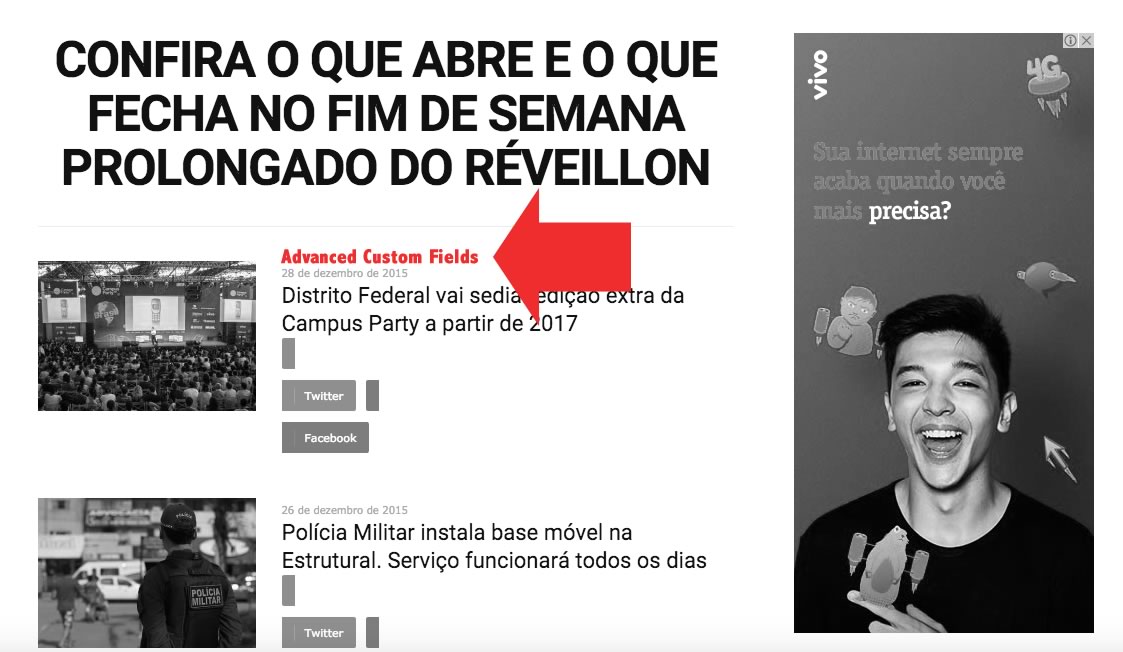
I found the same question on the comment on themeforest and he(user name:ericseabra) said “to bring up Advanced Custom Fields in Block 11 ( http://www.notibras.com/addCustomFields.jpg ) on the home site?” .
And the answer was as follows…
Module 10 is used to design block 11 so you can add there your custom fields – http://screencast.com/t/1GF915UC Also I have suggested to provide a link for the other issue(css for share buttons) so if you have more questions please write them in that email.
However this topic is about 3 years ago and the Newspaper version is different now. So I couldn’t find the code which I should change.
I just wanted to know where I should change the code.
Is that possible to realize to add Custom Fields element by changing module file? And if so could you tell me where I can find the module.
Thank you.