fbengo
Hi guys,
I am trying to add a new custom module but I still get the following error:
Fatal error: Class ‘td_module_16’ not found in …/includes/shortcodes/td_block_1.php on line 49
Things I did:
1. created td_module_16.php with the same almost the same content as td_module_4.php:
<?php

class td_module_4 extends td_module {

    function __construct($post) {

        //run the parrent constructor

        parent::__construct($post);

    }
function render() {
ob_start();
?>
<div class="<?php echo $this->get_module_classes();?>" <?php echo $this->get_item_scope() ?>>
<div class="td-module-image">
<?php echo $this->get_image('td_300x194'); ?>
<?php if (td_util::get_option('tds_category_module_4') == 'yes') { echo $this->get_category(); }?>
</div>
<?php echo $this->get_title(12); ?>
<div class="meta-info">
<?php //echo $this->get_author();?>
<?php //echo $this->get_date();?>
<?php echo $this->get_comments();?>
</div>
<div class="td-excerpt">
<?php echo $this->get_excerpt(25); ?>
</div>
<?php if(empty(td_global::$is_wordpress_loop)){echo $this->get_quotes_on_blocks();}?>
<?php echo $this->get_item_scope_meta(); ?>
</div>
<?php
return ob_get_clean();
}
}
2. Edited td_block_1.php, because I want to use this custom module inside this block:
function inner($posts, $td_column_number = '') {
$buffy = '';
$td_block_layout = new td_block_layout();
if (empty($td_column_number)) {
$td_column_number = td_util::vc_get_column_number(); // get the column width of the block from the page builder API
}
$td_post_count = 0; // the number of posts rendered
if (!empty($posts)) {
foreach ($posts as $post) {
$td_module_16 = new td_module_16($post);
$td_module_6 = new td_module_6($post);
switch ($td_column_number) {
case '1': //one column layout
$buffy .= $td_block_layout->open12(); //added in 010 theme - span 12 doesn't use rows
if ($td_post_count == 0) { //first post
$buffy .= $td_module_16->render();
} else {
$buffy .= $td_module_6->render();
}
$buffy .= $td_block_layout->close12();
break;
case '2': //two column layout
$buffy .= $td_block_layout->open_row();
if ($td_post_count == 0) { //first post
$buffy .= $td_block_layout->open6();
$buffy .= $td_module_16->render();
$buffy .= $td_block_layout->close6();
} else { //the rest
$buffy .= $td_block_layout->open6();
$buffy .= $td_module_6->render();
}
break;
case '3': //three column layout
$buffy .= $td_block_layout->open_row();
if ($td_post_count == 0) { //first post
$buffy .= $td_block_layout->open4();
$buffy .= $td_module_16->render();
$buffy .= $td_block_layout->close4();
} else { //2-3 cols
$buffy .= $td_block_layout->open4();
$buffy .= $td_module_6->render();
if ($td_post_count == 4) { //make new column
$buffy .= $td_block_layout->close4();
}
}
break;
}
$td_post_count++;
}
}
$buffy .= $td_block_layout->close_all_tags();
return $buffy;
}
3. I added the following code to td_config.php:
 'td_module_16' => array (

                'text' => 'Module 4 custom',

                'img' => get_template_directory_uri() . '/includes/wp_booster/wp-admin/images/panel/module-4.png',

                'used_on_blocks' => array ('td_block_1', 'td_block_2'),

                'excerpt_title' => 12,

                'excerpt_content' => 25,

                'enabled_on_more_articles_box' => true,

                'enabled_on_loops' => true,

                'uses_columns' => true,                      // if the module uses columns on the page template + loop

                'category_label' => true

            ),
What did I forget to do?
 Feedup
Hi,
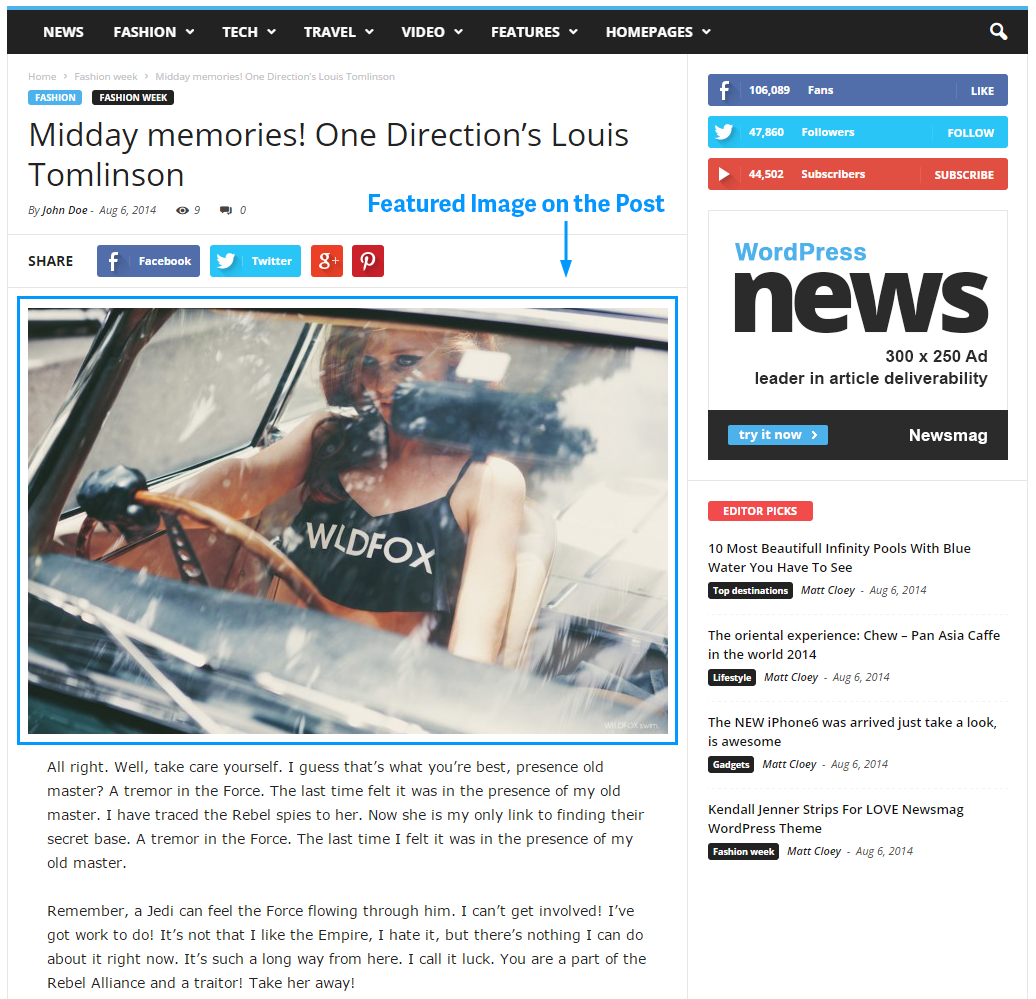
I am trying to move items above the Featured Image.
An example is here: https://forum.tagdiv.com/wp-content/uploads/2014/11/featured-image-on-post.png .
I want an Author Box Plugin and a Social Media Sharing Plugin above the featured image.
How can I accomplish this?
Thanks.
 Emil G
 Hi,
@Christopher – Thanks!
@Novaque – The Author Box contains the Author hCard data, you disable it and that’s why you get those errors. The issue is on the list, we’ll fix it in one of the next updates.
Thank you, Emil G.
 St
StHi,
I am using F and Q Plus plugin. However, the FAQ in page, it display only the title, but no other information, such as: SHOW CATEGORIES TAGS, SHOW AUTHOR NAME, SHOW DATE, SHOW POST VIEWS, SHOW COMMENT COUNT, SHOW TAGS ON POST, SHOW AUTHOR BOX, SHOW NEXT AND PREVIOUS POSTS.
My guest is because the plugin only take a simple SINGLE post/page without recognizing the option from newsmag.
To solve this probelm, wow can I make it ON by default and not by option in POST SETTING.
thanks alot.
st
 Ryuko
RyukoHi,
Google webmasters tool tells me that all of my posts contain “Missing: author” error. I am assuming this is theme related. What could be the problem? I did not change or modify the theme in any way since installing it. All I did was disable the author box below posts from the theme settings – but I don’t think this is the reason I get erros, correct?
Picture: http://i.imgur.com/gXlYYyW.jpg
Any suggestions on how to fix this or what is causing this?
 simchris
 Okay… we have a problem here, too.
With theme v 1.31 and WordPress 4.1, all plugins off except Visual Composer, and mod_pagspeed off, we’re seeing a problem with an example review page, here:
http://ga-ga.com/1890/book-review-people-deserve-a-fighting-chance/
when tested with the Google rich test tool,
https://www.google.com/webmasters/tools/richsnippets?q=http%3A%2F%2Fga-ga.com%2F1890%2Fbook-review-people-deserve-a-fighting-chance%2F
the preview does not show the rating; although this does show in middle of the lineup
Item 2
type: http://schema.org/rating
property:
worstrating: 1
bestrating: 5
ratingvalue: 4.6
also showing the
Error: Page contains property “maincontentofpage” which is not part of the schema.
Very odd that the first schema hatom-feed also includes a “bookmark” element, which appears to be the first “related posts” item below author bio and social media elements, almost as if something from either the bio box or the summary for review is causing a grouping. There is a copyright symbol in the author bio, and there is a $ in the summary for price of book.
Very odd since conversely this page from the “demo” has no issue
http://demo.tagdiv.com/newsmag/td-post-baby-is-totally-delighted-by-his-first-taste-of-solid-food/
when comparing the two, the section on the hatom-feed is very different, and no “rdfa-node” box.
MOST NOTABLY for our own page, this important section is not fully fleshed out:
Item
type: http://schema.org/review
Very odd.
—————————
Will proceed with activating Yoast WordPress SEO next.
 Derenden
Hello!
I recently installed the newspaper theme and I noticed that you can’t (via the administrator) add the author’s name to the post tittle (as in, who wrote the post/article/review). You can add the author box inside a post, but it’s not what I’m looking for.
Is there a way to do it?
 Lucian
 Hi,
Please provide more details about the boxes you want to change color on author page and also provide your site’s URL.
Here is how you can change the author box background-color: http://screencast.com/t/tr4BFciDN8
Use this css:
.author .author-box-wrap{

background-color: blue;

}
The twitter share opening in two windows appears when using two twitter instances on the same page. This is a common twitter issue and we are still trying to find a solution for it.
Sorry for the inconvenience and thanks for the message!
 mikefb12
 Thanks! the code you sent worked perfect.
Only problem is it didnt change the color of the boxes on the authors page. see pic below

That is the last problem I am having with any colors.
The other problem i am having and i may have to make a seperate post for this, but whenever you share via twitter it opens 2 new windows instead of 1. Facebook/pinterest and google+ only open the one, but twitter opens 2, on desktop and mobile.
mikefb12 Hello, I got some of the other items I wanted color changed working via CSS but I am having problems with just the ones in these pictures
The date, reply, and logged in as – are all fields I want to change to black so they show up better.
The author area where it shows 7 posts and 1 comment, I want to make those boxes a hex color.
Thanks for your time.
 Shmouuu
Hello!
Again thanks a lot for the great theme! I have 2 questions related to the author information and the search module:
1. I have been able to make category and author name appear in module 6 display under the article images as well as in the article itself under the title. I would now like to add a small thumbnail of the author next to his name at these 2 location. One of my idea would be to have a secondary author box (author_box_2), simplified with just small picture thumbnail and author name, and replace “get_author_name” function by “get author_box_2”. Is it a good idea and if so what would be the code for it? Otherwise, could you please advise a solution?
2. It seems the search module doesn’t return any result when searching for an author name or a category name, but only when keywords appear in an article title or content. Would there be a solution to fix this? A plugin maybe?
Thanks a lot in advance for your help!
Best,
Sam
Lucian Hi,
Have you also tried to test it trough the structured data tool without any plugin active? If so please do so as this could be cause by a plugin.
I have also checked your page and noticed that the code of the page, not sure why that error appears but Google should just ignore it.
Please check without plugins and leave it a while or force it to fetch live data then let me know how it goes.
Regarding the “Missing required hCard author” error that appears because you are not using the author box on your post pages as you need an container with a css class that let’s google know that the container with that class is the author of the post.
We have added the hCard class to the author box so when you don not using it you have this error.
My suggestion is to enabled the author box or add it hard-coded like here: https://forum.tagdiv.com/topic/small-issues-with-posts-authors-name-social-counter/
Hope this helps!
Thanks
 ricky86
 Also when I hide the author box, the error also comes up:
Error: Missing required hCard “author”
I had no problem with my previous theme but all my posts lose the review rating on Google now.
 gouravgola
 @lucian thanks for responding, can you please elaborate this process?
as far from your above point, i understood these things:
1. go to setting>visual composer> myshort codes ? is it how to generate short codes? but what should i add there to generate code there? i want to add content.ad widget php code.
2. then add <?php echo do_shortcode(‘[]’);?> to loop-single.php like this:
<?php echo $td_mod_single->get_social_sharing_bottom();?>
<?php echo $td_mod_single->get_next_prev_posts();?>
<?php echo do_shortcode(‘[]’);?>
<?php echo $td_mod_single->get_author_box();?>
<?php echo $td_mod_single->get_item_scope_meta();?>
</footer>
as i want my widget to show up just below nest prev navigation?
is this the way you are saying?
if yes then please tell me how to generate short codes and how to use them in details, that would be really great help for those who are new to wordpress!
thank you!
 eox
eox I solved this problem. If someone helps do this:
In style.css change Post template 4 code with:
/* ----------------------------------------------------------------------------
Template 4
*/
.td-post-template-4 header {
position: absolute;
bottom: 0px;
}
.td-post-template-4 header .entry-title,
.td-post-template-4 header .td-post-sub-title,
.td-post-template-4 header .meta-info,
.td-post-template-4 header .entry-date,
.td-post-template-4 header .td-post-author-name a,
.td-post-template-4 header .td-post-comments a {
color: #ffffff;
}
.td-post-template-4 header h1 {
font-size: 24px;
line-height: 29px;
margin-top: 7px;
margin-bottom: 5px;
position: relative;
right: 2px;
/* responsive portrait tablet */
/* responsive portrait phone */
}
@media (min-width: 768px) and (max-width: 1023px) {
.td-post-template-4 header h1 {
font-size: 24px;
line-height: 29;
}
}
@media (max-width: 767px) {
.td-post-template-4 header h1 {
font-size: 24px;
line-height: 29px;
right: 0px;
}
}
.td-post-template-4 .meta-info {
margin-bottom: 16px;
/* responsive portrait phone */
}
@media (max-width: 767px) {
.td-post-template-4 .meta-info {
margin-bottom: 10px;
}
}
.td-post-template-4 .entry-thumb {
box-shadow: 0px 0px 10px rgba(0, 0, 0, 0.3) inset;
transition: box-shadow 0.2s ease-in-out 0s;
padding-bottom: 0px;
margin-bottom: 0px;
}
.td-post-template-4 .entry-crumbs {
top: 0px;
padding: 15px 0px 15px 0px;
}
.td-post-template-4 .td-post-header {
width:680px;
padding-top: 0px;
border-bottom: 0px;
}
.td-post-template-4 .td-post-sharing-top {
border-top: 0px;
border-bottom: 1px solid #e6e6e6;
}
.td-post-template-4 .td-post-featured-image {
min-height: 200px;
background-color: #444444;
/* responsive portrait phone */
}
@media (max-width: 767px) {
.td-post-template-4 .td-post-featured-image {
min-height: 182px;
}
}
.td-post-template-4 .td-post-featured-image .wp-caption-text {
bottom: 0;
color: #FFFFFF;
position: absolute;
right: 0;
margin-right: 20px;
max-width: 400px;
height: 17px;
overflow: hidden;
/* responsive portrait phone */
}
@media (max-width: 767px) {
.td-post-template-4 .td-post-featured-image .wp-caption-text {
display: none;
}
}
.td-post-template-4 .td-post-content {
border-top: none;
margin-top: 0px;
padding-top: 14px;
/* responsive portrait phone */
}
@media (max-width: 767px) {
.td-post-template-4 .td-post-content {
padding-top: 10px;
}
}
.td-post-template-4 .td-post-sub-title {
font-size: 16px;
line-height: 26px;
border: 0px;
padding: 0px;
}
In single_template_4.php delete all and paste this:
<?php

// Template 4 - post-final-4.psd - full image + overlay full title

//get the global sidebar position from single.php

global $loop_sidebar_position;
$td_mod_single = new td_module_single($post);
?>
<article id="post-<?php echo $td_mod_single->post->ID;?>" class="<?php echo join(' ', get_post_class('td-post-template-4'));?>" <?php echo $td_mod_single->get_item_scope();?>>
<div class="td-container">
<div class="td-container-border">
<div class="td-pb-row">
<?php
//the default template
switch ($loop_sidebar_position) {
default:
?>
<div class="td-pb-span8 td-main-content" role="main" itemprop="mainContentOfPage" itemscope="itemscope" itemtype="<?php echo td_global::$http_or_https?>://schema.org/Blog">
<div class="td-ss-main-content">
<div class="td-post-header td-container">
<div class="td-entry-crumbs td-pb-padding-side"><?php echo td_page_generator::get_single_breadcrumbs($td_mod_single->title); ?></div>
<div class="td-post-featured-image td-image-gradient">
<?php echo $td_mod_single->get_image('td_1021x580'); ?>
<header class="td-pb-padding-side">
<?php echo $td_mod_single->get_category(); ?>
<?php echo $td_mod_single->get_title();?>
<?php if (!empty($td_mod_single->td_post_theme_settings['td_subtitle'])) { ?>
<p class="td-post-sub-title"><?php echo $td_mod_single->td_post_theme_settings['td_subtitle'];?></p>
<?php } ?>
<div class="meta-info">
<?php echo $td_mod_single->get_author();?>
<?php echo $td_mod_single->get_date(false);?>
<?php echo $td_mod_single->get_views();?>
<?php echo $td_mod_single->get_comments();?>
</div>
</header>
</div>
</div>
<?php
locate_template('loop-single-4.php', true);
comments_template('', true);
?>
</div>
</div>
<div class="td-pb-span4 td-main-sidebar" role="complementary" itemscope="itemscope" itemtype="<?php echo td_global::$http_or_https?>://schema.org/WPSideBar">
<div class="td-ss-main-sidebar">
<?php get_sidebar(); ?>
</div>
</div>
<?php
break;
case 'sidebar_left':
?>
<div class="td-pb-span4 td-main-sidebar" role="complementary" itemscope="itemscope" itemtype="<?php echo td_global::$http_or_https?>://schema.org/WPSideBar">
<div class="td-ss-main-sidebar">
<?php get_sidebar(); ?>
</div>
</div>
<div class="td-pb-span8 td-main-content" role="main" itemprop="mainContentOfPage" itemscope="itemscope" itemtype="<?php echo td_global::$http_or_https?>://schema.org/Blog">
<div class="td-ss-main-content">
<?php
locate_template('loop-single-4.php', true);
comments_template('', true);
?>
</div>
</div>
<?php
break;
case 'no_sidebar':
//td_global::$load_featured_img_from_template = 'art-slide-big';
td_global::$load_featured_img_from_template = 'full';
?>
<div class="td-pb-span12 td-main-content" role="main" itemprop="mainContentOfPage" itemscope="itemscope" itemtype="<?php echo td_global::$http_or_https?>://schema.org/Blog">
<div class="td-ss-main-content">
<?php
locate_template('loop-single-4.php', true);
comments_template('', true);
?>
</div>
</div>
<?php
break;
}
?>
</div> <!-- /.td-pb-row -->
</div>
</div> <!-- /.td-container -->
</article> <!-- /.post -->
Now, go to the Theme panel in Post Settings activate Post style 4.
Good luck 🙂
simchris To create a new widget you will need to first register that by creating it in functions.php (see the WordPress codex on how to create new widget areas in a WP theme).
Then you place the code for the widget into the theme template(s) where you wish the widget to appear. You then populate that widget from the appearance > widgets system in WP.
You’d place it in loop-single.php for example, or loop-single-2.php if using post style 2, etc.
For example you might put your custom widget after
<?php echo $td_mod_single->get_author_box();?>
 Branstone
 Hi Lucian,
Thanks for the detailed explanations.
As you requested – here’s the screenshot of one of the missing author error window:
http://www.screencast.com/t/m0JeJdvq5k
I enabled the author box for now, but it’s not a feature I want to be present on each post – is there a way around it that it doesn’t need to show on each post?
Thanks!
Lucian Hi,
1. Please send me more details about this and to do so click on the missing author error and send me an image with that screen: http://screencast.com/t/ME6VemUscNp
Please also try to enable the author box on your post pages as the theme already has vcard author built and check again: http://screencast.com/t/4PrpBRjA259X
2. The 404 is returned for those pages because they don’t exist anymore so either because you deleted or renamed it without redirecting the old URL to a new page, or because of a typo in a link, so those pages where create when you added the demo content and when you removed them the 404 error was given by google as no pages where found at those addressees.
You can find here more info about this: https://support.google.com/webmasters/answer/2409439?hl=en
Thanks
 Danijelmo
 Hi mbasche
i did everything like you and Emil told to me, and i get the check box, but it doesn’t work… i can click hide author and i do it but it doesn’t work 🙁
there is still my author box at the end of text
 MissKay
 Hi Lucian
I wanted to give you a heads up. First of all, I successfully managed to implement the author box into my default sidebar. So that one is solved.
However, I do have new questions now 🙂 Sorry to bother you with this, I already invested hours into finding the solution myself, but failed sadly. So here we go:
1) Concerning my HOMEPAGE ONLY (http://misskay.tv/): How can I manage to move the sidebar up? I want it to start at the top right,next to the big slider. See screenshot: http://screencast.com/t/rv0Mu2lg I just want to change it for the page “Homepage”. I am fine with how my default sidebar is set for all remaining pages.
2) Concerning the Category Block Modules on my Homepage: How can I manage that you can slide through them, just like you can slide through the big slider? See Screenshot: http://screencast.com/t/jsMhOiAWioR
3) Concerning the Category Block Modules on my homepage: How can I make sure that only the most recent 6 posts are being displayed? I want to create a seperate page which shows all my posts ever written (similar to an archive) and I do know how to do that. But I also want to ensure that the block modules only display the most current ones.
4) Concerning Reviews: How can I switched on the date on which the review was posted? At the moment, it only shows the rating, views and comments. The date is missing. See screenshot: http://screencast.com/t/tFJ6mdwwqW
5) Categories: How can I delete or rename unwanted categories?
6) How can I delete the “Latest Article” Block module from my Homepage? See screenshot: http://screencast.com/t/BGo3T73kBD
That’s it for now 😉 Sorry for all the trouble, Lucian.
Cheers!
Miss KAy
 mbasche
 Use the “Custom Field” Plugin as described with type yes/no
In loop-single.php use this code:
<?php if (!get_field('your_customfield_name')) {

            echo $td_mod_single->get_author_box();

			} else {}

           ;?>
simchrisHi, Radu and co.
I have one request for change; and will understand if not doable.
On our install, we have “use featured images” turned off since we have existing posts with the old-school method of posting the images into top of the story, and in oooold stories the smaller images are flush right into the post.
For *new* content with this theme, we found that using Style 2 works great, as this was also what we did with the Newspaper theme.
However (and yes, I know this is different theme), in Newspaper, I could choose to use Style 4 and 5 and the post would grab from featured image since it obviously would not pull from image in post. However in my install, this doesn’t work. I simply get solid box with gradient, and no image at all. It works as expected with style 6, but not style 4 or 5.
Any chance of a fix or hack for this as we have some stories where for a movie review or something a “big” giant photo works great, where for a book review with book jacket or author photo it does not.
Anyway, hate to do the “it works on newspaper but not on newsmag” kind of feedback, since NOT THE SAME THEME (!) 🙂 but there you are.
I am sending this as personal note to Radu by email, but also posting here just in case anybody else runs into this topic.
Emil G Hi,
You can doit using a plugin like Advanced Custom Fields, take a look here for an example – https://forum.tagdiv.com/topic/function-to-hide-ads-and-function-to-show-author/
Basically you need to create a checkbox that will appear on each post editing area, and a condition on the author box to appear only when the box is unchecked, you can find the author box function here – http://screencast.com/t/EVD3CDvhYHkM
Thank you, Emil G.
Lucian Hi,
Use this css to fix that: http://screencast.com/t/EbUBRcze
.author-box-wrap img {

float: left;

}
Thanks
Danijelmoautor box just on the post which we want? is it possible ? because some of my post wont be mine, that post i want to sign an author who is not on my site, at the bottom of the text