
- ApiPractical example – How to add a new Block and Module
- Apitd_api_block::delete
- Apitd_api_block::update_key
- Apitd_api_block::update
- Apitd_api_block::add
- ApiAPI – Blocks – Introduction
- Apitd_api_thumb::update_key
- Apitd_api_thumb::update
- Apitd_api_thumb::add
- ApiAPI – Thumbnail – Introduction
- Apitd_api_category_top_posts_style::update_key
- Apitd_api_category_top_posts_style::update
- Apitd_api_category_top_posts_style::add
- ApiAPI – Category top section style – Introduction
- Apitd_api_module::update_key
- Apitd_api_module::update
- Apitd_api_module::add
- ApiAPI – Modules – Introduction
- ApiUsing the Theme API in plugins
- ApiThe Theme API
 Bogdan B.
 Hi,
It seems there is a custom class on that particular ro that contains the word “ad”. Everywhere adblock detects the word ‘ad’ in a css class, it will remove it. This being a class on a row, it removes the entire row. Please edit your block element in visual composer and remove this class: ‘import_video_ad_bg’
You can then add the design options added by this class from the visual composer settings.
Thank you!
Bogdan B. Hi,
I have checked your website and saw the “blank” section. This is a feature of visual composer so please check the block settings, row settings or column settings for those particular blocks and revert them to their defaults. You can alternatively remove them and add them again. This way the settings will be restored to default instantly.
Thank you!
 Andrei L.
 Hi
All theme’s blocks have a fixed layout and changing the actual functionality it’s not an easy task. You can try to customize the block 16 to achieve a two colons layout in sidebar: http://screencast.com/t/bb6AJZxd
.td_block_16 .td-block-span12{

width: 50%;

float: left;

}

.td_block_16 .td-column-1 .td_module_mx4 .entry-thumb{

min-height: auto;

}
Note that I’ve made only a quick test using this code and I can’t guarantee that it will work fine in every situation and on each browser. We don’t recommend changing a block layout as it can cause some issues.
The theme was designed to display only the stars, not the overall score on modules. To change this are required some customizations in function which generate the reviews.
We can’t offer customization services at the moment so if you still need guidance on this or you’re not aware of the steps you need to take in this regard please consider hiring a developer or a freelancer to do this for you.
Thanks!
Bogdan B. Hi,
Unfortunately our theme does not support sticky posts as they interfere with our block elements especially the big grids. You can use the post ID filter if you want to have specific posts in your grid.
Thank you!
Andrei L. Hi
Are you using a theme version above V 2.2.1? In this case you have to use a newer plugin’s version which can be found here: https://forum.tagdiv.com/practical-example-how-to-add-a-new-block-and-module/ More details about this plugin can also be found in our documentation: https://forum.tagdiv.com/practical-example-how-to-add-a-new-block-and-module/
Let me know how it goes.
Thanks!
 Atithya
 I am trying this for newspaper theme and getting this error:
Parse error: syntax error, unexpected ‘else’ (T_ELSE) in /home/content/n3pnexwpnas02_data02/30/3153330/html/wp-content/themes/Newspaper/parts/header/ads.php on line 7
This is how my final ads.php looks like..
<div class=”td-header-rec-wrap”>
<?php// show the header ad spot
if (in_category(‘Automotive’)){
echo do_shortcode(‘[td_block_ad_box spot_id="custom_ad_4"]‘);
else {
locate_template(‘parts/header/ads.php’, true);
}
?>
</div>
What am i doing wrong.?
Bogdan B. Hi,
1)The general hover color is defined by the theme accent color you set here: http://screencast.com/t/p3sPIjjxOdH0
If you want to only change the hover of the most popular posts, you need css to do it as there is no setting for individual elements (except for blocks as they have block settings)
You can target the block with css and change the hover for it like so:
.td-footer-wrapper .td_block_7 .td_module_wrap:hover a{

color:red!important

}
2)Please check your theme accent color and change it from blue to the color you want if you have not done so already. If you changed colors with css, make sure the code applies to all elements as only the home element changes color when clicked. Change your css code and use the !important attribute to make sure the css applies.
Thank you!
Andrei L. Hi
This is the right order to display the ad using do_shortcode function:
I will use custom ad 1 as example:
– paste the ad code in theme panel > ads. custom ad 1: http://screencast.com/t/I4fGyfFoyc
– get the ad-spot’s shortcode. To get the shortcode add an ad box into a blank page then switch in back-end editor copy and paste this code: http://screencast.com/t/Kcqsjk9C7xbU inside do_shortcode function.
– paste the code which render the shortcode in the file corresponding with the header style used. For example if you’re using header style 1 the file which must be edited is header-style-1.php http://screencast.com/t/itasx4W4T – http://screencast.com/t/5vAMrfFwW
<?php echo do_shortcode('[td_block_ad_box spot_id="custom_ad_1"]'); ?>
Thanks!
-
This reply was modified 10 years by Andrei L..
 Catalin
 Hello danimian,
If you want to change this word, you need to replace it with another one in the core file of Social Counter plugin. The file where you have to change this is td_block_social_counter.php, like this -> http://screencast.com/t/qaSJ8zXyrvu
Thank you for the message!
Andrei L. Hi
adidas1766 as @Chris pointed you can use one of theme’s blocks to display most recent posts with a thumb. For example you can use block 3, chose in it’s filters latest posts: http://screencast.com/t/wuUGrwo3kZ9 and you will have this result: http://screencast.com/t/HivdPy75n This is just an example, but you can use any block in sidebar.
Thanks!
Bogdan B. Hello,
1) You can use this css to remove the bottom padding:
.td_block_big_grid_8{

padding-bottom:0!important;

}
But this will cause the block 1 below the big grid to stick to it so you need to assign an extra class to the row containing block 1 and use css with the class you assign like so:
http://screencast.com/t/iSvCwa5Dj6dX
.customrow1{

padding-top:20px!important;

}
2)You can assign a background color to the rest of the page by editin every row in visual composer lie you did the one with the big grid and assign that color to it.
3)Unfortunately I cannot see the ad at the moment. Please add it back in so I can inspect it and provide the proper code.
Thank you!
Bogdan B. Hi,
sorry but I could not see the blocks in question: http://screencast.com/t/feBxsHuxXqe. In any case, every block can be removed. The blocks are on pages that can be edited in visual composer: https://forum.tagdiv.com/how-to-use-visual-composer/
I guess you already removed them.
Thank you!
Bogdan B. Hi,
If you change the title colors, then they will lose the dynamic color they will stay the color you set them to.
If you want to have a different color other than the default black, then you need css to assign a different color for certain blocks or post templates. You can use the code I provided above as it will change the titles to white on this template: http://screencast.com/t/vIS7ETGi2
Thank you!
Andrei L. Hi
1. I’ve checked your homepage and noticed that all posts displayed in module 15 have the Continur button added. Are you trying to add this button also for posts displayed in sidebar?
If this is what you want to achieve then you can add in sidebar a block which have Read More button included. For example you can use block 12 in sidebar do achieve a layout similar with this one: http://screencast.com/t/FS2qz7uclX0
If this is not what you mean please provide more details about what you’re trying to do.
3. Are you referring at more article box: http://screencast.com/t/UzLDPYifxX If you want to hide that box on mobile use this css in theme panel > custom code > custom css:
@media(max-width: 767px){

.td-more-articles-box {

    display: none;

}

}
Thanks!
 thanik30
 cva183
 P.S Forgot to mention, its the Block 1 type
cva183SO the problem is, when I am on a desktop device everything works just fine, but on a mobile, the first block (named Dont Miss) it looks like this: http://imgur.com/myQv4h2 and only if I click on a Category (all, addictions, etc) it will load properly and show like this http://imgur.com/Q3oWlFd
How can I make it load automatically ? I dont like that it leaves a big white blanc spot 🙂
Thanks in advance.
 Manoel
 Let me grab you some screenshots:
Without AdBlock
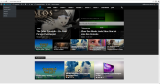
With AdBlock on
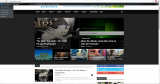
I don’t think there is anything that could trigger the adblock machanism.
-
This reply was modified 10 years by
Manoel.
 CreepyRavioli
Hi, id need to exclude a custom taxonomy from showing up on homepage big grid and latest posts.
I saw the blocks have the option to filter by category IDs.
Since i don’t really use categories is it possible to modify this setting to it affect the custom taxonomy “genre”?
I think the file to modify is td_block.php
Around line 72
switch($td_ajax_filter_type) {

                    case 'td_category_ids_filter': // by category
If anyone can help me with this i really need to exclude a particular term of the taxonomy genre.
Thanks!
 PatWire
 Thanks Chris – it’s these two occurrences of this ‘text/javascript’ script – appears to come from Cloudflare? I’d seen on .org the CF page rules and made those – will try with it off (damn got a great page speed with it on) or research other page rules etc – Thanks so much for guidance – Pat
<script type=”text/javascript”>
//<![CDATA[
try{if (!window.CloudFlare) {var CloudFlare=[{verbose:0,p:1459189503,byc:0,owlid:”cf”,bag2:1,mirage2:0,oracle:0,paths:{cloudflare:”/cdn-cgi/nexp/dok3v=1613a3a185/”},atok:”e7248e677b025eae8544ee8b80a99ccc”,petok:”d96c85f314d86f469b9127c26bd7ad7b00449ffe-1459709693-1800″,zone:”westbridgfordwire.com”,rocket:”0″,apps:{“ga_key”:{“ua”:”UA-46276619-1″,”ga_bs”:”2″}},sha2test:0}];!function(a,b){a=document.createElement(“script”),b=document.getElementsByTagName(“script”)[0],a.async=!0,a.src=”//ajax.cloudflare.com/cdn-cgi/nexp/dok3v=e982913d31/cloudflare.min.js”,b.parentNode.insertBefore(a,b)}()}}catch(e){};
//]]>
</script>
<link rel=”canonical” href=”http://westbridgfordwire.com/nottingham-window-company-open-melton-road/”/>
<script custom-element=”amp-analytics” src=”https://cdn.ampproject.org/v0/amp-analytics-0.1.js” async></script>
<script src=”https://cdn.ampproject.org/v0.js” async></script>
<style amp-boilerplate>body{-webkit-animation:-amp-start 8s steps(1,end) 0s 1 normal both;-moz-animation:-amp-start 8s steps(1,end) 0s 1 normal both;-ms-animation:-amp-start 8s steps(1,end) 0s 1 normal both;animation:-amp-start 8s steps(1,end) 0s 1 normal both}@-webkit-keyframes -amp-start{from{visibility:hidden}to{visibility:visible}}@-moz-keyframes -amp-start{from{visibility:hidden}to{visibility:visible}}@-ms-keyframes -amp-start{from{visibility:hidden}to{visibility:visible}}@-o-keyframes -amp-start{from{visibility:hidden}to{visibility:visible}}@keyframes -amp-start{from{visibility:hidden}to{visibility:visible}}</style><noscript><style amp-boilerplate>body{-webkit-animation:none;-moz-animation:none;-ms-animation:none;animation:none}</style></noscript>
<script type=”application/ld+json”>{“@context”:”http:\/\/schema.org”,”@type”:”Article”,”mainEntityOfPage”:”http:\/\/westbridgfordwire.com\/nottingham-window-company-open-melton-road\/”,”publisher”:{“@type”:”Organization”,”name”:”West Bridgford Wire”,”logo”:{“@type”:”ImageObject”,”url”:”http:\/\/westbridgfordwire.com\/wp-content\/uploads\/2015\/05\/wbw-copy-2.jpg”,”width”:500,”height”:52}},”headline”:”Nottingham Window Company to Open in Melton Road West Bridgford”,”datePublished”:”2016-04-03T19:42:09+00:00″,”dateModified”:”2016-04-03T19:43:49+00:00″,”author”:{“@type”:”Person”,”name”:”WBWire”},”image”:{“@type”:”ImageObject”,”url”:”http:\/\/westbridgfordwire.com\/wp-content\/uploads\/2016\/04\/image1-e1459708238145.jpg”,”width”:696,”height”:522}}</script>
<style amp-custom>@font-face{font-family:’Merriweather’;src:url(‘https://s1.wp.com/i/fonts/merriweather/merriweather-regular-webfont.woff2’) format(‘woff2’),url(‘https://s1.wp.com/i/fonts/merriweather/merriweather-regular-webfont.woff’) format(‘woff’),url(‘https://s1.wp.com/i/fonts/merriweather/merriweather-regular-webfont.ttf’) format(‘truetype’),url(‘https://s1.wp.com/i/fonts/merriweather/merriweather-regular-webfont.svg#merriweatherregular’) format(‘svg’);font-weight:400;font-style:normal;}@font-face{font-family:’Merriweather’;src:url(‘https://s1.wp.com/i/fonts/merriweather/merriweather-italic-webfont.woff2’) format(‘woff2’),url(‘https://s1.wp.com/i/fonts/merriweather/merriweather-italic-webfont.woff’) format(‘woff’),url(‘https://s1.wp.com/i/fonts/merriweather/merriweather-italic-webfont.ttf’) format(‘truetype’),url(‘https://s1.wp.com/i/fonts/merriweather/merriweather-italic-webfont.svg#merriweatheritalic’) format(‘svg’);font-weight:400;font-style:italic;}@font-face{font-family:’Merriweather’;src:url(‘https://s1.wp.com/i/fonts/merriweather/merriweather-bold-webfont.woff2’) format(‘woff2’),url(‘https://s1.wp.com/i/fonts/merriweather/merriweather-bold-webfont.woff’) format(‘woff’),url(‘https://s1.wp.com/i/fonts/merriweather/merriweather-bold-webfont.ttf’) format(‘truetype’),url(‘https://s1.wp.com/i/fonts/merriweather/merriweather-bold-webfont.svg#merriweatherbold’) format(‘svg’);font-weight:700;font-style:normal;}@font-face{font-family:’Merriweather’;src:url(‘https://s1.wp.com/i/fonts/merriweather/merriweather-bolditalic-webfont.woff2’) format(‘woff2’),url(‘https://s1.wp.com/i/fonts/merriweather/merriweather-bolditalic-webfont.woff’) format(‘woff’),url(‘https://s1.wp.com/i/fonts/merriweather/merriweather-bolditalic-webfont.ttf’) format(‘truetype’),url(‘https://s1.wp.com/i/fonts/merriweather/merriweather-bolditalic-webfont.svg#merriweatherbold_italic’) format(‘svg’);font-weight:700;font-style:italic;}amp-img.alignright{float:right;margin:0 0 1em 1em;}amp-img.alignleft{float:left;margin:0 1em 1em 0;}amp-img.aligncenter{display:block;margin-left:auto;margin-right:auto;}.alignright{float:right;}.alignleft{float:left;}.aligncenter{display:block;margin-left:auto;margin-right:auto;}.wp-caption.alignleft{margin-right:1em;}.wp-caption.alignright{margin-left:1em;}.amp-wp-enforced-sizes{max-width:100%;}.amp-wp-unknown-size img{object-fit:contain;}.amp-wp-content,.amp-wp-title-bar div{max-width:640px;margin:0 auto;}body{font-family:’Merriweather’,Serif;font-size:16px;line-height:1.8;background:#fff;color:#3d596d;padding-bottom:100px;}.amp-wp-content{padding:16px;overflow-wrap:break-word;word-wrap:break-word;font-weight:400;color:#3d596d;}.amp-wp-title{margin:36px 0 0 0;font-size:36px;line-height:1.258;font-weight:700;color:#2e4453;}.amp-wp-meta{margin-bottom:16px;}p,ol,ul,figure{margin:0 0 24px 0;}a,a:visited{color:#0087be;}a:hover,a:active,a:focus{color:#33bbe3;}.amp-wp-meta,nav.amp-wp-title-bar,.wp-caption-text{font-family:-apple-system,BlinkMacSystemFont,”Segoe UI”,”Roboto”,”Oxygen-Sans”,”Ubuntu”,”Cantarell”,”Helvetica Neue”,sans-serif;font-size:15px;}ul.amp-wp-meta{padding:24px 0 0 0;margin:0 0 24px 0;}ul.amp-wp-meta li{list-style:none;display:inline-block;margin:0;line-height:24px;white-space:nowrap;overflow:hidden;text-overflow:ellipsis;max-width:300px;}ul.amp-wp-meta li:before{content:”\2022″;margin:0 8px;}ul.amp-wp-meta li:first-child:before{display:none;}.amp-wp-meta,.amp-wp-meta a{color:#4f748e;}.amp-wp-meta .screen-reader-text{clip:rect(1px,1px,1px,1px);height:1px;overflow:hidden;position:absolute;width:1px;}.amp-wp-byline amp-img{border-radius:50%;border:0;background:#f3f6f8;position:relative;top:6px;margin-right:6px;}nav.amp-wp-title-bar{background:#0a89c0;padding:0 16px;}nav.amp-wp-title-bar div{line-height:54px;color:#fff;}nav.amp-wp-title-bar a{color:#fff;text-decoration:none;}nav.amp-wp-title-bar .amp-wp-site-icon{float:left;margin:11px 8px 0 0;border-radius:50%;}.wp-caption-text{padding:8px 16px;font-style:italic;}blockquote{padding:16px;margin:8px 0 24px 0;border-left:2px solid #87a6bc;color:#4f748e;background:#e9eff3;}blockquote p:last-child{margin-bottom:0;}amp-carousel{background:#000;}amp-iframe,amp-youtube,amp-instagram,amp-vine{background:#f3f6f8;}amp-carousel>amp-img>img{object-fit:contain;}.amp-wp-iframe-placeholder{background:#f3f6f8 url(http://westbridgfordwire.com/wp-content/plugins/amp/assets/images/placeholder-icon.png) no-repeat center 40%;background-size:48px 48px;min-height:48px;}td,th{text-align:left;}a,a:active,a:visited{text-decoration:underline;}</style>
<script type=”text/javascript”>
 Blueann
Hello. I have a youtube channel. If i use the video playlist block in a page of my site, and i insert a list of youtube id’s separated by comma of my videos, in the beginning i see one of my videos, but when it stop, appears the youtube playlist with all videos of my competitors. It is possible to do appear only my videos? for example, when the video ends, make it stop without getting the youtube playlist…
 yinako
Hi,
I like to modify the sidebar to have two columns like the screen shot below.

Can you give me some pointers which module file or css I could modify to achieve this effect, maybe I could modify block 6 layout to do this? also will be possible to have the review score display under the image, I know you could show the stars rating, but like to use the score as well.
Thanks, Regards
 Jane Boursaw
I recently installed NewsMag and am having issues with the images not loading on the front page. I’ve fiddled around with a bunch of stuff, including changing the blocks (the “slider” seems to be a little glitchy re loading), installing WP Smush, and making sure WP Super Cache is working properly. I also use CloudFlare.
Still, I get white spaces where the images are supposed to be. Any idea what might be going on?
Jane Boursaw
http://www.oldmission.net
 pauuuuu29
hi, i’ve read your documentation about the theme API but it seems incomplete.
i tried to upload the td-api-plugin.zip from code folder via wordpress but it gave me error 500.
i check the logs and it has this error:
PHP Fatal error: Class ‘td_wp_booster_config’ not found (my_url)_td-api-plugin.php
and so on..
i’ve checked the td-api-plugin.php and it seems that this code causes the error
"params" => array_merge(

                    td_wp_booster_config::get_map_block_general_array(),

                    td_wp_booster_config::get_map_filter_array(),

                    td_wp_booster_config::get_map_block_ajax_filter_array(),

                    td_wp_booster_config::get_map_block_pagination_array()

                )
Basically, it can’t find the td_wp_booster_config class..
can you help me fix this issue?
Thanks!
 aliou89
 Here how i passet the code to custom_ad_1 but add is not display
do_shortcode
<script async src=”//pagead2.googlesyndication.com/pagead/js/adsbygoogle.js”></script>
<!– ADD Responsive –>
<ins class=”adsbygoogle”
style=”display:block”
data-ad-format=”auto”></ins>
<script>
(adsbygoogle = window.adsbygoogle || []).push({});
</script>



