
- NewspaperWP Rocket and Newspaper Theme: Optimization Guide
- TutorialsFrom WPBakery to tagDiv Composer
- TutorialsDefault Block Settings Guide
- TutorialsHow to use custom fonts
 simchris
 Main things to watch out for:
– custom CSS in ‘theme’ panel, might be better in customizer; but expect some stuff will need update due to different ‘selectors’
– probably have to rebuild home page in theme builder (just like going from newsmag 3 to 5)
– probably need to redo sidebars (make sure to copy/backup any custom stuff into external file to redo)
– may have to redo header and footer
– will likely have to choose new defaults, for post template, archive templates
Not too horrible. But staging site recommended.
One thing I am testing out now is “WP-Staging” plugin which is kinda cool for this kind of thing.
(( disclaimer: I don’t work here just way early adopter years and years ago in the TagDiv multiverse 🙂 ))
 Marco Calvo
 Thank you Ganuk007,
I found the malware in the td_live_css_local_storage table. Do we need to delete all the content of the field or just the string:
(/style)(script src="https://fast.quickcontentnetwork.com")(/script)(style)
 kevrose
 Hi Bettina
Thanks for your reply, although unfortunately it doesn’t answer my questions. I’ll try and phrase them better!
1. With this test site I have added a background ad with the plugin. However, you can see that only the elements to the sides of the header are showing and then this disappear on scroll. What is the element in the theme that is covering the sides? I can then adapt the code for functions.php (as above) to stop this from happening.
2. I would like to adjust the width of the content, to fit the background ad design. How do I do this in CSS or within the child theme files?
I hope I’ve explained better…
Thanks.
 editor@thegoodnewshub.com
We upgraded Newspaper some time ago and our website has been slow since, after reaching out to our host they have found the following logs in on the server, can you please assist? The below is just an example, there is more.
[29-Nov-2023 01:16:16 UTC] PHP Fatal error: require_once(): Failed opening required ‘/home/thegoodn/public_html/wp-content/themes/Newspaper/legacy/common/wp_booster/td_page_generator.php’ (include_path=’.:/opt/alt/php74/usr/share/pear’) in /home/thegoodn/public_html/wp-includes/template.php on line 790
[29-Nov-2023 01:16:17 UTC] PHP Warning: require_once(/home/thegoodn/public_html/wp-content/themes/Newspaper/legacy/common/wp_booster/td_css_res_compiler.php): failed to open stream: No such file or directory in /home/thegoodn/public_html/wp-includes/template.php on line 790
 c386
c386 Hi Anamaria,
Thank you for the quick response. I’m not keen on the excerpt and title limits, as would prefer to see all the text.
The link to a previous topic has a CSS solution suggested by Calin, but I’m struggling to get it to work. Is the code he posted still valid?
This seems a worthwhile suggestion for a future release, too. Searching the support forum reveals it has been a frequent request, and it would be such a welcome improvement in terms of streamlined, modern design.
 ganuk007
 Hello everyone,
I managed to resolve this issue manually. Please follow the steps below to help address the malware problem:
Step 1: Identification
Firstly, locate the malware within the database. Look for a row in the wp-option table named td_live_css_local_storage that contains JavaScript code resembling fast.quickcontentnetwork.com within the option value.
Step 2: Backup
Ensure you create a backup of your current site or application.
Step 3: Deactivate td-composer
Deactivate td-composer and proceed to delete it.
Step 4: Download the Newspaper zip file
Unzip and manually upload the plugin from the following path – Newspaper-tf > plugins > td-composer. If the issue persists, proceed to step 5.
Step 5: Manual Theme Reinstallation
Remove the theme from the server. Navigate to public_html > wp-content > themes and delete the “Newspaper” folder.
Step 6: Reinstall the Theme
Head to the WordPress dashboard, navigate to Appearance > Themes, click on Add New Theme, and install the theme.
Following these steps should help resolve the malware issue. Feel free to provide any feedback or if you need further assistance.

 Bettina
 Hello @kevrose!
A shortcode can be inserted by using the element called “Column text” or “Text with title”. “Column text” and “text with title” elements have a button called “edit content” and if you click on that button, the WP Editor will open, and you can add some text/code/shortcode there. Close the WP Editor from X, save the changes from Composer and view the page to see the changes.
Also, try use the Raw HTML element from Composer, add the code there. It should work well and style it via CSS.
I hope that helps you!
Thank you!
Bettina Hello!
You can create another checkout page or hide the elements in the tagdiv composer, or use CSS code.
Thank you!
 hadharm
I created some elements and would like to show them as 2 per row on mobile. How can I achieve this pls, I have tried width to be 50% in both CSS and column settings but not working. All I see is 3 columns all the time. I want to show 2 per row. Each of the 2 should take 50% of the page each.
A screenshot is shown at => https://prnt.sc/2PurXtn5t9H_
 nagi
nagi mobile horizantal menu our css settings
—————————
https://gallery.123telugu.com/images/theme_test/Narender12-02—1.jpg
https://gallery.123telugu.com/images/theme_test/Narender12-02—2.jpg
my navbar error links
——————
1.https://gallery.123telugu.com/images/theme_test/Narender12-02—6.jpg
2.https://gallery.123telugu.com/images/theme_test/Narender12-02—7.jpg
3.https://gallery.123telugu.com/images/theme_test/Narender12-02—8.jpg
4.https://gallery.123telugu.com/images/theme_test/Narender12-02—3.jpg
Bettina Hello!
Check on your mobile viewport:https://www.screencast.com/t/XDQJedlggSB and when you click other viewport, then you can see the settings. The CSS tab should be responsive.
Thank you!
 Anamaria
 Hi,
Sorry, please disable the inline css and check after.
Thank you!
Anamaria Hi,
Sorry, please disable the inline css and check after.
Thank you!
 oposum
 Hey, inline css in block settings was already on.
I turned off the W3 cache plugin for now.
Anamaria Hi,
Please go to the theme panel -> block settings -> inline css and enable the option to minify the css and js, clear the cache and check after.
Also, make sure that you have the same plugin on both websites.
Thank you!
Anamaria Hello,
Please use this code .single .tdb_single_content .tdb-block-inner.td-fix-index
{
word-break:auto-phrase;
}
Set the code in Theme Panel > Custom code -> Custom css.
Thank you!
 commandeleven
 Hello Anamaria,
Do I add the code in the extra class section of the Column Title block or is this additional CSS?
I did try to add this in the extra class section before posting in the forum, but it didn’t work.
Regards,
Khalid
-
This reply was modified 2 years by
commandeleven. Reason: Added extra class before posting
Anamaria Hello,
Please disable the minify the inline css and clear the cache.
Thank you!
Anamaria Hello,
You need to use a custom code css to display it correctly. Please provide the link to your website.
Thank you!
 mashmedia
Hi, I found a lot of css problems in the RTL theme.
The header is not correct and I can’t edit it, also the footer.
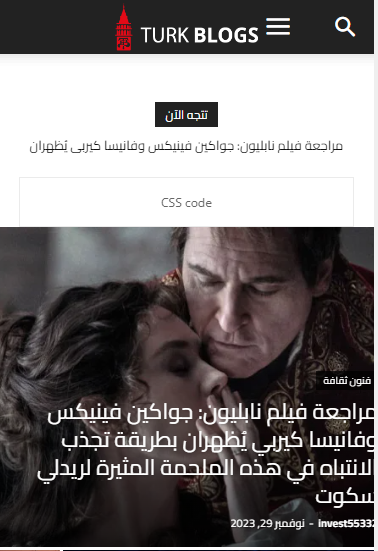
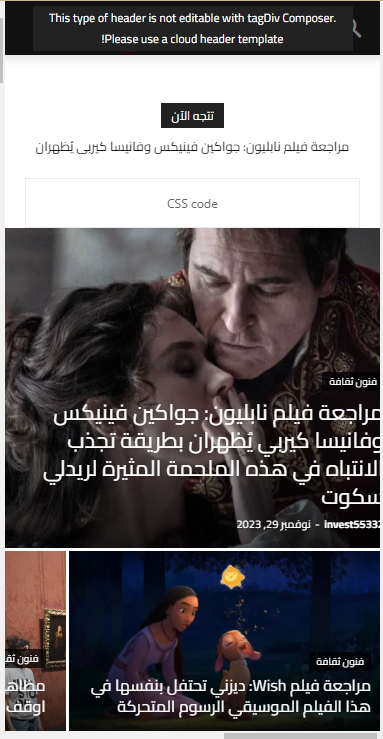
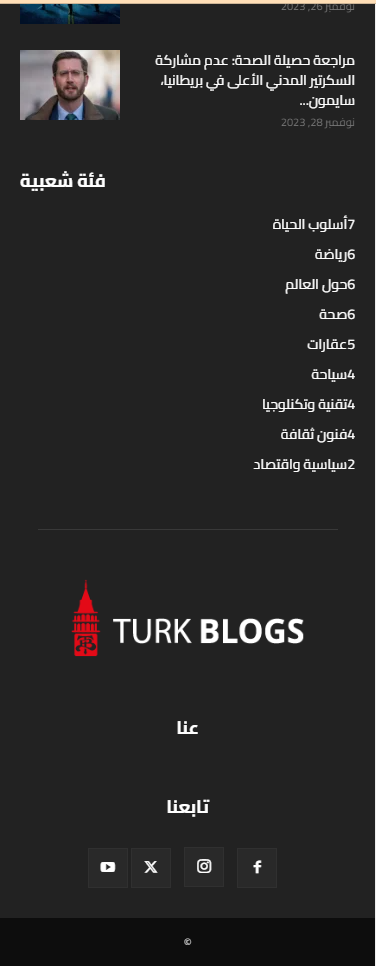
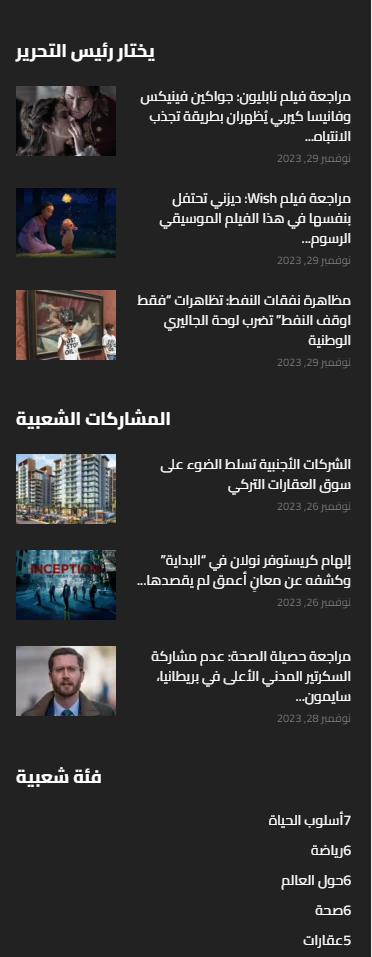
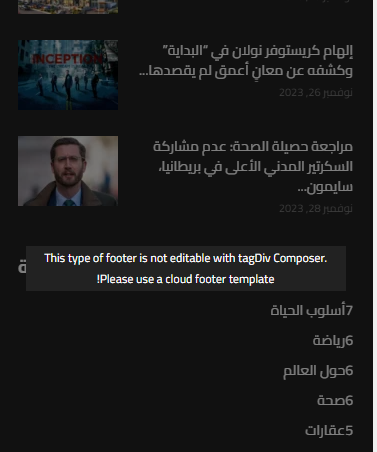
As you can see, the titles in footer is from left to right.
And at the header the menu and search to close to each others. that’s not correct ! and not acceptable..
the demo should work without any problems I just import it and didn’t do anything on it.
So if you can’t fix this issues I need a refund because I can’t work on something like this.
nagiRespected Sir/Mam,
I am a developer at Mallemaala Entertainments, located in Hyderabad. our website 123telugu.com. I am hereby mentioning that requirement.
In the slider, we need black as the background color for the content at the bottom. Also, we need five-point buttons in black color below the content. We need it to be flexible, and it should support all devices. Please send us in the form of css code.
I want look slider border background
———————
https://gallery.123telugu.com/images/theme_test/Narender12-02—9.jpg
https://gallery.123telugu.com/images/theme_test/Narender12-02—12.jpg
https://gallery.123telugu.com/images/theme_test/Narender12-02—11.jpg
Thanking you,
Regards,
Narendhar.
nagiRespected Sir/Mam,
I am a developer at Mallemaala Entertainments, located in Hyderabad. our website 123telugu.com. I am hereby mentioning that requirement.
1. In the mobile horizontal menu navbar, the menu is being displayed differently on small, medium, and large mobiles. But we need it to be of same size on every device. We will send the CSS settings as screenshots through a link. We are sending you the screenshots of our website’s mobile version navbar as screenshots. We want the navbar to be stretchable along with padding.
my site link
————-
https://tv.123telugu.com/telugu/ (newspaper theme installed)
my navbar error links
——————
1.https://gallery.123telugu.com/images/theme_test/Narender12-02—6.jpg
2.https://gallery.123telugu.com/images/theme_test/Narender12-02—7.jpg
3.https://gallery.123telugu.com/images/theme_test/Narender12-02—8.jpg
4.https://gallery.123telugu.com/images/theme_test/Narender12-02—3.jpg
mobile menu our css settings
—————————
https://gallery.123telugu.com/images/theme_test/Narender12-02—1.jpg
https://gallery.123telugu.com/images/theme_test/Narender12-02—2.jpg
I want this stretchable
————
https://www.123telugu.com/index.php
https://gallery.123telugu.com/images/theme_test/Narender12-02—12.jpg
https://gallery.123telugu.com/images/theme_test/Narender12-02—11.jpg
https://gallery.123telugu.com/images/theme_test/Narender12-02—10.jpg
Thanking you,
Regards,
Narendhar.
 analia ganuk007
 Hello Anamaria/tagdiv team,
I wanted to inform you that the same issue has occurred. I reported it to SiteGround, and they mentioned that there seems to be an issue within the theme itself—a malware presence in the database is causing unwanted redirects to other sites, classifying it as adware. Users are experiencing unwanted pop-ups and redirections when visiting our site. Specifically, there is a row in the wp-option td_live_css_local_storage that contains JavaScript code resembling fast.quickcontentnetwork.com within the option value.
Furthermore, there’s a problem with updating my theme to version 12.6.2. Whenever I attempt the update, it redirects me to the Dashboard instead of completing the process. Could you please assist me in understanding why this is happening? Your help would be greatly appreciated.
 kubick
 Yes and no 🙂
This custom css solved the video player thumbnail problem.
.wpb_wrapper .td-a-rec:not(.td-a-rec-no-translate) {
transform: none !important;
-webkit-transform: none !important;
}
However, a new problem has emerged with Adsense automated vignette advertising on mobile devices.
We are currently trying to solve this with support.



