
No search results were found in Documentation!
 Miroslav Glavić
 I tried to change the demo to Romania News and it said: Homepage – (site name).
Both demos (Fast News and Romania News), the steps you said above have not changed.
 Le_monde_des_idees
Hello,
I Can’t find the way to modify the design of a prebuilt mobile menu.
For instance, the mobile menu of
https://demo.tagdiv.com/newspaper_spa/
When we use the tagdiv composer, it allow me to modify the menu icon, but the design of the menu panel when clicked.
Where can we modify the mobile menu design ?
Thank you very much.
Florent
 aitoolsjournal
Hi, I am using the newspaper theme with the new App listing demo. While customizing, the single app page URL appears like this: https://aitoolsjournal.net/tdcpt_app_listing/velocrm/
I want to rename this tdcpt_app_listing part but I am not sure how. I have looked into cloud templates and other options, including installing the CPT UI extension. However, since the custom post type of apps listings is a part of demo, i am unable to figure out how I can edit it.
Any help or guidance would be appreciated.
 ulrihovich
 Unfortunately, we are unable to grant you access due to the resource owner’s security policy. A similar problem exists on another site, which is also located on this server. Various demo templates are installed on the sites. There are no third party plugins. The WordPress version is installed by the hosting. That is, most likely, the problem is at the level of wordpress, server or php settings…
Thanks
 Alex
Alex Hi Bettina,
12.5.1 was only a demo.
12.5 had a tone of updates.
12.5 version was released way after this thread was created.
Either way, it is up to you to fix it in your theme or not.

 Bettina
  deepakvjadhav
purchase code : 8714c298-96f4-4a8f-9861-ec5224627999
am not able to install a demo for the theme newspaper. plz guide me or resolve the issue
 Calin
Calin Hi Alex, this option is still on our list. Also, the update to 12.5.1 was made only for the new demo – KOREAN NEWS INSIGHT.
Thank you!
 Anamaria
 Hi,
Every time you import a new demo, the settings related to the old install are deleted.
Thank you!
Miroslav GlavićThe only thing I did was change demos a few times today.
Yes I know Newspaper > System status > turn it off there.
I shouldn’t have to turn if off every time I switch demos. I am redoing my site and going through the demos.
Miroslav GlavićI am using the Fast News PRO demo.
On the title on my tab (using firefox) it says Homepage – Fast News – (name of website).
How do I change that, I do not want Fast News part on it, and if I can, the Homepage.
I want (name of website) on top. That is standard on WordPress installations.
Yes I went to Settings and General to fill it (on WordPress installation).
I have used other themes in the past and it works. Yet on Newspaper it does not apparently.
 zklid
zklidHi, I use the template https://demo.tagdiv.com/newspaper_week_pro/ on my site.
I didn’t understand how to configure the following option:
I would like the category tags (both the text color and the background color) to have a certain color for each category.
Instead, in the block configuration, the selected color is assigned to all categories.
How can I fix? Thank you
 PKramik
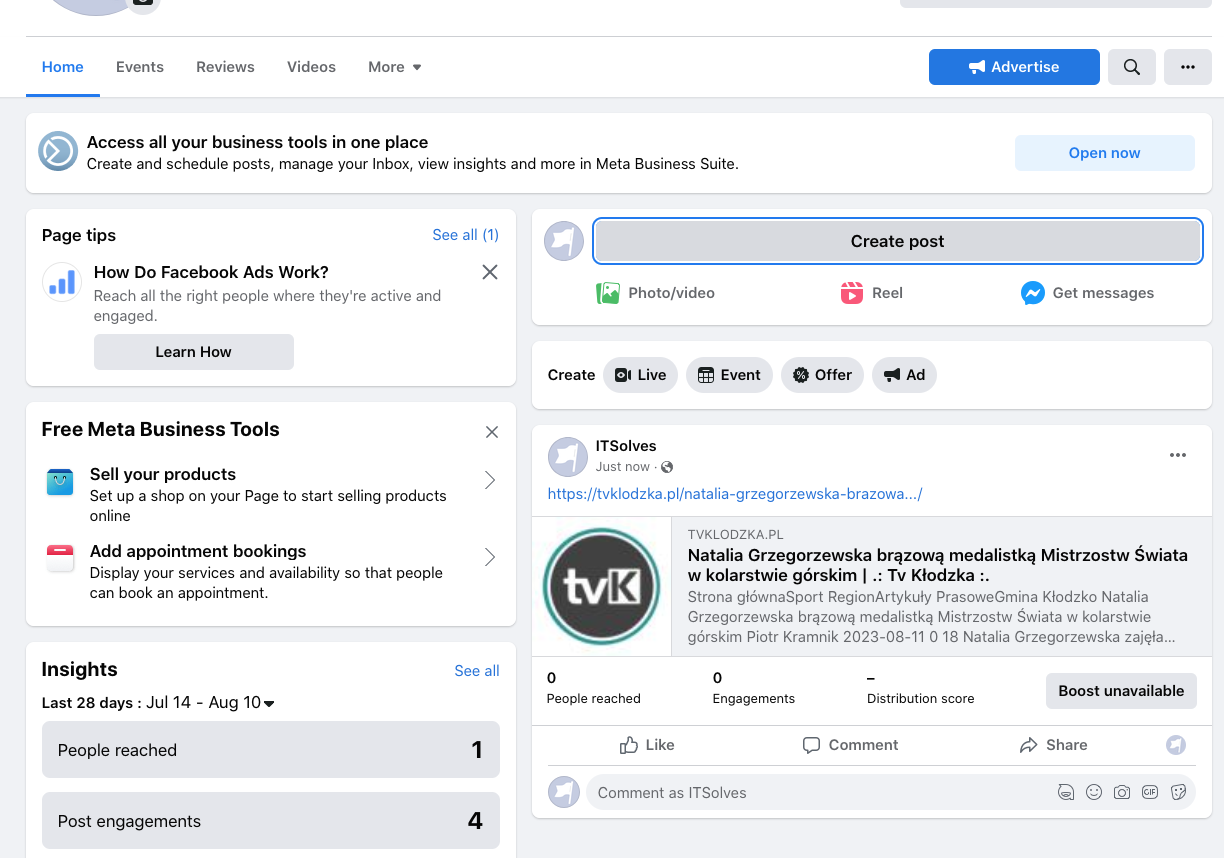
 I don’t think it’s a question of the size of the photos or illustrations. I noticed after adding a post on FB, only the logo of the page is loaded. There is definitely something wrong with the template. Because if I download the address from the demo site, it is displayed incorrectly, the logo is downloaded from our site. I am now adding two images, one shows adding a post and here is the image with news and the second one after adding to the FB page is just the logo of the page.
Create a post:

Added post:
Bettina Hello!
Did you install the demo with content? You should also install the plugin for that demo: https://prnt.sc/bSqAja_9rd4T just to be sure you get everything.
Thank you!
 vikashkunwar
Dear Sir,
Contact Page and Modal Popup pre-design not available in Real Estate Pro demo, so please share this page design in Real Estate Pro demo because I have no coding knowledge so I have facing problem for create Contact Page and Modal Popup, so I request to you please help me.
Bettina Hello!
I’ve tested, and for me, the accent color remains the same as before the update.
Only if you install a new demo will the color be imported.
Make sure this is not a plugin conflict.
Thank you!
Bettina Bettina Hello @hadharm !
We’ve introduced only a demo in the new update. So, no other files were affected.
Please contact us via email at contact@tagdiv.com and provide the following:
– admin url and credentials
– a link to this topic in order to identify you
Thank you!
Bettina Hello Melissa!
We’ve introduced only a demo in the new update. Check for updates in Newspaper -> Updates: https://prnt.sc/7K7vI6Ql7iAg, and the new version should appear there.
Thank you!
 aaronwongxm
am i seeing this right?
is the only change for 12.5.1 the addition of a new template? is there any other reason to upgrade?
new: One-click installable demo – Korean News Insight
 jfentagdiv
 Hi
First, thank you for helping me.
Still no luck, it won’t work. Here are some config snippets taken from the tagdiv admin:
Theme config
…
Theme name: Newspaper
Theme version: 12.5
Theme database version: 12.5
HTTP channel test: wordpress
Installed demo: Downtown Magazine PRO – demo ID: downtown_pro | install type: no_content
…
php.ini configuration
Server software: Apache
PHP Version: 8.1.21-nfsn1
post_max_size: 50M
max_execution_time: 300
max_input_vars: 3000
SUHOSIN installed: false
…
WordPress and plugins
…
WP version: 6.3
WP multisite enabled: No
WP Language: fr_CA
WP Memory Limit: 256 Mo/request
WP_DEBUG: False
Caching plugin: No caching plugin detected – for best performance we recommend using WP Super Cache
Please note the caching plugin is super cache, but I disabled it following your recommendation
I don’t know what to do at this point.
Thank you for your help
 ghoangit
 I followed your instructions and after saving my website is not working. Don’t know if there is any confusion in this guide.
I am using the demo interface below.
https://demo.tagdiv.com/newspaper_app_find_pro/
Anamaria Hello,
Please go to the plugin editor, select APP Find PRO Plugin
the file td-app-find-pro-demo.php -> https://prnt.sc/O_Bx1srd0h1X add this code there https://pastebin.com/kQ8BJeZ1 and resave the permalinks https://prnt.sc/SMdxaJOUmZ3P
Thank you!
 presto2
 Actually, I need to be able to use all the templates :/
Again, the homepage and each page from the demo show correctly.
However, all the pages that already existed on the website prior to importing the Cali Sight template and all the pages that I create after installing the template show a different header and a different footer, as if the template settings couldn’t apply to pages that were not imported with the demo.
Just so you know: I made a test with another template, Momentum, and at least the global header and the global footer from this template are shown even for pages that were not imported with the demo.
presto2 Bettina,
Indeed, I get everything from the demo when I install the whole demo.
However, when I open pages that pre-existed (this is not a new website) or new pages that I create, neither the design of the pages nor the header and footer match the demo, whereas header templates and footer templates are both supposed to be “global” according to the could template settings.
Maybe this is something that is very simple to solve, but right now, I don’t understand what’s wrong.
Can you help me go ahead with this template?
