- NewsmagSocial counter styles on Newsmag
- NewsmagNewsmag documentation
- NewsmagtagDiv Social Counter tutorial
- NewsmagIntroduction
- NewsmagCategory grid styles
- NewsmagTheme colors introduction
- NewsmagPage templates
 Anamaria
 Hello,
I recommend using flex blocks instead of blocks 1 to 25. What is so different when you see it in mode view?
Thank you!
 seamie1990
 Hi,
Please see video here, showing setting for Flex Bloc 5. There is no option for ‘EXCLUSIVE’ setting under Layout tab:
 marijn390
 Hi Anamaria,
I already have the related section that you show in the screenshot on the website at the moment. These articles are matched based on tags/categories. However, this is not desirable because we use the tags and categories for multiple news items that have nothing to do with each other.
So I am actually looking for a way where I can link an article myself in a related articles section. Otherwise we have to create a tag for each topic and attach it to the flex block via TD Composer. I hope you understand me, it is difficult to explain.
Anamaria Hello,
You can use a flex block and use one from those options https://i.imgur.com/Fo0R9ep.png
Thank you!
 BlackandWhiteTradingLtd
 I am using 300px wide ads with the ad box and the row is set with two columns (the third option on the left in the column settings (a thin one and a wide one). The wide section is using Flex Box 3
Anamaria Hi,
It is a flex block, please provide a video with your steps.
A solution for sending a screenshot/video is this:
Download, capture, and send: https://www.techsmith.com/jing-tool.html
After making the screenshot, you will have a link; paste it here.
Thank you
 giannisgiat
can we change the “more” word in categories to a word we would like to display . When we add an element with categories the more word displays in the flex next to the title. We would like to change the word to another one how is it possible ?
 Davidpinto
Hi,
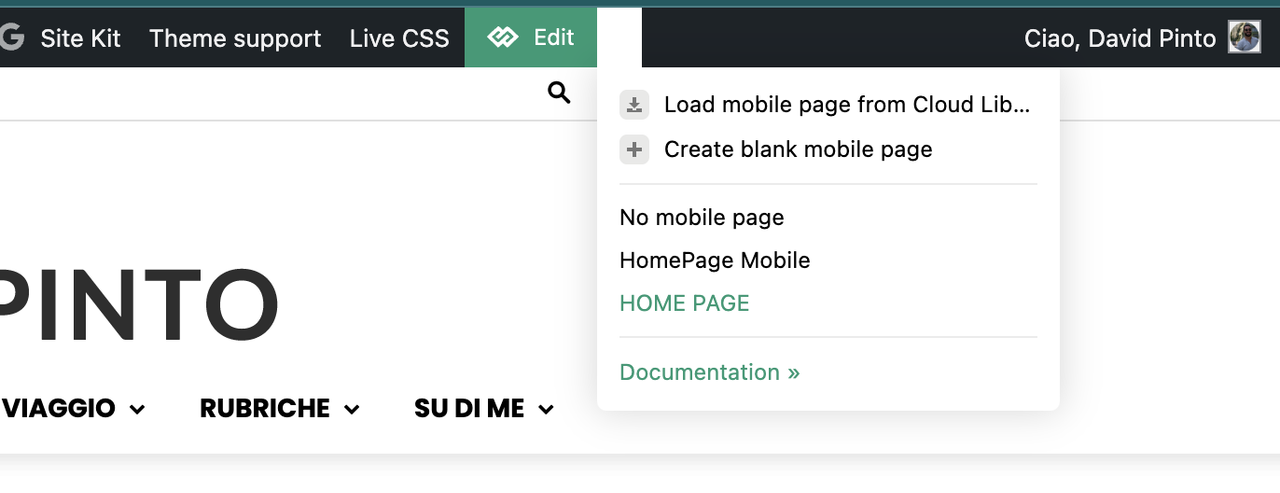
I deactivated the plugin AMP and the Mobile Theme, because I would like to create a template only for mobile.
I tried with this guide: https://tagdiv.com/newspaper-10-3-7-update-brings-customizable-and-fast-mobile-pages/
and i created a template HomePage Mobile.
https://i.postimg.cc/PxcpTMwW/Screenshot-2025-02-18-alle-16-56-50.png
But I’m confused, because when i see on iPhone I have the flex verison of desktop mode.
the site is http://www.davidpinto.it
thank you
 Bettina
 Hello!
Unfortunately, those shortcodes are available only on single templates.
The shortcodes available for pages are the Author box and authors box, and using a flex block 1, you can display the author and the post date.
Thank you!
Bettina Hello!
Please check the filters that you are using there: https://forum.tagdiv.com/flex-block-settings-guide/
You can use this option: https://forum.tagdiv.com/unique-articles/, so you won’t see double posts anymore.
Thank you!
 Ericky
Can I change this flex block to show pages instead of posts?
I want to show my pages here, not posts. But can’t find it on filter area. It’s a module from EchoVerse cloud temp.
Hello,
I recommend checking if you use standard templates from the theme panel, blocks from 1 to 25, and big grid blocks. Replace them with cloud templates and Flex block and big grid flex blocks, and disable the tagdiv Standard pack plugin. The prebuilt website doesn’t affect your page speed and how the website loads, but maybe on the other website, you have other extra plugins, and you optimized the website using the cache plugin, a plugin for images, and the OMGF plugin for Fonts. This depends on how your website is optimized and what plugins you use. You can provide the link to your website to check it.
Thank you!
 mottoyou
 Hi Anamaria,
Thank you for your reply!
I was worried that this might not be possible.
It would be a really useful feature to highlight the enhanced / featured listings (CPT) and make them appear before the others.
Thanks for the suggestion! I thought about that too, but it doesn’t help me much since I want to use the Flex Loop Filters and those listings need to be in the same element as the others.
Thank you for your support!
 JBW23
JBW23 I’ve managed to work it down to where the problem is, but still can’t find what’s causing it.
I have all plugins switched off apart from TagDiv Library and Composer.
I have 2 mega menus that link to pages.
The DOM issue comes when I add in either the ‘flex loop builder’ or ‘flex block builder’ into the 2 pages i’m using as mega menus.
For the Module Template that i’m calling, I created a blank template, with no details on it – and even that is throwing the DOM errors, so there’s nothing broken/wrong in the template.
Even if I create a Flex Block Builder on one menu, and Flex Loop Builder into the other menu, I still get the DOM issue.
I’ve also created empty pages where i’ve stripped ALL of the header/footer/content and just left the menu, and I still receive the error.
Anamaria Hello,
Yes, use one posts loop and how many flex blocks you want.
You can hide it with a custom code CSS, or change the block header type.
Thank you!
 ikiweb
 Ah, I see what you mean.
Instead of using two loops use a Flex Block and 1 loop. Right?
OK so it seems to work.
I have a question: how do I remove the link on the right in the title (block header 12). See this link: https://postimg.cc/Hcmh0M3n
Thank you
Anamaria Hello,
We do not recommend setting two posts loop on the same page/template because most of the settings from the first loop element will be inherited for the second one.
For flex block, you should choose the current category“: Category – Current category ”special filter: https://forum.tagdiv.com/flex-block-settings-guide/
Thank you!
JBW23I’m having two issues with the theme that i’m hoping someone could shed some light on.
1) I’m loading a page in the menu which works great when it’s on a “page”, but when I’m on a CPT/Taxonomy “page” the styling goes out of the window – unable to understand why, or what’s happening here?
2) When I load two or more pages in the menu, I get the error “Errors at columns: 1(models) : 3(dom). The model does not match the content Current state has involved an issue.”
In both of the pages i’m loading in the menu, I have menus, and Flex Loop and Flex Block builders – i’ve been playing around between both block and loop to see if there’s issues there, but they show for both.
Here’s a loom showing how the issues are presenting themselves for both:
https://www.loom.com/share/0d59a06ec97e4b249540377541b96cce?sid=0b9a821b-d935-4176-8491-671de23b141e
Any ideas what’s happening, or what i’ve done wrong here?
Any help is greatly appreciated.
Thanks
 Børnenes Aarhus
 Hi Anamaria,
I don’t think I fully understand how to adjust the images in the different Grids and Blocks. I want to make sure the entire image is visible, whether it’s in a large or small “window.” In some of my blocks, the full image isn’t displayed. I’m attaching an image from my website—I believe Big Grid Flex 5 is being used here.
One of the images, the one with the woman, isn’t displaying correctly, and the image for my podcast article also doesn’t appear as it should. I hope that makes sense?
I’m hoping there’s an easy solution—perhaps using two images, one for the article itself and another that displays correctly on the front page. But I’m not sure if the Newspaper theme has specific standard image sizes it works with.
imgur.com/q4ksTuJ
-
This reply was modified 1 year by
Børnenes Aarhus.
mottoyouHi there,
I’ve created a custom post type via ACF and displayed it inside a Flex Loop Builder element (so that Flex Loop Filters can be used). I’ve set the sort order to “Alphabetical A -> Z”.
I’m wondering if there’s a possibility to display certain (featured) posts before others (which are in alphabetical order). Is there a way to set that, for instance, based on a specific custom field / (featured) taxonomy?
I know this can be done somehow via Flex Block Builder, but it doesn’t help, because I want to use Flex Loop Filters, so Flex Loop Builder needs to be set.
Not sure if I’m clear enough, but I’m referring to some kind of “Stick to Top” (specific to the default WP posts), which makes some articles pinned to top.
I’m not looking to make the CPT stick to the top in Flex Loop Builder, but more to display some promoted posts before others. Maybe a custom function will help…
I’d really appreciate your support in achieving this.
Kind regards,
 madamcza
Hello!
I am working on a custom post type for events (i have some ACF field set for them that includes start date field). I’ve managed to create custom post type template and it works fine. On an individual event page I would like to display a flex grid (similar one like we have below the posts) that displays upcoming next four events and I want to make sure that old events are not shown.
I am able to display grid of four items but it will just show them based on latest publish time (which is fine for posts but not fine for events). Is it possible in Newspaper to filter the grid based on a field from post metadata? It would be a basic filter like: IF date >= now THEN include in display
If thats not possible using such condition can I use at all my custom metadata fields for a given custom post type in sorting/filtering in Newspaper grids? Just trying to find a creative way how to just show the events grid without including past ones. Maybe you have some idea based on your experience with CPT/ACF and Newspaper?
 DocDigit
Thanks for the 12.6.9 update – all configurable settings in Flex Block 1 are available again!
DD
 Whambam32
Hello,
Website: https://printinthechannel.co.uk/
Faced the issue after press on “Load more” button on homepage Flex Block X:
“You do not have sufficient permissions to access this page.”
but
Request URL: https://printinthechannel.co.uk/wp-admin/admin-ajax.php?td_theme_name=Newspaper&v=12.6.8
Request Method: POST
Status Code: 200 OK
As a result, posts autoload stops working.
Anamaria Hello,
Please let me know what block you use. You can use a flex block and set the full size of the image -> https://i.imgur.com/jsByEX3.jpeg
Thank you!
Anamaria Hi,
This is a category template, so if you want to use some blocks, you must ensure they can be used. For example, you can use the flex block builder on the page and save that block with right-click, but you can not use the category background image, or category siblings.
Thank you!