No search results were found in Documentation!
 wixoo
wixoohi all,
tdcomposer not working ! i have some javascript errors in console :
Some messages have been moved to the Issues panel.
VM1606 post.php:4718 Uncaught TypeError: jQuery(…).live is not a function
at VM1606 post.php:4718
at VM1606 post.php:4805
(anonymous) @ VM1606 post.php:4718
(anonymous) @ VM1606 post.php:4805
jquery.js?ver=1.12.4-wp:2 Uncaught Error: Syntax error, unrecognized expression: undefined<div class=”tdc-sidebar-separator tdc-sidebar-text-separator”><span>Posts Loop</span></div><div class=”tdc-sidebar-element tdc-element” data-shortcode-name=”tdb_loop” data-start-values=”W3sibW9kdWxlc19vbl9yb3ciOiJleUp3YUc5dVpTSTZJakV3TUNVaWZRPT0iLCJtb2R1bGVzX2dhcCI6ImV5SnNZVzVrYzJOaGNHVWlPaUkwTUNJc0luQnZjblJ5WVdsMElqb2lNamdpTENKaGJHd2lPaUl5TUNKOSIsIm1vZHVsZXNfY2F0ZWdvcnkiOiJpbWFnZSIsInNob3dfZXhjZXJwdCI6IiIsInNob3dfYnRuIjoibm9uZSIsImFqYXhfcGFnaW5hdGlvbiI6ImxvYWRfbW9yZSIsImhpZGVfYXVkaW8iOiJ5ZXMiLCJpbWFnZV93aWR0aCI6IjI1IiwiaW1hZ2VfZmxvYXRlZCI6ImZsb2F0X2xlZnQiLCJtZXRhX3BhZGRpbmciOiIxMHB4IDEwcHggMHB4IDE1cHgiLCJpbWFnZV9yYWRpdXMiOiI3IiwiaW1hZ2VfaGVpZ2h0IjoiMTAwIiwibWV0YV9pbmZvX2hvcml6IjoiIiwibW9kdWxlc19jYXRlZ29yeV9tYXJnaW4iOiIiLCJmX3RpdGxlX2ZvbnRfZmFtaWx5IjoiNTIxIiwiZl9jYXRfZm9udF9mYW1pbHkiOiI1MjEiLCJmX21ldGFfZm9udF9mYW1pbHkiOiI1MjEiLCJmX2V4X2ZvbnRfZmFtaWx5IjoiNTIxIiwiZl9idG5fZm9udF9mYW1pbHkiOiI1MjEiLCJ0aXRsZV90eHQiOiJyZ2JhKDYsNTEsNzksMC44NikiLCJhbGxfdW5kZXJsaW5lX2NvbG9yIjoicmdiYSg2LDUxLDc5LDAuODYpIiwidGl0bGVfdHh0X2hvdmVyIjoicmdiYSg0NCw2Niw4MCwwLjg2KSIsImV4X3R4dCI6InJnYmEoNDQsNjYsODAsMC44NikiLCJjb21fYmciOiJyZ2JhKDYsNTEsNzksMC44NikiLCJzaG93X3JldmlldyI6Im5vbmUiLCJmX3RpdGxlX2ZvbnRfc2l6ZSI6IjE4IiwiZl90aXRsZV9mb250X3dlaWdodCI6IjYwMCIsImZfZXhfZm9udF9zaXplIjoiMTYiLCJmX2V4X2ZvbnRfd2VpZ2h0IjoiNDAwIiwiYXJ0X2V4Y2VycHQiOiI4cHggMHB4Iiwib2Zmc2V0IjoiNCJ9XQ==” ><div class=”tdc-element-ico tdc-ico-template”></div><div class=”tdc-element-id”>loop MO – template</div><div class=”tdc-element-delete” data-type=”tdb_loop” data-name=”loop MO”></div></div>
at Function.ea.error (jquery.js?ver=1.12.4-wp:2)
at ea.tokenize (jquery.js?ver=1.12.4-wp:2)
at ea.select (jquery.js?ver=1.12.4-wp:2)
at Function.ea [as find] (jquery.js?ver=1.12.4-wp:2)
at n.fn.init.find (jquery.js?ver=1.12.4-wp:2)
at new n.fn.init (jquery.js?ver=1.12.4-wp:2)
at n (jquery.js?ver=1.12.4-wp:2)
at Object.updateSavedShortcodes (js_files_for_wrapper.min.js?ver=819b7f9b02b0195f80e3eab970f44973x:589)
at Object.init (js_files_for_wrapper.min.js?ver=819b7f9b02b0195f80e3eab970f44973x:558)
at js_files_for_wrapper.min.js?ver=819b7f9b02b0195f80e3eab970f44973x:598
ea.error @ jquery.js?ver=1.12.4-wp:2
ea.tokenize @ jquery.js?ver=1.12.4-wp:2
ea.select @ jquery.js?ver=1.12.4-wp:2
ea @ jquery.js?ver=1.12.4-wp:2
find @ jquery.js?ver=1.12.4-wp:2
n.fn.init @ jquery.js?ver=1.12.4-wp:2
n @ jquery.js?ver=1.12.4-wp:2
updateSavedShortcodes @ js_files_for_wrapper.min.js?ver=819b7f9b02b0195f80e3eab970f44973x:589
init @ js_files_for_wrapper.min.js?ver=819b7f9b02b0195f80e3eab970f44973x:558
(anonymous) @ js_files_for_wrapper.min.js?ver=819b7f9b02b0195f80e3eab970f44973x:598
(anonymous) @ js_files_for_wrapper.min.js?ver=819b7f9b02b0195f80e3eab970f44973x:598
js_files_vue_modals.min.js?ver=c8cba5620a72d5b299fa8f62aeca6adfx:204 Download the Vue Devtools extension for a better development experience:
https://github.com/vuejs/vue-devtools
js_files_vue_modals.min.js?ver=c8cba5620a72d5b299fa8f62aeca6adfx:204 You are running Vue in development mode.
Make sure to turn on production mode when deploying for production.
See more tips at https://vuejs.org/guide/deployment.html
wp-seo-post-scraper-440.min.js?ver=4.4:16 Uncaught Error: The snippet preview requires a valid target element
at new H (wp-seo-post-scraper-440.min.js?ver=4.4:16)
at Object.f [as create] (wp-seo-post-scraper-440.min.js?ver=4.4:1)
at c (wp-seo-post-scraper-440.min.js?ver=4.4:1)
at HTMLDocument.F (wp-seo-post-scraper-440.min.js?ver=4.4:1)
at i (jquery.js?ver=1.12.4-wp:2)
at Object.fireWith [as resolveWith] (jquery.js?ver=1.12.4-wp:2)
at Function.ready (jquery.js?ver=1.12.4-wp:2)
at HTMLDocument.J (jquery.js?ver=1.12.4-wp:2)
H @ wp-seo-post-scraper-440.min.js?ver=4.4:16
f @ wp-seo-post-scraper-440.min.js?ver=4.4:1
c @ wp-seo-post-scraper-440.min.js?ver=4.4:1
F @ wp-seo-post-scraper-440.min.js?ver=4.4:1
i @ jquery.js?ver=1.12.4-wp:2
fireWith @ jquery.js?ver=1.12.4-wp:2
ready @ jquery.js?ver=1.12.4-wp:2
J @ jquery.js?ver=1.12.4-wp:2
content.js:1 this is content page
content.js:36 Just visited https://meilleurordinateur.com/wp-admin/post.php?post_id=31090&td_action=tdc&tdbTemplateType=page#/
jquery.js?ver=1.12.4-wp:2 Mixed Content: The page at ‘https://meilleurordinateur.com/?td_action=tdc_edit&post_id=31090&tdbTemplateType=page’ was loaded over HTTPS, but requested an insecure element ‘http://meilleurordinateur.com/wp-content/uploads/2017/08/14.jpg’. This request was automatically upgraded to HTTPS, For more information see https://blog.chromium.org/2019/10/no-more-mixed-messages-about-https.html
(anonymous) @ jquery.js?ver=1.12.4-wp:2
i @ jquery.js?ver=1.12.4-wp:2
fireWith @ jquery.js?ver=1.12.4-wp:2
ready @ jquery.js?ver=1.12.4-wp:2
J @ jquery.js?ver=1.12.4-wp:2
js_files_for_wp_admin.min.js?ver=819b7f9b02b0195f80e3eab970f44973x:27 (5) [i, i, i, i, i]
ace.js?ver=819b7f9b02b0195f80e3eab970f44973x:1 Uncaught TypeError: n is not a function
at n (ace.js?ver=819b7f9b02b0195f80e3eab970f44973x:1)
at a (ace.js?ver=819b7f9b02b0195f80e3eab970f44973x:1)
at r (ace.js?ver=6.0.5:10)
at Object.a [as require] (ace.js?ver=6.0.5:10)
at post.php?post_id=31090&td_action=tdc&tdbTemplateType=page:2758
at dispatch (jquery.js?ver=1.12.4-wp:3)
at r.handle (jquery.js?ver=1.12.4-wp:3)
n @ ace.js?ver=819b7f9b02b0195f80e3eab970f44973x:1
a @ ace.js?ver=819b7f9b02b0195f80e3eab970f44973x:1
r @ ace.js?ver=6.0.5:10
a @ ace.js?ver=6.0.5:10
(anonymous) @ post.php?post_id=31090&td_action=tdc&tdbTemplateType=page:2758
dispatch @ jquery.js?ver=1.12.4-wp:3
r.handle @ jquery.js?ver=1.12.4-wp:3
load (async)
add @ jquery.js?ver=1.12.4-wp:3
(anonymous) @ jquery.js?ver=1.12.4-wp:3
each @ jquery.js?ver=1.12.4-wp:2
each @ jquery.js?ver=1.12.4-wp:2
ra @ jquery.js?ver=1.12.4-wp:3
on @ jquery.js?ver=1.12.4-wp:3
init @ td_wp_admin.min.js?ver=10.2:83
(anonymous) @ td_wp_admin.min.js?ver=10.2:92
content.js:12 tttt:
content.js:18 data:null
 Vlad S
 Hello !
The dates are get from here https://github.com/CSSEGISandData/COVID-19/tree/master/csse_covid_19_data and these are update frequency once per day.
Thank you!
 aleister
TagDiv Mobile plugin conflicts with the latest WordPress AMP Plugin:
Notice: add_filter hatalı çağırıldı. Filter for "amp_is_enabled" added too late. To disable AMP, this filter must be added before the "plugins_loaded" action. Daha fazla bilgi için lütfen WordPress hata ayıklama adresine bakın. (Bu mesaj 2.0 sürümünde eklendi.) in /home/technopa/public_html/wp-includes/functions.php on line 5229
Warning: Cannot modify header information - headers already sent by (output started at /home/technopa/public_html/wp-includes/functions.php:5229) in /home/technopa/public_html/wp-includes/functions.php on line 6274
Warning: Cannot modify header information - headers already sent by (output started at /home/technopa/public_html/wp-includes/functions.php:5229) in /home/technopa/public_html/wp-admin/includes/misc.php on line 1310
Warning: Cannot modify header information - headers already sent by (output started at /home/technopa/public_html/wp-includes/functions.php:5229) in /home/technopa/public_html/wp-admin/admin-header.php on line 9
 Calin
Calin Hi,
Please make sure that you are using Newspaper theme v10.3.7 also if you have WooCommerce v4.7.0 then the problem is from then, many users reported some problems for that version -> https://github.com/woocommerce/woocommerce/issues/28255
As a temporary solution, please go to the WooCommerce plugin page (https://wordpress.org/plugins/woocommerce/advanced/), scroll down to the ADVANCED OPTIONS section and download the version 4.6.2. from the dropdown menu – https://i.imgur.com/PVrn6RZ.png. Install this version on your website. Using the 4.6.2 version, your website will work smoothly.
Hope this will help you!
Let me know the results!
Calin Hi parcferme,
Indeed there is a problem with the last woocommerce update -> https://github.com/woocommerce/woocommerce/issues/28255 all themes are facing the same problem with the last update. As a temporary solution, please go to the WooCommerce plugin page (https://wordpress.org/plugins/woocommerce/advanced/), scroll down to the ADVANCED OPTIONS section and download the version 4.6.2. from the dropdown menu – https://i.imgur.com/PVrn6RZ.png. Install this version on your website. Using the 4.6.2 version, your website will work smoothly and you give us time to provide a permanent solution.
Also the Live CSS can be blocked by some untested plugins that you may use, I recommend to set the css in theme panel> custom code> custom css. -> https://i.imgur.com/8UaqTMf.png
Thank you for your understanding!
 mitchtobin
Hello- I’m using a javascript library to make a graphic update as text scrolls over it. Rather than using an iframe, I’m trying to put it directly in a WordPress page with the Newspaper X theme, because the scrolling doesn’t work well in an iframe. (here’s the page I’m integrating with WordPress, but outside of it).
My problem is this – the images that should be a *background* appear *in front* of my text at z-index:0 or higher, so I wanted to use the factory z-index setting of -1 to put the images right behind the text.
But I can see that any z-index lower than zero falls behind the entire page. I don’t know if this is a WordPress issue or how your theme is designed, but I’d love your advice on what, if anything, I can force to a lower z-index.
Thanks!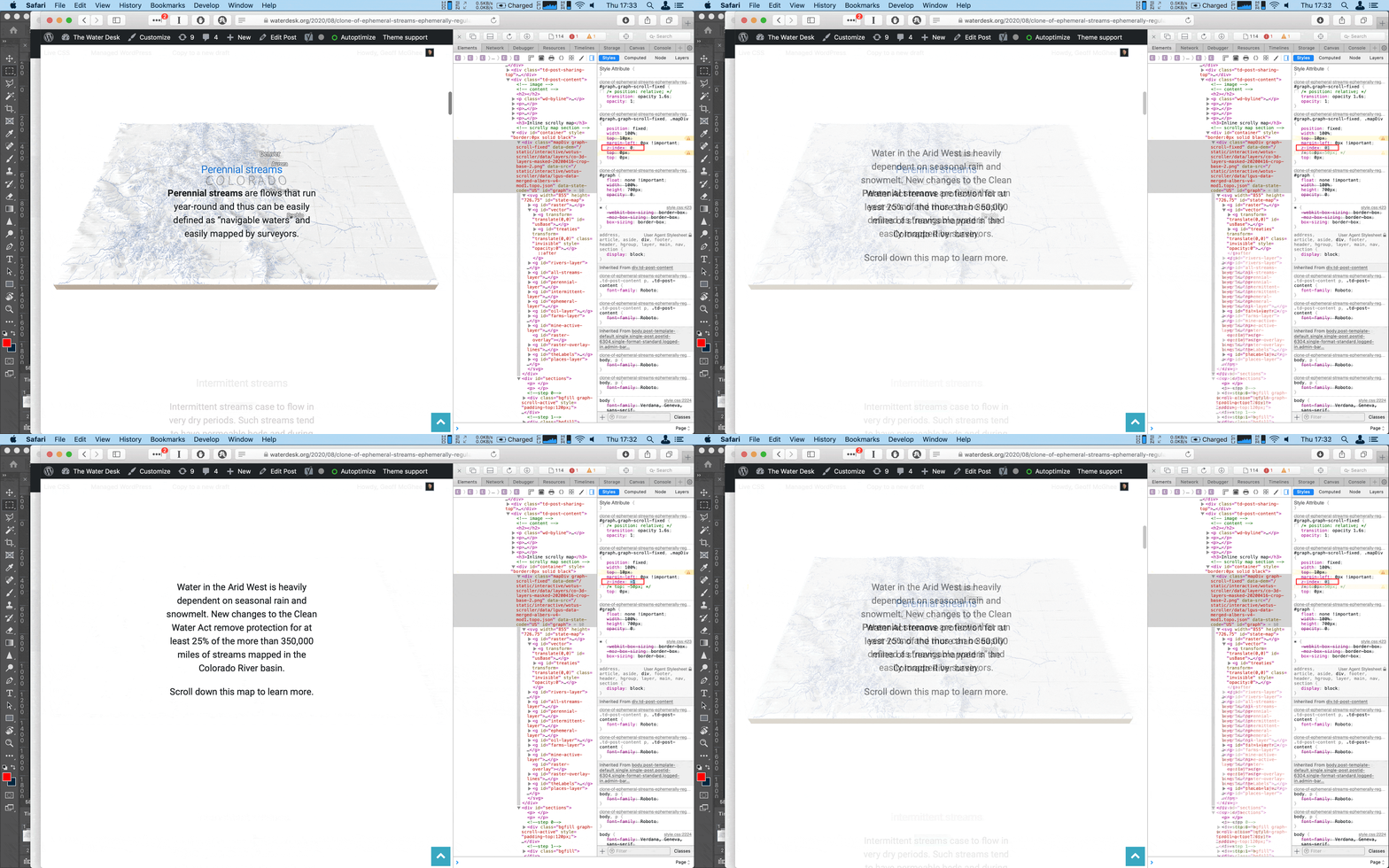
 luigi_luigi
 Hi,
Could you have a look from the wordpress support:
https://github.com/WordPress/gutenberg/issues/24780 => “so the best route would be to fix this in the themes themselves”
https://core.trac.wordpress.org/ticket/51157
Thanks 🙂
 pedrogm91
CONSOLE CHROME
Uncaught Error: Syntax error, unrecognized expression: undefined<div class=”tdc-sidebar-separator tdc-sidebar-text-separator”><span>Row</span></div><div class=”tdc-sidebar-element tdc-row-temp” data-shortcode-name=”vc_row” data-template-content=”W3ZjX3JvdyB0ZGNfY3NzPSJleUpoYkd3aU9uc2liV0Z5WjJsdUxYSnBaMmgwSWpvaU1DSXNJbTFoY21kcGJpMXNaV1owSWpvaU1DSXNJbUp2Y21SbGNpMXlhV2RvZEMxM2FXUjBhQ0k2SWpBaUxDSmliM0prWlhJdGJHVm1kQzEzYVdSMGFDSTZJakFpTENKd1lXUmthVzVuTFhSdmNDSTZJalF3Y0hnaUxDSndZV1JrYVc1bkxYSnBaMmgwSWpvaU1DSXNJbkJoWkdScGJtY3RZbTkwZEc5dElqb2lOREJ3ZUNJc0luQmhaR1JwYm1jdGJHVm1kQ0k2SWpBaUxDSjNhV1IwYUNJNklqRXdNQ1VpTENKaVlXTnJaM0p2ZFc1a0xXTnZiRzl5SWpvaUkyWXpaak5tTXlJc0ltSmhZMnRuY205MWJtUXRjRzl6YVhScGIyNGlPaUpqWlc1MFpYSWdZMlZ1ZEdWeUlpd2laR2x6Y0d4aGVTSTZJaUo5TENKd2FHOXVaU0k2ZXlKaVlXTnJaM0p2ZFc1a0xYQnZjMmwwYVc5dUlqb2lZMlZ1ZEdWeUlHTmxiblJsY2lJc0ltUnBjM0JzWVhraU9pSWlmU3dpY0dodmJtVmZiV0Y0WDNkcFpIUm9Jam8zTmpjc0luQnZjblJ5WVdsMElqcDdJbTFoY21kcGJpMXlhV2RvZENJNklqQWlMQ0p0WVhKbmFXNHRiR1ZtZENJNklqQWlMQ0ppYjNKa1pYSXRjbWxuYUhRdGQybGtkR2dpT2lJd0lpd2lZbTl5WkdWeUxXeGxablF0ZDJsa2RHZ2lPaUl3SWl3aWNHRmtaR2x1WnkxeWFXZG9kQ0k2SWpBaUxDSndZV1JrYVc1bkxXeGxablFpT2lJd0lpd2laR2x6Y0d4aGVTSTZJaUo5TENKd2IzSjBjbUZwZEY5dFlYaGZkMmxrZEdnaU9qRXdNVGdzSW5CdmNuUnlZV2wwWDIxcGJsOTNhV1IwYUNJNk56WTRmUT09IiBmdWxsX3dpZHRoPSJzdHJldGNoX3JvdyJdW3ZjX2NvbHVtbiB3aWR0aD0iMS8xIiB0ZGNfY3NzPSJleUpoYkd3aU9uc2laR2x6Y0d4aGVTSTZJaUo5ZlE9PSJdW3ZjX3Jvd19pbm5lciB0ZGNfY3NzPSJleUpoYkd3aU9uc2ljR0ZrWkdsdVp5MTBiM0FpT2lJME1DSXNJbkJoWkdScGJtY3RZbTkwZEc5dElqb2lOREFpTENKaVlXTnJaM0p2ZFc1a0xXbHRZV2RsSWpvaWRYSnNLRndpYUhSMGNEb3ZMMjV2ZEdsamFXRnpMbWRwWVc1amFHbHVibWxqYVM1amIyMHZkM0F0WTI5dWRHVnVkQzkxY0d4dllXUnpMekl3TWpBdk1EVXZZbUZ1Ym1WeUxYQnlaVzFwZFcwdWFuQm5YQ0lwSWl3aVpHbHpjR3hoZVNJNklpSjlmUT09Il1bdmNfY29sdW1uX2lubmVyIHdpZHRoPSIxLzIiXVt0ZG1fYmxvY2tfaW5saW5lX3RleHQgZGVzY3JpcHRpb249IlFVTkRSVk5QSlRJd1ZFOVVRVXc9IiBjb250ZW50X2FsaWduX2hvcml6b250YWw9ImNvbnRlbnQtaG9yaXotY2VudGVyIiBkZXNjcmlwdGlvbl9jb2xvcj0iI2ZmZmZmZiIgbGlua3NfY29sb3I9IiNmZmZmZmYiIGxpbmtzX2NvbG9yX2g9IiNmZmZmZmYiIGZfZGVzY3JfZm9udF9zaXplPSIyNCIgZl9kZXNjcl9mb250X2xpbmVfaGVpZ2h0PSIxLjIiIGZfZGVzY3JfZm9udF93ZWlnaHQ9IjUwMCIgZl9kZXNjcl9mb250X2ZhbWlseT0iNDM4Il1bdGRtX2Jsb2NrX2lubGluZV90ZXh0IGRlc2NyaXB0aW9uPSJSR1Z6WTNWaWNtVWxNakJ1ZFdWemRISnZKVEl3SlRCQlkyOXVkR1Z1YVdSdkpUSXdVSEpsYldsMWJRPT0iIGZfZGVzY3JfZm9udF9zaXplPSI0OCIgZl9kZXNjcl9mb250X2ZhbWlseT0iNTIyIiBkZXNjcmlwdGlvbl9jb2xvcj0iI2ZmZmZmZiIgZl9kZXNjcl9mb250X2xpbmVfaGVpZ2h0PSIxIiBmX2Rlc2NyX2ZvbnRfd2VpZ2h0PSI0MDAiIHRkY19jc3M9ImV5SmhiR3dpT25zaWNHRmtaR2x1WnkxMGIzQWlPaUl4TUhCNElpd2ljR0ZrWkdsdVp5MXlhV2RvZENJNklqRXdjSGdpTENKd1lXUmthVzVuTFdKdmRIUnZiU0k2SWpFd2NIZ2lMQ0p3WVdSa2FXNW5MV3hsWm5RaU9pSXhNSEI0SWl3aVpHbHpjR3hoZVNJNklpSjlmUT09IiBjb250ZW50X2FsaWduX2hvcml6b250YWw9ImNvbnRlbnQtaG9yaXotY2VudGVyIl1bdGRtX2Jsb2NrX2J1dHRvbiBidXR0b25fdGV4dD0iVkVSIEFIT1JBIiBidXR0b25fc2l6ZT0idGRtLWJ0bi1tZCIgYnV0dG9uX2Rpc3BsYXk9IiIgYnV0dG9uX3VybD0iL3RpZW5kYSIgY29udGVudF9hbGlnbl9ob3Jpem9udGFsPSJjb250ZW50LWhvcml6LWNlbnRlciJdWy92Y19jb2x1bW5faW5uZXJdW3ZjX2NvbHVtbl9pbm5lciB3aWR0aD0iMS8yIl1bL3ZjX2NvbHVtbl9pbm5lcl1bL3ZjX3Jvd19pbm5lcl1bL3ZjX2NvbHVtbl1bL3ZjX3Jvd10=” ><div class=”tdc-element-ico tdc-ico-template”></div><div class=”tdc-element-id”>Banner – template</div><div class=”tdc-element-delete” data-type=”vc_row” data-name=”Banner”></div></div><div class=”tdc-sidebar-separator tdc-sidebar-text-separator”><span>Posts Loop</span></div><div class=”tdc-sidebar-element tdc-element” data-shortcode-name=”tdb_loop” data-start-values=”W3sibW9kdWxlc19vbl9yb3ciOiIiLCJpbWFnZV9mbG9hdGVkIjoiZmxvYXRfbGVmdCIsImltYWdlX2hlaWdodCI6ImV5SmhiR3dpT2lJM01DSXNJbkJvYjI1bElqb2lNVEV3SW4wPSIsImltYWdlX3dpZHRoIjoiZXlKaGJHd2lPaUkxTUNJc0luQm9iMjVsSWpvaU16SWlmUT09IiwibWV0YV9wYWRkaW5nIjoiZXlKaGJHd2lPaUl4Tm5CNElpd2ljR2h2Ym1VaU9pSXhObkI0SWl3aWNHOXlkSEpoYVhRaU9pSXhObkI0SW4wPSIsInNob3dfY29tIjoibm9uZSIsInNob3dfZGF0ZSI6IiIsInNob3dfYXV0aG9yIjoibm9uZSIsIm1vZHVsZXNfY2F0ZWdvcnkiOiJpbWFnZSIsIm1vZHVsZXNfY2F0ZWdvcnlfbWFyZ2luIjoiZXlKaGJHd2lPaUl3SURBZ01IQjRJaXdpY0dodmJtVWlPaUl3SURBZ01UQndlQ0o5IiwiZl90aXRsZV9mb250X3NpemUiOiJleUpoYkd3aU9pSXpNQ0lzSW5Cb2IyNWxJam9pTWpBaUxDSndiM0owY21GcGRDSTZJakkwSW4wPSIsImZfdGl0bGVfZm9udF9saW5lX2hlaWdodCI6IjEuMjYiLCJmX3RpdGxlX2ZvbnRfZmFtaWx5IjoiMzc0IiwiZl90aXRsZV9mb250X3dlaWdodCI6IjcwMCIsImZfZXhfZm9udF9zaXplIjoiZXlKaGJHd2lPaUl4TmlJc0luQnZjblJ5WVdsMElqb2lNVFFpZlE9PSIsImZfZXhfZm9udF9saW5lX2hlaWdodCI6IjEuNiIsImV4X3R4dCI6IiM1MjUyNTIiLCJmX2NhdF9mb250X2ZhbWlseSI6IjQzOCIsImZfY2F0X2ZvbnRfd2VpZ2h0IjoiNzAwIiwiZl9jYXRfZm9udF9zaXplIjoiZXlKaGJHd2lPaUl4TWlJc0luQm9iMjVsSWpvaU9TSjkiLCJtb2R1bGVzX2NhdGVnb3J5X3BhZGRpbmciOiJleUpoYkd3aU9pSTFjSGdnTm5CNElEUndlQ0lzSW5Cb2IyNWxJam9pTkhCNElEWndlQ0o5IiwiZl9idG5fZm9udF9zaXplIjoiZXlKaGJHd2lPaUl4TmlJc0luQnZjblJ5WVdsMElqb2lNVE1pZlE9PSIsImZfYnRuX2ZvbnRfbGluZV9oZWlnaHQiOiIxIiwiZl9idG5fZm9udF9mYW1pbHkiOiI0MzgiLCJidG5fcGFkZGluZyI6ImV5SmhiR3dpT2lJeE1YQjRJREUxY0hnZ01UQndlQ0lzSW5CdmNuUnlZV2wwSWpvaU1UQndlQ0F4TlhCNEluMD0iLCJ0aXRsZV90eHRfaG92ZXIiOiIjZTc1NTI0IiwiYnRuX2JnIjoiI2U3NTUyNCIsImNhdF9iZ19ob3ZlciI6IiNlNzU1MjQiLCJtYzFfZWwiOiI1MCIsImFsbF9tb2R1bGVzX3NwYWNlIjoiZXlKaGJHd2lPaUkxTUNJc0luQm9iMjVsSWpvaU16UWlMQ0p3YjNKMGNtRnBkQ0k2SWpReUluMD0iLCJhamF4X3BhZ2luYXRpb24iOiJudW1iZXJlZCIsImJ0bl9tYXJnaW4iOiIyMXB4IDAgMCIsInNob3dfYnRuIjoiZXlKd2FHOXVaU0k2SW01dmJtVWlmUT09Iiwic2hvd19leGNlcnB0IjoiZXlKd2FHOXVaU0k2SW01dmJtVWlmUT09IiwibW9kdWxlc19kaXZpZGVyIjoiIiwibW9kdWxlc19kaXZpZGVyX2NvbG9yIjoiI2YyZjJmMiIsImFydF90aXRsZSI6ImV5SndiM0owY21GcGRDSTZJakFpZlE9PSIsInBhZ19hX2JnIjoiI2U3NTUyNCIsInBhZ19hX2JvcmRlciI6IiNlNzU1MjQiLCJvZmZzZXQiOiIzIiwiZl9leF9mb250X2ZhbWlseSI6IjQzOCIsImZfYnRuX2ZvbnRfd2VpZ2h0IjoiNzAwIiwibWV0YV9pbmZvX2hvcml6IjoiY29udGVudC1ob3Jpei1jZW50ZXIiLCJtZXRhX2luZm9fYWxpZ24iOiJjZW50ZXIiLCJ0ZGNfY3NzIjoiZXlKaGJHd2lPbnNpWkdsemNHeGhlU0k2SWlKOWZRPT0iLCJtX3BhZGRpbmciOiIwcHggMHB4IDBweCAwcHgiLCJibG9ja190ZW1wbGF0ZV9pZCI6IiIsInNoYWRvd19zaGFkb3dfY29sb3IiOiJyZ2JhKDEyLDAsMCwwLjE0KSIsInNoYWRvd19zaGFkb3dfc2l6ZSI6IjUiLCJzaGFkb3dfc2hhZG93X29mZnNldF9ob3Jpem9udGFsIjoiMiIsInNoYWRvd19zaGFkb3dfb2Zmc2V0X3ZlcnRpY2FsIjoiMiIsInNoYWRvd19zaGFkb3dfc3ByZWFkIjoiMiJ9XQ==” ><div class=”tdc-element-ico tdc-ico-template”></div><div class=”tdc-element-id”>banner post – template</div><div class=”tdc-element-delete” data-type=”tdb_loop” data-name=”banner post”></div></div>
at Function.ea.error (jquery.js?ver=1.12.4-wp:2)
at ea.tokenize (jquery.js?ver=1.12.4-wp:2)
at ea.select (jquery.js?ver=1.12.4-wp:2)
at Function.ea [as find] (jquery.js?ver=1.12.4-wp:2)
at n.fn.init.find (jquery.js?ver=1.12.4-wp:2)
at new n.fn.init (jquery.js?ver=1.12.4-wp:2)
at n (jquery.js?ver=1.12.4-wp:2)
at Object.updateSavedShortcodes (js_files_for_wrapper.min.js?ver=1a221c8450bc290d78da968c50c142a1:619)
at Object.init (js_files_for_wrapper.min.js?ver=1a221c8450bc290d78da968c50c142a1:586)
at js_files_for_wrapper.min.js?ver=1a221c8450bc290d78da968c50c142a1:632
js_files_vue_modals.min.js?ver=a336a33b491e4d82f056f6bf77847b68:205 You are running Vue in development mode.
Make sure to turn on production mode when deploying for production.
See more tips at https://vuejs.org/guide/deployment.html
post-edit-1480.js:1 Uncaught TypeError: Cannot read property ‘value’ of null
at Function.get (post-edit-1480.js:1)
at t.loadFacebookPreviewData (post-edit-1480.js:1)
at Object.loadFacebookPreviewData (data.min.js?ver=75f90354ddff4acd5b0b4026454037ca:2)
at HTMLDocument.<anonymous> (post-edit-1480.js:1)
post-edit-1480.js:1 Uncaught TypeError: Cannot read property ‘value’ of null
at Function.get (post-edit-1480.js:1)
at t.loadTwitterPreviewData (post-edit-1480.js:1)
at Object.loadTwitterPreviewData (data.min.js?ver=75f90354ddff4acd5b0b4026454037ca:2)
at HTMLDocument.<anonymous> (post-edit-1480.js:1)
js_files_vue_modals.min.js?ver=a336a33b491e4d82f056f6bf77847b68:205 Download the Vue Devtools extension for a better development experience:
https://github.com/vuejs/vue-devtools
js_files_vue_modals.min.js?ver=a336a33b491e4d82f056f6bf77847b68:205 You are running Vue in development mode.
Make sure to turn on production mode when deploying for production.
See more tips at https://vuejs.org/guide/deployment.html
?td_action=tdc_edit&post_id=2&tdbTemplateType=page:4917 GET https://hotsweethome.live/wp-content/uploads/2020/04/logo.png net::ERR_CERT_DATE_INVALID
js_files_for_wp_admin.min.js?ver=1a221c8450bc290d78da968c50c142a1:27 (6) [i, i, i, i, i, i]
js_files_for_wrapper.min.js?ver=1a221c8450bc290d78da968c50c142a1:44 Uncaught TypeError: Cannot read property ‘$tdcAction’ of undefined
at Object.saveHistory (js_files_for_wrapper.min.js?ver=1a221c8450bc290d78da968c50c142a1:44)
at js_files_for_wrapper.min.js?ver=1a221c8450bc290d78da968c50c142a1:30
saveHistory @ js_files_for_wrapper.min.js?ver=1a221c8450bc290d78da968c50c142a1:44
(anonymous) @ js_files_for_wrapper.min.js?ver=1a221c8450bc290d78da968c50c142a1:30
setTimeout (async)
takeSnapshot @ js_files_for_wrapper.min.js?ver=1a221c8450bc290d78da968c50c142a1:30
init @ js_files_for_wrapper.min.js?ver=1a221c8450bc290d78da968c50c142a1:21
init @ js_files_for_wrapper.min.js?ver=1a221c8450bc290d78da968c50c142a1:236
loadIframe @ js_files_for_wrapper.min.js?ver=1a221c8450bc290d78da968c50c142a1:382
dispatch @ jquery.js?ver=1.12.4-wp:3
r.handle @ jquery.js?ver=1.12.4-wp:3
js_files_for_wrapper.min.js?ver=1a221c8450bc290d78da968c50c142a1:606 {$currentZone: undefined, $currentRow: undefined, $currentColumn: undefined, $currentInnerRow: undefined, $currentInnerColumn: undefined, …}
19js_files_for_wrapper.min.js?ver=1a221c8450bc290d78da968c50c142a1:383 Uncaught TypeError: Cannot read property ‘hide’ of undefined
at HTMLDocument.<anonymous> (js_files_for_wrapper.min.js?ver=1a221c8450bc290d78da968c50c142a1:383)
at HTMLDocument.dispatch (jquery.js?ver=1.12.4-wp:3)
at HTMLDocument.r.handle (jquery.js?ver=1.12.4-wp:3)
Calin Hi Thomas,
Here is what Simion C. did last time:
Hi,
That should still work fine, they haven’t made any modifications in this regard, it is still the same – https://github.com/woocommerce/woocommerce/wiki/Enabling-product-gallery-features-(zoom,-swipe,-lightbox) I tested it on my end and it works correctly. This is how it looks before adding the respective code – https://prnt.sc/qxroxw
After I added the code in the theme or child theme functions – https://prnt.sc/qxrpum Now there is zoom when hovering the product image – https://prnt.sc/qxrq5m there is a lightbox – https://prnt.sc/qxrqju and a slider for the gallery images – https://prnt.sc/qxrqyj SO it should be the same for you.
In your case I see you did not enter the code anywhere, the code can be entered in the main theme functions or in the child theme functions. I entered just the code for the lightbox in the main theme functions – https://prnt.sc/qxs5xz and it appears to be working fine – https://prnt.sc/qxs6tb – https://prnt.sc/qxs703
I should mention that this addition in the main theme functions file will be lost after a theme update, you could use the child theme provided in the theme package and enter the code there. That way it will not be lost.
If you have more questions let me know.
Thank you!
Simion C.
Hope this will help you!
 vampireprincess
Hi I have few problems again 🙂
1. I would like to ask is it possible to create a night mode / day mode like on this site
https://yonkov.github.io/post/add-dark-mode-toggle-button-to-wordpress/
2. Problem with homepage editing and saving
3. Problem with category page
Calin Hi,
1. In order to disable the lightbox (modal image) option you need to disable this option from theme panel -> https://i.imgur.com/fqXxu84.png Also in latest version of WordPress was add an individual option for lightbox -> https://imgur.com/jFbeAM7 also for the open in a new link tabe pelase check this option -> https://user-images.githubusercontent.com/677833/49787647-31449280-fd62-11e8-91d0-adc32f5ca3f3.gif
2. For Jetpack Subscribe please check these articles -> https://jetpack.com/support/jetpack-blocks/subscription-form-block/ and -> https://jetpack.com/support/subscriptions/#:~:text=To%20enable%20Subscriptions%2C%20navigate%20to,turn%20on%20the%20Subscriptions%20feature.
Thank you!
 marcelo.berwanger
Hello,
I saw the following messages on the Console:
Download the Vue Devtools extension for a better development experience:

https://github.com/vuejs/vue-devtools

js_files_vue_modals.min.js:205 You are running Vue in development mode.

Make sure to turn on production mode when deploying for production.

See more tips at https://vuejs.org/guide/deployment.html
Because it is in development mode, we are using the theme in production. We also don’t have a Modal on our frontend, is loading necessary?
Thanks,
 gumball44 gumball44
 Hi,
please go read this topic on wordpress.org support
https://wordpress.org/support/topic/largest-contentful-paint/
They said me “add link[rel=preload] element for those each of those 4 images.
So the head of the page could have included:
<link rel=”preload” as=”image” href=”https://lowtechnation.com/wp-content/uploads/2020/04/test-orientation–741×486.jpg”>
<link rel=”preload” as=”image” href=”https://lowtechnation.com/wp-content/uploads/2020/04/Agriculture-Low-Tech-1-741×486.jpg”>
<link rel=”preload” as=”image” href=”https://lowtechnation.com/wp-content/uploads/2020/04/Biblilowtech-741×486.jpg”>
<link rel=”preload” as=”image” href=”https://lowtechnation.com/wp-content/uploads/2020/04/Transport-Logistique-Low-Tech-741×486.jpg”>
If you can add these links via the wp_head action yourself for that template, this will fix the issue.”
How can I do this ?
Thank you
 Vlad S
 Hi,
Our theme made a request for updates the covid data once at 3 hours (using timezone UTC GMT+0), the dates are get from here https://github.com/CSSEGISandData/COVID-19/tree/master/csse_covid_19_data and these are update frequency once per day.
Thank you!
Calin Hi,
Our theme made a request for updates the covid data once at 3 hours (using timezone UTC GMT+0), the dates are get from here https://github.com/CSSEGISandData/COVID-19/tree/master/csse_covid_19_data and these are update frequency once per day.
Thank you!
Calin Hi,
Please notice that aspect is linked to speed optimization and it’s not theme related. If you want to fix this, you need to do it yourself through the code or check some online solution in this case, like this -> https://www.strunkmedia.com/web-development/lighthouse-performance-reports-part-2-preload-key-requests/ -> https://github.com/GoogleChrome/lighthouse/issues/5380
Also if you want you can check our speed custom services from here -> https://tagdiv.com/web-development-services/
Thank you for your understanding!
Calin Hi,
Our theme made a request for updates the covid data once at 3 hours (using timezone UTC GMT+0), the dates are get from here https://github.com/CSSEGISandData/COVID-19/tree/master/csse_covid_19_data and these are update frequency once per day.
Thank you!
Calin Hi wasyo and adminsensei,
1. Our theme made a request for updates once at 3 hours (using timezone UTC GMT+0) now was change to 1 hour, also the dates are get from here https://github.com/CSSEGISandData/COVID-19/tree/master/csse_covid_19_data and these are update frequency at list once per day.
2. In order to change the yellow background color you need to edit the page with tagDiv Composer, click on the row and check the css tab -> https://i.imgur.com/zSFRxz3.png
To add covid-19 statistics, you need to edit the page using tagDiv Composer and search for covid element -> https://i.imgur.com/sj8jnzJ.png -> https://i.imgur.com/mISOTZq.png
Thank you!
 was330
 Hello adminsensei,
1. Thanks for your answer. I’ll also wait for the theme admin to get back to confirm the exact sources.
2. Regarding embeding the numbers, at the mid-bottom of the screen where it says “Lancet Inf Dis Article: Here…) scroll it down for more info but there is a link that says download info from github.
I’m using WordPress + Newspaper theme + a plugin from code canyon that allow multiple ways to populate the data.
Hope that helps.
Cheers.
-
This reply was modified 6 years by
was330.
Calin Hi,
Our theme make a request for updates once at 3 hours (using timezone UTC GMT+0), the dates are get from here https://github.com/CSSEGISandData/COVID-19/tree/master/csse_covid_19_data and these are update frequency once a day.
Thank you!
Calin Hi,
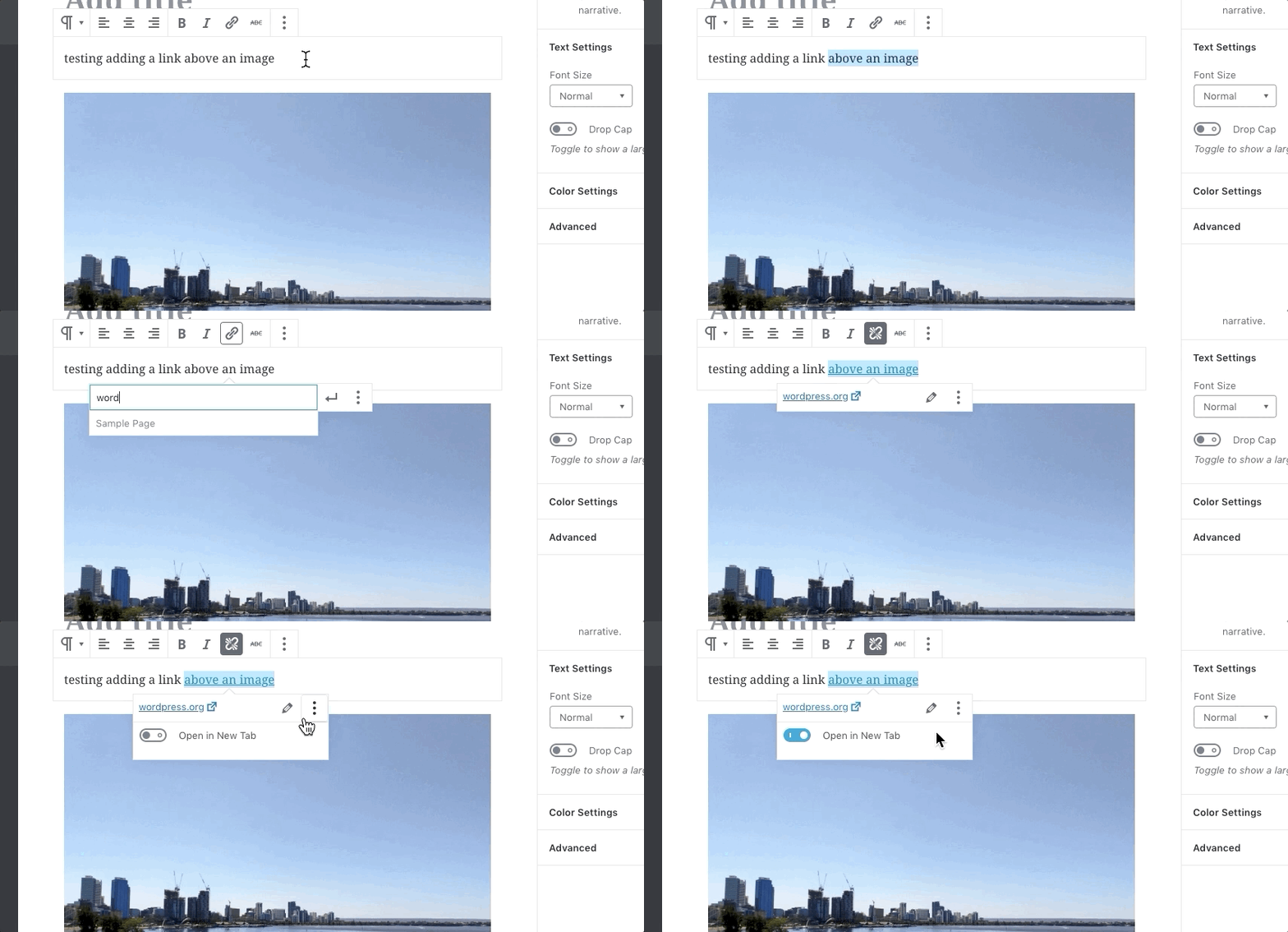
I just make some tests and this is a problem from Gutenberg, if you want you can test it with a standard WordPress theme -> https://github.com/WordPress/gutenberg/issues/20942
Most probably there will be soon a fix for this.
Thank you!
 haykdigital
 I figured it out
For anyone else wondering:
1) Go to Mobile Theme in the left sidebar of the theme panel
2) Click on the “Mobile Ads” collapse (NOT Amp Ads)
3) Drop your ad code there, they work similarly to the desktop ads section
(I used examples from here: https://github.com/ampproject/amphtml/blob/master/ads/a9.md )
That’s it!
If you want to see an example of this, check out my article here:
https://www.hayksaakian.com/best-capture-cards-for-nintendo-switch/?amp
haykdigitalI’m trying to use Amazon’s A9 (Native Shopping) ads on my site, and it seems like the AMP Ads box only supports AdSense (see screenshot)

A9 does support amp — see here: https://github.com/ampproject/amphtml/blob/master/ads/a9.md
Besides this box, is there any other place where I can add code into all my AMP pages? (Similar to the normal Ads interface in the theme panel)?
Are there any work arounds to support this?
Calin Hi,
This can be done only with custom css, because the Gutenberg editor do not have an option for it -> https://github.com/WordPress/gutenberg/issues/4543
-> https://i.imgur.com/kUabS9J.png
.post .wp-block-button.td_btn_large .wp-block-button__link  {

 font-weight: 500;

}

.post .wp-block-button.td_btn_large a:hover{

  background-color: #f2e85b!important;

}
The code need to be set in theme panel> custom code> custom css.
Hope this will help you!
Thanks.