
- TutorialsFrom WPBakery to tagDiv Composer
 Marius
 Hello,
Add this code
global $more;
$more = 0;
like here: http://screencast.com/t/ad9QqWJmyH
Thanks for the message!
Marius Hello,
You have to create a homepage, we have some presets in visual composer http://screencast.com/t/0IIZ42ICF
Also here we have a tutorial showing you how to make a homepage. http://import.tagdiv.com/newspaper/doc/#homepage
You can make you homepage like you want using page builder.
*If you have deleted some pages, that pages should be in bin http://screencast.com/t/HXN12yat
Thanks for the message!
Marius Hello,
Is like that because you use the boxed version. You have a color selected for background in Theme customizer.(black color)
Thanks for the message!
 joventu
When I use the hompage-bg-no articles list page template I do not get the background image to display as it does on demo. It only wraps around the slider. Here are the 2 screenshots for them:
 Angie
AngieHi,
I installed the newspaper theme on a test server to try and it did display several homepages to choose from.(there were up to 4 at least, I believe)
When I installed it on my website, none of the homepages to select are there.
I went to my dashboard > reading > to select pages, but it does not show any (except the ones I already had)
I am unable to set any of the choices as my front page?
I may have accidentally deleted a homepage years ago, so
I re-installed my wordpress version, in case there was a problem in my index.
But that has not helped.
How can I get the missing homepages, please?
 alexeeev
Hi,
I’d like to use @Homepage with the article list@ for my HP.
But if I choose “module 1” layout for it, all articles are shown with full text.
Meanwhile, If I use “module 1” layout for category pages, I see posts with excerpt and read more button. Is it possiple to make the same with “module 1” for Homepage.
What code to change/add/modify for it?
P.S. module 7 layout is impossible to use because it doesn’t show pictures in excerpt.
 davidgould30
 1. for the date you will have to change the wordpress language. – How do i do this and will it switch from english to french each time?
2. Done
3. When i paste this code in to change the ‘Latest Article’ on homepage [:en]LATEST ARTICLES [:fr]À la une , it just displays what i have put in so the translation doesn’t work?
4. How do i do the code, like this? ‘button’ => __td(‘[:en]Follow[:fr]Suivre’),
5. Use the panel? What panel? I need to change the next and prev to French. How would i do this in this code? ajax_pagination=”next_prev”]
6. I think i’ve got this!
Thanks for getting back to me. I look forward to hearing from you again.
David
 Radu
Radu Hello,
you can change the theme color from theme customizer: http://screencast.com/t/eYxiKtweBh
or you want just on sidebar? – that would need custom css code.
edit the homepage using visual composer: http://screencast.com/t/VXSXVorL6Kx
and
http://screencast.com/t/8ZcEQcnH
Hope this helps 🙂
-
This reply was modified 12 years by Radu.
 Daniel Finch
 Can I get an update on this issue please?
 webpaid
I installed W3 Total cache and activated but now none of my category background images display nor does the homepage bg image display.
Any ideas?
davidgould30Hi, hope you can help.
I have managed to change certain widgets to a different language but some still aren’t changing. The things that I need to know how to change into french are;
The date at the top
Menu bar
Latest article (homepage)
Like and follow buttons (homepage)
Page pagination (homepage)
On the featured page, things like ‘Featured’, ‘date’ etc
Do i need to change code in the .php files or do you know another way to do this?
Thanks
David
RaduHello all,
I will periodically write here a new thread where we can discuss what will be implemented in the next versions. In addition to the small fixes and improvements we have some very big updates that will come in the long run.
Please know that we are working full time and we dedicate all of our attention to this theme and to the support.
We are now working on this:
– fix the sticky posts – on the homepage loop since update 1.7 they are missing.
– the new adsense code
– text color for menu option
We are also investigating and we want to implement if it’s possible this:
– color themes on each category (the theme will change it’s entire color theme when you are on one category or on posts from one category)
– a system that will remove duplicate posts everywhere – in response to this thread
Research:
In the long run we are working on a new panel system. It’s still in the early stages of design but we finished the requirements and a basic framework to work on:
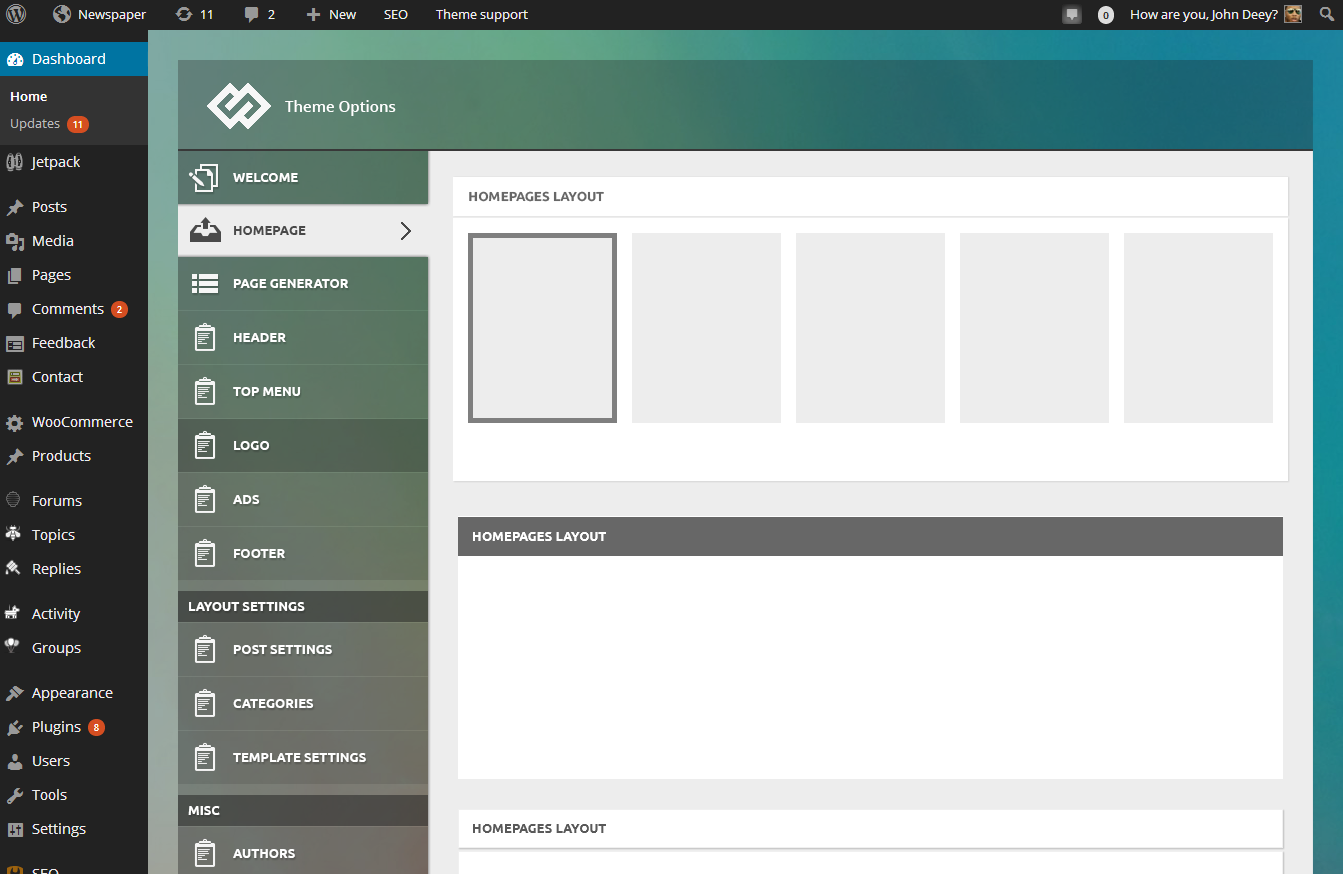
We will use this panel on all of our products from now on and it’s designed to work also with Newspaper. This panel will take us at least a month to be finish and it order to make it compatible with the Newspaper theme I think we have to redo the ads section of the theme and the category settings section but all the other settings should be easily be moved to the new one.
Besides this we also do some interesting stuff to push the limits of wordpress themes 🙂 stay tuned.
Marius reply via email
Daniel Finch Safari Version 7.0
OSX Version: 10.9
Radu Hello,
I’ve tried the site on safari in mac and it seems to work: http://screencast.com/t/ZPfknaDCXInq . What version of osx and safari do you have?
I will continue to investigate this further.
 Kaskarino
 I edited style.css and it is fixed now, but still it’s not a very nice. Maybe you should add some margin. I usually use Tiled Mosaic and it is very nice, but this time every pic should had the same dimensions.
I will send you login and pwd to check the issue with the empty row. Be careful.
Thanks a lot.
webpaidThe sidebar ad and inline post ad are not displaying anymore. They used to but after adding more ads for the responsive options and other devices they stopped showing.
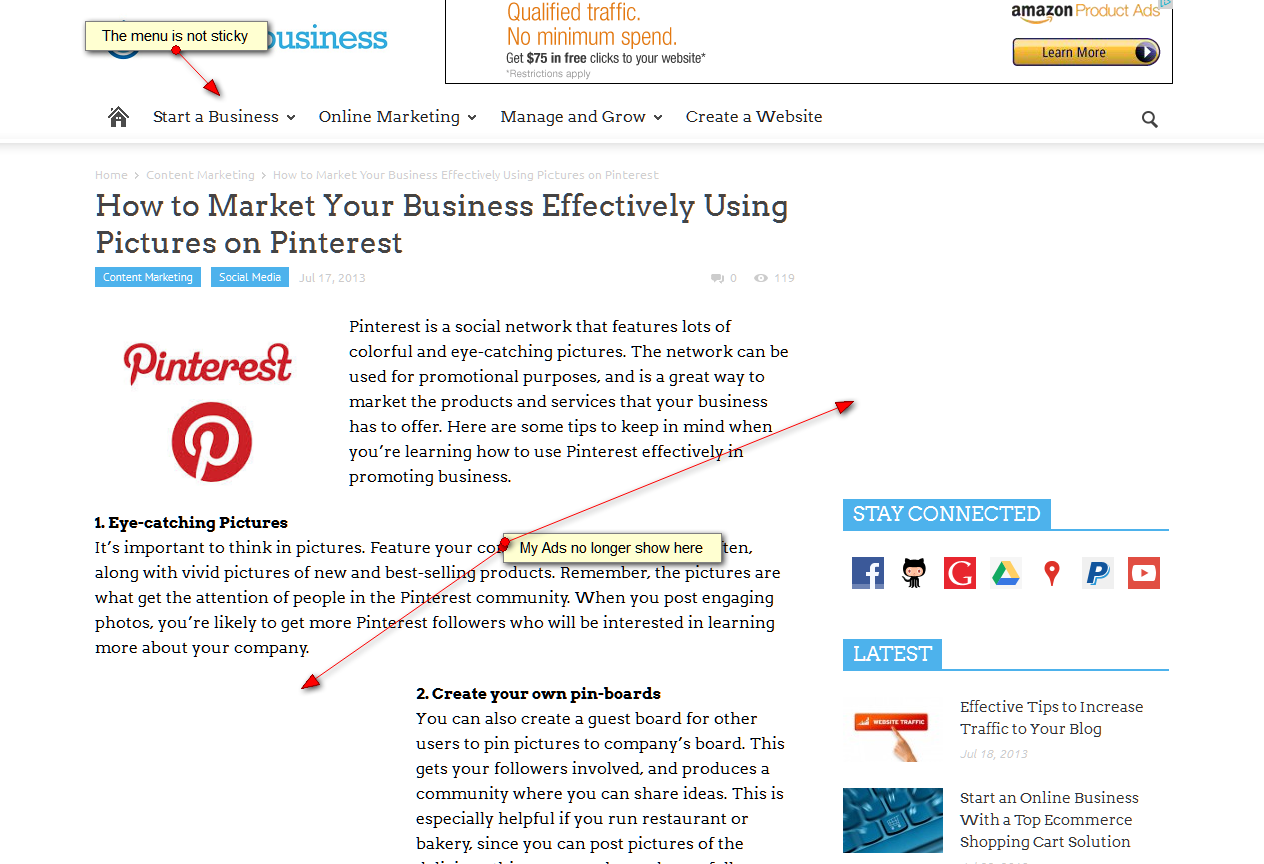
link to screencap:
http://easycaptures.com/fs/uploaded/832/0599636491.png
Also, have 2 other issues. Menu not sticky (where is this option) and homepage slider background image not displaying.
 acharya_vaddey
Hi Guys,
I am adding the images to individual posts, recent posts are reflecting on the homepage(Very good), But the images are not appearing at all.
Please have a look at it here.
http://www.tutorialindustry.com
I have tried Regenerate Thumbnails plugin successfully. still no luck.
Thanks in advance.
Daniel Finch The background isn’t showing on Safari: http://pbrd.co/ImziwR
I have also tested it with Chrome and it works there. Must be a bug?
Marius Hello,
Edit style.css and delete this lines http://screencast.com/t/4LlFtIkCFd66,
Also if you want use Tiled mosaic from jetpack is a nice gallery feature instead of square.
About empty rows could you provide access to your wordpress to see the issue. Send via email at contact@tagdiv.com
Thanks for the message!
Marius Hello,
The sidebar settings from page http://screencast.com/t/ZzwRNhNqOt1q work only on default template http://screencast.com/t/dGmo787lIh2M that is with sidebar and title page default
or
on this templates with article list http://screencast.com/t/kmpUyRnJ6GWw
Here are some diagram how the templates work scroll down on point 2 http://import.tagdiv.com/newspaper/doc/#homepage
here is a screenshot: http://screencast.com/t/ycplns85VzBe
Thanks for the message!
webpaid Thanks for the reply Marius. I emailed you with more details. I suspect there’s either a configuration mistake or a small bug. My site now displays 2 big sliders and I’m sure I did not add a new one.
-
This reply was modified 12 years by
webpaid.
Marius Hello,
@snowwatchGB do you mean about this background? http://screencast.com/t/K7BmXV621V it is on the homepage to.
@webpaid i see you use a template with bg. That have the big slider automatic inside of the background section (see template here: http://screencast.com/t/ulRp1oIOWq) the big slider missing from there because you don’t have featured posts (post in Featured category, this posts will be on the big slider)
Thanks for the message!
Marius Hello,
The don’t miss section is just a block from pagebuilder with title DON’T MISS, you can set that block like you want, just edit the homepage and edit that block http://screencast.com/t/vtGkL5rmk
Hope this help.
Thanks for the message!
webpaid I have a similar issue. My background shows but only partial:
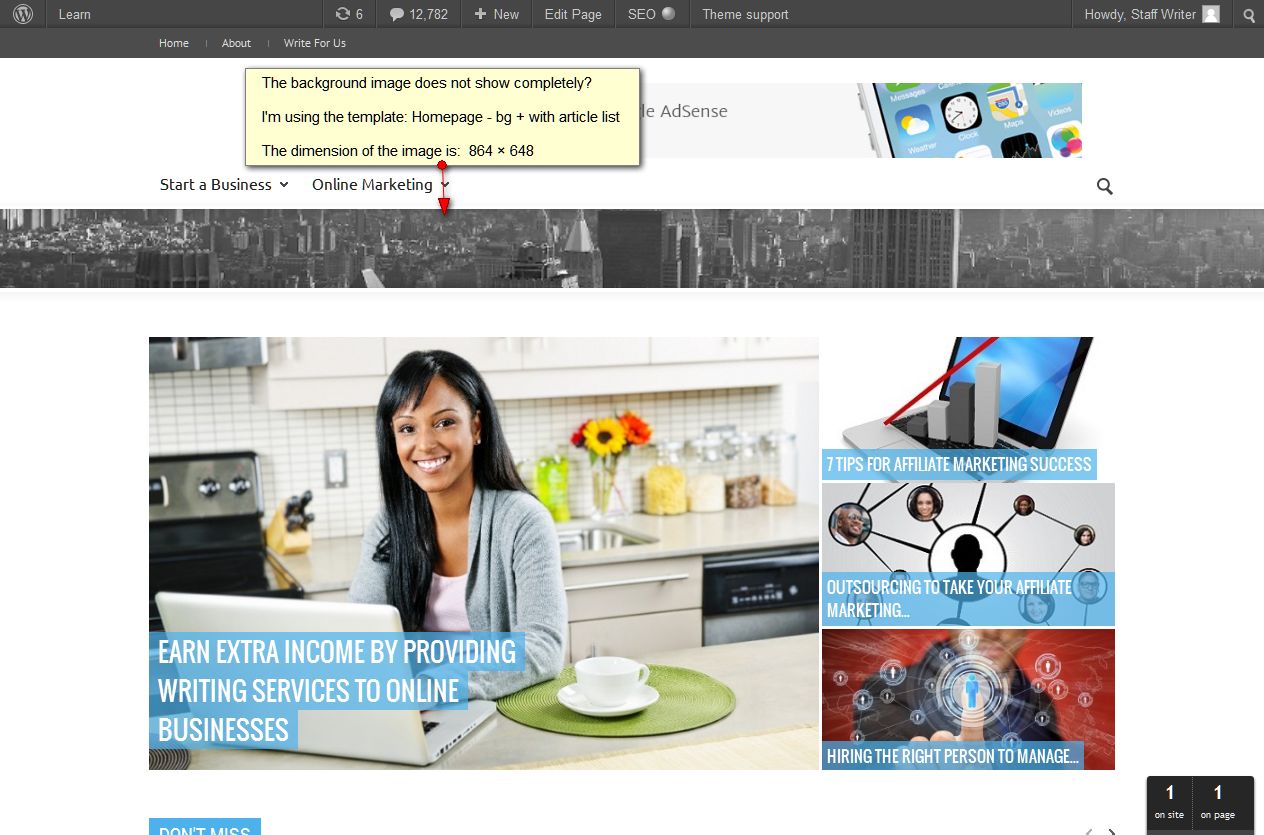
link to screenshot:http://easycaptures.com/fs/uploaded/831/3213183943.jpg
