
No search results were found in Documentation!
 Romi
Romi So I can’t have logo and header without Cloud Library and without Composer?
RomiIs that possible? If it’s how to have header logo and look and also want to use TagDiv Composer.
 Anamaria
 Hi,
This is just a notification that doesn’t disappear, but the update has been made. It will be resolved in the next update.
I want to ask if you use elements from Opt-In. After a brief review, it seems that you don’t, but you can deactivate the plugin.
Also, I see that you have the mobile theme plugin, and here the logo is displayed, but if you want to have the responsive version please edit with tagDiv Composer, select the viewport on phone, select the header logo and change it => https://i.imgur.com/cR7F0v4.png https://www.youtube.com/watch?v=HXQQygkCCJo -> https://forum.tagdiv.com/add-logo-newspaper/ delete the text or svg code and insert your logo.
Thank you!
 tsorin11best
Hello everyone!
I have the website https://www.stiripebune.news/
Here, on this website I use the Newspaper template. I cannot update tagDiv Opt-In Builder. I mean, I update it, then instantly get a message to update it.
Here is the message: “There is a new version of tagDiv Opt-In Builder available. View version 1.6.1 details or update now.”
Then, I have a problem with the mobile version. On the top left, I see Town Talk logo, not my logo. Even though I already uploaded and selected MY logo. I also see a symbol on top right that should not be there. And if you click it, it redirects you to a 404 page.
 nameispasha
https://pankajsharmafilms.com
it shows the mobile theme version with no data or posts, just pages in the footer. and about us and follow us text on the front .
last night was working fine.
I tried it on other systems, browsers, and smartphones. but it works in the browser I am logged in.
Note: it shows the logo of “Newspaper: Discover the Art of Publishing” logo on the top header section near the search icon
 gidantrip
 it doesnot work. If I select beyween title e tagline the logo disappears
 Bettina
 Hello!
No. You should edit the homepage with the tagdiv Composer, click on the logo and hide the SVG: https://app.screencast.com/wMZWUSbbzCaJq
You can add the logo there in the General tab of the header logo shortcode.
Thank you!
 cnbmedia
My site is projectinsight.com.au. I have followed the themes instructions, but cannot get the header logo to change. I see it works on my mobile but not on the computer. I have cleared my cache and that didnt help. I loaded the logo to the Newspaper > Theme Panel and the TagDiv Composer panel, but it still doesnt change.
Please help. Thanks.
gidantrip logo is an image
Anamaria Hi,
You can have different ads in every post/article if you use a different template for each post/article. If you want the same design, you can duplicate the templates.
Check this topic: https://forum.tagdiv.com/topic/different-logo-in-categorypage/; The same steps are to duplicate any template.
Thank you!
Anamaria Hello,
Please let me know if the logo is image or SVG, you can use this option but please make sure that you add the logo text -> https://i.imgur.com/YXPGf9w.png https://i.imgur.com/GXfKZsF.png
Thank you!
gidantripHello.
I use tagdiv custom header.
On desktop is all ok, on mobile I need to show a simple text above logo but it appears only logo and hambuger menu.
its possibile to do that?
 Calin
Calin Hmm, it looks that you are using the mobile theme plugin and this was why the general code was not apply.
From what I se now you’ll need just one small edit, please add this css :
you can add the width in this code
.td-main-menu-logo img {

max-height: 100px;

bottom: unset;

width: 100%;

}

#td-outer-wrap .td-header-wrap {

    height: 100px;

}
This should make the logo look the same as on desktop.
 baldodavi
 Ok working on the other part of customization, the Mobile Theme -> Custom Code, I obtained some results using this code:
.td-header-wrap {

    height: 90px;

}
.td-main-menu-logo img {
max-height: 90px;
bottom: unset;
}
#td-top-mobile-toggle, .td-search-icon {
display: none;
}
Not perfect but a big step.
Thanks,
David.
baldodavi Calin,
thanks for your answer.
I hope in a customization without code: customize logo using css is really hard and involve some other part of HTML and a lot of work. Your code does no changes.
About the second part seems your code, no changes again.
Can I try something else?
David.
 sparky263
On Desktop and Tablet Portrait views, logo fills width. but on Tablet Landscape its tiny. All settings seem to be the same. what’s wrong? Images below:


Anamaria Hello,
Please check with the tagDiv Composer and disable the H1. For example, H1 from logo(header, footer, mobile, sticky): https://forum.tagdiv.com/topic/6-h1-tags-on-front-page-bing-have-deindexed-my-site/
Thank you!
Bettina Hello!
You are using the mobile theme, and the logo text is black, the same as your mobile header color. Either change the logo from the theme panel or uninstall the mobile theme and use the other two mobile versions:
1. Responsive version: A responsive version of your website looks similar to the desktop version. TagDiv Composer is used to edit the page. Click on the mobile viewport: https://www.screencast.com/t/XDQJedlggSB. There, you can see your mobile version and edit or adjust the elements to look better.
2. Mobile pages: https://tagdiv.com/newspaper-10-3-7-update-brings-customizable-and-fast-mobile-pages
Thank you!
Calin Hello,
The mobile logo can be edited only with a custom css, you can try this code:
.td-main-menu-logo img {

    width: 150px;

}
The code should be set in the theme panel > custom code> advance css > phone section.
TO hide the mobile and search on mobile you’ll need to use this custom css:
#td-top-mobile-toggle, .td-search-wrapper {

display: none;

}
The code should be set in the same place as the first one.
I hope this will help you!
 simchris
 Google News is not social media … it’s a news aggregation site. There is no Google News logo in the theme social media panel; you’d likely need to make an SVG for that or edit the font file used for them and add that in yourself, then edit the code to add that icon to the layout. Sorry, I don’t work here. You would likely need custom coding work done to add that element. Or, again, modify the icon font with one of the websites that allow that to add your own SVG of a Google News icon, if such exists; very much NOT common on websites.
 infiworld
Hi,
We are using theme on the URL “https://karunadasuddi.in/” logo is not coming after selecting in theme setting also. Kinldy update logo in Drop down menu, mobile menu..etc
 Jabed
JabedI’d like to customize my sites 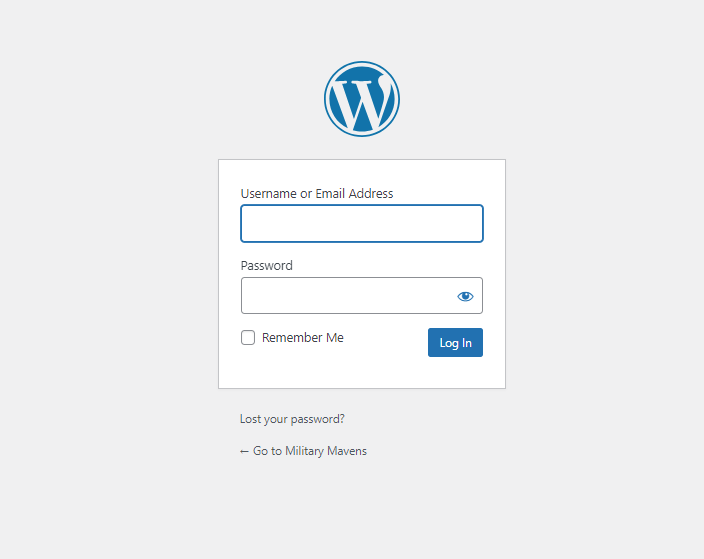 . I want to remove the logo of WordPress and add a new background image. Tell me how I can do that.
baldodaviI’m using my logo, dimension 544×187, loaded om WP.
Is there a way to have a bigger logo in mobile view?
I’ve disabled also search and menu icons but they continue to be showed on mobile, but not when I use desktop browser in mobile mode. Is there something I miss?
Thanks in advance,
David.
Bettina Hello!
Check in the TagDiv Composer and disable the H1. For example, H1 from logo(header, footer, mobile, sticky): https://forum.tagdiv.com/topic/6-h1-tags-on-front-page-bing-have-deindexed-my-site/
Thank you!
 LitRejections
 Hi Anamarie
As mentioned, when I add the link to that field it never saves. Deletes any link I put there for any logo. Buggy



