- TutorialsFrom WPBakery to tagDiv Composer
- TutorialsWhat is Ajax preloading?
 Mercuriel
Hi there,
My sticky mobile menu has an issue just on mobile phones in which it’s right-hand side is full width even though the CSS code is supposed to stop it doing that. The CSS code works as well because, when I view my website from any width below 767px on a laptop, the sticky menu is not full width and looks perfect. It is only when I view my website on my actual mobile phone does this right-hand-side sticky menu problem occur. Any ideas?
MercurielHi there,
When viewing my website from my Android Motorola Phone that uses the Google Chrome app, the colourful background image jumps when scrolling down from the top of the page. Once it jumps (a white box appears at the bottom of the screen then it resizes the photo) it then works as it should and stays fixed & static as you scroll down.
Is there any way to stop it from jumping at all?
Chris
 slavamatador
I use Newspaper Black Version, but i install tagDiv Mobile Theme and it change all background to white? i want all in black. Where i can change to black? http://prntscr.com/i6330v
and i need to remove that “О НАС”http://prntscr.com/i6339s
 tariqrana
 Kingx26
Hello,
I have 2 questions.
Question 1: what is the proper image size ratio for the Tagdiv composer single image element so that whether it be on mobile, tablets, or PC the image will fit and not be cut off? I have to give an image wired sizing just so that they can fit, therefore some look strange and disproportionate on the different platforms.
my site: https://www.techsiting.com/best-processors/
question 2: How do I increase the text of post titles on pages such as home, guide, and so on? if you look at my homepage below, the tiles and text on the page are too small. How do I increase them?
my site: https://www.techsiting.com/
 Catalin
 Hello Pradeep Augustine,
I have checked your website in mobile mode and the category is there as you can see here
-> https://www.screencast.com/t/5gRbpWVgMLkN Try again the code for your desired category, clear all the caches and check the results.
Thanks for your understanding!
 Simion C.
 Hi,
Indeed there seems to be an issue on responsive mode and mobile. I would suggest to check the raw HTML element contents, make sure the code is valid and all the tags are closed properly.
Check custom code if used, this can affect column behaviour as well. The middle column seems to be affected by something, as it looks like this
– https://www.screencast.com/t/CXqIcEmkzb
While the following column looks like this actually
– https://www.screencast.com/t/PNj4oyEoPXdX
Try removing the raw HTML element and check if the issue still happens.
Thanks
Simion C. I don’t recall page builder shortcodes working in the mobile theme as you mention. The solution does work, the same content from desktop will appear on mobile devices, if the mobile theme plugin is deactivated.
In that case the mobile menu bar and other menu color settings can be made here
– https://www.screencast.com/t/frwnJxOY
If the setting does not work, please set the color you want and provide a link to the website so we can inspect it. Also on mobile a different logo can be displayed
– https://www.screencast.com/t/Pk5KLjfs
Set the logo you want to appear on mobile there, or the default header logo will be shown.
The mobile theme was created to eliminate the use of page builder elements, thus increasing performance. If the page builder elements could be used, there would be no point to use the mobile theme in the first place.
Thanks
 Pradeep Augustine
 Hello, Thank you for the reply. As i mentioned the Mobile plugin is active. The code you have sent works fine when the mobile plugin is not active. When the mobile plugin is active, I dont see any category class. Only .td-post-featured-image is available. When I target this class and hide, it is hiding featured image everywhere. I want it for the posts in particular category only when the mobile plugin is active.
 jpprods
Hello,
The thumbnails and tiles are not clickable in the red section on our website using a block 13 (see picture below) on mobile or when resized on desktop. We use two block 13 in that section, the second block works fine.
Must be a css issue, but can’t seem to pin-point the culprit.
Any help? The url is https://www.lemauricien.com

 Prajwal Desai
Hi,
I have got some feature requests, could you please look to add them in upcoming updates.
1) AMP theme and ads – Currently AMP plugin by automatic doesn’t display ads, could you come up with a new AMP plugin and allow us to display ads(more like a mobile theme plugin which you have).
2) Message box/ alert box + custom list shortcode – I know we can display a neat message box using custom css code. But if you could add it under shortcodes dropdown options (where buttons, dropbox and other shortcodes) are present, it would be great. Something like this –
https://snag.gy/8bdvku.jpg
https://snag.gy/PJnDwj.jpg
3) Ability to style quotes – Is there a way to set background for quotes ?. Something like this –
https://snag.gy/va4PHe.jpg
4) Ads on/off switch – Can you create a option to turn off ads for whole site at once ?. Currently one has delete the ads from all the locations > save to see how better website works with / without ads.
5) Adblocker detection – Can you add a feature where the website reports that adblocker is detected and one has to disable to view the site.
6) Post update date – Can you add an option to show post last updated date ?. I am very sure the current workaround of replacing the code doesn’t work well.
 thetruongceo
My website http://peergopeer.com/. This website error in mobile. Because plugin tagDiv Multi-Purpose. Please Help me.
Thanks.
Simion C. Hi,
On mobile there is no space to display the background, like on desktop. So the background has no where to display, the content on mobile devices occupies all the available width.
Thanks
Pradeep Augustine Thanks for the reply. I meant the featured images on the posts that belongs to a particular category in mobile theme.
Simion C. For me the Like is displayed in English, I have tried to change it as you mention
– https://www.screencast.com/t/08G6z680X
Seems to work on desktop – https://www.screencast.com/t/mrsklJspC
And on mobile as well – https://www.screencast.com/t/UZ7behFArict
Code entered in the theme panel will be saved in the database, so this is considered a safe way to use custom code. It will not be lost after a theme update.
 maismeh
 but I bought the same theme about a year ago as well – and in that version it works without problems when I put in the composer-code on several pages. I was wondering why it does not work anymore. In the old version there where also more options with several fields.
your solution does not work: When I deactivate the mobile theme I have several troubles on mobile: first of all I cannot define the background color of the mobile header. It is black in the desktop version but white in the mobile version and with a white logo – that sucks. second the menu does not work before the page is fully loaded.
I cannot build every page two times – thats really not practical. Please don’t give me the “leave us alone answers”, rather than some constructive tipps. It worked already, so you can make it work again I guess. Or tell me how to deactivate the mobile theme only on several sites.
 Bogdan B.
 Hello,
Yes indeed amp implementation in our theme is on they way, but for the moment i can;t say for sure if it will work together with the mobile theme or not. It is still in development and a final decision was not taken in this regard.
I’m not sure what featured images you are referring to for categories though. A category does not have a featured image in our theme. Please provide an example of the immage you are referring to so I can provide the proper code.
Thank you!
Simion C. Hi,
Page builder shortcodes will not be interpreted on mobile pages, they are not meant to. You can simply deactivate the mobile theme plugins if you want to display page builder content, it is optional to install it.
The mobile theme is meant to be used if you want to present a different and simpler version of the pages, and website all around. The page content is limited to the MCE editor and it’s capabilities. More about the mobile theme here
– https://forum.tagdiv.com/the-mobile-theme/
Thanks
 Alin [tagDiv]
 Hi,
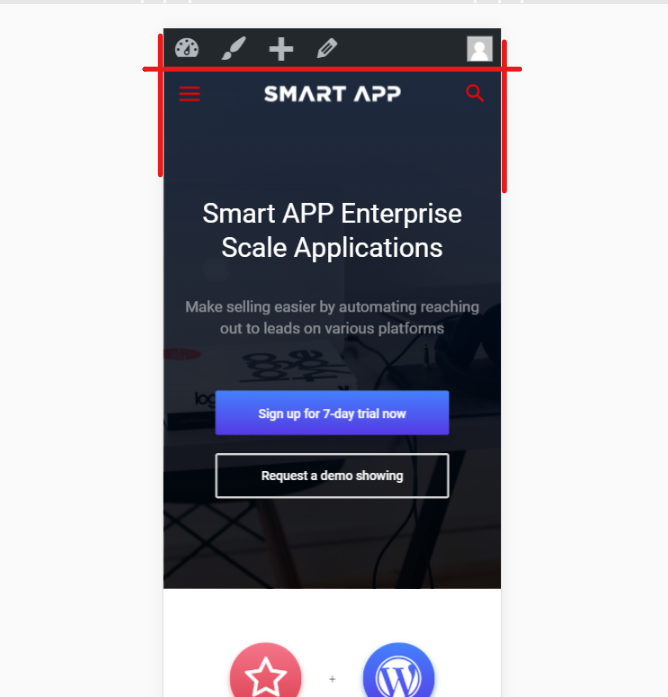
Please provide your site url and let me know which the issue is. Do you want to change the transparent(Smart App color for mobile menu) background color to black?
Let us know.
Also please change your one star rating provided, to a better one.
Thanks!
 Colleric
Hi! I wonder is there any option for my background image, which is also an AD to be visible on mobile phones?
 m2sahin
https://i.hizliresim.com/1JrZqp.png – my settings
https://i.hizliresim.com/bBYEz8.png – smart app demo settins
I did all the settings like in the demo but I look different. I didn’t find the right setting. help please.
note: The main slice is not English. If I speak rude, I apologize.
Catalin Hello agidulyan,
Please notice that the Viber and WhatsApp are available only for mobile devices. Let us know if you want to be visible these social networks for the desktop version. You can enable it from custom CSS code.
Thanks for the message!
Simion C. Please provide a link to your website so I can see the issue and inspect it, the code should work on both desktop and mobile. If you use the mobile theme enter it in the mobile theme custom code dedicated section as well.
You can add any code in the custom code sections of the theme panel, in the child theme stylesheet or directly in the theme stylesheet.
Thanks
Pradeep AugustineHello I have recently started using the tagdiv composer and deleted visual composer. Currently the mobile theme is active. How to hide the featured image displayed at the top of each pages for a particular category. I’m looking for a simple CSS solution. I hear that the official AMP plugin will be released soon. What about the mobile plugin after that. Is it mandatory to use both the plugins or just the AMP. I have another blog that requires AMP support. Can I wait for the official AMP plugin or the official AMP plugin?
Thanks in Advance.
maismehHi!
I created a page with the visual composer and want to place the html-code of the regular page in the mobile editor. but the code starting [vc_row][vc_column width="2/3"] is shown on mobile – like several code fragments as well. and a lot things are not shown at all – doesn’t matter how simple the site is.
how can I fix that?