
- TutorialsFrom WPBakery to tagDiv Composer
- TutorialsWhat is Ajax preloading?
 Calin
Calin The mobile page template can be also used on cloud templates.
Yes you can use the WP Rocket with the WP Super cache, but, you need to clear both caches.
Calin Hi Funjaan,
Do you want to use the mobile theme plugin? If not, just disable it and use the responsive version. Then the same layout from desktop will also be displayed on mobile.
Using the mobile theme plugin you need to make some settings form it in the theme panel, here is our guides for it.
-> https://forum.tagdiv.com/mobile-theme-introduction/
-> https://forum.tagdiv.com/the-mobile-theme/
Thank you!
 kimstipguide
 Calin
thank you.
You need to create a new mobile menu.
Does the first start start with a blank screen?
(Are you currently working on the mobile screen separately in cloud templates/Header Template 15?)
Please explain the most basic starting point.
————————————————————————————
Yes, I managed to catch it -> https://i.imgur.com/TaHGlxt.png
Normally that auto ad should have been positioned either above or below the mobile header.
What I can recommend is to change the structure of the mobile menu, please try those settings -> https://i.imgur.com/BgkCwwK.png drag the menu, logo and search elements and make sure that those are set inline -> https://i.imgur.com/3tbCnoj.png after that use this option on column -> https://i.imgur.com/tHPav1h.png
————————————————————————————
after that
As above method,
It looks like we should move on.
Thanks for the always great explanation.
 gc2522734
Hi,
After install 11.4.3 version our mobile site (not AMP) speed decreased. Though desktop version version working fine. we trying to dubug and got the result- https://prnt.sc/lw9orwoyZF1j
Now we removed few ads code to maintain the speed. Though this is not the solutions. Newspaper previous version was right when we got 34-40 speed (mobile version) on google page speed checker, but now its 8-15. our website link- techgup.com. please check the issue and solve it
 benjaone1
 No,
I would like to add 2 images to my mobilemenu with CSS. One image on top and the other one in the bottom of the mobilemenu.
Thanks
 mikej
mikej I figured my issue out mate. I amended my mobile menu styles under Theme Panel > Theme Colours > Mobile Menu / Mobile Search.
Even if you have settings applied try hitting save again to force them through.
-
This reply was modified 4 years by
mikej.
 Archerix
Need some help, there is something that I’m probably missing, I’m trying to move from the standard header to the cloud Header template default pro (trying to control the showing of ads on mobile since the bug), but I can´t get the same look as you can see in the screenshots, I can’t stretch the menu bar to the width of the page, showing tow black spots
How can I edit de Default pro to get the same look?
Live website
https://www.otakupt.com/wp-content/uploads/2022/04/Untitled-8.jpg
Edited Cloud
https://www.otakupt.com/wp-content/uploads/2022/04/Untitled-10.jpg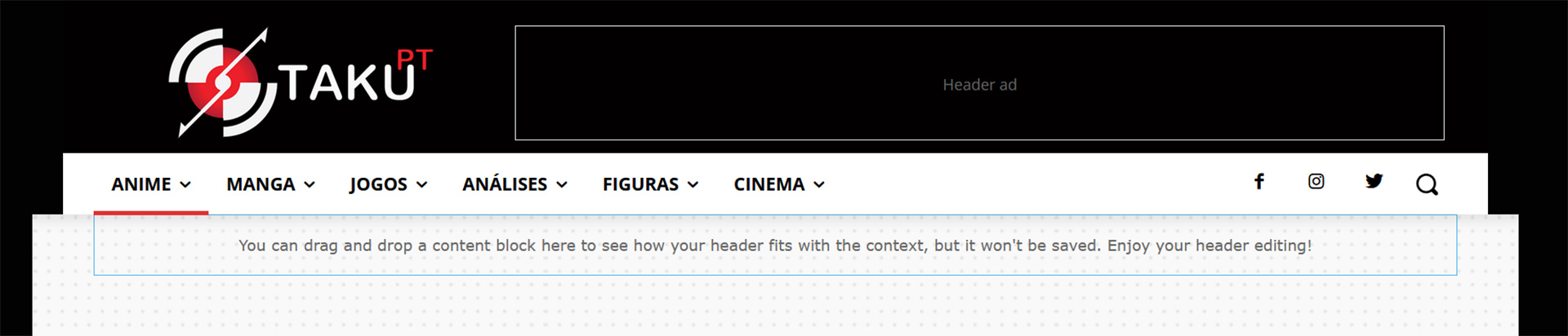
mikej Did you have any luck with this Jtoney? I’m having the same issue. Can’t seem to see where to modify the mobile menu colours or text
-
This reply was modified 4 years by
 Nickolas Combatente
 yes, the mobile page is set only to homepage, have problem in doing that?
i allready removed the images it was assigned in theme panel and im gonna do all the tests.
doing this small changes improve the speed, but is not greater yet.
one question i can use WP Rocket with WP Super Cache together?
 jtoney
Looking at my website which doesn’t have separate mobile themes, when I select the menu I see a color that I don’t have selected anywhere in the platform. Where do I adjust this? Its the same red color under search when I click the search icon. Any ideas?
 Funjaan
 Thanks Bettina, I checked and all is set to RTL Newsmagazine.
All Post on desktop is showing correct theme, but on mobile its showing the old theme.
I went to one of the posts on desktop, clicked on edit then I find as per below edit mobile theme, once I click on it, i find the old theme. How to set the RTL newsmagazine for posts for mobile
 Bettina
 Hello!
Please check if you have the Mobile Theme plugin active and uninstall it.
Thank you!
Funjaan Hi Bettina,
Thanks for your time checking my post and providing your feedback.
Well now the homepage is working perfect on mobile, it seems it took some time for clearing the cache and getting the new homepage. And frankly I don’t know which change i made that did the trick 🙂
However now the posts is still using the old theme, how I can set the posts to show the new theme.
Thanks again for your time and support, it is appreciated.
 alessandrogini1
Hi there,
after I’ve updated the theme to its last version the mobile version has completely changed from its original design.
this is how it should be: https://snipboard.io/zHmLFB.jpg
this is how it looks: https://snipboard.io/NlDInL.jpg
website: https://up4business.it/blog/
From the theme editor everything seems be working just fine.
Any clue about how to fix this?
thanks
Calin Hi,
Yes, I managed to catch it -> https://i.imgur.com/TaHGlxt.png
Normally that auto ad should have been positioned either above or below the mobile header.
What I can recommend is to change the structure of the mobile menu, please try those settings -> https://i.imgur.com/BgkCwwK.png drag the menu, logo and search elements and make sure that those are set inline -> https://i.imgur.com/3tbCnoj.png after that use this option on column -> https://i.imgur.com/tHPav1h.png
I hope this will help!
 internath
 Hi
It’s ok now.
I think that the problem are whith the plugin mobile theme.
I have reinstall the Mobile Theme plugin and noxw it’s ready
Thanks
Calin I see. Is the mobile page set only on the homepage?
I see that there is an image that it was deleted but it is still assigned in theme panel or in page -> https://i.imgur.com/bUFFnYZ.png please check this section -> https://i.imgur.com/0lh176B.png
If you want to adjust the current mobile page you can do it by setting a small image size for flex blocks featured images -> https://i.imgur.com/CZ0d4LI.png
Use custom fonts and not google fonts -> https://forum.tagdiv.com/font-customization/
Can you remove it and check to see the results? Also, I think that I founded some guides with Wp Rocket plugin(most of users said that there was no need for a mobile page or mobile theme plugin), if you want you can make some testes:
-> https://www.xtechkr.com/optimize-newspaper-theme/
Calin Hi,
Can you please let me know the settings that you have made for amp?
From what I see in your screenshot, there are some errors with the amp structure, maybe you have some extra plugins that are interfering or something is not set correctly. Do you use the mobile theme with amp or for amp?
Can you make a test using only tagDiv plugins and amp and test the amp posts?
-> https://search.google.com/test/amp
Thank you!
Bettina Hello!
Please check this topic: https://forum.tagdiv.com/topic/cannot-edit-mobile-menu-sticky/
Thank you!
 hobnobmediaventures
 i think mobile page open in pc browser there for this issue happend
Bettina Hello!
Please try to reinstall the Mobile Theme plugin, clear the cache and let me know the results!
Thank you!
 tgarmon032071
 Thank you I have tried this with no success. If you go to https://hpatriot.com on mobile view, you will see three articles at the top. They are all in one block. The 4th article on mobile is the main story on the desktop page. I need this article to be at the top and the rest of the order is fine. Any help would be appreciated. I have like five or six licenses with this theme over the years.
FunjaanHi All,
I am sorry this might be a silly question, but I am not experienced in Newspaper themes.
I have created a new staging website to test changes before applying it to my live site.
I have successfully created the staging website and applied the new RTL NEWS MAGAZINE theme and it looks great, very happy for this theme.
However when I try to load the staging website from the mobile I don’t get the RTL news magazine theme I get the old theme, so i knew there is some settings that i need to apply. (I didn’t set the mobile theme design another developer did it and I dont want to contact him).
I tried deleting the mobile pages, enabling disabling the mobile page plugins, disable mobile theme at home page, but nothing seems to work.
Would you please be kind to check my staging site and let me know what I need to do to load the default RTL magazine on mobile.
Staging site URL https://funjaan.com/Fstaging
Note: I want all the pages to show the default RTL magazine such as homepage and posts
internath Hi
I Have update theme this day. But I have a problem with AMP and Theme Mobile…
For AMP you can see in Google search console
https://www.screencast.com/t/73QJ0SlD
https://www.pharedere.com/
For mobile theme I have post another topic
Thanks for help
internathHi
When I active mobile theme, i have a error
https://www.screencast.com/t/w4jGi1v8pU
System status
https://www.screencast.com/t/7nDucNRLa
Thanks for help



