
- ApiPractical example – How to add a new Block and Module
- ApiAPI – Smart Lists – Introduction
- ApiAPI – Category top section style – Introduction
- ApiAPI – Category top section template – Introduction
- Apitd_api_module::update
- Apitd_api_module::add
- ApiAPI – Modules – Introduction
- ApiUsing the Theme API in plugins
 kitojardimelba
How to show related post by modified date in mobile theme.
Currently it only shows related post by tag or category and only the most recent ones, but I want it to show by modified articles.
Wait for the answer.
Thanks.
 trispania
Hello,
Home page shows version mobile sometimes. It’s very strange, you can see screenshots below.
web: https://toreteate.com/
Normal Home: https://www.screencast.com/t/AsFpr2eb
Home mobile in desktop: https://www.screencast.com/t/UCV5KSZi5aB
Thanks in advance.
Rgds.
 rirakond
 Hi!
I removed all plugins those were not recommended.
but still i am facing the issue.
mobile theme is not working with on this domain https://banglaseba.com.
please the screenshots
not supporting mobile theme
https://ibb.co/XSpWRL2
plugin list
https://ibb.co/J7N0SPy
Thank you
 antonio flora
I’m trying to display an image in the mobile header, different from the other pages but when I insert the link in the visual composer custom after the save it removes it.
 fulrich101
I have some issues with the mobile site.
see feds.dk
1) The mobile site is showing up in the PC browser.
2) I then clear the chache to fix the problem.
3) Then the PC site is showing up on the mobile device.
4) I then edit the mobile site (mobile site –> edit mobile page with tagDiv Composer and then resave it.
5) The mobile site then shows up in my PC browser.
How do I fix this so the PC browser site shows up in the PC browser and the Mobile Site shows up on the mobile device?
 eksod
eksodHey, I’m ecountering some problems regarding my website when accessing it from mobile.
I accessed it on 4 different devices. On two of them the search icon is not placed inline with the header logo and menu icon.
Also, on 2 devices the font size for the article title is different.
How can I solve this?
photos: https://ibb.co/X8nwQRv
https://ibb.co/Xs4DvwY
https://ibb.co/d5wKdKr
https://ibb.co/42YtXcC
website: https://4thesouls.com/
rirakond Hello!
my website! Banglaseba
see the list of active third party plugins those i am using,
1- AMP
2- Easy Table of Contents
3- Jetpack
4- Rank Math SEO
5- Shortpixel Image Optimizer
6- WP Super Cache
I installed mobile theme manually. please see the attached screenshots.
https://imgur.com/Z376Y7Y
https://ibb.co/M5H0Hby
———————
If possible please let me know for image optimization which plugin should i use if not shortpixel?
and i like using rank math SEO.
kindly let me know if there is any problem from these mentioned plugins.

 SocietyN
I’m mostly used to building responsive websites where I build a desktop theme and the mobile resizes accordingly, with the ability to do small tweaks to make it fit better. But I see in Newspaper that you offer a Mobile specific option. Is this required? If not, is it suggested to use this? We messed around and built a rough mobile homepage but not even the color or the logo is the same. I just want some guidance before I go and build the site.
 Umut
UmutWhen Mobile + AMB is on
Mobile page design change, Ads work.
when its only mobile
page completely gone.
I want to set mobile + amp
how can I design perfectly ?
 dharma3d
I would like to have Social counter, or some other way of inviting people to like my FB, IG, YT on mobile homepage.
For example below first 3-4 grid articles on homepage.
Would that be possible?
 dannyscar
scarcity-studios.com
1 the social media block top right won’t save urls correctly
2 a “show full text” single column blogstream has appeared at the bottom of posts making page sizes massive
3 i can’t make the mobile header save a logo
4 sometimes, the mobile width homepage loads as a show-full-text blogstream again making the pages massive
this happens immediately on desktop view when i install the awful mobile theme plugin
 techydaemonofficial
Once I have created a mobile page for my website by going to tagDiv composer and then selecting “Create Mobile Page”. Although Newspaper has a beautiful light mobile theme for amp, since I have created that mobile page from tagDiv composer, whenever I load my website on Mobile – sometimes it loads in default amp mobile theme and sometimes in that mobile page created from tagDiv composer. I have already deleted the mobile page which I had created before. Please tell me how to stop that mobile page from loading in mobile, because I want only the default amp theme of the Newspaper to load.
 indochine
 Hi Vlad,
Here’s the one of links: https://preprod.splashmagazine.ru/bottega-veneta-%d0%bf%d1%80%d0%b5%d0%b4%d1%81%d1%82%d0%b0%d0%b2%d0%b8%d0%bb%d0%b8-%d0%bb%d1%83%d0%ba%d0%b1%d1%83%d0%ba-%d0%ba%d0%be%d0%bb%d0%bb%d0%b5%d0%ba%d1%86%d0%b8%d0%b8-wardrobe-02/
This issue is true for all post. I don’t use mobile theme and I’m not opting to. I set the font at Theme panel under the Theme Fonts settings.
 batuhanonair
Please help!
 grdevan
Having Logo problem while mobile post page. In Tagdiv editor showing correctly… but in actual not working it.
https://www.realitybay.in/article/grand-la-casa-villas-in-chandapura/
 Renu Bakshi
I am using Newspaper theme. I have put a Subscriber Form as widget on the top in the side bar. But as you know in mobile device the sidebar appears last, so most readers miss it. My questions are:
(i) What is the best place to put it on my wordpress site?
(ii) Does Newspaper theme has any it’s own subscriber form?
(iii) Should I use a popup subscriber form. While it will be noticed more by the readers, but I fear that my site’s SEO will be adversely effected.
Please advise. Thanks & Regards……. Renu Bakshi
Renu BakshiI am using Newspaper theme. I have been thinking of implementing Accelerated Mobile Pages on my wordpress website.But fear that I might do it wrongly. Please advise what precautions should I take:
(i) What should I do; and
(ii) What should I not do.
Thanks & Regards……. Renu Bakshi
trispania Thanks Vlad.
It’s good for normal text (text, image, etc) but if I copy/paste tagDiv code doesn´t work.
I can create a mobile version to my autores page (https://smilab.site/ocesar3/autores): https://www.screencast.com/t/Xgio18FpA
It assigned a mobile version to autores page: https://www.screencast.com/t/oTiLtygkQGnv
Mobile page is same content:https://www.screencast.com/t/nDH4HPoKL7E
But in mobile version only show content in mobile editor as you say. Any solution?
Thanks.
Rgds,
 Racesport
 Hi Bettina,
Been a while but we found out that the cache plugin on status enable will have affect on our mobile version of the website.
We have widget in use wich will be dropped to the bottom of the website when we have our cache plugin enabled.
We can give you access to our test environment but it is hidden for the outside world.
Is there an IP address we can add to our white list so you can have a look?
 Kaino
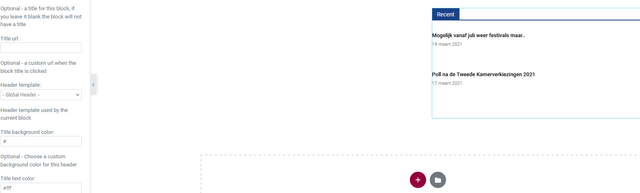
KainoOn a page in the elementor editor I’ve put a block which works fine, not showing the images in the editor but shows them live however the block header background and text color take the global color set in the theme or elementor.
So when I change the colors in the editor it shows but live it’s always the global colors.
I,ve check this on 3 different browsers, mobile, incognito browsers ofc with empty cache but the colors don’t change on the front end while when I change the color of a block header on the homepage made with tagDiv composer they will show up up after saving.
Could you investigate this?

 Revive the Netherlands
 In the post content. Youtube and facebook embeds are working fine.
If you uploads video’s straight from your libary/computer the width is to big. See;
https://www.revive.nl/dorothy-werd-na-gebed-door-god-genezen-van-zware-migraine/
With chrome devtools you cee see the mobile theme
 Vlad S
 Hello!
Can you please send us a link to your website ? This font is set on the whole site or only on specific elements? Also if you are using the mobile theme plugin you will be able to change the fonts from here: https://www.screencast.com/t/BlLURq6G
Thank you!
Vlad S Hello!
This issue is because in Mobile theme, you have to recreate your pages using the mobile editor, this is found when editing pages at the bottom of the page: https://www.screencast.com/t/PaGpYD2l
Thank you!
 Solitech
My Mobile view is not functioning well, and i have tried all possible options, feature images are not showing on mobile, I also try to remove AMP plugin to get a dekstop view but none is working, please help me to check it out.
Website: ar.muslim-news.com
 Sentropi
 wow thank you so much this solved my problem now my mobile post page is simple as well.
thanks again
