- TutorialsFrom WPBakery to tagDiv Composer
- TutorialsWhat is Ajax preloading?
 simchris
 Fyi- there are chapter stops in the video
00:00 – Importing a Footer and Header Template on a blank Homepage
00:21 – Adding a Slide into a Blank Homepage
00:40 – Creating the Header
09:39 – Populating the Homepage with Elements and Styling them
31:37 – Adding an Ad Box for Monetization
33:21 – Building the Homepage
41:42 – Customizing the Header Main Menu
57:21 – Styling the Header Live Search
01:04:30 – More Header Adjustments
01:05:35 – Creating the Mobile Header
01:11:11 – Responsive Header for Laptops & Tablets
01:14:37 – Responsive Layout for Homepage
01:18:07 – Creating a Responsive Footer
01:30:41 – Designing the Single Post Template for Articles & Posts
01:54:48 – Making a Category Template for the Website
02:04:28 – Minor Adjustments to the Single Post Template
02:05:46 – Back and Forth Adjustments For Category Template
02:08:21 – Creating the Tag Template
02:16:42 – Designing the Date Template
02:23:15 – Making the 404 Error Template
02:30:21 – Creating the User Profile
02:31:25 – How to Design the Perfect Author Template
02:42:48 – Designing the Search Template
02:47:55 – Assigning the Templates in Newspaper Theme Panel
02:48:10 – Minor Adjustments for Templates Using the Overlay Header
02:51:09 – Choosing the Fonts and Colors for Sign in & Mobile Backgrounds
02:52:41 – Outro
 chriswp
Hi there,
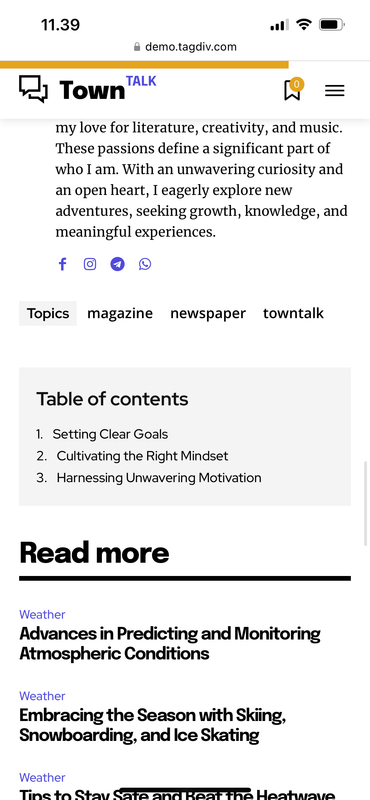
I am using the Town Talk Pro demo. When viewing a post on mobile the table of content is somehow placed after the actual content. Is it an easy fix to move it to the top of the page – preferably just before the actual text?
 alexandrub
Hello, I want to add the Slide block to my website on the mobile version, and have the navigation arrows visible all the time, not just when you tap the slide, is it possible?
 Anamaria
 Hi,
You need to add it Theme Panel -> Mobile theme -> Custom code -> CSS.
Thank you!
 Umut
Umut Hi Anamaria,
Bepow are the 2 new posts, I can see them on the top of my front page.
But When I open the front page from mobile they are not seen.
https://www.gurmecenter.com/saglik-kocu-destegi-neden-onemli/
https://www.gurmecenter.com/kerevit-nasil-yenir/
 nitzanginsberg
 The CSS code you gave is affects only posts and categories and not pages where I disable Mobile Theme
Can you prvide me the one as that will also affect my regular pages?
Nitzan
UmutMy new posts are seen from my computer but does not seen from mobile ?
Would you pls help me.
http://www.gurmecenter.com
 pietroriccio
There are some problems with the post visit counter. It does not record mobile visits. If I disable the view, it doesn’t show it from desktop while it continues to show it from mobile.
Anamaria Hello,
For the mobile menu, if you have set a page in the menu, it is not working. You need to recreate a new menu for mobile.
Thank you!
Anamaria Hello,
You have the mobile theme plugin activated. When the mobile theme plugin is used; you need to set for pages the page content in the mobile editor using only the options from that editor – https://i.imgur.com/p8EqE1b.png. also, there is an option to disable the mobile theme from a page/post – https://i.imgur.com/d3kTBRf.png. This option appears in the Gutenberg editor. After you disable the mobile theme on the page, you can use the responsive version.
Using our theme, you can choose from 3 mobile versions
-> mobile responsive => https://www.screencast.com/t/oJ2ShOp47
-> mobile theme plugin => https://forum.tagdiv.com/the-mobile-theme/
-> mobile page => https://tagdiv.com/newspaper-10-3-7-update-brings-customizable-and-fast-mobile-pages/ The option that you need to use.
Suppose you created the mobile pages with tagDiv Composer. In that case, when you install the Mobile Theme plugin, your pages will be overwritten by the plugin (the mobile theme comes with its templates for page, post, category, etc, so your current templates from the desktop theme will get converted to the mobile theme layout, the page content is made without builders in mobile editor => https://www.screencast.com/t/xbgZG8kH also, the options that are provided to edit the mobile theme version are limited (this keeps the things simple)).
This is a video about Responsive Newspaper Theme, AMP & Mobile Theme, Mobile Pages & Templates -> https://www.youtube.com/watch?v=SpGkOnJeNZY.
So, the mobile responsive is what you see when that you select the viewport on phone => https://www.screencast.com/t/matV17hH, so some settings may apply for each viewport(where is the border blue), and others are not(where the border is black).
The mobile page has the mobile templates from Cloud Library => https://www.screencast.com/t/YCcZ8rL8
The Mobile responsive version of the theme and the mobile page editor can be edit with tagDiv Composer, the mobile theme plugin cannot.
For example, you can have the mobile theme plugin activated and use the mobile page/mobile responsive version for the homepage/pages, but for the categories pages/404 page, you can’t use the mobile page/mobile responsive version if you have the mobile theme plugin activated.
So, if you want to design the pages with tagDiv Composer, you can use the mobile page or mobile responsive version.
Thank you!
 echavando
Not sure why but content on pages is not showing up on mobile. Please help.
https://onlinetradingfoundation.com
sample page:
https://onlinetradingfoundation.com/marketing-coach/
Anamaria Hello,
Please use this code .td-mobile-content .td-mobile-main-menu {
display: flex!important;
flex-direction: column;
}
Set the code in CSS for both sections and check after.
Thank you!
Anamaria Hi,
You have the mobile theme plugin activated, so to customize it you need top go in Theme Panel -> mobile theme.
Please check this topic where I explained each mobile version -> https://forum.tagdiv.com/topic/mobile-version-not-working-properly-2/
Thank you!
Anamaria Hello,
Please let me know if you have set the code in Theme Panel -> Mobile theme ->? Custom code -> CSS -> https://i.imgur.com/ZwHofIr.png
Thank you!
 mongooz
Hello, I have some questions.
Site: mongooz.co.kr
1. I want to change the image width to 100% on mobile. I tried several settings in the newspaper theme, but nothing changed. If there is a way to set it with CSS, please let me know.
-> https://ibb.co/G4vYgs8H
2. I want to reduce the gap when placing two images side by side. I also want to reduce the gap when merging images and galleries. (But I want to keep the original gap when there is only one image.)
Reference: https://avada.tistory.com/3050
-> https://ibb.co/kVsHCTGW
-> https://ibb.co/CKdDQsBf
-> https://ibb.co/cKqQDBQg
This is a problem I’ve been wanting to solve for a long time, but I haven’t been able to.
nitzanginsberg HI Again,
I managed to fix it, but the search button in header is not clickable on the mobile version, May i ask your advice please ?
nitzanginsbergHello,
The menu in mobile is displayed incorrectly – order is incorrect.
For exmple “Home Page” in desktop is the first for the right side and this is OK, But in mobile its should be the first one and in your menu its the last one
(This is part of RTL’s preparatory work JFYI :-))
May i ask your advice and the fix for that patrt please ?
Nitzan
nitzanginsbergHi
In mobile only in the posts and category pages there is a issue with the header as you can see,
Search and the menu is clashing (I already reminded you that you are not ready for RTL…..)
How can i fix it please ?? The CSS code you provide in last case not working !
https://comedychildren.com/category/%d7%9e%d7%a1%d7%9a/
Please advice
Nitzan
nitzanginsbergHi,
When the website loads in mobile only, your demo logo is loaded and then the website logo.
Why is this happening and where do I remove your logo?
nitzanginsbergHi,
I have this website https://comedychildren.com/
I inactive this part in Pgaes: “Enable/Disable Mobile Theme”,
And now i am unable to edit the header in mobile like background and so on, Where i need to do it or where i can do it so it will work properly ?
There is a difference between the desktop and mobile versions for the header, and I don’t understand where to change it, so many places in your theme to change one thing in site and nothing works properly 🙁
Nitzan
 epublishers
 Please check “nieuws” menu in the desktopview and mobile view, https://scheepvaartkrant.eddy.one/
Anamaria Hello,
1. Please disable the tagdiv mobile theme and clear the cache or do you want to use mobile theme?
You can set this code for icon
.td-search-icon

{

right:300px!important;

}
2. When the mobile theme plugin is used, you need to set for pages the page content in the mobile editor using only the options from that editor – https://i.imgur.com/p8EqE1b.png. also, there is an option to disable the mobile theme from a page/post – https://i.imgur.com/d3kTBRf.png. This option appears in the Gutenberg editor. After you disable the mobile theme on the page, you can assign the mobile page.
Please check this topic where I explained each mobile version -> https://forum.tagdiv.com/topic/mobile-version-not-working-properly-2/
3. You need to set on each social icons the links, or you can copy the element with right-click and paste where you want to have social icons on the frontend https://i.imgur.com/bU8mAX3.jpeg
Thank you!
Anamaria Hello,
Please let me know what version you use for mobile. Please provide the link to your website.
Thank you!
Anamaria Hello,
Do you create a mobile page? This is strange. Can you please add a new menu element for the mobile homepage to check if works?
Thank you!
Anamaria Hello,
Regarding the “Single Post Table of Contents” in the Newspaper theme, if Rank Math isn’t detecting it, it could mean that the plugin doesn’t recognize the theme’s built-in TOC structure. However, this doesn’t necessarily mean Google isn’t recognizing it.
Yes, it’s fine, but ideally, you should have it on mobile too
Thank you!