
No search results were found in Documentation!
 Jidarmedia
Dear,
We need to customise an LTR theme to RTL. The theme is now LTR only. Is there any guidance to do so manually for team that might need such advanced modification?
Thank you in advance
 Lakuma
Is there a way to have the LightBox option enabled for all posts by default?
I currently have GENERAL MODAL IMAGE and SMARTLIST MODAL IMAGE options enabled in the Newspaper Post Settings -> General Post Settings, but when I create a new post and add images, I need to enable or check the LightBox option for each image.
 Simion C.
 Hi,
So the templates are imported per language. Please note that they have to be set per language so they change when the language changes. So in the cloud templates dashboard you set the desired template for one language https://prnt.sc/LiDJgOU4Jaxu and then for the other https://prnt.sc/3-Ir6tMOvUhL
You do not need to set the header using the header manager. All that is needed is to set the templates per language in the cloud library dashboard.
The templates are set correctly, and they change by language. The only unusual thing I found was a code in the wordpress custom CSS https://prnt.sc/N1sUflwbQekN That code always made the website RTL, even on English. I’m not sure what its purpose was exactly, the website should not be RTL on English. I commented that code.
You can customize the templates with the composer further if you want. If there are more issues, please let us know and we will take a look.
As a note, please do not post login information in the topic, the topics are public and any forum member can see them. I have removed them.
Thank you!
 snoopy
 Hello,
thank you for the feedback.
unfortunately, since all answers are together i am a bit lost which answer belongs to which problem.
What i did so far without success is:
1.Import both the news pro and news pro Header and Footer templates.
2.Open the homepage in the Tag Composer, then choose the header and footer from the Manager at the left as in here https://ibb.co/vkBpc0R
Still, the header and footer are not working properly.
kindly find below the admin user and password, hoping that you can show me a working 1 home page in english (News Pro), 1 in Arabic (News RTL Pro).
Also a working post page for the RTL and another for the arabic.
i was wondering also if i can import the arabic and enlgish translations and templates for the news pro and news rtl pro since you alerady did them to my website.
Also appreciate telling me how you fixed these issues so that i cand do it as well.
LinK: https://scoopzedev.wpengine.com/
Thank you
-
This reply was modified 2 years by Simion C..
snoopykindly check the link in here:
https://scoopzedev.wpengine.com/en/
1.when switching to English, Default logo appears with my logo, how can i remove it. https://ibb.co/qM0WJkx
2.The footer in the english version is broken. https://ibb.co/mXzpPRb
3.How can i translate these boxes titles? https://ibb.co/wggb5Cr
4.In English version, how can i swith the side bar to the left instead https://ibb.co/5YsJG6h
5.how can i translate these titles https://ibb.co/wggb5Cr
6.Some pages does not appear in the list when creating a menu although they are available https://ibb.co/pPkT2Lg https://ibb.co/pPkT2Lg
7.How can i have the english pages be LTR by default? like this page such as this.
https://scoopzedev.wpengine.com/en/privacy-policy-scoopze-website-effective-date-insert-date/
 jamshid
 Unickow
https://islandfishermanmagazine.com/
I apologize, I’m not that technical, so please bear with me. All my articles (I have hundreds) now have images clickable, and when clicked they show as a full size jpg with the full url of the image. The only way to get back to the article is to use the browser back button. I don’t want this feature. Something in the new update has turned this on and I ca’t figure out what as I am not technical enough.
I have turned off GENERAL MODAL IMAGE, DISABLE MODAL IMAGE ON MOBILE, and SMARTLIST MODAL IMAGE, and dumped the cache and restarted pages, but there is no effect.
Example article (old article): https://islandfishermanmagazine.com/3-tips-for-better-float-fishing/
In a new article I posted today, if I turn modal image on, then the image doesn’t have that functionality, which is the way I want all my article images to be, as they were before the update. In the same article, the feature image does not have an option.
today’s article:
https://islandfishermanmagazine.com/reel-in-relaxation-with-nootka-marine-adventures/
I really need help to make all the images in my entire site not clickable and expanding, as they were before this update, please.
 haipo
haipo Hi Anamaria
Your code works perfect.
I suggest to fix the RTL source by the product developers.
Thanks ♥
Yaron
 wialasalh
 The template used in the magazine
RTL News Magazine
haipo Hi Anamaria
I did as you instructed
but still the mobile menu is diverted.
You are invited to check my control pannel and see that you have a CSS problem when working RTL.
Of course that I can build the menu upside down for mobile but this is not a good solution
haipoHi Team,
I’m using the RTL template.
And I have an issue with the order the the menu is displayed in mobile.
It is displayed upside down (In the reverse order)
Can you fix it please?
–
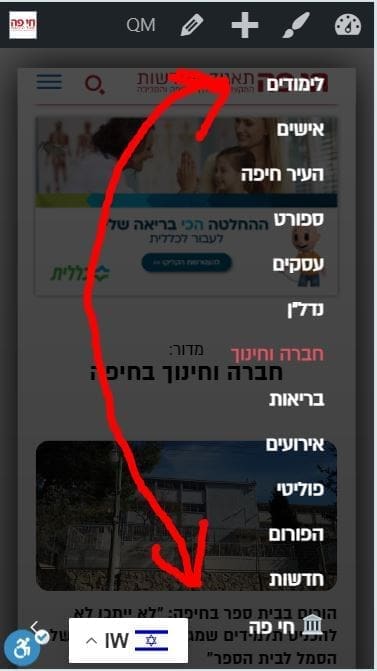
–
Thanks,
Yaron
 be2name
Hello,
I use a shortcode [warenkorbkurzbeschreibung] in the product short description of a Woocommerce product. When viewing the product page, this shortcode is executed and displays the date of a webinar:
https://www.literaturcafe.de/produkt/live-webinar-einfuehrung-in-papyrus-autor/
But when the product is displayed in the overview-page (post loop) the shortlink is not executed. See here:
https://www.literaturcafe.de/beitraege/
How can the shortlink be executed/replaced in this overview, so that the date is shown here, too?
haipo Hi Anamaria
This solution cannot be done when we run a newspaper site
Because we load many images per day
We must have a default setting for images.
Not only that, but WE are in a situation of migrating the template from old one to TAGDIV
So all the images must have the default setting
(And the basic setting is RTL, so LTR captions will not work)
-
This reply was modified 2 years by
haipo.
haipo Hi Anamaria,
Thanks for sharing.
The fetured image captions is fine
But my problem is with the direction of the post images
(Those inside the text area)
I can’t find the way to alighn the captions RTL…
Can you guide me how to do that?
Thanks,
Yaron
haipoHi Team,
I’m trying to customize the post template
I’m using the template: RTL news magazine
But I can’t find a way to align the image caption from LTR to RTL.
–
Can you look at this one please?
–
Link to the post example:
https://dev2.haipo.co.il/item/485548
–
The post template
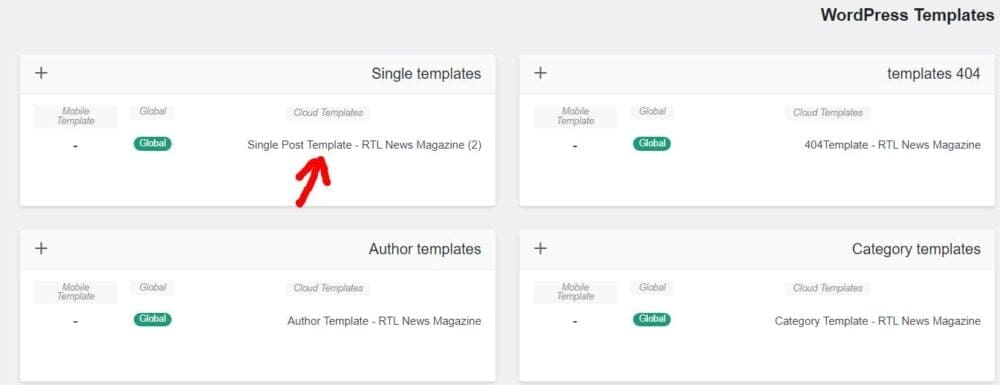
–
The Editor
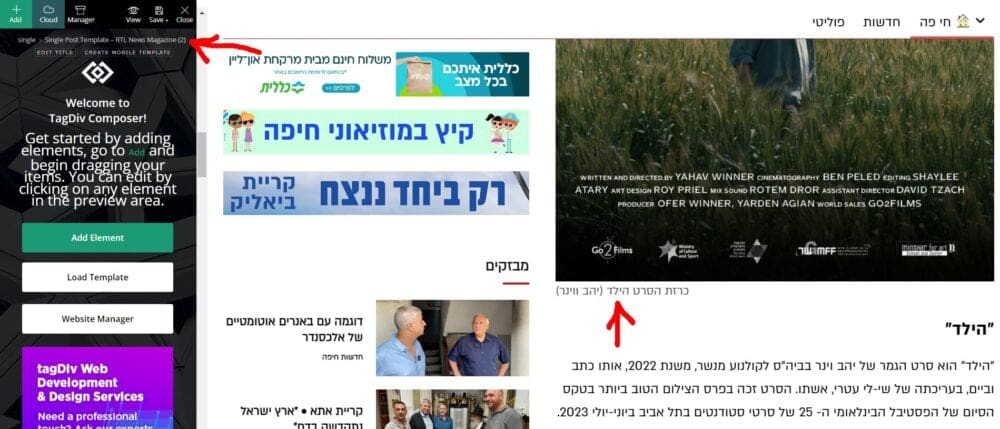
–
Thanks,
Yaron
 skarem100
 Also could you please let me know how can I edit mega menu items (submenus) and also make the font RTL?
I couldn’t find a place to edit the menu items.
Thank you in advance
skarem100 Hello and thank you for your message. Could you please let me know how can I make the Menu Items RTL?
Should I use CSS or can I do it with website editor.
Thank you in advance.
 Bettina
 Hello Yaron!
Did you import a section from the RTL demo? If not, then this should be adjusted with the help of CSS code.
If you can’t handle to solve this issue, then contact us via email at contact@tagdiv.com and provide the following:
– admin url and credentials
– a link to this topic in order to identify you
Thank you!
haipoHi team
When using the RTL template
And display in bobile
The mbile header shows and then disapears after one second.
I didn’t find a way to make it stable.
–
Please advise how to resolve that.
Example:
https://dev2.haipo.co.il/item/485841
–
Thaks
Yaron
haipo Hi Bettina,
Thanks for sharing the above intructions.
I did customize a default button, but it doesn’n change the default design of the design of components
When I load a component to the TAGDIV designer, it comes with its own button and header.
And they are always diverted to LTR.
I must have a solution for that because it is a very basic functionality when working RTL with your page builder…
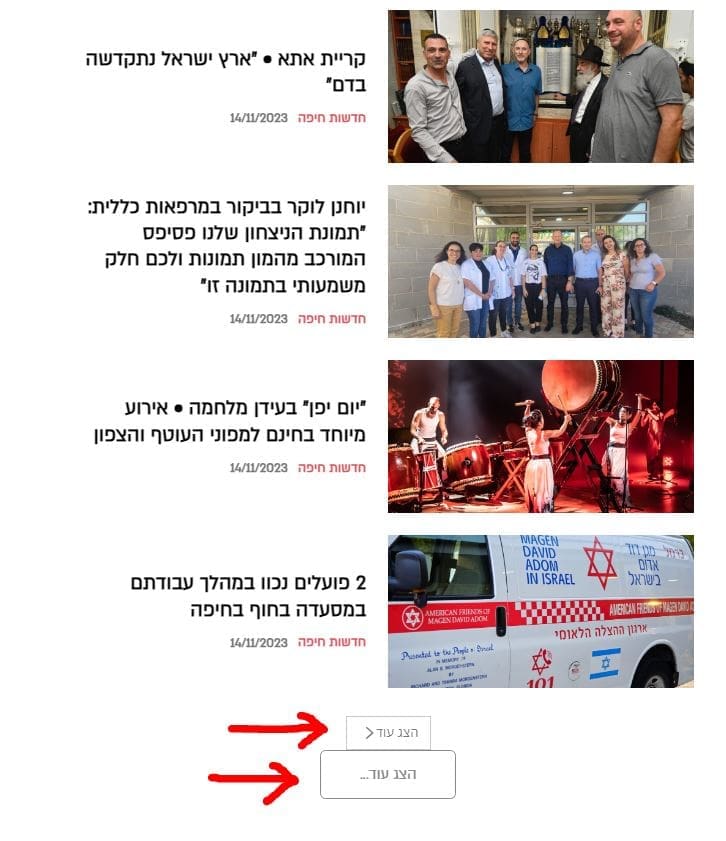
–
Thanks,
Yaron
skarem100 Thank you so much. I have two more questions as well. when I open a news page. The texts are shown in ltr format other than RTL . could you please let me know how to make all the texts RTL?
Here is a screenshot that the text is shown as LTR:
https://ibb.co/kMjFD9K
But in some other places it is correct like this one:
https://ibb.co/LnrmYs8
I want all the texts like my second screenshot to be RTL for Persian language.
Thank you in advance.
The second question:
I want to change the website font to a Persian font. Could you please let me know how to do it? Because I did it once from the Theme Panel, but not all the texts changed to Persian. Also, the pagination was not changed to Persian and to my font.
Thank you in Advance
Bettina Hello Yaron!
You should adapt the RTL from the Composer settings or CSS code because we do not have the RTL feature in our theme. Try to set the buttons like this: https://app.screencast.com/rLJA45XHpOUZK
Thank you!
haipoHi Team
I’m using the RTL recommended template: RTL news magazine
But when I try to add a block of all typer, the block header and buttons remains LTR
And I didn’t find a way to align it RTL
See this example it reflect all block headers and buttons.
–
URL to see the example:
https://dev2.haipo.co.il/item/476084
–
Thanks,
Yaron

 Calin
Calin Hi,
I’m glad that you manage to set the RTL version!
If you have any questions related to the theme, please let us know and we’ll do our best to help.
Thank you!
haipo Hi
I managed to have a good progress with RTL after reloading the demo site:
RTL news manager.
Ne need for further asisstance at this point.
