
No search results were found in Documentation!
 Alin [tagDiv]
 Hi,
I have checked your site and smart sidebar seems to work fine – http://screencast.com/t/dozpC4xMd
Did you solved the issue? Also please check documentation – https://forum.tagdiv.com/smart-sidebar-2/
Thanks!
 Marius
 Hi,
@securerr you have managed the issue? I see that the sidebar works fine now.
Here is the docs about the sidebar: https://forum.tagdiv.com/smart-sidebar-2/
Thanks for the message!
Alin [tagDiv] Hi,
Please check documentation for smart sidebar, you have to add a class to the row – https://forum.tagdiv.com/smart-sidebar-2/
Thanks!
Marius Hi,
I’ve tested and the smart sidebar works fine, is the case when the sidebar is longer then windows size and when you scroll down the sidebar stick at the bottom, then if you scroll to up you will see all the sidebar and when the sidebar is over will stick on top until you get on top of the page.
Is this your related case?
Thanks for the message!
 Emil G
 Hi,
You asked on the wrong section, this is Newsmag.
The Ads>Posts>Post Template style 1 is not related to the More Articles Box, to add custom code inside that area you have to edit the file which generates it, you can find it here – http://screencast.com/t/HwRuyTYU5Sjc
Here’s a similar thread – https://forum.tagdiv.com/topic/change-more-articles-box/
The smart sidebar just keeps the sidebar sticky (it follows you when you scroll down). If it’s a long sidebar it scrolls down to it’s end. Not sure what you mean with that image, please provide more details. The layout has to be set from the widget section or from the page (if you use visual composer to create 2/3 + 1/3 columns).
Thank you, Emil G.
 surfpark
Is it possible to have a widget in the smart sidebar? I currently have post style 1 in place for all posts. I also have ad code placed in Ads>Posts>Post Template style 1.
Am I supposed by to seeing an ad in the smart sidebar on a post page?

When I looked into the documentation, it says the page should look like this:
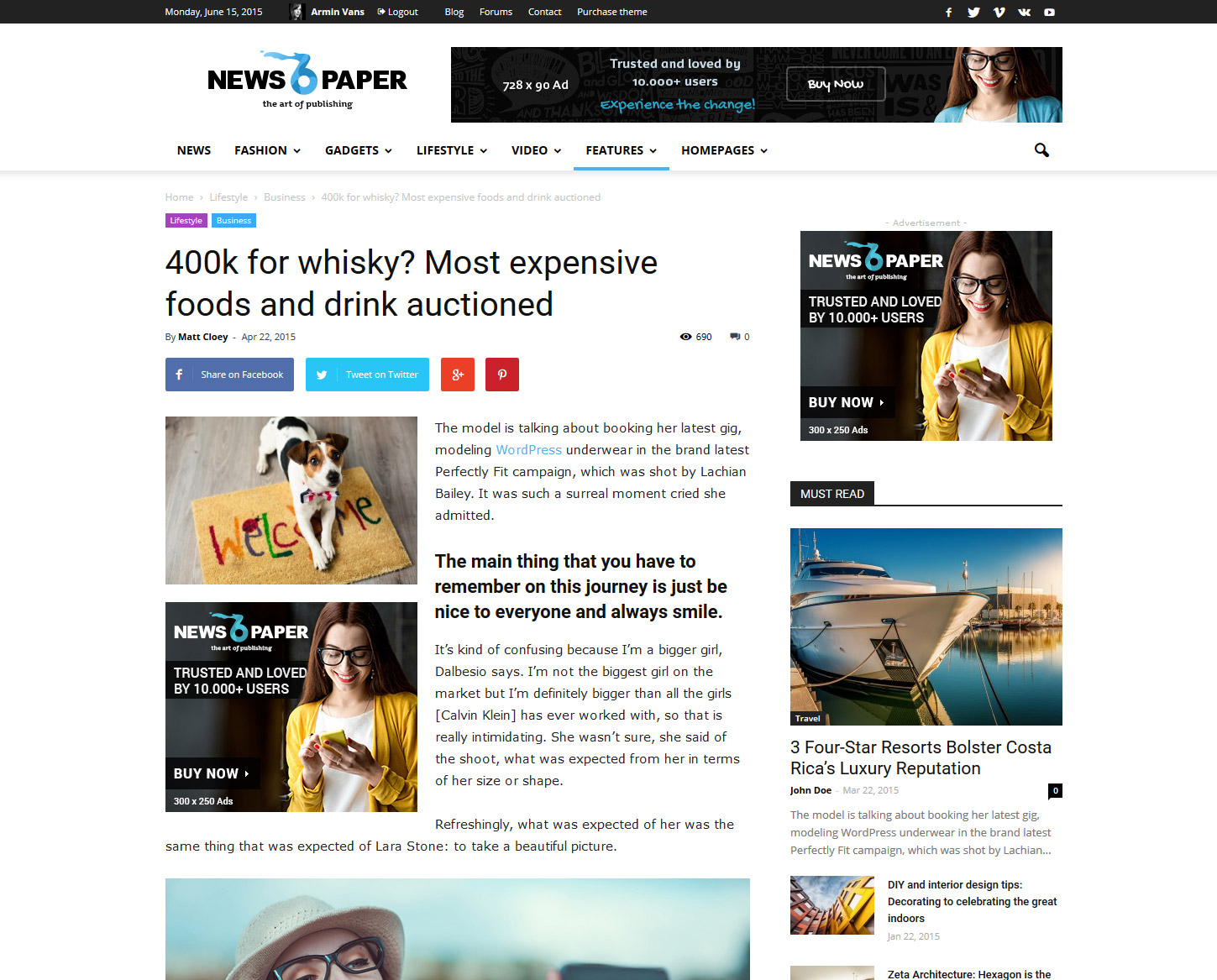
When I attempt to disable the smart sidebar, it doesn’t give me an option that makes the layout look similar to the above example. Am I missing something?
 Sayeed
 At least can you tell me these two things?
1. How can I place the Video Icon on post thumbnail to bottom-right as it was in the older version? Or is there any way to remove it?
2.Is it possible to active smart sidebar for homepage.?
Thanks
-
This reply was modified 11 years by
Sayeed.
Alin [tagDiv] Hi,
Before update please backup the site (database and files) – https://codex.wordpress.org/WordPress_Backups
We recommend to remove theme via FTP and install the new one and also the plugins that come with the theme files, you can find them it in the theme package inside the Plugins folder – http://screencast.com/t/lkrma6blYE
After the update run the script included in the Welcome panel – http://screencast.com/t/eZxxuqvsTir running the script it will import old settings, change the shortcode like you can see in the documentation. The theme has more features(example- big grid on categories, smartsidebar) so you will have to set those mannually. Also the custom css may not work at this it should be regarded as a new theme(changed classes, ids).
And regenerate the thumbs – https://forum.tagdiv.com/using-the-theme-with-existing-content/
Also check the documentation here – https://forum.tagdiv.com/how-to-update-the-theme-2/
Thanks!
 Vladimir
 Hi,
I was waiting for the smart sidebar in Newspaper for a long time too, thank you!
 External
 I was waiting for the smart sidebar for a long time too, thank you!
 amorpeth
 When is that likely to be released and will there be an upgrade path?
The documentation indicated that this feature already existed and it was a key requirement for me.
Its listed here under Newspaper documentation – https://forum.tagdiv.com/smart-sidebar-2/
Alin [tagDiv] Hi,
The smart sidebar feature will be available in version 5 of the theme, this feature is available for the moment only on Newsmag.
Thanks!
amorpethThe documentation says:
To Enable the Smart Sidebar navigate to Theme Panel > Template Settings > Smart Sidebar and activate the button.
However I do not have this option in Theme Panel – any ideas?
Running 4.6.3 (recently upgraded from 4.2.2 using Evanto Toolkit)
 Brain916
 First Findings: Added the Shim plugin, left VC on. According to P3 it’s exactly the same and nothing has changed. Still slow and VC seems to be using a lot of resources.
I have deactivated VC and already seems super fast. Although I am getting this two short codes that aren’t display what it needs to:
[vc_empty_space height=”32px”]
[vc_separator color=”grey” align=”align_center”]
Here is P3 before disabling the plugin:
http://tinypic.com/r/35b5o5u/8
After running P3, this is the result:
http://postimg.org/image/dfvmss621/
I am very happy so far. It would be cool if the short codes would work, but I will trade it in for speed any day.
One thing I did notice was the Smart Sidebar no longer works on the homepage. Not sure if it’s due to me remove the space and top lines, and less room or it’s because VC is no longer active.
 boyz
boyzHello there!
I have one question – is it possible to do “smart sidebar” in Newspaper theme, like in Newsmag theme, so sidebar will scroll with full content?
Thanks in advance!
Alin [tagDiv] Hi,
In Newspaper (v5.0) we will include most of the features from Newsmag like smart sidebar feature,smart lists, some new post templates and blocks/module(as you can see in our demo Newsmag has more blocks and post styles than Newspaper). Also the Newspaper will be a bit larger as you can see right now Newspaper’s grid width is 1170px while Newsmag’s width comes around 1021px.
Thanks!
Alin [tagDiv] Hi,
Newsticker block is included only in Newsmag theme, but we’re also working on a major update for Newspaper (v5.0) which will include most of the features from Newsmag like smart sidebar feature,smart lists or some of the post templates. You can take a look on our demo to make an idea about blocks that are included(and how they look on columns), post samples… – http://demo.tagdiv.com/newspaper/ and also our documentation may help – https://forum.tagdiv.com/newspaper-documentation/
Also the latest theme version is 4.6.3 which includes Visual Composer plugin(4.4.4) in /plugins folder. If you want to update please follow this guide and use FTP method – https://forum.tagdiv.com/how-to-update-the-theme/
If you cannot see all blocks available to be added using Visual Composer please make sure that all of them are selected from settings and save – http://screencast.com/t/9TCvIFaa
Thanks!
Alin [tagDiv] Hi,
The option for page ID to be megamenu is added only for Newsmag for the moment, but this feature will be available also Newspaper 5 version.
The functionality and performance are similar. The main differences are in designs/appearances and the content area width which slightly differs from one theme to another, Newspaper’s grid width is 1170px while Newsmag’s width comes around 1021px. Other differences are also appear regarding features, some of the blocks are present on one and missing on the other, as well as some other features like smart sidebar feature,smart lists or some of the post templates. We’re also working on a major update for Newspaper (v5.0) which will include most of the features from Newsmag.
Thanks!
-
This reply was modified 11 years by Alin [tagDiv].
 simchris
 Yep. There used to be separate custom ad box – but I guess they combined it into a smart ad box so there wouldn’t be multiple if/then things going on with every page/template.
Anyway – that’s how I do it 🙂
For sidebars and whatnot I use a plugin for widgets to manage ads.
simchris Hi
a) not illegal on adsense unless only thing you’re making sticky is wall of ads; topic covered many times; search forum if curious
b) you can disable the sticky sidebar from the theme panel; under post settings (smart sidebar)
 Finland
i really like this feature but i think illegal on adsense.
can i only just adbox disable ? sorry for my bad english.
Alin [tagDiv] Hi,
Did you enabled top menu from Theme Panel? – http://screencast.com/t/IE1skPN9PlQO as I have checked your site and the top menu is not visible also on desktop, that css help you to show it on mobile devices(where is hidden) – http://screencast.com/t/ce6z8jXRAZSv
Please check if you have this issue with smartsidebar also without any plugins active, leave only Visual Composer active and clear cache. Also test it without js/css minification.
About loading time please test your pagespeed https://developers.google.com/speed/pagespeed/insights/ and try to fix those errors. You can find out more about this in our documentation – https://forum.tagdiv.com/page-speed-guide/ and also Christopher topic help – https://forum.tagdiv.com/topic/tutorial-chriss-custom-optimizations-for-functions-php-etc/
Thanks!
 securerr
Hello,
I’m trying to use the homepage template without latest posts + pagination, just a Visual Composer content.
So I’ve created a sidebar with it: http://take.ms/HqLwp
But strangely, it doesn’t work as smart sidebar: it doesn’t stick to the screen.
So why? Does smart sidebar works only if it’s a regular sidebar made of widgets, not with Visual Composer? But I just wanted to create my page from scratch using the blocks I need. And I like the layout of latest post I use: http://take.ms/dggDm
It’s way better than the default layout the template with latest posts and pagination produces.
Please help me here.
Thanks.
Brain916 I don’t work here, but I assume you would go into “Pages” and edit whatever page you are using as your Home. I only counted 6 blog posts at the bottom, and 8 up top. More than like you will have to delete blocks in your page or move them around.
I don’t think 6 running across would work, but maybe 2-3 while still using the smart sidebar.
Again, I don’t work here, but have been messing with the theme for over a week.
 beautywarrior
Hi ,
I updated to latest newsmag.,
Once i disable lazy loading, sticky sidebar is not working.
Please help.
Regards,
Sneha
