Hello, I run 7 different sites using Yours amazing theme. Great work guys, really.
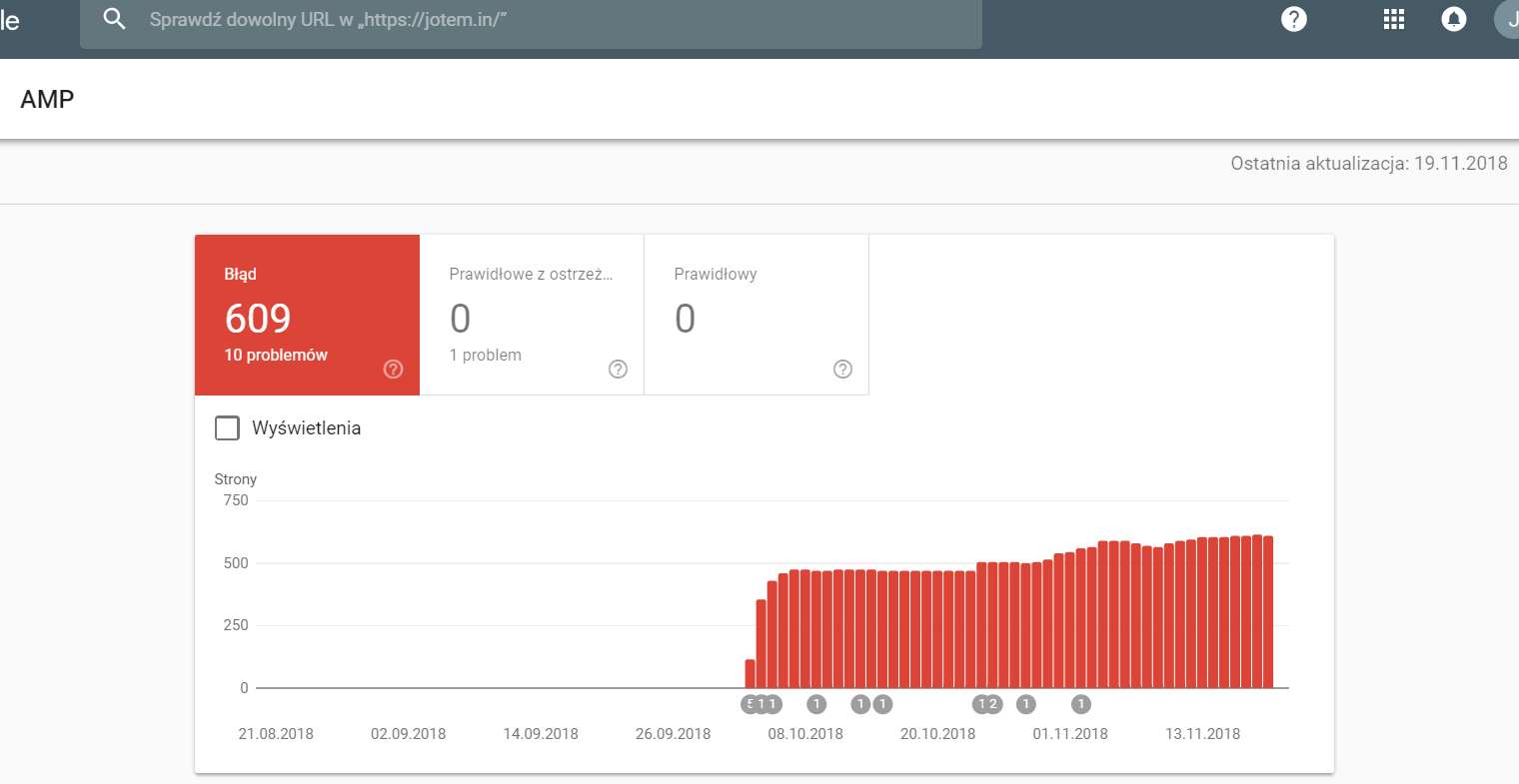
I have a problem regarding AMP. I wanted to set it up on https://jotem.in I did everything like You wrote on FAQ. I cannot see it working using mobile/dev tools. I thought that this is related to WP Super Cache. I disabled it for tests. I received message form Google few days later, that i should fix problems with AMP and it has pointed to 470 posts so far. I dont know what is wrong and why it is not working.
Google says:
– Non standard JavaScript which is forbidden
– There is no mandatory “amp-custom” tag
– Wrong href attribute in CSS
– Wrong Div tag in JavaScript “amp-auto-ads extension .js script”
and much more

Hello jotem,
Did you have correctly setup your theme with our AMP plugin according to our documentation from here -> https://forum.tagdiv.com/tagdiv-amp-plugin-tutorial/
I have tested on my side with Newsmag and everything seems to work as expected. Provide your website URL so I can take a closer look at it.
Thanks for your understanding!
I mentioned my website’s url. It is jotem.in and yes i did everything like in documentation. I installed plugin via theme’s panel and set it on theme options. It doesn’t work on posts and Google says that there is only one AMP page corrects and over 600 incorrect.

Hi,
From what I can see it’s working at the moment, please see here
– https://jotem.in/audio-video-show-2018-odwiedz-najwieksza-w-polsce-strefe-winyli/amp/
You can test AMP posts by adding /amp to the URL of a post.
There are some errors in the AMP posts, for example this auto ads code
– https://www.screencast.com/t/LSoFj8PT3cBh
That has to be entered in the AMP header file
– https://forum.tagdiv.com/topic/info-adv-amp/
Normal Adsense ad codes have to be entered like this
– https://www.screencast.com/t/YpYDe7huyb
– https://support.google.com/adsense/answer/7183212?hl=en
The more articles box is displayed in the bottom of the posts for some reason. Did you make any modifications to the main theme or the AMP plugin? If so please test without them. The more articles box should not be loaded in the AMP version.
Also, if you entered javascript code in the post content, please remove it and test again with the validator. Temporarily deactivate all your plugins except theme plugins and test
– https://validator.ampproject.org/
Should be some positive results after trying these suggestions.
Thanks
Hi,
From what I can see it’s working at the moment, please see here
– https://jotem.in/audio-video-show-2018-odwiedz-najwieksza-w-polsce-strefe-winyli/amp/
You can test AMP posts by adding /amp to the URL of a post.
There are some errors in the AMP posts, for example this auto ads code
– https://www.screencast.com/t/LSoFj8PT3cBh
That has to be entered in the AMP header file
– https://forum.tagdiv.com/topic/info-adv-amp/
Normal Adsense ad codes have to be entered like this
– https://www.screencast.com/t/YpYDe7huyb
– https://support.google.com/adsense/answer/7183212?hl=en
The more articles box is displayed in the bottom of the posts for some reason. Did you make any modifications to the main theme or the AMP plugin? If so please test without them. The more articles box should not be loaded in the AMP version.
Also, if you entered javascript code in the post content, please remove it and test again with the validator. Temporarily deactivate all your plugins except theme plugins and test
– https://validator.ampproject.org/
Should be some positive results after trying these suggestions.
Thanks