Hi, is there any default contact us page with a form we can use to import?

Hi,
You could check some page and section examples
– https://affiliate.tagdiv.com/#/load/Pages
– https://affiliate.tagdiv.com/#/load/Sections
Maybe you find some designs you like. We usually use the contact form 7 plugin or the WPForms plugin for the form itself. Let me know if you have more questions.
Thanks
Hello, how do I extract the visual composer codes for the pages that I like?
Also, how do I make Visual Composer as the default composer?
Elements from the cloud library are only available with the tagDiv composer
– https://forum.tagdiv.com/tagdiv-cloud-library-plugin/
If the tagDiv composer is deactivated the cloud plugin will have no use.
You can use WPBakery for the website and deactivate the tagDiv composer, there will be no problem. But in this case none of the cloud features will be unavailable.
From the documentation, it seems like the cloud library is mainly for importing of templates.
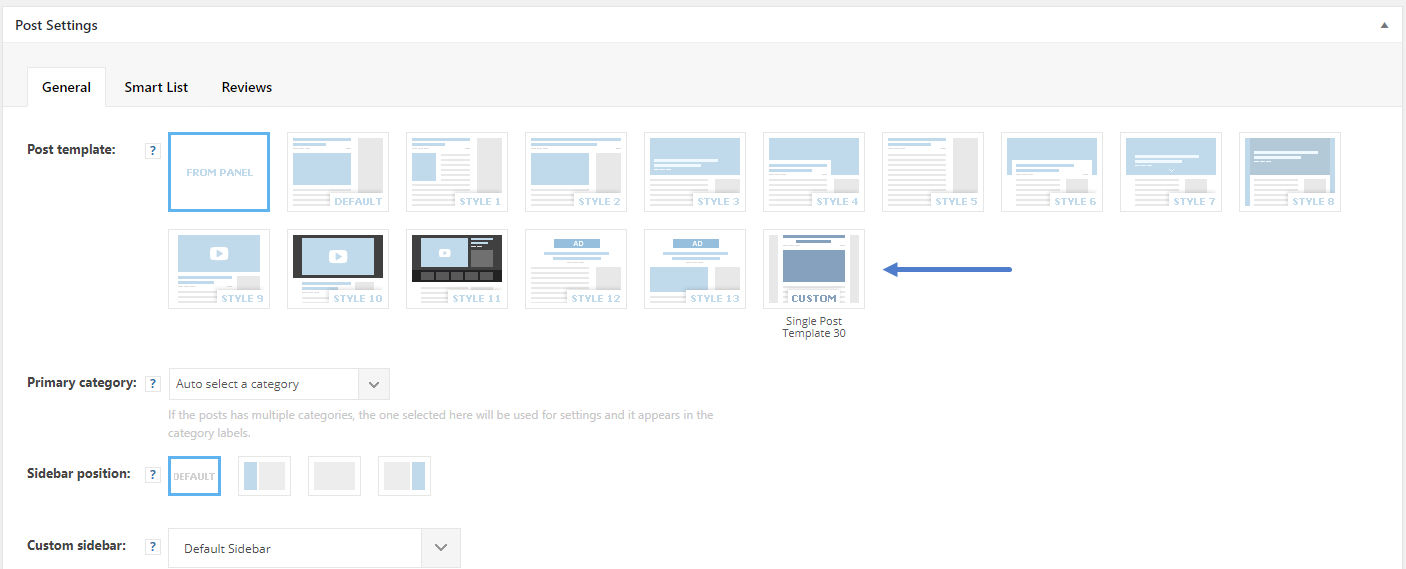
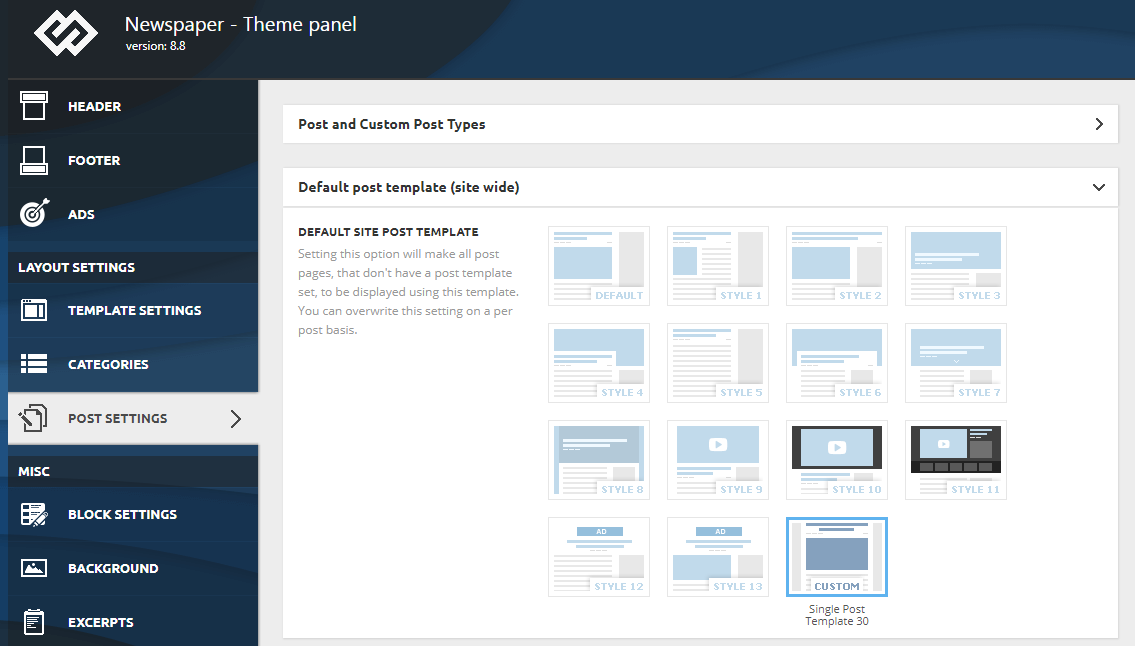
Will I still be able to use the functionality below if I disable cloud library?
https://forum.tagdiv.com/wp-content/uploads/2018/06/post_template_settings.png
https://forum.tagdiv.com/wp-content/uploads/2018/06/default_template.png
Smart list
When the cloud plugin is active, you can import/design cloud templates (for posts, categories, authors, tag) also block designs, sections etc and use them.
It will also provide additional elements in the composer such as the loop elements, the new header builder elements, header manager. Also the option for post auto-loading.
Without it none of the above can be accessed.
How do I get to this page from wordpress admin?
– https://affiliate.tagdiv.com/#/load/Pages
– https://affiliate.tagdiv.com/#/load/Sections
That is demo environment created by us for presentation purposes. There you can see the cloud templates, preview and edit them to see how they are made. If you wish to import them install the cloud library plugin
– https://forum.tagdiv.com/tagdiv-cloud-library-plugin/
– http://prntscr.com/mn63yg – http://prntscr.com/mn644t
Let us know if you have more questions.

Hi Simon…I am clearly missing something here. I installed the plugin, added the templated I wanted (Single Post Template 10) and can see it under the Cloud Templates listing. How do I bind it to a page?? I cannot get it to work no matter what instructions I follow. What am I missing? Thanks!
You can apply cloud post templates just as default templates. After you import it it will appear in the general options – http://prntscr.com/mo20fe
Also in the post edit screen – http://prntscr.com/mo20x5
Importing a page or section from the cloud library section, a new page will be created. You can find it in the pages section – http://prntscr.com/mo24yh
Maybe I am misunderstanding, sorry if I am.