

Hey Guys,
I want to ask how to make the featured image goes full width. Here’s my current post’s screenshot with style 6 as template:

I want the featured image to be full width like in this demo file below:
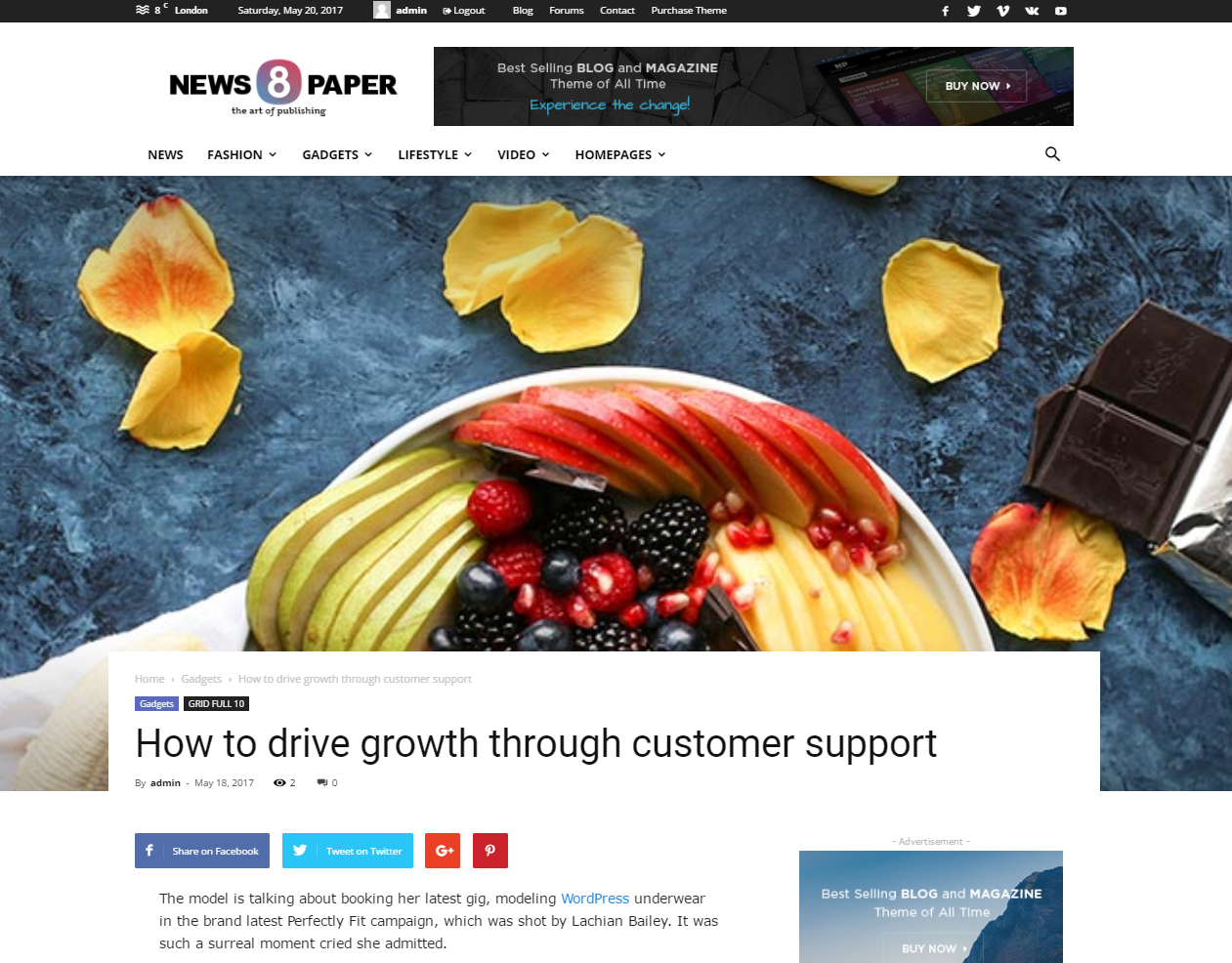
I can’t get it into full-width, I’m trying any setting with no avail. Please help me 🙁
-
This topic was modified 7 years by
InsanQolbu.

Hello Insan,
You should remove the background image because if you are using it, the theme will be automatically switched to the boxed mode. -> https://www.screencast.com/t/9iJjityKgK
Thanks for your understanding!
No, we didn’t use any background image.

There’s also no option to make the page it full-width here:

Please help me, I don’t know what to do. I’m willing to create a user for you to adjust the setting if it’s possible.
THank you.
-
This reply was modified 7 years by

Hi,
Please try to clear the background color https://www.screencast.com/t/yT90ZP3IJ ( you may have set with color white, just click on clear ).
Thank you.
-
This reply was modified 7 years by
 Calin.

Is there no way to have full width items with a background color? (see https://www.staging1.themultimedianinja.com ). And unfortunately if I clear the background color, the first grid is full width…but now the menu bar is boxed!
Hi,
You can use tagDiv cloud template plugin and you can chose ore build an template from there ( https://www.screencast.com/t/iVR55X0hT )
tagDiv Cloud Library plugin -> https://forum.tagdiv.com/tagdiv-cloud-library-plugin/
Thank you for your understanding.
So is there no other way to modify (CSS, etc.) so that you can have full width grid with a specified background color?
(I don’t see any of those templates (for pages…maybe for posts) that allow for a full width block along with a background color or image.)
Hi justbradford,
Unfortunately this is possible only with custom css , I think you’ll like something like this: https://www.screencast.com/t/dsH4VdDKwm
Here is the css for above example :
.td-container-wrap{

  background-color: red;

}

.tdc-row{

  background-color: white;

}
It can be more customized if you like it.
Thank you.
