

I’ve been trying for months to figure out how to fix this LCP problem on my blog.
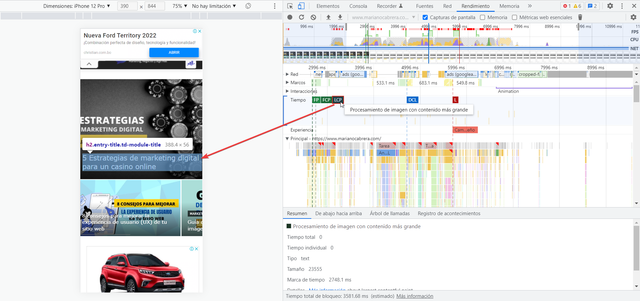
Basically there are 2 problems (I attach images)
#1 – In the first case, you can see that the biggest LCP impact is in the title of a block. I can’t find how to fix this. Or do I remove the title?
#2 – Within the articles, the post image seems to be the LCP problem. any ideas?
Currently my LCP on home is 4 seconds and the same is true for posts. For this reason I can’t get past the Core Web Vitals.
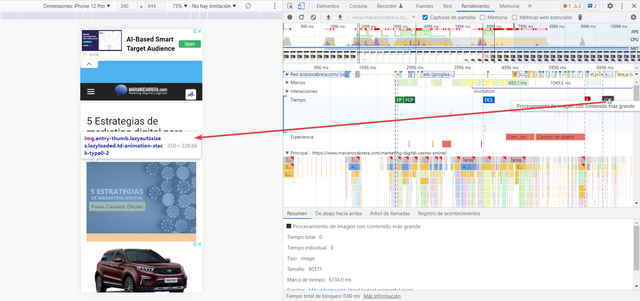
Any ideas?
Thanks
PD: Please, i want a REAL answers, no only a list of guides and tutorials. I saw ALL the links and i can´t find the solution.
-
This topic was modified 4 years by
mclanfranconi.

Hello!
Unfortunately, we can help you only with some advices.
If you really tried all of our suggestions without any success, then you can contact our custom work and they can help you to achieve what you need (REQUEST A QUOTE) : https://tagdiv.com/premium-customization-services/
Thank you for understanding!
Bettina please try to be a little more empathetic and less “robotic” in your responses.
Did you at least spend 5 seconds to see my problem?
I think it’s not a “particular” problem. I’m not saying that the entire staff is broken and unusable. My problem is something that apparently comes BY DEFAULT in the template and I reckon it affects many users. (I’ve even seen similar situations, that you didn’t answer clearly either).
At least have the decency to take a look at it and who knows, maybe it will help to apply a solution in the future and less people will complain about the problems between the Newspaper template and the SEO issue (which is now a ranking factor).
Thank you.
Hello!
Our developers are working a lot to improve the page speed in every update, so make sure you use the latest update 11.4.3.
This kind of issue is a particular issue, so unfortunately, we can not provide support for it: https://prnt.sc/DBVG36gVKCoL -> https://forum.tagdiv.com/newspaper-theme-support/
Thank you for understanding!

Hi,
I have the same problem, and it is theme-specific, not site-specific. I have tried many methods, but couldn’t find a proper solution. Even with the latest update, the problem still exists.
Hello!
Please check the tutorials from those platforms gt metrix and Google Pagespeed Insights and I’m sure you can increase the page speed.
Also, check this useful guide: https://www.xtechkr.com/optimize-newspaper-theme/
Hope that helps you!
Thank you!

Hi,
I am currently using the Newpaper theme for my website Maisinggah.com and ran into the same problem where my H1 title was the reason for my High LCP.
I solved this by disabling Google fonts in my theme panel. You can find that option here:
Theme Panel > Theme Fonts > Google Fonts Styles
Uncheck the USE GOOGLE FONTS & USE GOOGLE FONTS ON MOBILE options
After disabling google fonts my LCP when from 3.3s to 1.7s.
I hope this solution works for you to.
