Hello!
Yes. Select the tablet viewport and add the element called “Mobile menu”.
Or you can use a modal popup: https://forum.tagdiv.com/modal-popup/, like in this demo: https://demo.tagdiv.com/newspaper_chained_news_pro/
Thank you!
Hello!
When you edit the page with the TagDiv Composer, you can see the tablet viewport and mobile viewport:https://www.screencast.com/t/YUVUcyrgh; https://www.screencast.com/t/XDQJedlggSB
Thank you!
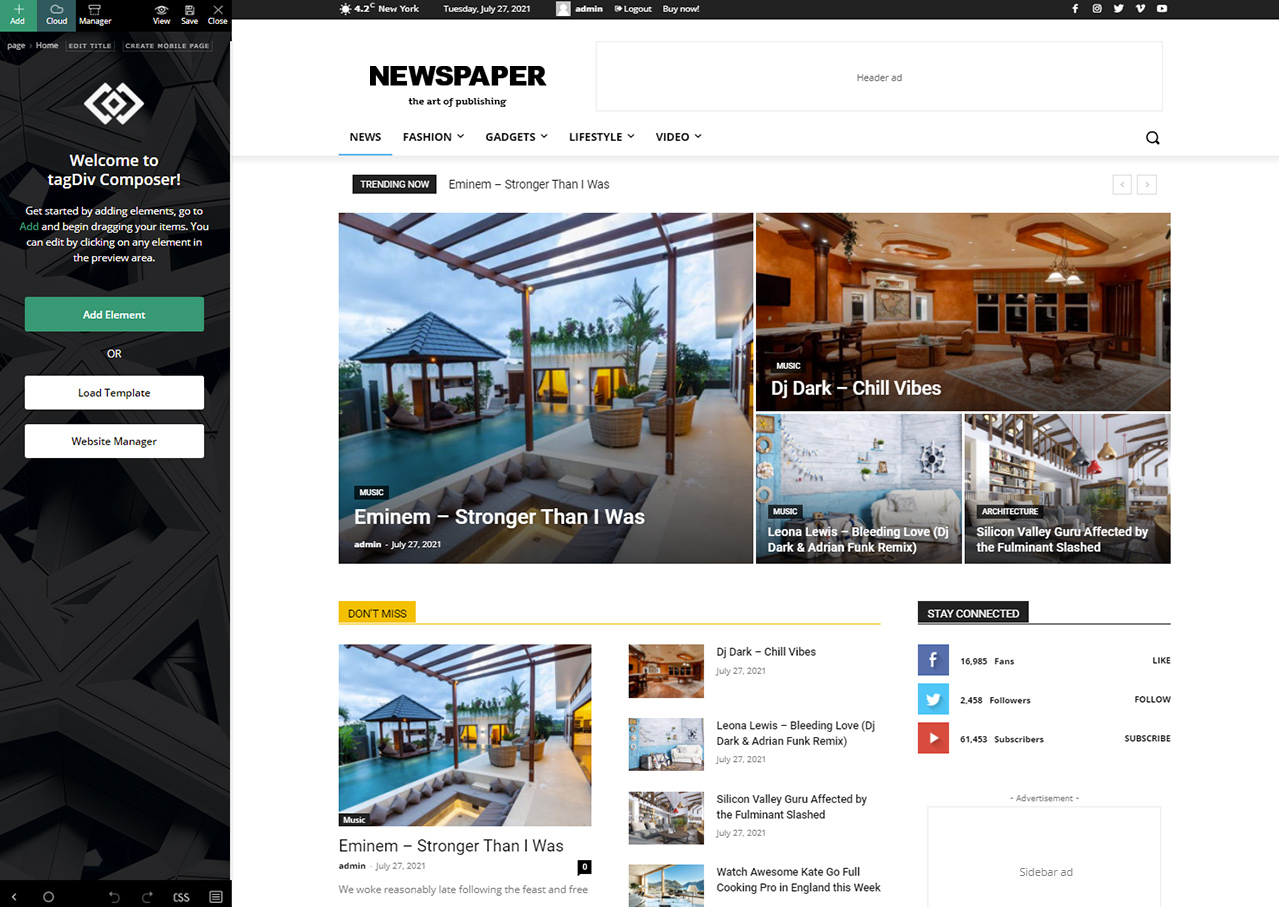
I’m really sorry to bother you but my TagDiv Composer looks like this one:
https://forum.tagdiv.com/wp-content/uploads/2017/05/Newspaper-tagDiv-Composer.jpg
and I can’t find the buttons you pointed to anywhere.
Do I have to update the Composer to the newest version?
Ok, I’ve found the viewport buttons, but I’d like to assign the mobile menu only to the tablet portrait and not to the tablet landscape and desktop.
As soon as I add the mobile menu button to the portrait viewport, it appears on all viewports.
My menu looks really ugly on tablets. Showing a mobile menu instead of the full menu would be nicer.

Hello pistacio,
Normal if you set an element in header this will be display in all those view ports -> https://i.imgur.com/dxryzD0.png if you set it on mobile view port then will be display only there -> https://i.imgur.com/z65NMdk.png
Now if you want to set it only on portrait -> https://i.imgur.com/lnmv5CP.png then you need to hide it on the rest of the view ports -> https://i.imgur.com/0ctIHdp.png (you can hide the elements on view ports).
I hope this will help you!
Thank you!