Hello,
I have encountered a problem regarding the mobile menu. When I installed the site correctly, the menu works fine on the laptop version. However, when I switch to the mobile version and navigate through the pages, I cannot find the content. Only the page title is displayed, but the content, including images and text, is missing. Could you please look into this matter and provide assistance as soon as possible?
website link : https://marocafrika.org
Thank you.
2- The second issue I’m encountering is that the website is consuming a lot of system resources. I’m not sure of the exact problem, but I noticed a significant spike in resource consumption. How can we address this issue? Your assistance in resolving this matter would be greatly appreciated.
check the screen in the link :
https://drive.google.com/file/d/1RQNWVosuVja4r6ZbbscLiWWYYPxR5vdy/view?usp=sharing
Thank you
hello again please help – consuming a lot of system resources check the screen in the link :
https://drive.google.com/drive/folders/1zStcoFaP7LCoW1O01gH9yeHQGu43H9QJ?usp=sharing

Hello,
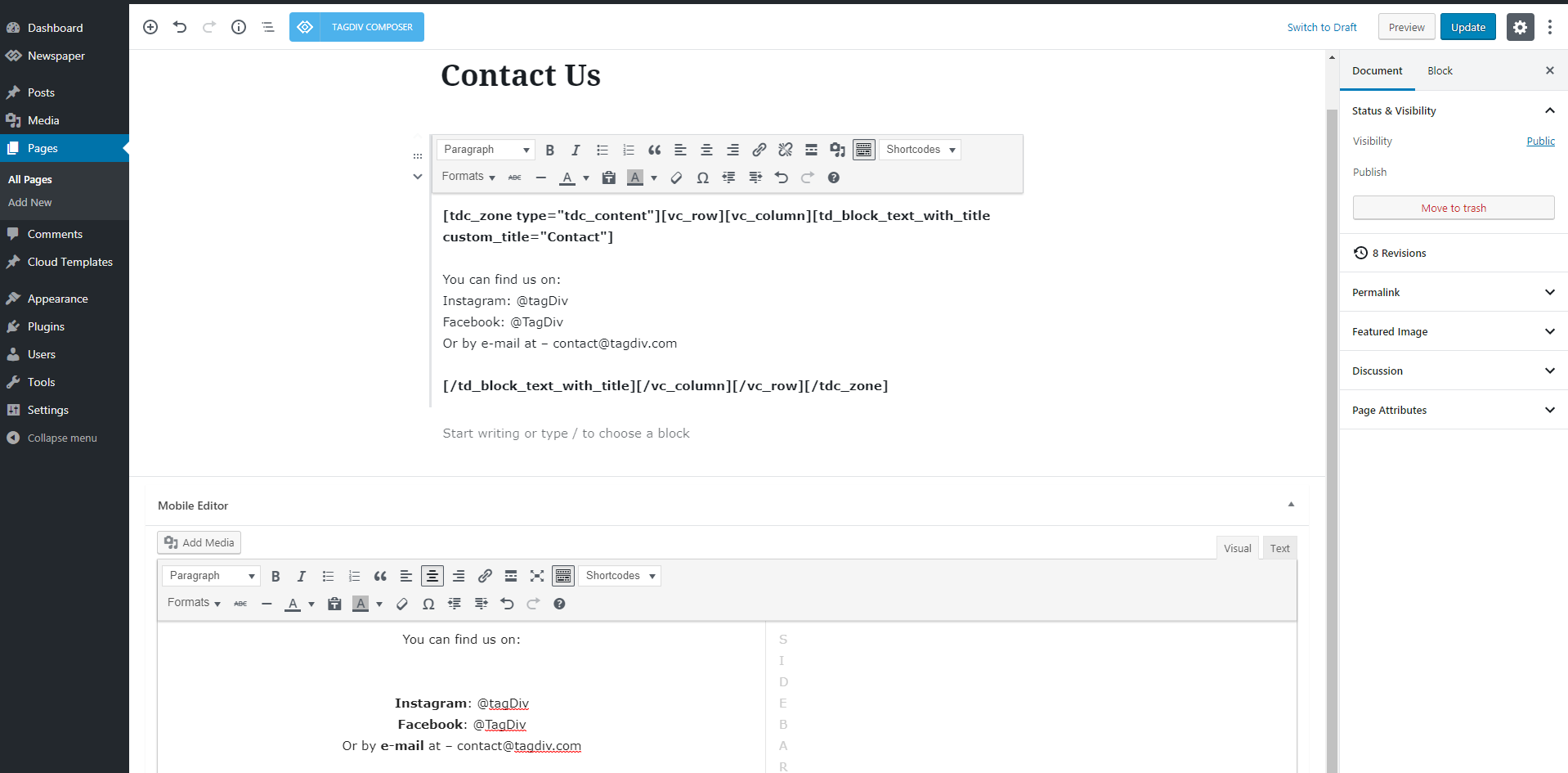
1. When the mobile theme plugin is used the pages content needs to be set using the mobile editor at the bottom of the page and this should be created using only elements from the mobile editor and not code from builders. If you want to use the responsive version, just disable the mobile theme plugin.
2. This problem seems to be caused by a malware – https://sitecheck.sucuri.net/results/https/marocafrika.org
– Change admin passwords and delete admin accounts you are not familiar with;
– Delete any weird/unknown plugins;
– Delete the weird/unknown themes;
– Clean WordPress files (example – https://i.imgur.com/stJCqiK.png)
– Check the live css tool, and make sure is working – https://i.imgur.com/xaXIEJO.png (set a css there and click on save)
example css:
.txt{

color: red;

}
Thank you!
Hello again,
Please, I need help with the mobile menu. The problem is when I click on the button, the link is correct but there is no data (no text, no images). I asked you about this before, and you told me about the mobile editor. How can I use it and where can I find that mobile editor? All the links work correctly except for the link on the menu. The redirection to the correct pages works, but there is only the title as shown in the screenshot in the link below:
https://drive.google.com/drive/folders/1l-SAIl-QuOWMAxGNETaAMAVCKIgLpHuF?usp=sharing
I would like to work with the mobile version and not the responsive version
Thank you.
Hi i.zune13, this situation is because you are using the mobile theme plugin and this removes the content from pages because this is usually made with shotcodes from builders. Now the most simple solution if you want to have the responsive version on mobile is to disable the tagDiv mobile theme plugin, but in case that you want to use it only for posts and you do not have many pages, then you can manually disable the option from each page in part – https://i.imgur.com/TC9kXdy.png (this option is only for the Gutenberg editor) or if you want to keep it on pages then you’ll need to use the mobile editor from the bottom of pages to add content using only the options provided by this – https://forum.tagdiv.com/wp-content/uploads/2016/01/mobile-theme.png
I hope this will help you!
hello,
I would like to inquire about the resource consumption of CPU, RAM, and I/O usage on our website. I have scanned the website and disabled all the plugins. There is no malware detected after scanning it with Wordfence and other plugins. Additionally, I have removed all website files and uploaded them from scratch, attempting to import only the XML file but the same problem.
can you help please
check the link bellow :
https://drive.google.com/drive/folders/1zStcoFaP7LCoW1O01gH9yeHQGu43H9QJ?usp=sharing
Can you make a full backup for the website and contact us via email at contact@tagdiv.com and provide temporary wp-admin and cPanel access to investigate those problems?