

Hi,
I’m using Newspaper theme with WPML multilanguage plugin.
I defined 8 single templates with tagdiv Cloud Template and use two languages managed with WPML. If I work with original language I haven’t any problems, but if select my secondary language there is something wrong in the Theme Category Setting.
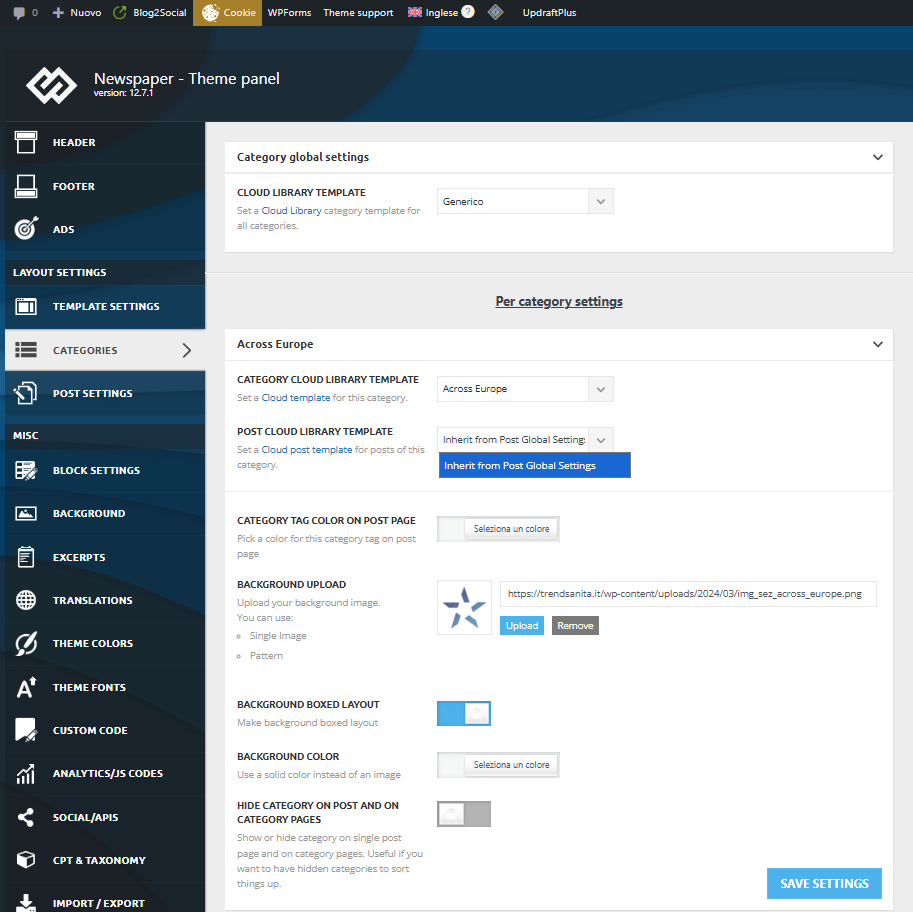
For the first category, my Post Cloud Library Template list is empty, so I can’t associate my template to the category:
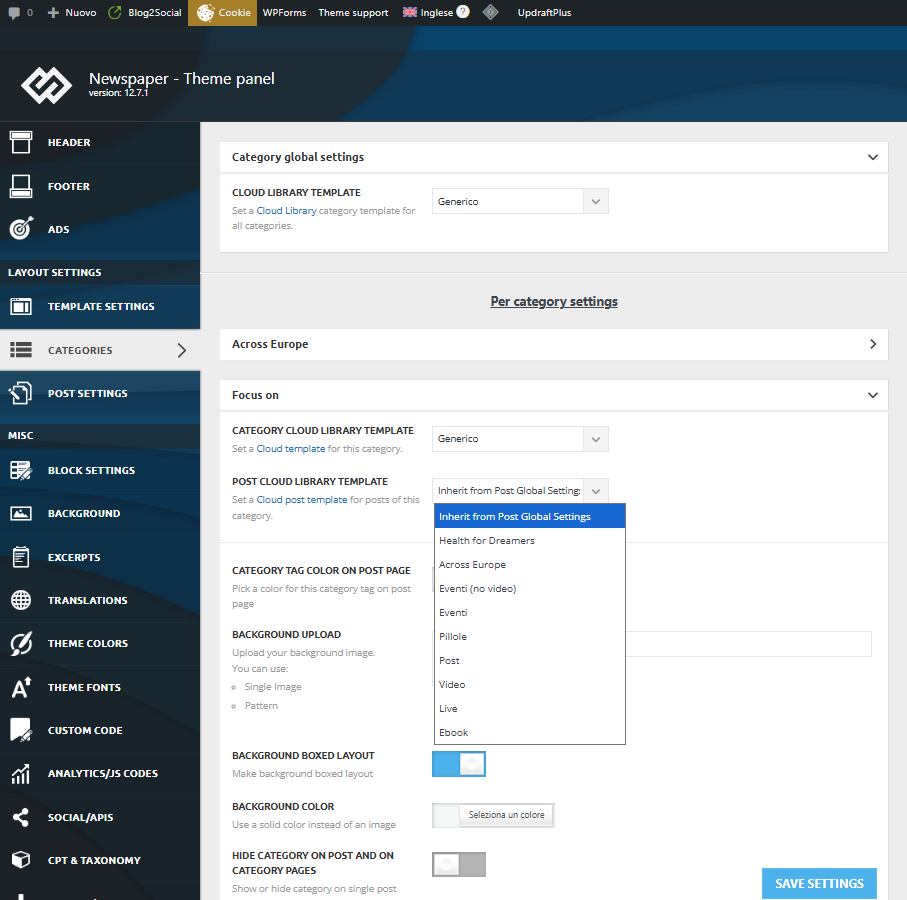
For the next category instead the list is right and complete:
Why?
Thank you.
Enzo
-
This topic was modified 11 months by
kappe79.

Hi,
This is because you need to translate/duplicate the template per language.
Also, make sure that the WPML is set as in our guide – https://forum.tagdiv.com/using-theme-translations-together-wpml/ https://i.imgur.com/sNh9mfx.png – https://i.imgur.com/zOy0539.png
Thank you!
Thank you for your answer but I guess the problem is something else. As you can see from the two pictures in my post, I have two categories for english version: “Across Europe” and “Focus on”.
From the same view (Newspaper theme panel > Categories, in english view) I see all the templates (available also for italian version) in “Focus on” sheet but any template in “Across Europe” sheet.
If I have to translate my template for “Across Europe”, why does it already work for “Focus on” category?
Thank you again for your help.
Hi,
I see what you mean. Can you make a full backup and email it to contact@tagdiv.com, and provide wp-admin access so we can check it?
Thank you!
Hi,
Unfortunately, without access, it will not be easy to check it. Maybe you can make a staging area where you cannot add articles? If this is not possible, maybe a screen record making the settings to try to recreate it on one of our installs.
What I can suggest is to test if you set the category to the same template as for the one focused on https://i.imgur.com/MnddYCH.png and see if the templates for articles are displaying.



