

Hello. I’m new buyer. Firstly congratulations and thanks for this perfect theme.
I’d like to learn what size of a post image. I selected style 2 for post template. And I use the template like in the demo homepage (http://demo.tagdiv.com/newspaper/)
Depending on my before theme my post image size is in 765*400 dimensions. But I think this dimension is not suitable for Newspaper theme. Please look at this : 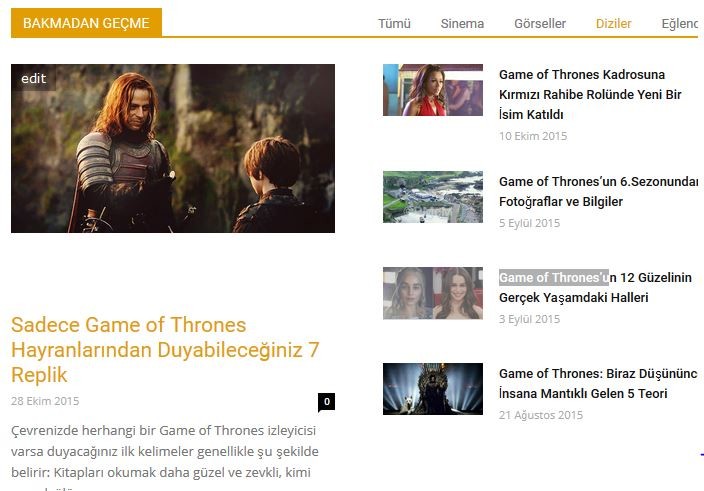 (don’t miss section)
If possible I want to ask more questions :
1: how can I achieve to do black color of a section’s background in homepage (not title background). like this : 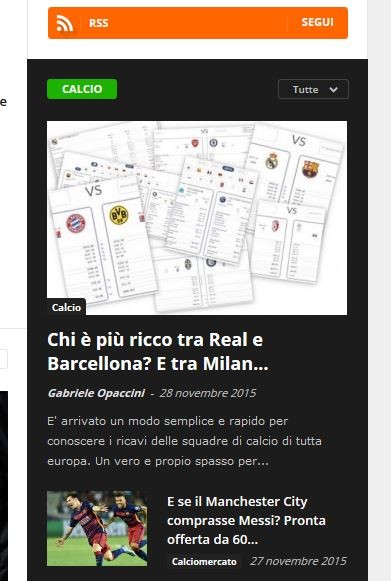
2: A post has 1 or 2 category. But to obtain mega menu I made all category as sub-category of parent catogories. That’s why in top of posts previews not only selected categories but parent categort. This is weird to me. Not ?
3: Is this possible that latest articles block in homepage has infinite scroll not pagination ?
4: I want to not show author box for my posts. Normally in my other theme It wasn’t previewed unless typing author description in backend panel.
Thank you so so much.
Greetings from Turkey.

Hi,
Please try to regenerate thumbnails and see if you still have this issue – https://forum.tagdiv.com/using-the-theme-with-existing-content/ Please note that the featured image should have at least the sizes of thumb’s container, because WordPress doesn’t enlarges images.
1. You can add background color to the row or column – http://screencast.com/t/rHdQhbEewU please check this topic as reference – https://forum.tagdiv.com/topic/background-in-header/
2. Also the non-parent category(without subcategories) can be made megamenu please check documentation – https://forum.tagdiv.com/mega-menu/
3. Yes it is possible, just use the default page template and set infinte load for last block from your content – http://screencast.com/t/3UaBmanKm8l
4. You can disable author box from Theme Panel > Post Settings – http://screencast.com/t/y1IKgjON
Thanks!
Thank you for reply. Sorry but these couldn’t be answer for my question.
1. I don’t want to use a plugin. Only I want to know what the optimum image size for all thumb’s containers. 800*600 is suitable for optimal image quality on theme ?
2. Yes, Ok but I want to obtain a megamenu with sub-category. That’s why I turned the categories into sub-categories. But it previews in post together parent category.
3. Thanks. It’s done.
4. No, I don’t want to disable author box. I just want not to preview a author box depending on specific author.
-
This reply was modified 10 years by
gokaytem.

Hello,
1) 800×600 should work well with our theme. You can see a list of thumbnail used by our theme here: http://screencast.com/t/982kViHk so you can have an idea of what thumb sizes our theme uses.
2)In the post category tags, all the categories and sub-categories will be displayed. If this ius not what you are refering to, please provide more details and maybe a screenshot so we can understand better. If you get your mega-menu doubled, you only need to set the parent category as mega-menu without adding the sub-categories to the menu as it is an automatic process and it gets the sub-categories automatically.
4)DO you intend to hide specific authors maybe? please provide more details.
Thank you!
Hello.
1. I will use 696*464.
2. To obtain this menu with sub-category (look) I made some categories into sub-categories. This is necessary. But for parent category I created new parent categories like Teknoloji2 (technology2), Eğlence2 (entertainment2), Sanat2 (art2) etc… And this parent-category (even I haven’t selected) preview in the post. (look) This is weird. How to hide parent-category from post ?
4. Yes.
5. I forgot. I know I can add background color to the row or column but there are several block in the row. please look. I just want to add background color to only this block. I think this can be a css trick.
6. All button in the block of homepage doesn’t work. It get all post in the all categories not specific categories belonging to the block.
Hi,
2) It is not weird as this is a default behavior of ther theme. A post will have every category or sub-category displayed on the top. If i specify 20 categoriess or sub-categoriess to the post they will all display: http://screencast.com/t/BTeOfsrvJ
Unfortunately there is no option to hide a specific category from a post. You can disable all of them from the theme panel: http://screencast.com/t/zavyzutGqHt
4)The theme has no option to hide a specific author based on the author description. Maybe you can find a plugin that provides this option in order to have it as your previous theme.
5)Indeed it is a css trick but we need to inspect it so we can get the class needed to apply the code.
for example on this block: http://screencast.com/t/SisfBDI9
code:
.td_uid_18_5661402fc34c4_rand .block-title > span{

background-color:red!important;

}
That long id number is different for every block element. You will need to identify yours and place it in the code. You can use the browser inspector to get the class.
6)You are getting posts from all categories on your block because you have it set to all categories and have not specified what categories you want your block to display posts from. You have specified categories for the ajax dropdown, which is the “menu” on the right of the title. You need to insert the categoriy id’s in the filter tab and in the multiple categories filter.
Thank you!
5. http://www.websites2000.net/ Block of “Dikkat Et”. Not only background of title but also all background of this section. Like this.
