

Hello !
The mobile theme issue looks like a caching issue. Please make sure you have active only the tagDiv plugins active and also make sure your cache is clear.
The css options is added for the selected block. That can help when you want to add extra css to that specific class.
Unfortunately I don’t quite understand what exactly you want to achieve with the latest question.
Thank you !

Hi.
You are right not to understand, you make the copy of the question wrong.
The question is how do I change that block at the bottom of the page that is always seen, how or where is that option to change or remove it.
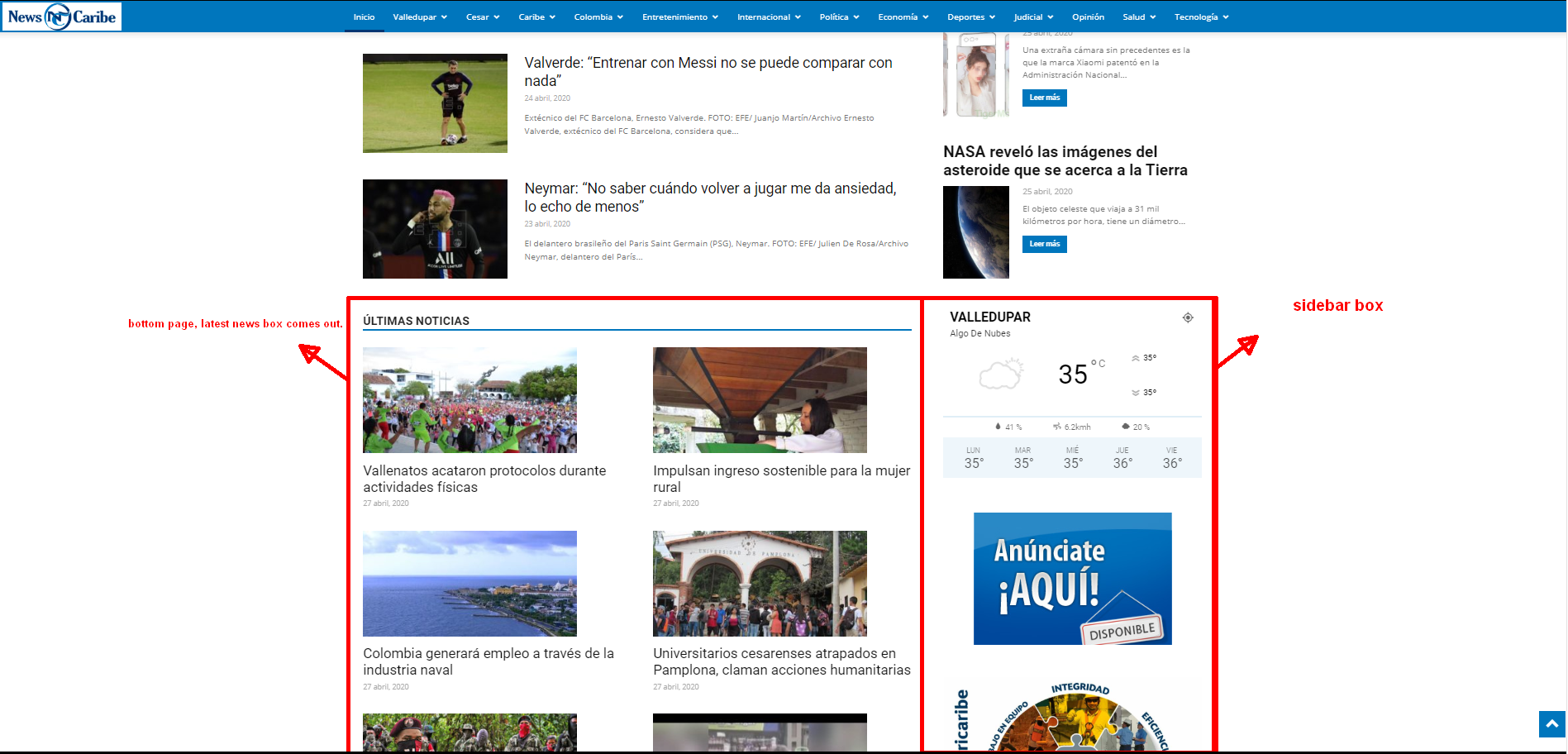
The css options is added for the selected block. That can help when you want to add extra css to that specific class.
An example of how to do it can be more specific.
Nothing, I have not been able to get the web to adapt, neither by cleaning cache nor on any mobile device, the truth is I am very disappointed with the subject.
If you have more prayers on how to solve the problem I would appreciate it.
Responsive option does not work in newspaper X
-
This reply was modified 6 years by
ludyma.

Hello !
1. I pressume you mean the part wich includes the latest articles section. That one comes from the page building: https://www.screencast.com/t/uzXRgXTiHlH That part is NON Editable using tagDiv Composer.
2. Please simply disable the mobile theme and let us know so we can investigate your website with the mobile theme plugin deactivated. At the moment your website has mobile theme plugin and everything looks fine: https://www.screencast.com/t/sLsavTM589S ; https://www.screencast.com/t/8LP9EsTX
3. As you can see here. On one gutenberg block I have added an additional class: https://www.screencast.com/t/kaBcRBJqx5NS ; https://www.screencast.com/t/7OKjlDj0k ;
This allows you to have better targeting when you want to customize that specific block using css.
I hope this is more helpful !
Thank you !
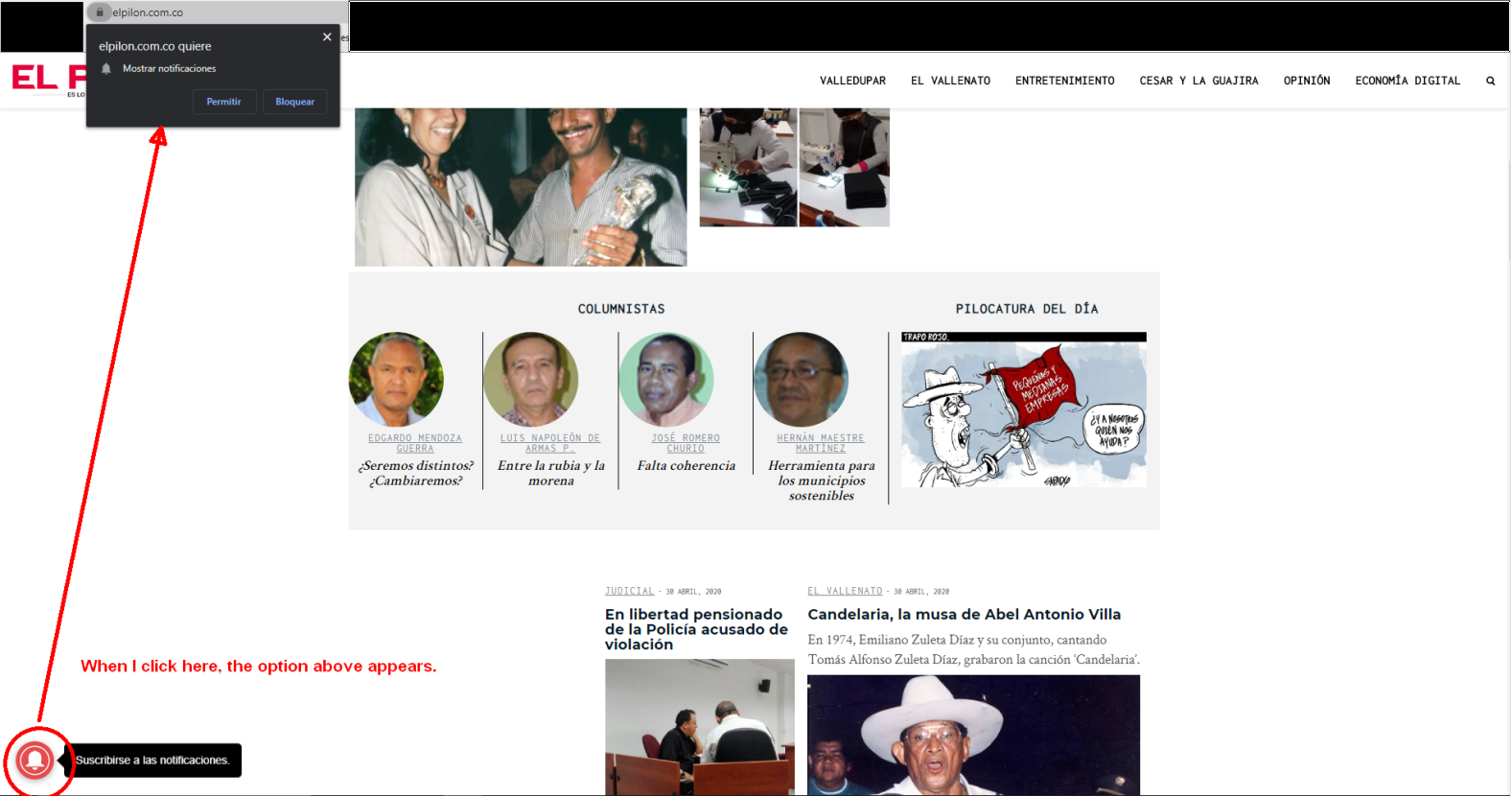
hello, I would like to install a popup on the web so that notices appear in the browser or through rrs by mail, for rss I use feedburner that, incidentally, in the box that is in the TagDiv composer gives me an error and I had to do one to hand … I attach a photo of one that I have seen on a website, or that you advise me …
Hello, for a long time I have not seen the title or description in the browser tab like others, could you help me and guide me, until I changed it in seo and nothing. how are you going to look at the web …
it does not go well.

on other websites it works well

-
This reply was modified 6 years by

Hello, I have downloaded a theme for a category and modify the graphics and there are no options and also it does not load the image, only backgroun color.


Also, there is no header, category name and labels, when I run the theme on the web, what do I do wrong?

technology category
-
This reply was modified 6 years by
Flusso, as you do not specify for what, I understand it is for the problem of the photos of the whatsapp … well in my case what I did is deactivate all the plugins and look for two that I read so that it loaded well, one is recommended to me by Vlad. the (Yoast SEO) the other what you are looking for on the other hand is to optimize the photos (Smush), with these two I have had no more problems with whatsapp the only thing that apart from being a bad program where there are, sometimes it takes time to load the meta of the links you put.
Hello Vlad, I will perform the deactivation of the pluging on Sunday May 3 at 10pm in Colombia, due to the time change I think you can look, keep in mind that the website is operational. I have made another video of the failure or error, I have realized that it looks the same as when you deactivate the mobile theme, in any mobile, put it in desktop view and you will see what happens, it will depend on each web browser, in one it will be worse than in others as you will see in the video.
Hello !
1. For category it is normal what you are seeing. Please complete your template import. Follow our documentation here: https://forum.tagdiv.com/cloud-library-category-templates/
2. For a popup option you will have to use a 3rd party plugin. Unfortunately we have not tested any so we cannot recommend one.
3. After changing each viewport we recommend refreshing your page because browsers are not able to find the mobile versions all the time. Also please make sure you have cleared your cache.
Also because your topic has gotten to be so hard to read I will kindly ask you to open a new thread for each problem you have and do not post multiple replies. You can edit your reply here: https://www.screencast.com/t/lrsZz8quKjw
By having 3-4 replies from you in 1 topic will only make your wait time longer.
Thank you for your understanding !
Hello, I have done everything that is described in the tutorial you told me and the result is still the same. tutorial
theme panel

Cloud templetes

TagDiv Composer

The changes do not apply to the theme downloaded for the category, visit the page and you will see that not even the title is loaded.
tecnología
Hello !
Please contact us via email at contact@tagdiv.com and provide the following:
– admin url and credentials
– cPanel url and credentials
– A link to this topic in order to identify you
Our team will take a look !
Thank you !
Hello, I have put the accesses, please, solve the problem, and I reinstalled all the 10 newspaper, from 0 in the server and in the test one with the same result in the two cases separately and installing the 9 newspaper all well. they already have access created. sending mail tecnico.sopor@xxxxxx
matter the same of this case Responsive Web Design glitch
-
This reply was modified 6 years by
