

For some time, I noticed that the images were displayed very badly on the blog…
It’s as if they were badly resized and therefore looked blurry…
When you click on them they are of good quality but otherwise it’s not great…
For example on this article :
https://byothe.fr/comment-inserer-un-espace-insecable-dans-word-ou-autre/

Hello,
Please make sure when you add the images are in full size (in the posts, set as featured image), not thumbs -> https://i.imgur.com/3EunsmK.png
Thank you!
Hello,
When you select the image on the right side is the setting -> https://forum.tagdiv.com/featured-image-or-video/
Thank you!
Hello,
I checked a few posts, and the images that are inserted look fine -> https://i.imgur.com/kDyl3DU.jpg but please check if the images are set in width and heigh -> https://i.imgur.com/T0tbHjN.png
Thank you!
not sure to understant the problem…
But still I have a lot of pictures that doesn’t looks fine :
Here its blurry :
https://byothe.fr/analyser-les-statistiques-de-nimporte-quel-compte-twitter-avec-tweetdeets/
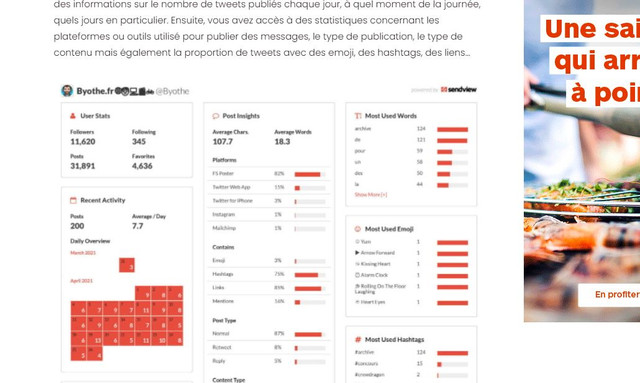
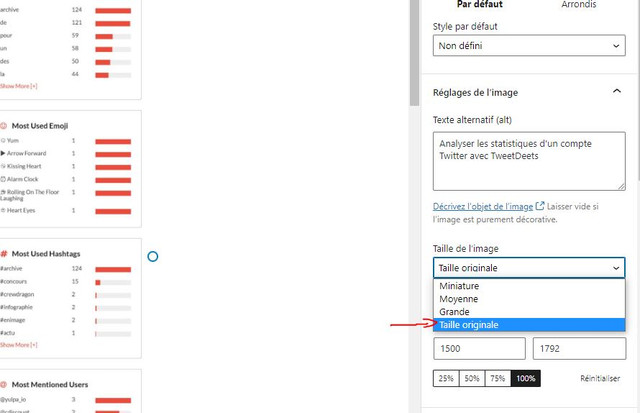
But when i change the option “image size” from “big” to “original size” it looks better
How can I have this by default :
Hello,
This depends on what image dimensions you set in the post -> https://www.screencast.com/t/rTWert68K and what template you use -> https://i.imgur.com/i3iPu8x.png
Thank you!



