

Hi,
Previously I was using co-author plus plugin for displaying multiple authors together on my website opensourceforu.com. It was active when I was using tagdiv standard pack and was adding the plugin settings within theme editor plugins section and legacy folder.
Now, I have shifted to tag div composer cloud template. Can you please tell me where should I add the plugin settings now or newspaper theme has a option to display multiple authors?


Hi, We have a guide where we recommend a plugin that allows co-authors, you can check it here – https://forum.tagdiv.com/adding-multiple-authors-articles/
Thank you!
Adding multiple authors to your articles
Content
In this tutorial we will show you how to implement multiple authors to your posts using the Co-Authors Plus plugin.
We will make the implementation in the child theme so it will be easier to manage on theme updates. You will need to install and activate the Co-Authors Plus plugin first.
Adding the multiple authors is a three step process.
- Step 1 – Adding the required functions in your child theme functions.php file.
We created 2 custom functions for the author and for the author box which we can then call on the post styles and not have to use the entire functions each time.
Add these functions in your Child theme functions.php file: https://pastebin.com/ciYrSZvQ These will create the custom implementation to add the co-author and the author box for each co-author in particular.
- Step 2 – Adding the single post templates to your child theme.
In your main child theme folder, you will need to create the following folder structure:
Newspaper-child/parts/single
Then, under the “single” folder add both the single-template and the loop-single files for each of the post styles you use on your articles.
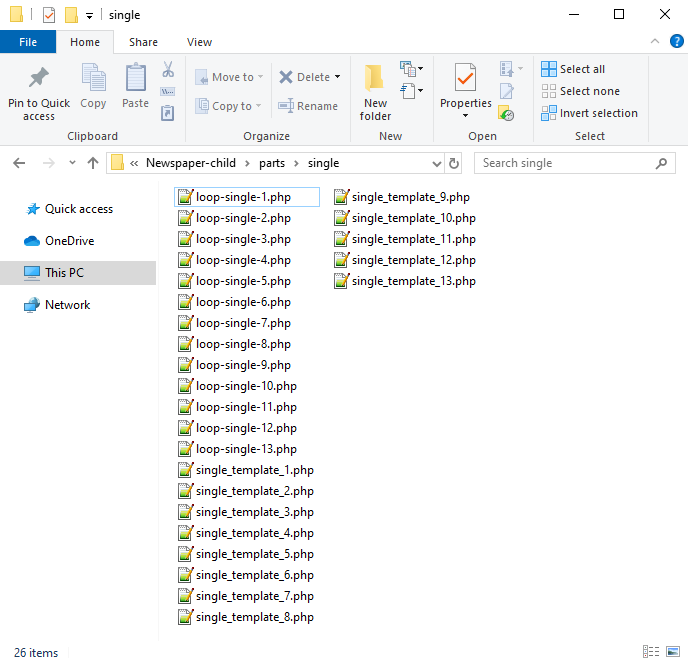
Now you will have to identify where the author is being called in each post style.
For styles 1, 5, 9 and 10 you will find the author code in the loop-single files while for styles 2, 3, 4, 6, 7, 8, 11, 12 and 13 the code is fount under the single_template files.
Edit the files corresponding to the style you want to apply the co-authors to and then call the functions added at step 1. Replace the default author and author box codes:
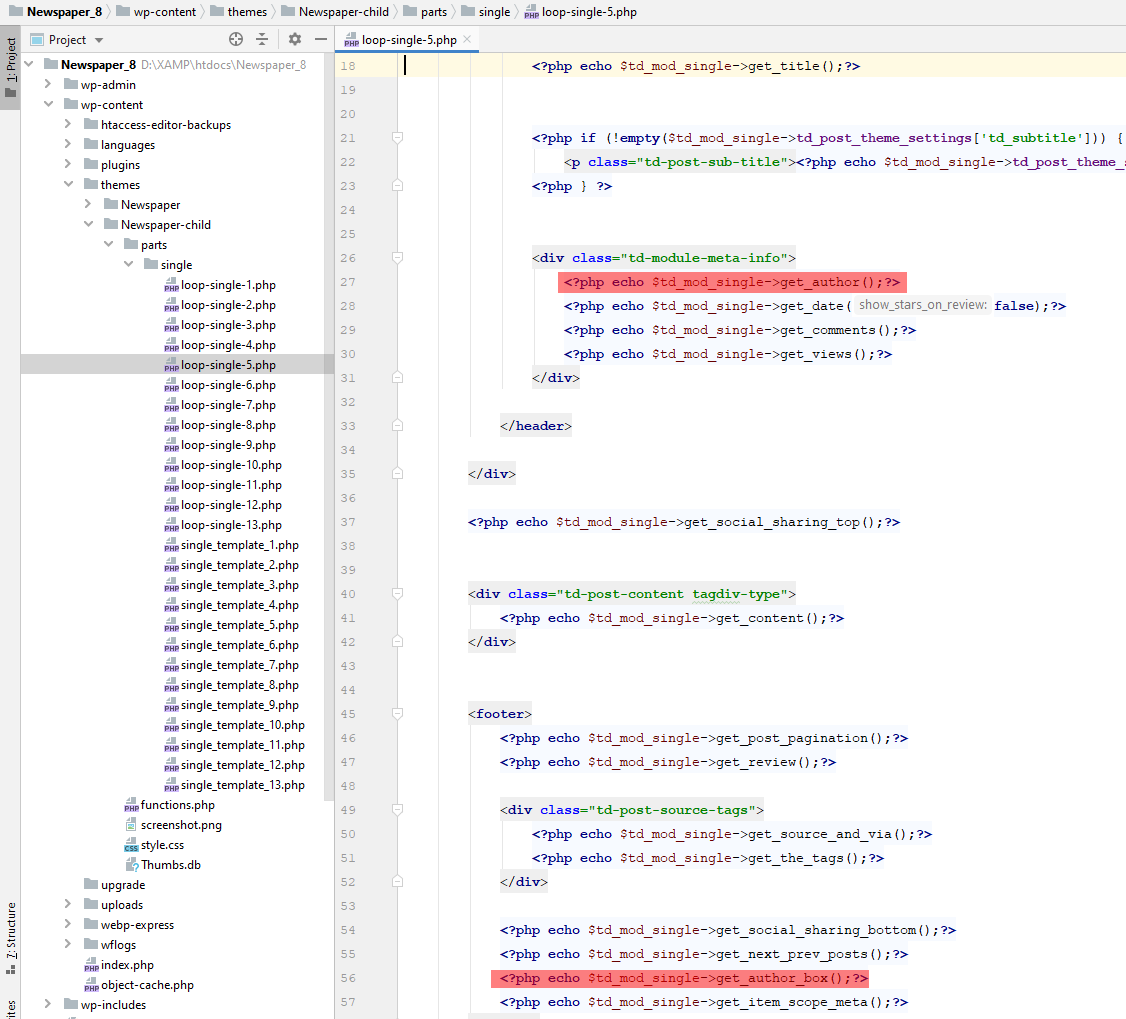
Replace the highlighted code with the following codes:
<?php echo td_get_post_coauthors();?>
and
<?php echo td_get_post_coauthors_box();?>
Maintain the codes position in the .php file though for proper results. \
- Step 3 – CSS styling
In order for the co-authors to position properly we also need a bit of CSS code to ensure proper styling so please add the following CSS code in the the theme panel under custom code-> custom CSS:
https://pastebin.com/dRaStewQ
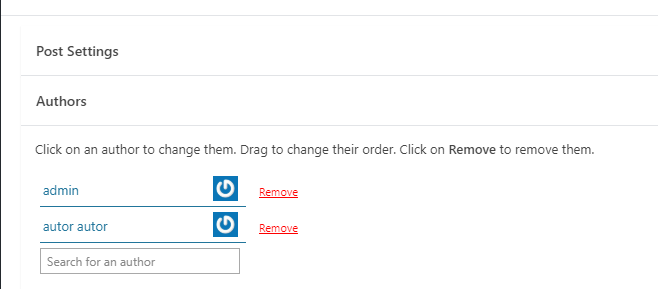
Now you simply need to edit your post and add multiple authors using the plugin author field:
Hi Atithya,
Yes, I mentioned in the above reply that this solution is only for default post templates, if you are using cloud templates, please check this guide: Adding Multiple Authors to Your Articles
Thank you!
