

Hey,
we got an unique author page for each of our authors and are displaying their personal instagram account there.
Until yesterday this worked fine – but now it doesn’t anymore.
We can now only display posts from our website-instagram which is connected under “theme panel -> social networks”.
Is there a way to connect more than 1 account in the theme panel? Currently it says “Your Instagram Account is already connected”.
We only want to use the instagram widget for accounts that our authors own, so we have access tokens for them if there is any workaround.
Big thanks in advance for your help


Hello !
This option is not available because of the Instagram policy. You can use only one instagram account on your website using the instagram api: https://forum.tagdiv.com/instagram-widget/
Thank you !
Hey Vlad, thank you for your fast respond.
But I don’t really understand, why it was working until a few days ago.
Enter the ID as it appears after the Instagram URL (ex. http://www.instagram.com/myID)
I could easily use the instagram-widget with 2 different IDs, without even connecting any instagram account through the theme panel. Now – this doesn’t work anymore. I don’t understand why?
Best regards
Hello !
That was because cache. Normally this should not work. This is instagrams policy and we have to comply to it. In order to have a fully functional instagram you will have to follow the steps here to integrate the api: https://forum.tagdiv.com/instagram-widget/
Thank you !
Hey Vlad,
it worked for over 6 months w/o problems, just entered some userid into the widget and I got the feed (e.g. entered the id “instagram” to get the feed of the account “Instagram”), so I don’t think that it was cache.
I integrated the api you mentioned, but yeah, now it still only works for the one account that I connected.
But okay, maybe Instagram changed something. I don’t know.
Too bad that it no longer works, I guess we have to remove it.
-
This reply was modified 6 years by
merquart.

Hi merquart,
If you still have some problems with Instagram, you can send us an email at contact@tagdiv.com and provide admin login, as well as cPanel. We will take a look. Include a link to this topic in the email.
Thank you!
I was just about to write the e-mail right now – and while I took some screenshots to explain it I saw -> it’s working again! 😀
I don’t know why. Maybe the fault was at instagram for some days?
—
But since you said “In order to have a fully functional instagram you will have to follow the steps here to integrate the api” and “You can use only one instagram account on your website using the instagram api” I’ll attach 2 screenshots:
-> website.de/author/shatimemusic/ -> shows the instagram feed of the account “shat.aran”
-> website.de/author/ardy/ -> shows the instagram feed of the account “val_beatz”
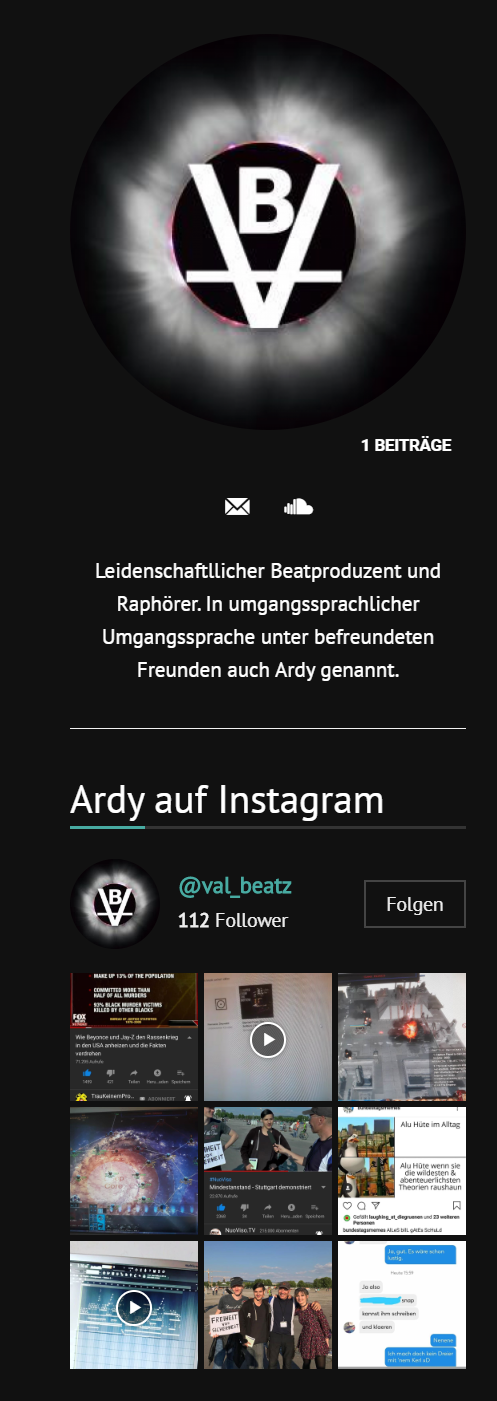
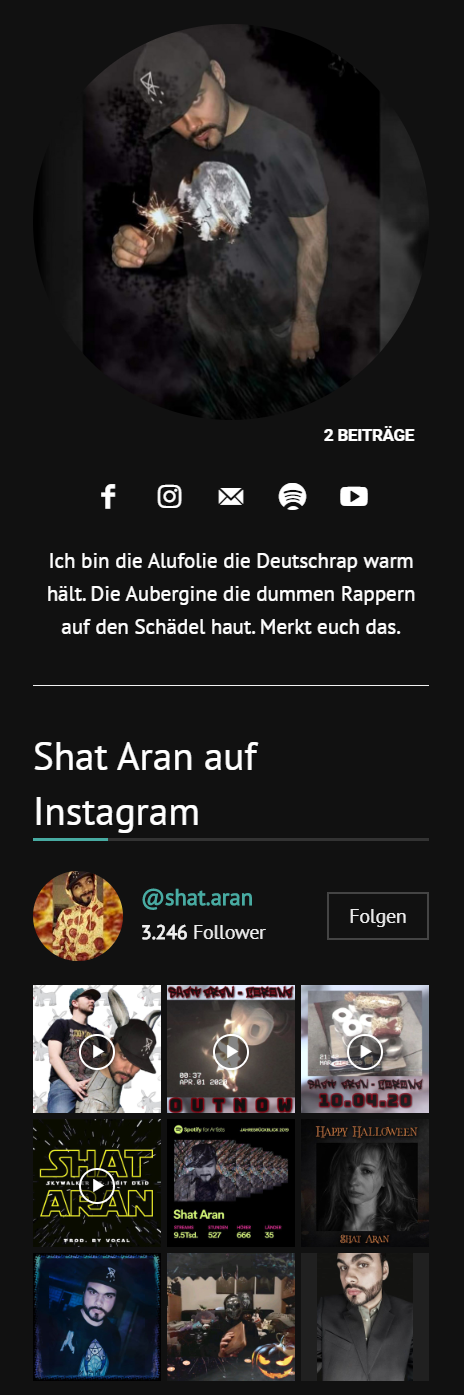
Under “theme panel -> instagram account access configuration” we connected our main instagram account and we are able to show different accounts through the instagram widget. Isn’t that how it should work?
-
This reply was modified 6 years by
Hi,
If you have some videos on Instagram these should look like this ->https://i.imgur.com/SQCvh3j.png but these must be set on latest feeds to be display.
Thank you!

